Geekzone: technology news, blogs, forums
Guest
Welcome Guest.
You haven't logged in yet. If you don't have an account you can register now.


View this topic in a long page with up to 500 replies per page Create new topic
1 | 2 | 3 | 4 | 5 | 6 | 7 | 8
baabits
56 posts

Master Geek
+1 received by user: 31

ID Verified
Lifetime subscriber

  #2745196 16-Jul-2021 14:31
Send private message

danepak:


Thanks. Downloading now.


So dumb question coming up: What exactly do I do with these files (I'm still trying to install Catalina, but if it doesn't work, my aim is to use the Macbook Pro as a Windows 10 device).


So let's say that Catalina won't work. I unzip the folder that you sent to me. Can I just double-click from within Windows on my Macbook Pro? I know, probably a dumb question.


Yup- there's an installer in there call BootCamp64.exe or something similar. Just run that and it auto installs everything. 

If the installer doesn't work (Win 10 sometimes is too new) there are individual installers deeper in the folders- you can get things like Wi-Fi up and running by just running each one.


danepak

1124 posts

Uber Geek
+1 received by user: 85


  #2745197 16-Jul-2021 14:33
Send private message

Thanks, will give it a go later today!


1024kb
1197 posts

Uber Geek
+1 received by user: 519

ID Verified
Lifetime subscriber

  #2745198 16-Jul-2021 14:33
Send private message

So dumb question coming up: What exactly do I do with these files (I'm still trying to install Catalina, but if it doesn't work, my aim is to use the Macbook Pro as a Windows 10 device).


So let's say that Catalina won't work. I unzip the folder that you sent to me. Can I just double-click from within Windows on my Macbook Pro? I know, probably a dumb question.


No such thing as a dumb question here. There's a Bootcamp driver exe installer file in the root directory. Right-click, run as Administrator & relax.


Megabyte - so geek it megahertz


danepak

1124 posts

Uber Geek
+1 received by user: 85


  #2745260 16-Jul-2021 17:54
Send private message

baabits:


danepak:
You’re awesome. Happy to shout you a beer, if you’re in the Auckland area.

The model is ME874X/A
15.4/2.6ghz/16GB/1TB Flash


You're welcome bud, no prob. https://drive.google.com/file/d/1DeXdq_G_-T88Bjbp1kPGaa6g2TVFHpCw/view?usp=sharing


That's a zip of all the original bootcamp drivers for your model. Cheers


Hi,


Just tried, but is says that it requires Windows 7.


baabits
56 posts

Master Geek
+1 received by user: 31

ID Verified
Lifetime subscriber

  #2745403 16-Jul-2021 21:28
Send private message

Crap.. Yeah I remember that Apple were kinda dick****s about that, not stopping win 10 from being installed but also not updating their drivers to support it for machines that they deemed unsupported. 


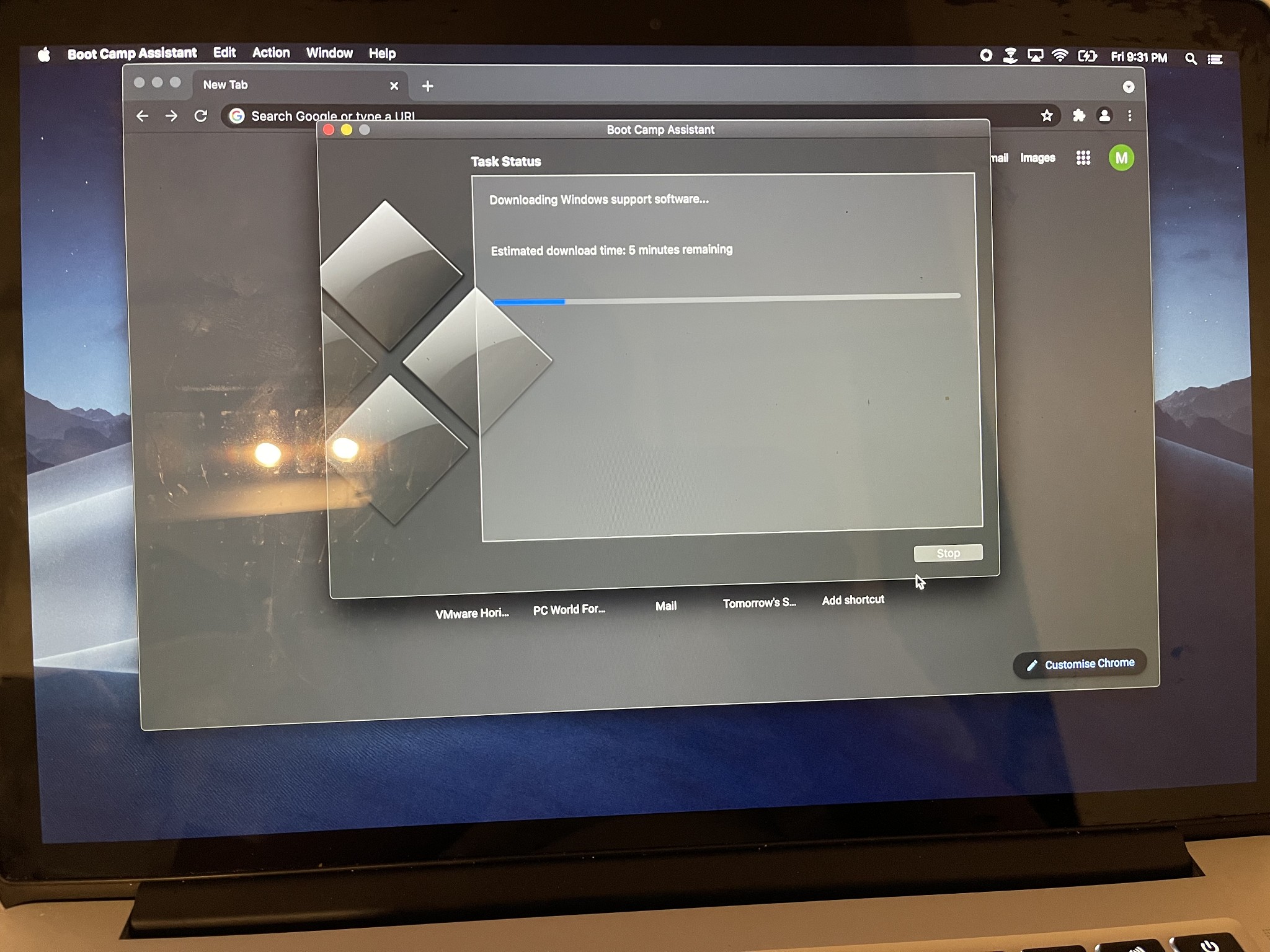
I just threw Windows on my old MBP to test, the Bootcamp 5 drivers, both the version that I downloaded from brigaider and the version supplied by 1024kb get the same error. People on the apple forums are saying that to get the updated version you have to do it through the Bootcamp Assistant so hang tight- I'll download them now :) 


Sorry to have wasted your time 


danepak

1124 posts

Uber Geek
+1 received by user: 85


  #2745404 16-Jul-2021 21:31
Send private message

baabits:

Crap.. Yeah I remember that Apple were kinda dick****s about that, not stopping win 10 from being installed but also not updating their drivers to support it for machines that they deemed unsupported. 


I just threw Windows on my old MBP to test, the Bootcamp 5 drivers, both the version that I downloaded from brigaider and the version supplied by 1024kb get the same error. People on the apple forums are saying that to get the updated version you have to do it through the Bootcamp Assistant so hang tight- I'll download them now :) 


Sorry to have wasted your time 


Youre certainly not wasting my time!
I appreciate your help and on a Friday night!!!


Shop now for Dyson appliances (affiliate link).
baabits
56 posts

Master Geek
+1 received by user: 31

ID Verified
Lifetime subscriber

  #2745408 16-Jul-2021 21:39
Send private message

No problem!

Downloading now, shouldn’t be too long. And to think I was going to throw it away lol


danepak

1124 posts

Uber Geek
+1 received by user: 85


  #2745410 16-Jul-2021 21:40
Send private message

Thanks.
So do I just do like what I did before?
Download to USB, start up Windows on my Mac and then double click an executable file?

baabits
56 posts

Master Geek
+1 received by user: 31

ID Verified
Lifetime subscriber

  #2745414 16-Jul-2021 21:49
Send private message

danepak: Thanks.
So do I just do like what I did before?
Download to USB, start up Windows on my Mac and then double click an executable file?


Yup, unzip the file to your USB and run the installer and hopefully it will be all good.


This is Bootcamp 6.136 for 2013 Macbook Pros


https://drive.google.com/file/d/18ZTpQJOnmdh7cOLsQWVX8eJ_MzAJ18T5/view?usp=sharing


danepak

1124 posts

Uber Geek
+1 received by user: 85


  #2745464 16-Jul-2021 22:12
Send private message

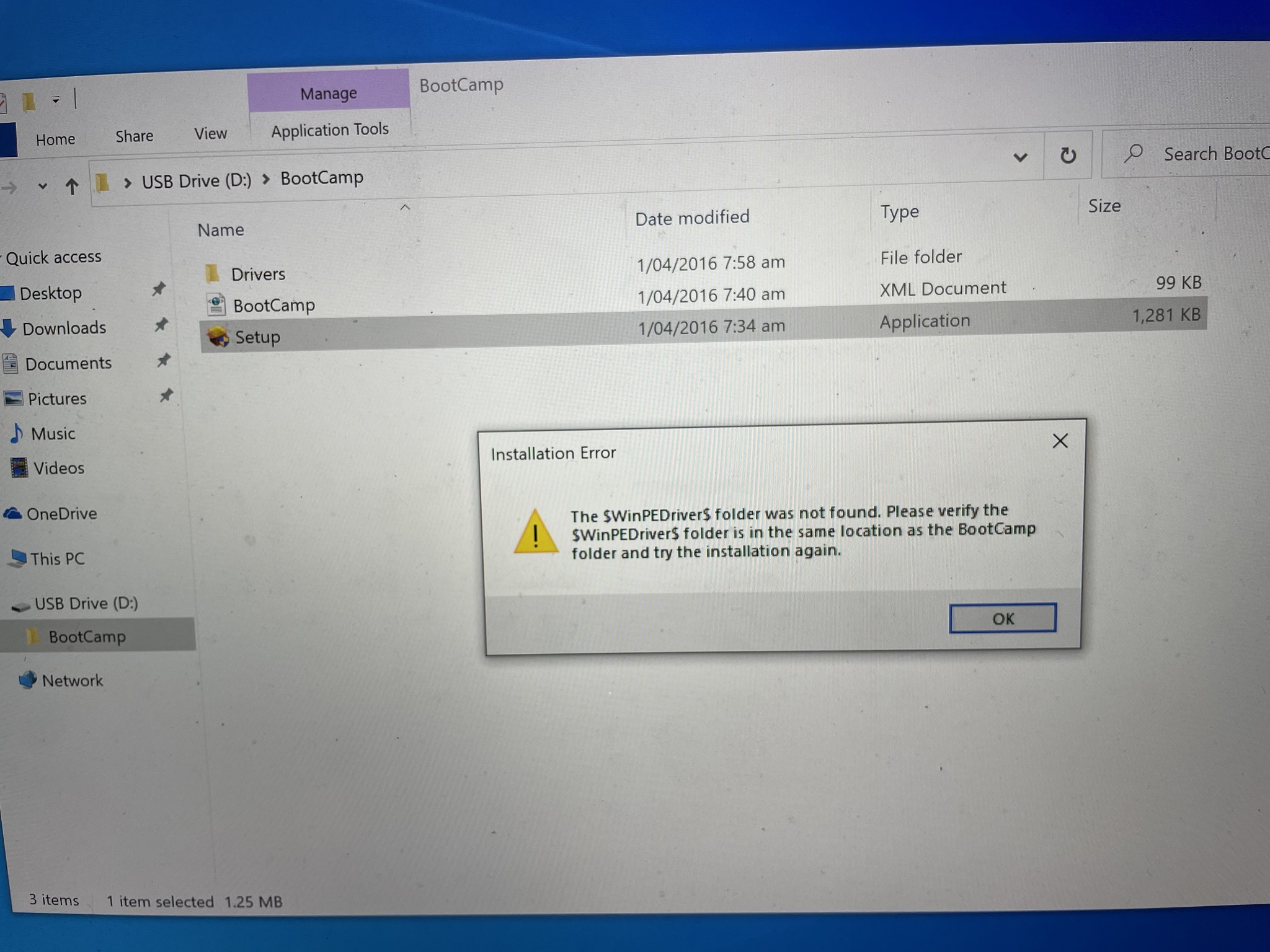
Hmm, not really playing ball unfortunately.

I copied the files onto USB. Starter Windows on my Mac and inserted the USB.

I double clicked the setup file and got the following error.


baabits
56 posts

Master Geek
+1 received by user: 31

ID Verified
Lifetime subscriber

  #2745466 16-Jul-2021 22:13
Send private message

One minute, I have that folder too!


Shop now for Dell laptops and other devices (affiliate link).
baabits
56 posts

Master Geek
+1 received by user: 31

ID Verified
Lifetime subscriber

  #2745467 16-Jul-2021 22:18
Send private message

Hopefully this is the last one you'll need.


Copy the files to the root of your USB Drive and then make sure that inside the Bootcamp folder you have all the drivers from the Bootcamp.zip download. 


https://drive.google.com/file/d/1VGaf47F9GaJ33K7tXQvj9Y9al41LIXcy/view?usp=sharing


Cheers


danepak

1124 posts

Uber Geek
+1 received by user: 85


  #2745470 16-Jul-2021 22:24
Send private message

Thanks, trying this now.


So just to confirm that I copy the files you just sent ($WinPEDriver$ folder, _MACOSX folder, BootCamp folder and the AutoUnattend file) onto the USB.


The inside the BootCamp folder, I will paste in the files which you sent to me earlier?


baabits
56 posts

Master Geek
+1 received by user: 31

ID Verified
Lifetime subscriber

  #2745471 16-Jul-2021 22:26
Send private message

Yup that's it. And hopefully it has everything you need.


Good luck!


danepak

1124 posts

Uber Geek
+1 received by user: 85


  #2745480 16-Jul-2021 22:47
Send private message

Well, that was strange!


It started off very well, but suddenly the screen went totally black. And it was black for quite some time, so I decided to restart (holding down the power button for a few seconds)..


When it restarted, it went straight into Windows and showed me that it still was installing it.


When it finished, it said that it had to restart for things to take effect.


It did that, but again the screen went black, so I decided to restart (holding down the power button for a few seconds).


Then it started and everything seems to work.


The WiFi, the camera, audio, microphone. Happy days!!!


You really are a true lifesaver. As mentioned, happy to shout you a beer or two, if you're in the Auckland area.


1 | 2 | 3 | 4 | 5 | 6 | 7 | 8
View this topic in a long page with up to 500 replies per page Create new topic


Geekzone Live »

Try automatic live updates from Geekzone directly in your browser, without refreshing the page, with Geekzone Live now.


Are you subscribed to our RSS feed? You can download the latest headlines and summaries from our stories directly to your computer or smartphone by using a feed reader.