Geekzone: technology news, blogs, forums
Guest
Welcome Guest.
You haven't logged in yet. If you don't have an account you can register now.


alasta

6888 posts

Uber Geek
+1 received by user: 3362

Trusted
Subscriber

#295975 10-May-2022 18:52
Send private message

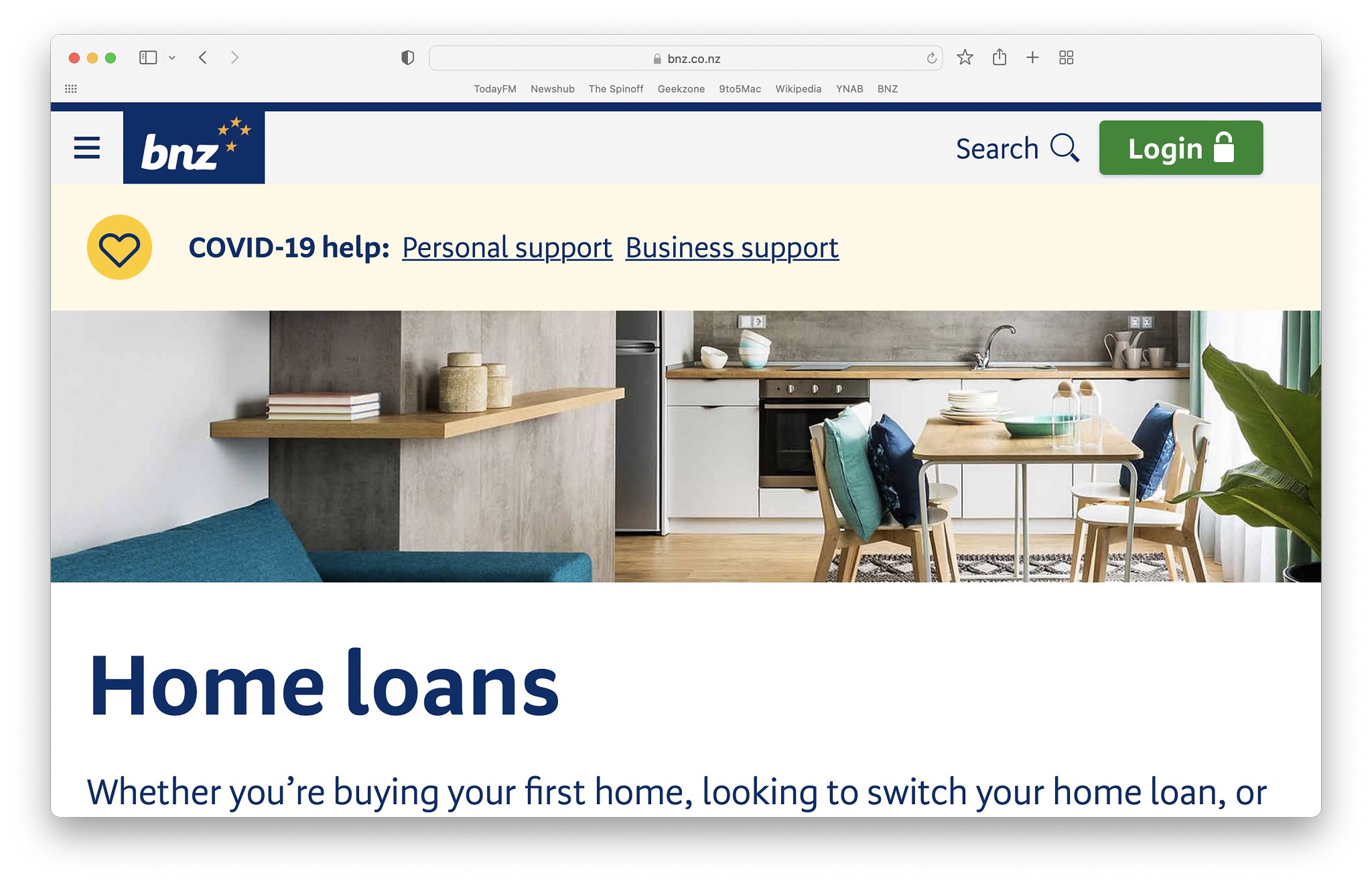
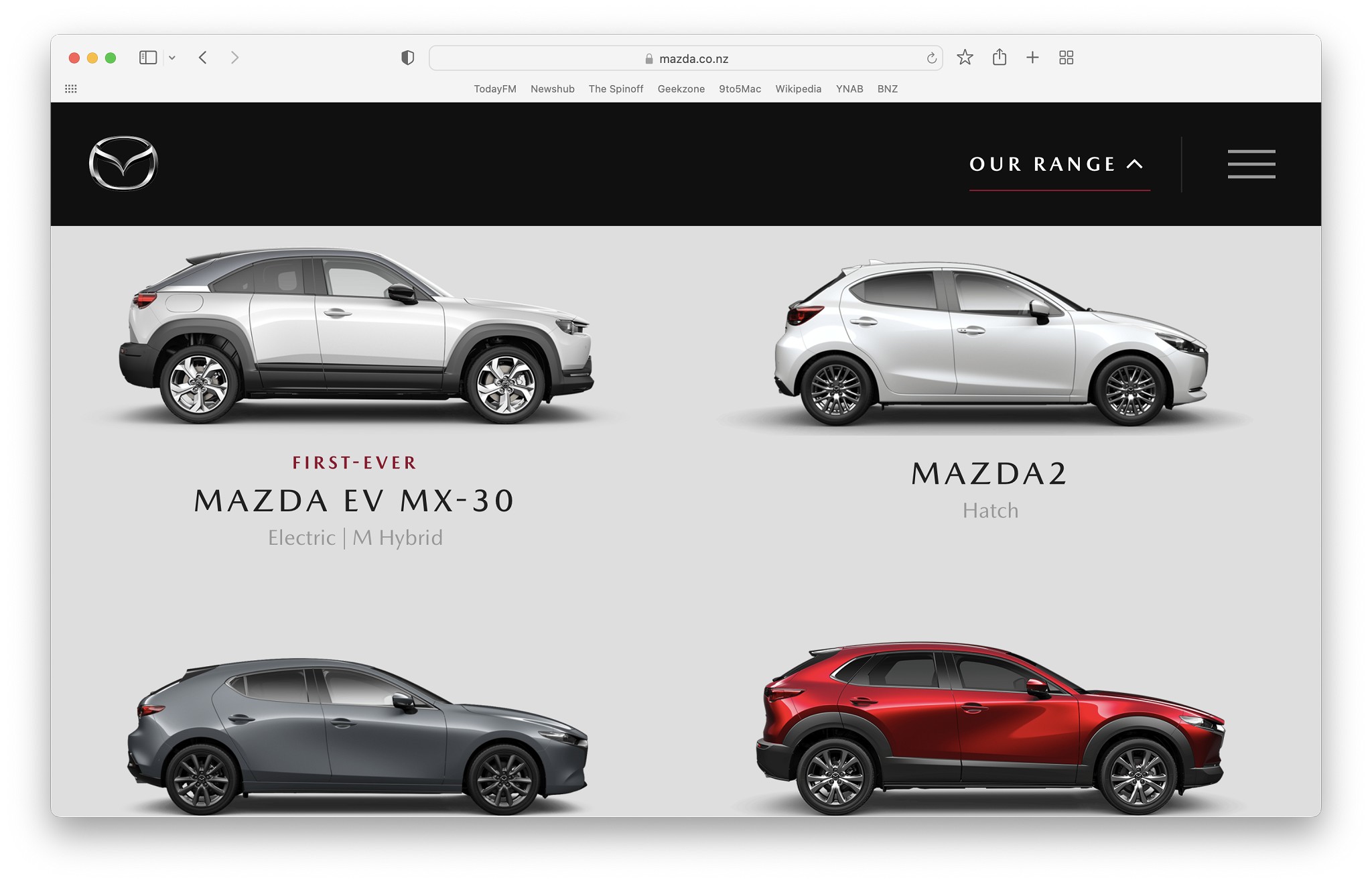
When I look at any web site on my iPhone its format is usually optimised for the small screen, however recently I have recently started noticing this mobile format appearing when I visit certain web sites on my Mac. I have attached two examples below, and these particular sites appear to have no link that I can click to switch to the desktop version.


Do I need to approach the web site owners to ask them to fix this, or is there some setting on my computer that I need to change?


Filter this topic showing only the reply marked as answer Create new topic
ANglEAUT
altered-ego
2436 posts

Uber Geek
+1 received by user: 841

Trusted
Lifetime subscriber

  #2912474 10-May-2022 19:34
Send private message


  1. Could it be cookies sync'ed across the cloud? If the cookies record you are on a mobile device & then sync to your Desktop?
  2. Less likely, but also possible. The web devs are misreading the headers in your browser
  3. Requesting the Desktop site instead of the mobile site is a function of your browser & in my experience only available on mobile devices, not on Desktop based browsers


Please keep this GZ community vibrant by contributing in a constructive & respectful manner.


Technofreak
6656 posts

Uber Geek
+1 received by user: 3474

Trusted

  #2912476 10-May-2022 19:42
Send private message

What browser? Have you tried another browser?


Sony Xperia XA2 running Sailfish OS. https://sailfishos.org The true independent open source mobile OS 
Samsung Galaxy Tab S6
Dell Inspiron 14z i5


mike
307 posts

Ultimate Geek
+1 received by user: 20

Trusted

  #2912477 10-May-2022 19:45
Send private message

Try these (3 ways to do the same thing)
1. right click on the URL bar then "settings for bnz.co.nz" - change the page zoom to 100%
2. "view" menu and select "actual size"
3. command + 0 (shortcut for actual size)

You can see what you have set for different websites in "preferences" > "websites" > "page zoom"


alasta

6888 posts

Uber Geek
+1 received by user: 3362

Trusted
Subscriber

  #2912488 10-May-2022 20:21
Send private message

mike: Try these (3 ways to do the same thing)
1. right click on the URL bar then "settings for bnz.co.nz" - change the page zoom to 100%
2. "view" menu and select "actual size"
3. command + 0 (shortcut for actual size)

You can see what you have set for different websites in "preferences" > "websites" > "page zoom"


That worked beautifully! Thank you so much!


Wizzid
51 posts

Master Geek
+1 received by user: 4

Lifetime subscriber

  #2912639 11-May-2022 13:43
Send private message

Thank you Mike.  I had this issue with Metservice, and your Prefs/website/page zoom fixed it for me.  Was 175% (don't know how) now 100%.   Safari.


Filter this topic showing only the reply marked as answer Create new topic


Geekzone Live »

Try automatic live updates from Geekzone directly in your browser, without refreshing the page, with Geekzone Live now.


Are you subscribed to our RSS feed? You can download the latest headlines and summaries from our stories directly to your computer or smartphone by using a feed reader.
