Geekzone: technology news, blogs, forums
Guest
Welcome Guest.
You haven't logged in yet. If you don't have an account you can register now.


OnceBitten

545 posts

Ultimate Geek
+1 received by user: 11


#317319 5-Oct-2024 17:28
Send private message

I've got mine and my wife's CV's saved on the Macbook - I can open and edit mine in Google docs and save it as a PDF no problems


My wifes is a microsoft.docx format and I can open her 2022 one on the MacBook no problem (I think it opens in pages?)


the other day I sent her CV to her work e-mail and she spend some time editing / updating it, saved it on her work computer and then e-mailed it back to our home e-mails


But it won't open on our MacBook Pro - just says the file format is invalid


I asked her to save it as a PDF on her work compter and then e-mail it back our home e-mails - which she did, but this message is in the e-mail and there's no file to open
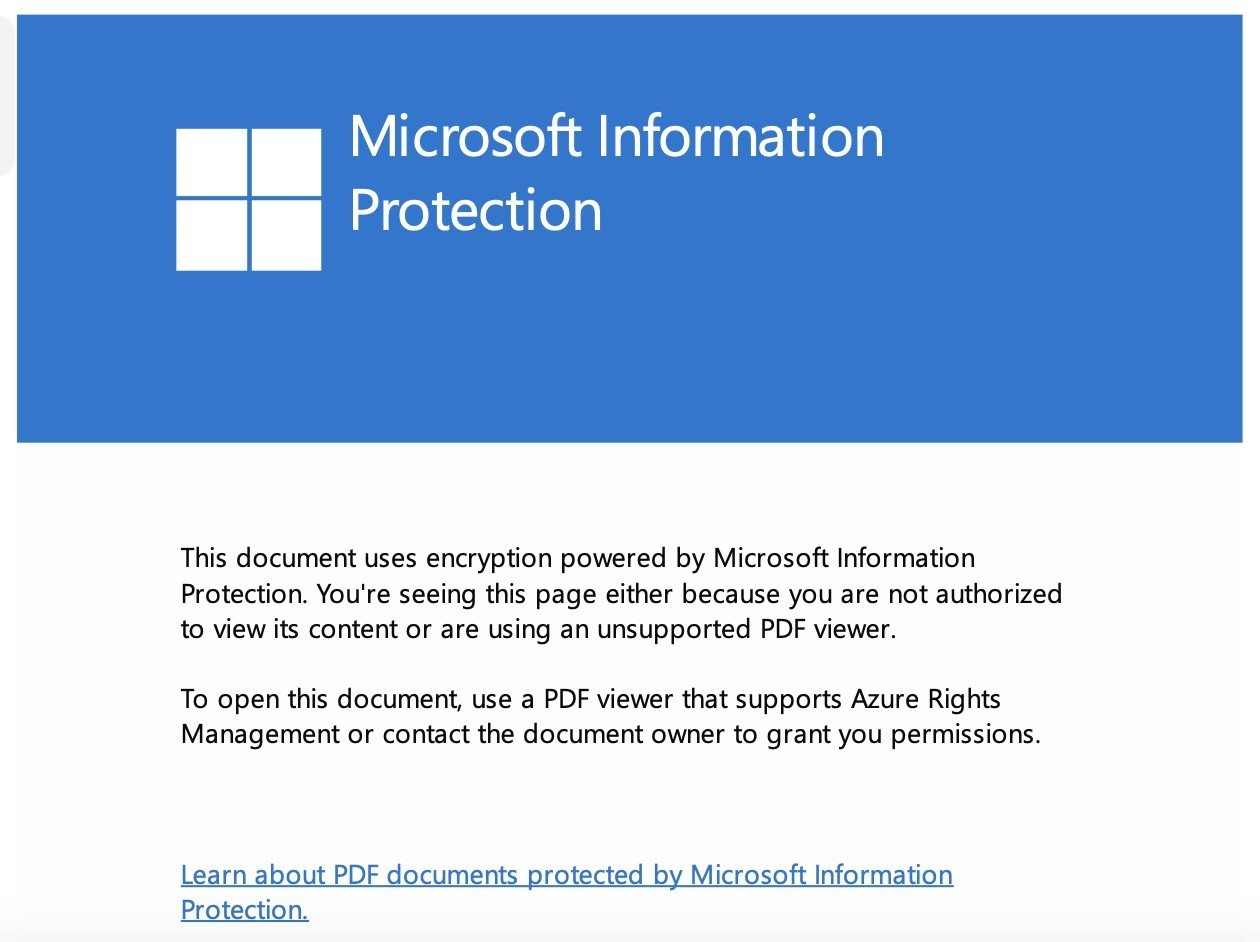


I don't know what this means or how to fix the issue


I even tried uploading / opening her .docx one in google docs, but it wou't upload


does anyone know how I can get her .docx file to open on our MacBook - without having to purchase MS office or something?


Thanks in advance


Filter this topic showing only the reply marked as answer Create new topic
lxsw20
3689 posts

Uber Geek
+1 received by user: 2174

Subscriber

  #3293235 5-Oct-2024 17:45
Send private message

I would say work is using DLP (dataloss protection). Bet you will find it still works fine on her work machine. 


Make the edits again on a non-work machine. 


OnceBitten

545 posts

Ultimate Geek
+1 received by user: 11


  #3293241 5-Oct-2024 18:16
Send private message

lxsw20:


I would say work is using DLP (dataloss protection). Bet you will find it still works fine on her work machine. 


Make the edits again on a non-work machine. 


Thanks - yes.... it works fine on her work computer


She spent some considerable time editing it and will be none to happy if I tell her she has to do it again


Behodar
11099 posts

Uber Geek
+1 received by user: 6082

Trusted
Lifetime subscriber

  #3293400 6-Oct-2024 09:47
Send private message

Print it at work so that you have a record of the changes. If possible, Select All, Copy, Paste into Notepad and send the .txt file home so that all the text is in an unencumbered format.


ANglEAUT
altered-ego
2436 posts

Uber Geek
+1 received by user: 842

Trusted
Lifetime subscriber

  #3293492 6-Oct-2024 13:14
Send private message

On the work computer, open the document in Word & then look in the ribbon for any data loss prevention icons. Anything that says if copy/pasting / printing is restricted or if external access is allowed. It might be similar to the "Restrict editing" icon in the Review ribbon.


Please keep this GZ community vibrant by contributing in a constructive & respectful manner.


OnceBitten

545 posts

Ultimate Geek
+1 received by user: 11


  #3294089 7-Oct-2024 17:14
Send private message

ANglEAUT:


On the work computer, open the document in Word & then look in the ribbon for any data loss prevention icons. Anything that says if copy/pasting / printing is restricted or if external access is allowed. It might be similar to the "Restrict editing" icon in the Review ribbon.


thanks for that - I got her to open it on her work laptop in Word and it has a message bar on it saying 'restricted access'


I clicked on that and added our home e-mail in the box that said (words to the effect of) these people can make changes / cut / copy / paste


saved the document and she e-mailed it to home, but it still comes up as a docx file and won't open on the macbook


I'll have to get her to redo the changes to her old CV on the macbook here, because at least then I can upload it to Google Docs and save it as a PDF


roobarb
705 posts

Ultimate Geek
+1 received by user: 656

Trusted

  #3294114 7-Oct-2024 19:27
Send private message

OnceBitten:


Thanks - yes.... it works fine on her work computer


She spent some considerable time editing it


Very generous of her employer.


Move to New Zealand's best fibre broadband service (affiliate link). Free setup code: R587125ERQ6VE. Note that to use Quic Broadband you must be comfortable with configuring your own router.
OnceBitten

545 posts

Ultimate Geek
+1 received by user: 11


  #3294117 7-Oct-2024 19:36
Send private message

roobarb:


OnceBitten:


Thanks - yes.... it works fine on her work computer


She spent some considerable time editing it


Very generous of her employer.


during her lunch break 😉


wazzageek
1095 posts

Uber Geek
+1 received by user: 108

ID Verified
Trusted
Lifetime subscriber

  #3294123 7-Oct-2024 19:48
Send private message

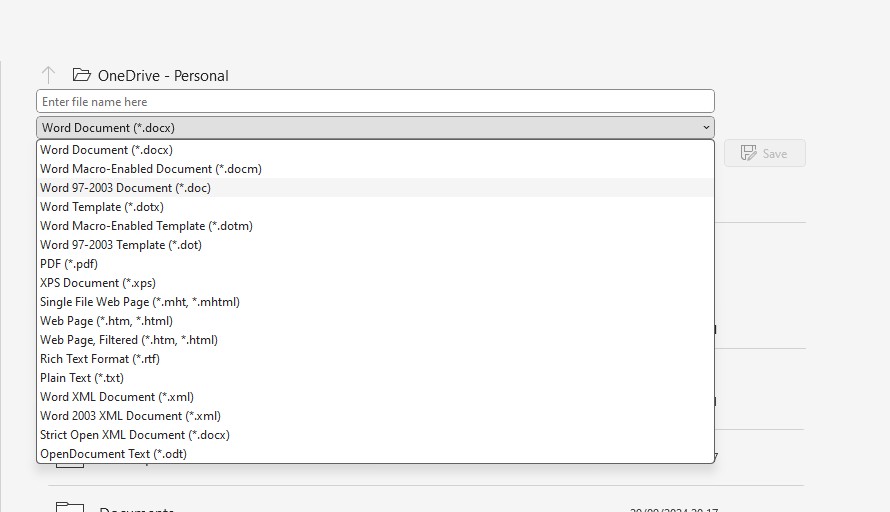
Can she save the document on the work computer in a different format?  I.e. an older version of Word or maybe even RTF?


freitasm
BDFL - Memuneh
80652 posts

Uber Geek
+1 received by user: 41045

Administrator
ID Verified
Trusted
Geekzone
Lifetime subscriber

  #3294271 7-Oct-2024 21:30
Send private message

When editing the file at work it inherited all the security measures. 


And any case, can't she save as a previous version to use at home?


Referral links: Quic Broadband (free setup code: R587125ERQ6VE) | Samsung | AliExpress | Wise | Sharesies 


Support Geekzone by subscribing (browse ads-free), or making a one-off or recurring donation through PressPatron.


Filter this topic showing only the reply marked as answer Create new topic


Geekzone Live »

Try automatic live updates from Geekzone directly in your browser, without refreshing the page, with Geekzone Live now.


Are you subscribed to our RSS feed? You can download the latest headlines and summaries from our stories directly to your computer or smartphone by using a feed reader.