|
|
|
Microsoft Teams, which decides to auto-correct your spelling even though you've disabled that in the OS. This even occurs inside quotes. If I'm quoting someone then I want to quote what they actually said, not what Teams would prefer they said!
Behodar:
Microsoft Teams, which decides to auto-correct your spelling even though you've disabled that in the OS. This even occurs inside quotes. If I'm quoting someone then I want to quote what they actually said, not what Teams would prefer they said!
Yes. About quotes, sometimes when posting a press release there are typos or something that should be different inside an attributed comment, but I always keep it. It's a quote after all.
Referral links: Quic Broadband (free setup code: R587125ERQ6VE) | Samsung | AliExpress | Wise | Sharesies
Support Geekzone by subscribing (browse ads-free), or making a one-off or recurring donation through PressPatron.

freitasm:
Yes. About quotes, sometimes when posting a press release there are typos or something that should be different inside an attributed comment, but I always keep it. It's a quote after all.
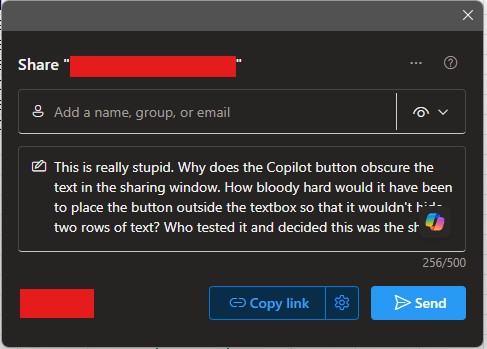
It makes me sic.
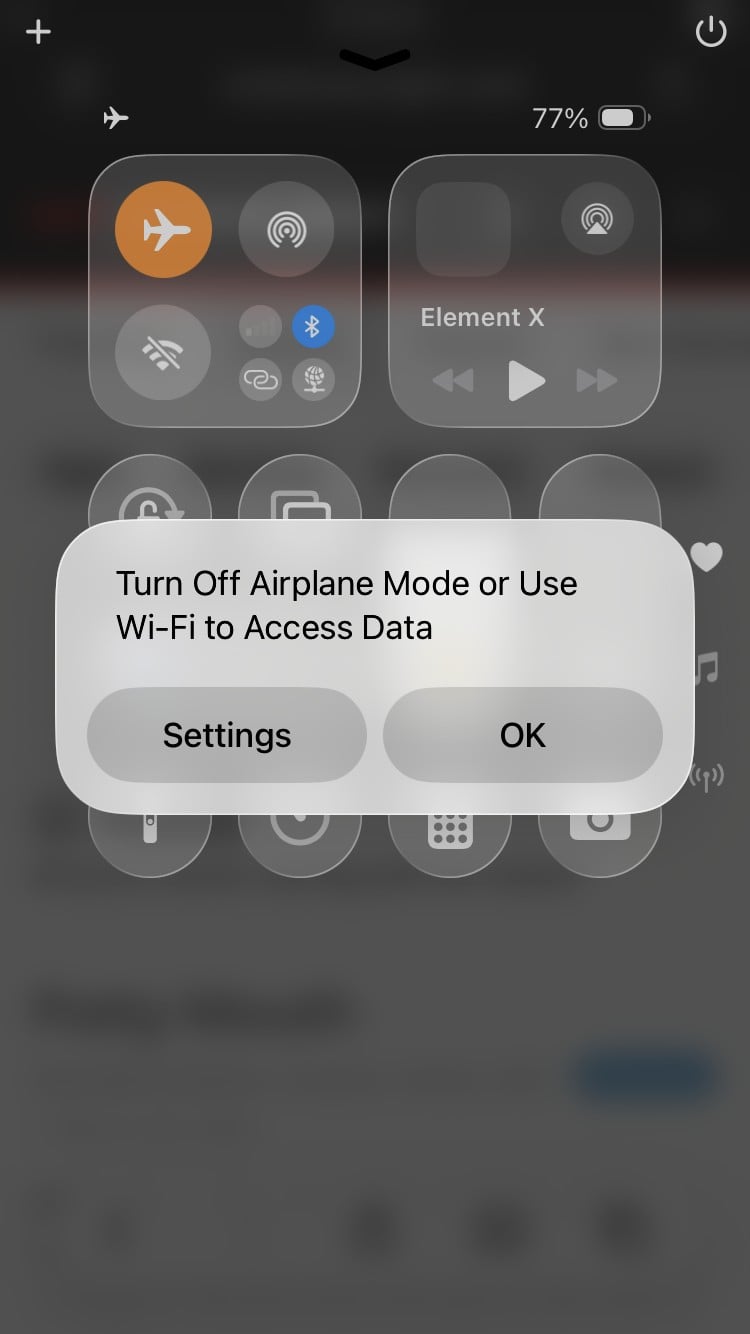
iOS is so well-designed that you can't use the orange flight mode toggle because there's a modal window in the way telling you that flight mode is enabled. I would also argue that since it's prose, it shouldn't have every other letter capitalised.

I feel like I'm monopolising this thread a bit...
"Error doing blah. See https://docs.example.com/errors/ID1234"
"Excellent," I think, "a page detailing this specific error." I should have known better. That URL just redirects to their home page.
Behodar:
I feel like I'm monopolising this thread a bit...
"Error doing blah. See https://docs.example.com/errors/ID1234"
"Excellent," I think, "a page detailing this specific error." I should have known better. That URL just redirects to their home page.
They should have just labeled the page "https://docs.example.com/errors/ID10T" instead. ;-)
I got an automated email from Microsoft over the weekend saying that I have "recommendations" in the Entra admin centre. I don't have access to the Entra admin centre.
No, it's not phishing.
Edit: It turns out that I actually do have access, although our IT department has never actually told me that. If I log into Azure first, then it lets me log into Entra.
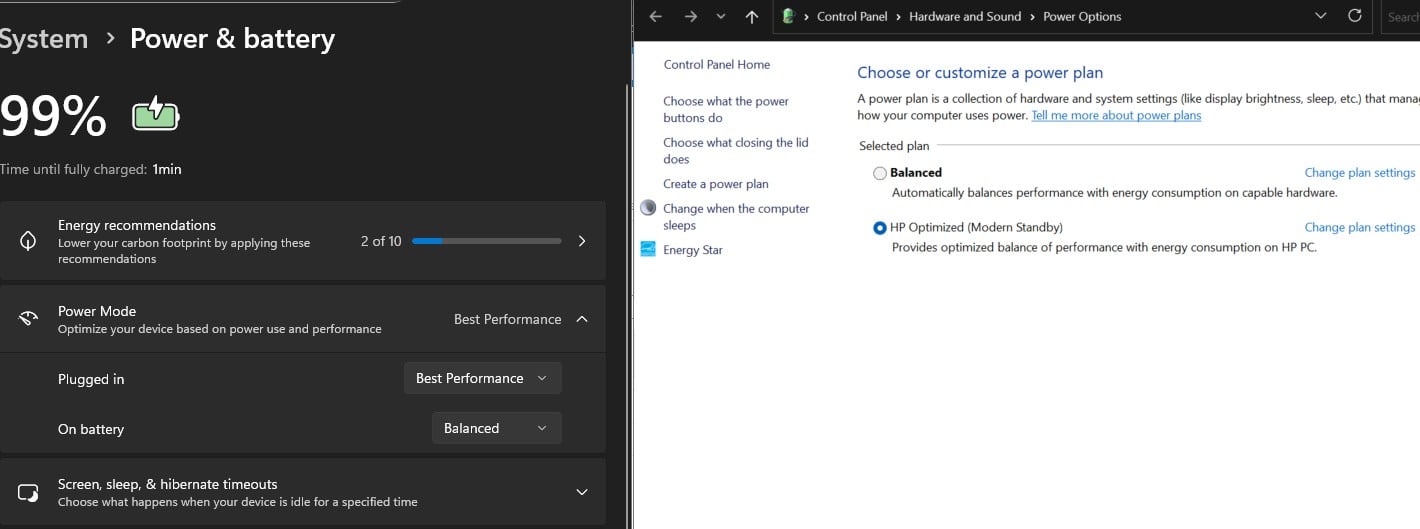
Windows 11 has two different places for defining the "power mode" or "power plan", with different user interface designs... one does not change the other, and it's not possible to tell which is actually applied or what the difference between these settings is.
I can't work out why there are two different interfaces and two different settings for what is seemingly the same thing. Would an average person be able to work this out? Would my dad? Absolutely not.

cddt:
Windows 11 has two different places for defining the "power mode" or "power plan", with different user interface designs... one does not change the other, and it's not possible to tell which is actually applied or what the difference between these settings is.
I can't work out why there are two different interfaces and two different settings for what is seemingly the same thing. Would an average person be able to work this out? Would my dad? Absolutely not.
That sounds a lot like Windows design to me. I have encountered this kind of thing more times than I want to remember. I don't have a specific example offhand, but I have certainly run into it more than once. Very confusing when trying to turn something off that won't turn.
Plesse igmore amd axxept applogies in adbance fir anu typos

"Copilot is for entertainment purposes only." - Copilot Terms of Use
Are you not entertained?
I just fat-fingered something on my Mac and all the windows flew off the screen in a puff of animation. Do you think they hooked the Esc key up to get them all back again?
Behodar:
I just fat-fingered something on my Mac and all the windows flew off the screen in a puff of animation. Do you think they hooked the Esc key up to get them all back again?
I have done that on my wife's Mac and for the life of me could not retrieve the disappeared windows...
After I stopped mashing keys I realised that Cmd-Tab would at least restore a single app. It actually brought all of them back.
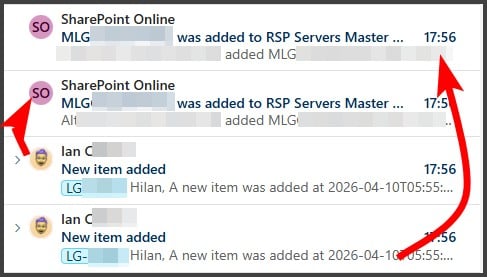
🤬Microsoft is deprecating the built in notifications from SharePoint & suggests I use PowerAutomate going forward.
Thx M$ for suggesting an inferior replacement. Not only is the notification from myself instead of from SharePoint, but there also is no relevant detail in the PowerAutomate notification (bottom) compared to the SharePoint notification (top)

Please keep this GZ community vibrant by contributing in a constructive & respectful manner.
|
|
|