





 ID Verified
oukaapie777:
@Aquietplace
I recently had 4G/4G Hyper Fibre installed in my new place. Went with 2 degrees because it wasn't much more than I was paying with Spark at my previous address. The Orbi they gave me only had 4 1G ports out. I noticed that there are Orbi routers with that one 2.5G out but that's not the one they gave me. I purchased the exact QNAP switch you mentioned for my network. Ran cat 6 cabling upstairs where my gaming PC and PS5 is, and where my switch was going to be, thinking I will then have multiple 2.5G wired connections to my devices. I was going to return my switch today but might hang onto it and get hold of 2Degrees. Did your Orbi come with the Hyper Fibre connection or did you purchase it? I am in Auckland.
I am also on 4G/4G with 2Degrees. If you want to utilise the full bandwidth then don't use the Orbi, it only has 1G ports, so you can only get 1G to your LAN.
Replace the Orbi with this: CF60
My Unraid server only has 2.5G LAN, but that is perfect for the QNAP. I run a Spoeedtest docker on the server that runs a speedtest every hour continuously. Results are here:
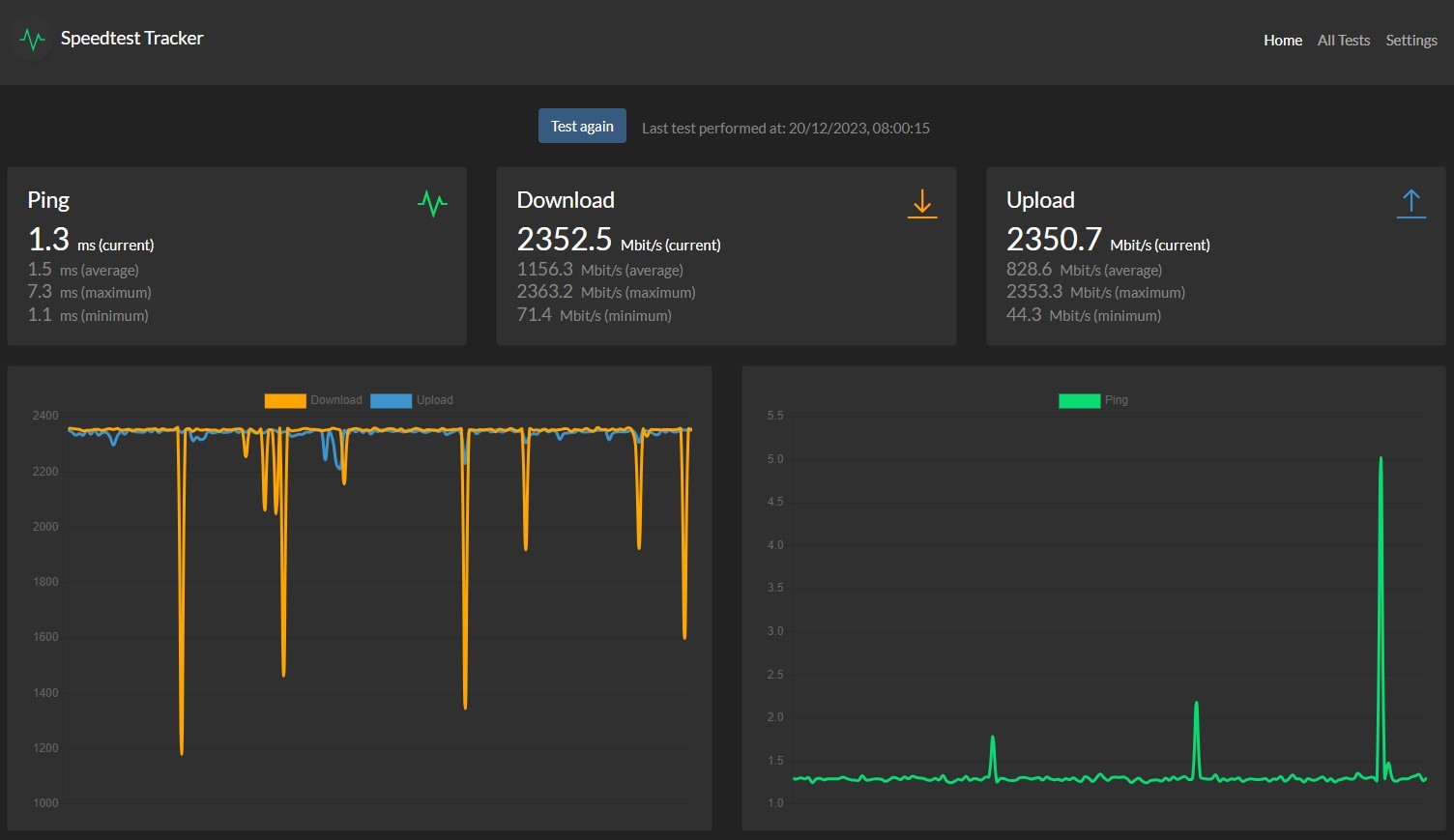
All my other PCs have 2.5G LAN connections, and all achieve this throughput.
Wireless 6E devices get ~ 1.7Gigabit, which is plenty.
Just unplug the Orbi, plug in the CF60 and you good to go.
Although when 2Degrees first provisioned the Hyperfibre service, they configured it with PPPoE so I had to add a PPPoE WAN connection for it to authenticate. Was very easy to do and worked at full 4G speed.
If your Orbi is online, then it won't be using PPPoE, so you wont have this configuration step.


 Trusted


