Geekzone: technology news, blogs, forums
Guest
Welcome Guest.
You haven't logged in yet. If you don't have an account you can register now.


stick

357 posts

Ultimate Geek
+1 received by user: 113


#293776 13-Feb-2022 00:08
Send private message

Hey people. My friend has a Google Wifi Gen 1, a Netcomm NF18ACV and a surveillance system. He had his internet set up by plugging the Netcomm into the ONT, then plugging the Google Wifi into the Netcomm's lan port. The surveillance system was also plugged into the Netcomm's lan port and he has a landline which was somehow in the Netcomm (can't remember :( ). His internet through Google Wifi was insanely slow even though he was on 950/500.

He had it set up like this for like a year and then I thought hmm maybe the problem is because the Google wifi isn't plugged directly into the ONT. So I took the Netcomm out of the ONT and plugged the Google wifi into the ONT. Nope didn't work. I reset the Google wifi and hooray, it worked.

Now the problem is... 1. If I plug the Netcomm into the Google Wifi's lan port, the internet on the Netcomm doesn't work. If I plug the Netcomm into the 2nd port of the ONT, (after searching why, I found out why) it doesn't work.

Now the other problem. I don't know how to set up the landline anymore. I've plugged the ASDL/telephone wire in the telephone port on the ONT and it doesn't light up on the ONT. I've plugged the ASDL wire in the telephone port on the Netcomm but it doesn't work. I'm not old enough to know this older technology lmao

The reason I need the Netcomm to work is so I can plug the surveillance system into the Netcomm and for the telephone to work. For some reason, I haven't tried plugging the surveillance system directly into the Google wifi lol. Help would be greatly appreciated.

Filter this topic showing only the reply marked as answer Create new topic
Goosey
3012 posts

Uber Geek
+1 received by user: 866

Subscriber

  #2867378 13-Feb-2022 09:42
Send private message

You can only plug the Netcom into the ONT


- Port 1 ONT to WAN port of netcom. 


- On the netcom, is there anything that looks like it will take a phone jack?  DO you remember where the phone was plugged in prior. 


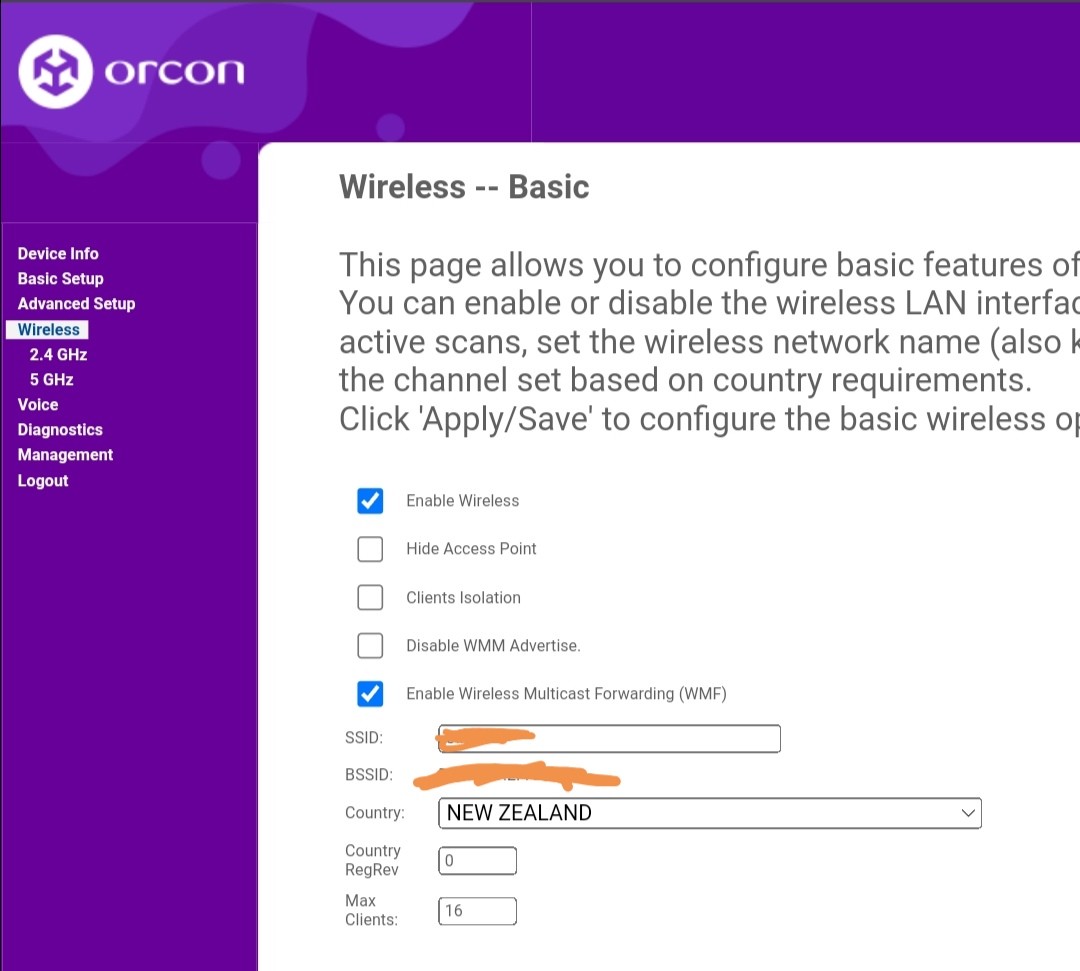
- Google Wifi plugs into a LAN port of the netcom, now if thats your primary wifi access then you need to make sure you turn off the wifi inside the netcom. 


- Camera System would also plug into the LAN port of the netcom. 


stick

357 posts

Ultimate Geek
+1 received by user: 113


  #2867388 13-Feb-2022 10:18
Send private message

Oh damn, that's pretty much how it was except the wireless/internet wasn't off on the Netcomm. I'll try that now I guess

And no, all I remember is that the home phone was plugged into the Netcomm and the Netcomm was in the ONT

stick

357 posts

Ultimate Geek
+1 received by user: 113


  #2867392 13-Feb-2022 10:29
Send private message

Alright, everything's working now. Pretty much reverted everything. Now just gotta turn off wireless on the Netcomm


stick

357 posts

Ultimate Geek
+1 received by user: 113


  #2867400 13-Feb-2022 10:51
Send private message


I feel like I shouldn't turn off the entire wireless just in case I want to change some settings. What should I do?

MaxineN
Max
2049 posts

Uber Geek
+1 received by user: 1662

ID Verified
Trusted
Subscriber

  #2867401 13-Feb-2022 10:55
Send private message

You can just click hide access points and it will just show up as "Hidden Network". You can just connect to it via providing SSID and the password. However I would advise turning it off to free up some of the spectrum around your area if you're using Google WiFi to provide WiFi access, also if you're getting IPs via the Netcomm unit(because DHCP is turned on and Google Wifi units are just acting as an AP without DHCP) you can still connect to it anyway. 


Ramblings from a mysterious lady who's into tech. Warning I may often create zingers.


liquidcore
187 posts

Master Geek
+1 received by user: 71

ID Verified

  #2867402 13-Feb-2022 10:55
Send private message

You should turn it off to remove interference/contention.

You can still access the router settings using the WiFi network created by the Google WiFi, or you can just connect an Ethernet device to the router.


HP


Shop now for HP laptops and other devices (affiliate link).
Bung
6733 posts

Uber Geek
+1 received by user: 2926

Subscriber

  #2867418 13-Feb-2022 12:07
Send private message

MaxineN: Google Wifi units


How many Google Wifi units are there? From what's been said so far there's only 1. How far from that unit is the wifi regarded as slow?

MaxineN
Max
2049 posts

Uber Geek
+1 received by user: 1662

ID Verified
Trusted
Subscriber

  #2867419 13-Feb-2022 12:10
Send private message

Bung:
MaxineN: Google Wifi units


How many Google Wifi units are there? From what's been said so far there's only 1. How far from that unit is the wifi regarded as slow?


Depends on where its setup and what kind of place OP's friend lives in. They will be FAR better than what the Netcomm unit can do. Anything is better than the NF18ACV...


edit: and a correction ;) *
And yeah the other question is what is "slow" if all tests are done via wifi you will never see above 500... Also depends on how many devices. To be frank OP should leave the NF18ACV in, hardwire the google wifi unit* and that the surveillance system should be plugged into the NF18ACV as well. Just let the Netcomm unit handle DHCP and let the Google WiFi unit handle wireless(considering it only has 2 LAN ports, 1 for WAN). They have a phone line but if they really want to go all in on Google WiFi. A ping to one of the Vocus friends or calling up customer service, you can get VoIP provisioned to the ONT over the NF18ACV.


Ramblings from a mysterious lady who's into tech. Warning I may often create zingers.


stick

357 posts

Ultimate Geek
+1 received by user: 113


  #2867552 13-Feb-2022 15:00
Send private message

Bung:
MaxineN: Google Wifi units


How many Google Wifi units are there? From what's been said so far there's only 1. How far from that unit is the wifi regarded as slow?


3 units. If I'm connected to the main one and you do a speed test, I get about 400 download. But if I'm connected to one of the extenders/points, I get 110.

I tried hardwiring an extender with an Ethernet cable which was installed in the house but my friend yanked on it too hard and I think the cable broke lol.

Well uhhhh thanks everyone. You all are so smart lol. @liquidcore yeah thanks for telling me I can access the Netcomm's settings via the Google Wifi.

If there's anything I can do about the extenders speeds, please let me know. Thanks guys :))

MaxineN
Max
2049 posts

Uber Geek
+1 received by user: 1662

ID Verified
Trusted
Subscriber

  #2867612 13-Feb-2022 15:39
Send private message

St1ick: 
3 units. If I'm connected to the main one and you do a speed test, I get about 400 download. But if I'm connected to one of the extenders/points, I get 110.

I tried hardwiring an extender with an Ethernet cable which was installed in the house but my friend yanked on it too hard and I think the cable broke lol.

Well uhhhh thanks everyone. You all are so smart lol. @liquidcore yeah thanks for telling me I can access the Netcomm's settings via the Google Wifi.

If there's anything I can do about the extenders speeds, please let me know. Thanks guys :))


Hardwire the ones you can and please secure them so they don't get yanked again :(


Ramblings from a mysterious lady who's into tech. Warning I may often create zingers.


stick

357 posts

Ultimate Geek
+1 received by user: 113


  #2867945 14-Feb-2022 00:23
Send private message

MaxineN:

St1ick: 
3 units. If I'm connected to the main one and you do a speed test, I get about 400 download. But if I'm connected to one of the extenders/points, I get 110.

I tried hardwiring an extender with an Ethernet cable which was installed in the house but my friend yanked on it too hard and I think the cable broke lol.

Well uhhhh thanks everyone. You all are so smart lol. @liquidcore yeah thanks for telling me I can access the Netcomm's settings via the Google Wifi.

If there's anything I can do about the extenders speeds, please let me know. Thanks guys :))


Hardwire the ones you can and please secure them so they don't get yanked again :(


They were secure, it's just my friend tried to pull out more of the cable even though there was none left. I was having anxiety something was going to happen

Also my friend doesn't want the wireless to be off on the Netcomm. Dunno why though. Probably because the Netcomm is faster because all the Google wifi points are slower than the main


Move to New Zealand's best fibre broadband service (affiliate link). Free setup code: R587125ERQ6VE. Note that to use Quic Broadband you must be comfortable with configuring your own router.
rogercruse
644 posts

Ultimate Geek
+1 received by user: 211

ID Verified
Lifetime subscriber

  #2867956 14-Feb-2022 07:54
Send private message

We've got a similar setup in our house without a landline


Our fibre supplied ONT is connected to a Vodafone Ultra Hub with the wifi disabled. The Ultra Hub is then connected to the first of four Google Wifi Mesh devices. These are positioned around the house to provide a wifi coverage and are each connected by further cabling & switches with various devices (TVs, NAS & Desktop Computers, Sonos Speakers, etc.) also connected by cable. All ethernet cabling is to CAT6 standard (I believe!) 


The internet speed from any device (wired or not) is governed by the service supplied and varies between 85 - 100 Mbps. If / When my fibre connection is upgraded then I'll double checked my network and remove / replace any bottlenecks.     


Filter this topic showing only the reply marked as answer Create new topic


Geekzone Live »

Try automatic live updates from Geekzone directly in your browser, without refreshing the page, with Geekzone Live now.


Are you subscribed to our RSS feed? You can download the latest headlines and summaries from our stories directly to your computer or smartphone by using a feed reader.