|
|
|
quickymart: ... Any suggestions where I'm going wrong?
🤣🤣🤣 Trying to read a non-open format file decades too late?
More seriously, install WinBox & create a 32bit VM running Windows 7. Use the downloaded EXE to read your file & export to plain text.
Please keep this GZ community vibrant by contributing in a constructive & respectful manner.
Thanks 😁 although looking at my last post I'm a little less keen to try and read these files now 😕 my whole system could be lost 😞
I think you will need to look into different dos emulators. And it seems like the guy who wrote the software Bryan Flamig has written some books on C++ and Pascal as well as compression so I suspect it will be a bit challenging to decompile as I think the code would have been compressed. The main exe is only 55kb.
I'm going to need to park this for now, sorry - I need to get my desktop PC back to a functional state first before I can do anything else 😟 (see the previous page)
I had quite a few icons on the desktop which are all gone, all my shortcuts are missing/not working...have I lost everything? 😢
Thanks for the tip, I'm checking on my laptop while writing to you and I'm in the Users folder - is there a specific folder/location the desktop is stored in?
I agree re taking a break, losing everything on the desktop tonight has got me quite concerned 😟
Personally if you aren’t sure if you have borked it or not. I would say go to bed now and check it out in the morning. And if you aren’t confident trying to fix it or couldn’t take a whole image of the drive before you touch anything… find someone local who can take an image of the whole drive.
gzt:I had quite a few icons on the desktop which are all gone, all my shortcuts are missing/not working...have I lost everything? 😢
It's unlikely that you've lost anything but, it does sound like things are screwed up. I suggest taking a break for the evening and continuing tomorrow. I think you'll find your desktop etc in \Users\.
Quick update, I powered it up again and followed your suggestion here - and it looks like all my desktop icons are stored there, which is good.
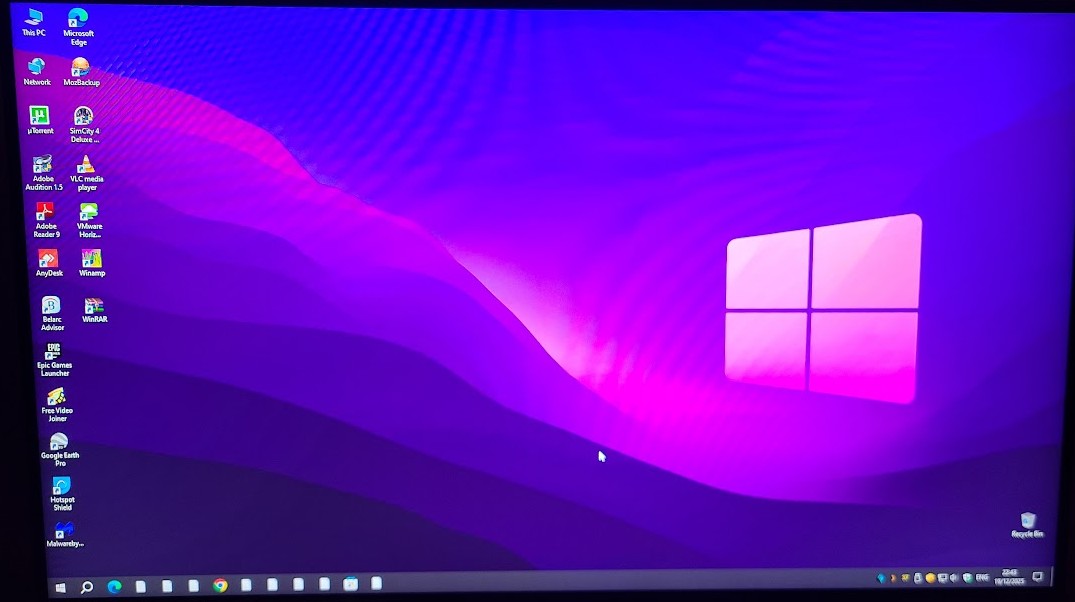
However it appears things aren't installed properly - Firefox (for example) prompted me to create a new profile, and all the icons I used to have down the bottom in the system tray now look like this:

(apologies, I'm not exactly the world's best photographer).
Anyway, most of the icons etc I had previously have vanished from the desktop and it looks like the ones in the system tray aren't installed properly either.
I'm going to leave this overnight (a very good tip) but if anyone has any suggestions I'd appreciate them very much - also what can cause this (so I don't do this again)? I've never had this happen before, ever.
Right, back into it this morning. My guess is the original profile folder has (for some reason) been removed or deleted. This isn't anything I did, but I'm wondering if my tinkering last night trying to open that other file has caused this as it was all good before I started installing apps to try and open it.
It looks like most of the stuff missing is indeed in the Users file, however my guess is I'm now going to have to entirely rebuild my desktop - shortcuts aren't working, and when I try and open Outlook it "can't find the store file"(?). I'll see about copying over my Firefox profile from the Users folder.
Am I correct with this or is there another place I should be looking to restore my desktop from? Or do I need to start rebuilding my desktop from scratch?
I'm still curious as to what may have caused this to happen originally though - anyone got any ideas for a "post incident analysis"?
gzt: Do you have any system restore points available?
I don't think I do, sadly 🙁
I'm going through my whole system right now seeing what needs to be reinstalled and what doesn't. Outlook is still not opening and Word couldn't find my Autocorrect files.
Okay, this is weird. I loaded Firefox and everything was there! Yet the .pdf files I copied over from the Users folder didn't open, which was odd.
Anyway, I opened Adobe Reader and navigated to the desktop and saw all the files on my former desktop - some of which are not on the current desktop.
Restarted the PC and Firefox has lost its profile again and is kicking me back to the "new profile" look.
Have I got two desktop folders somehow? 😕
I'm starting to think I need to blow it away and reinstall it - but I can't seem to get back into the good profile to run backups from 😕
|
|
|