Geekzone: technology news, blogs, forums
Guest
Welcome Guest.
You haven't logged in yet. If you don't have an account you can register now.


View this topic in a long page with up to 500 replies per page Create new topic
1 | 2 | 3 | 4 | 5 | 6 | 7
Twalknz72

156 posts

Master Geek
+1 received by user: 3


  #3281846 13-Sep-2024 19:25
Send private message

What do I need provide? Sorry I'm so angry and tiered. What do you need to be able to help?


Twalknz72

156 posts

Master Geek
+1 received by user: 3


  #3281848 13-Sep-2024 19:31
Send private message

It just says clear cmos information
Bios has been reset. Please reconfigure your bios setup items if
needed.
There's just an OK button

Jase2985
13735 posts

Uber Geek
+1 received by user: 6215

ID Verified
Lifetime subscriber

  #3281849 13-Sep-2024 19:32
Send private message

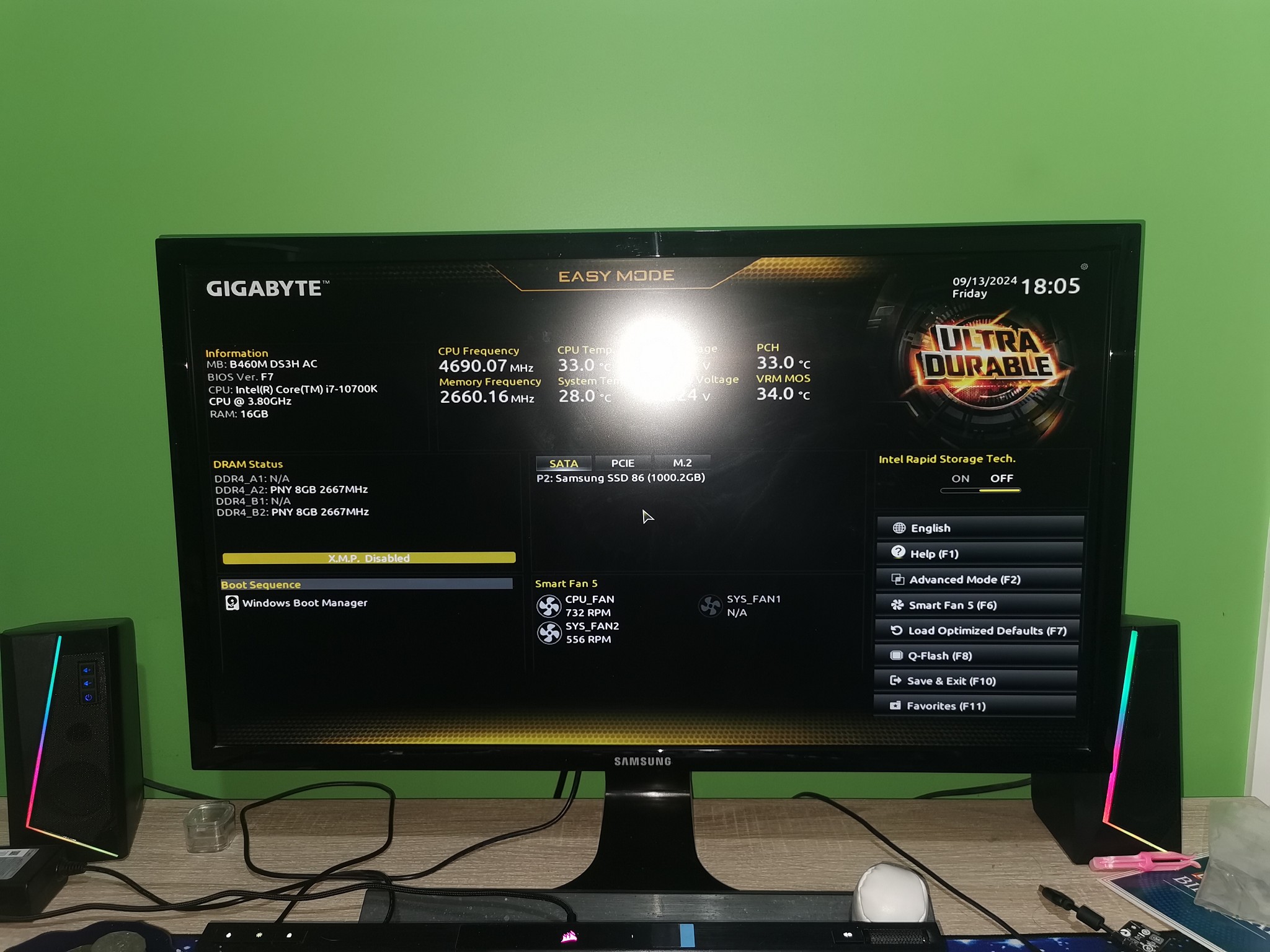
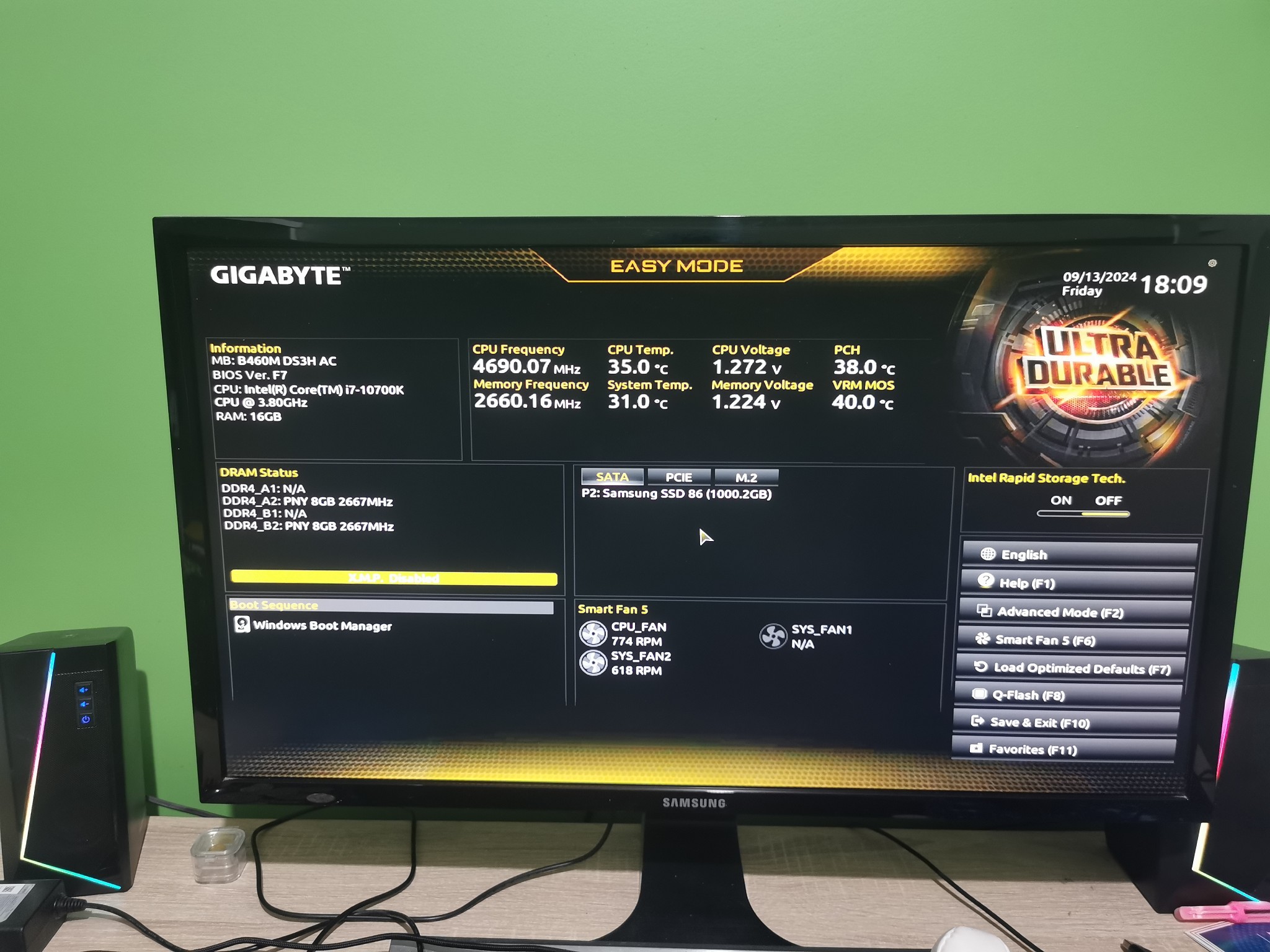
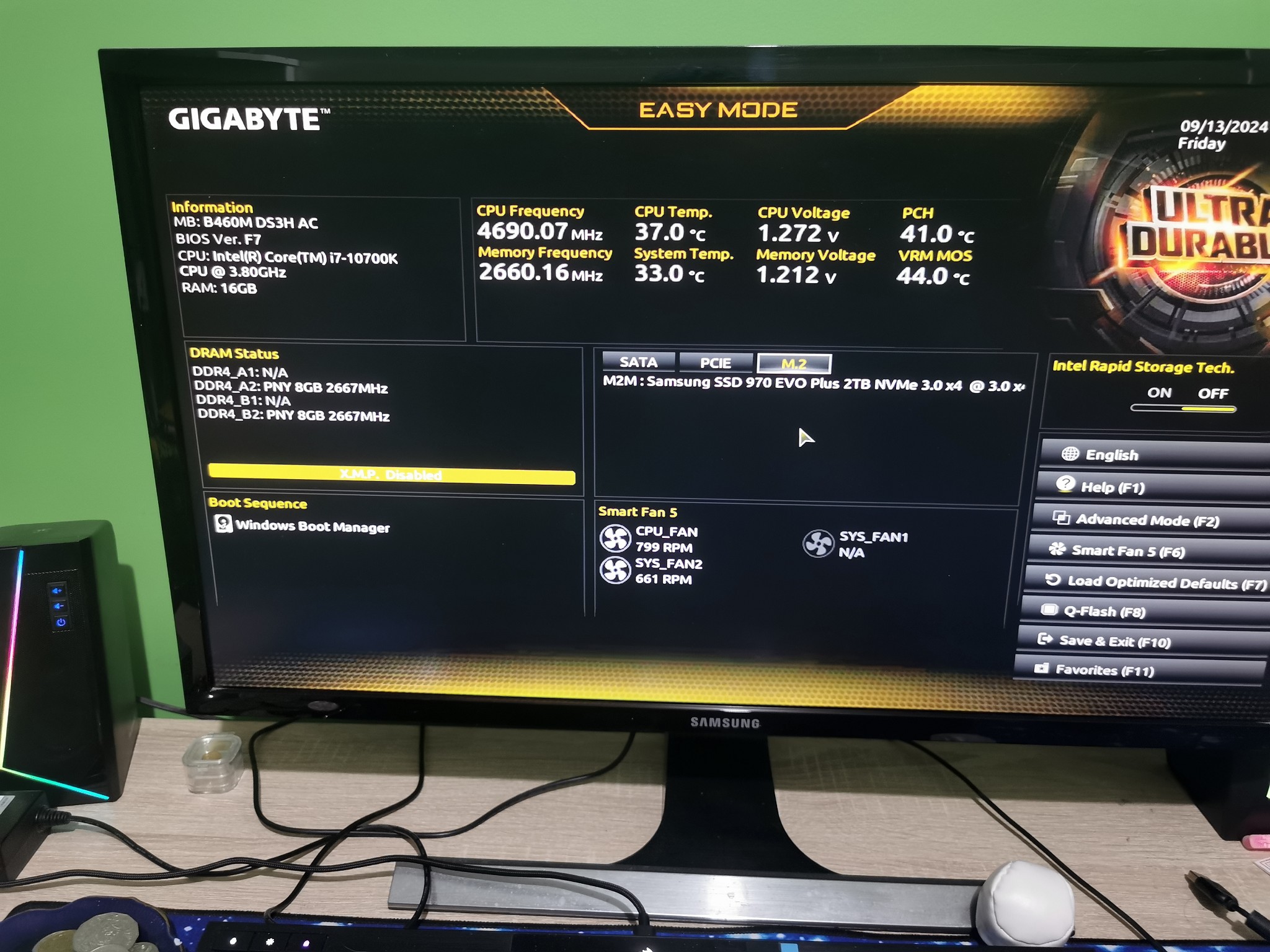
Screenshots of the BIOS would help to ascertain why its not going into windows.


The boot menu, and anything related to hard drives would be a good place to start


Cant see what motherboard you have as the image from the first post has disappeared 


Twalknz72

156 posts

Master Geek
+1 received by user: 3


  #3281851 13-Sep-2024 19:34
Send private message


Twalknz72

156 posts

Master Geek
+1 received by user: 3


  #3281853 13-Sep-2024 19:38
Send private message


Jase2985
13735 posts

Uber Geek
+1 received by user: 6215

ID Verified
Lifetime subscriber

  #3281856 13-Sep-2024 19:39
Send private message

press F5, then under the bios tab there should be boot option priority's


whats listed there?


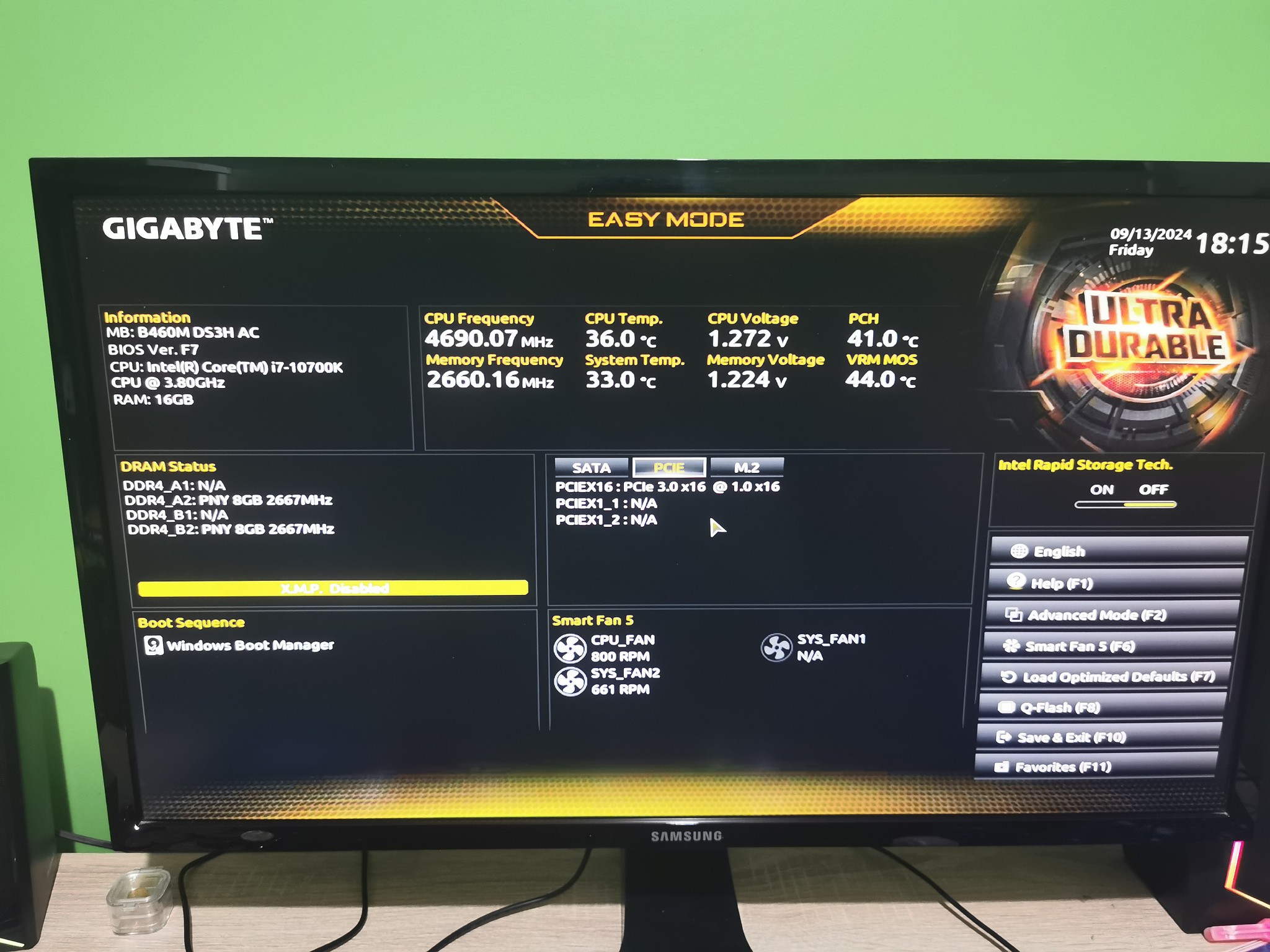
Its also showing 1 Samushn 1TB HDD, under SSD in the middle of the screen, if you click M.2 or PCIE what does it show?


Shop now for Dell laptops and other devices (affiliate link).
Twalknz72

156 posts

Master Geek
+1 received by user: 3


  #3281857 13-Sep-2024 19:40
Send private message

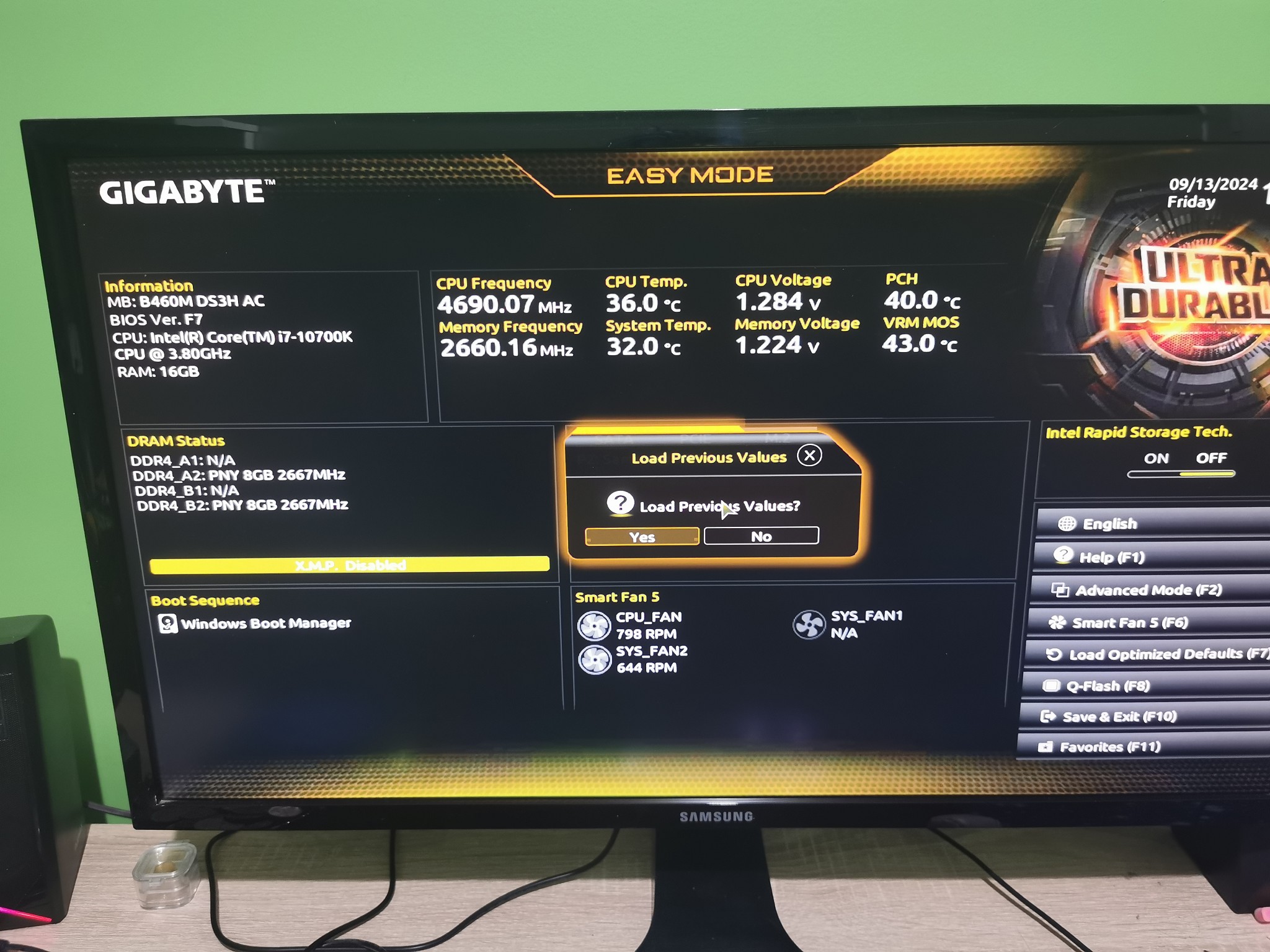
That brings up

Load previous values

OK

Twalknz72

156 posts

Master Geek
+1 received by user: 3


  #3281858 13-Sep-2024 19:41
Send private message


Twalknz72

156 posts

Master Geek
+1 received by user: 3


  #3281860 13-Sep-2024 19:44
Send private message

Sorry didn't see your whole post, working on 3 hours sleep. Uploading pic now

Twalknz72

156 posts

Master Geek
+1 received by user: 3


  #3281861 13-Sep-2024 19:45
Send private message


Twalknz72

156 posts

Master Geek
+1 received by user: 3


  #3281862 13-Sep-2024 19:47
Send private message


Stream your favourite shows now on Apple TV (affiliate link).
Jase2985
13735 posts

Uber Geek
+1 received by user: 6215

ID Verified
Lifetime subscriber

  #3281865 13-Sep-2024 19:51
Send private message

so its seeing all the drives, 


try F2 then look for the boot options. i dont know what i said F5


Twalknz72

156 posts

Master Geek
+1 received by user: 3


  #3281867 13-Sep-2024 19:53
Send private message


Twalknz72

156 posts

Master Geek
+1 received by user: 3


  #3281870 13-Sep-2024 20:05
Send private message


Sorry just realised what you said. Did I mention 3 hours sleep?

Jase2985
13735 posts

Uber Geek
+1 received by user: 6215

ID Verified
Lifetime subscriber

  #3281874 13-Sep-2024 20:11
Send private message

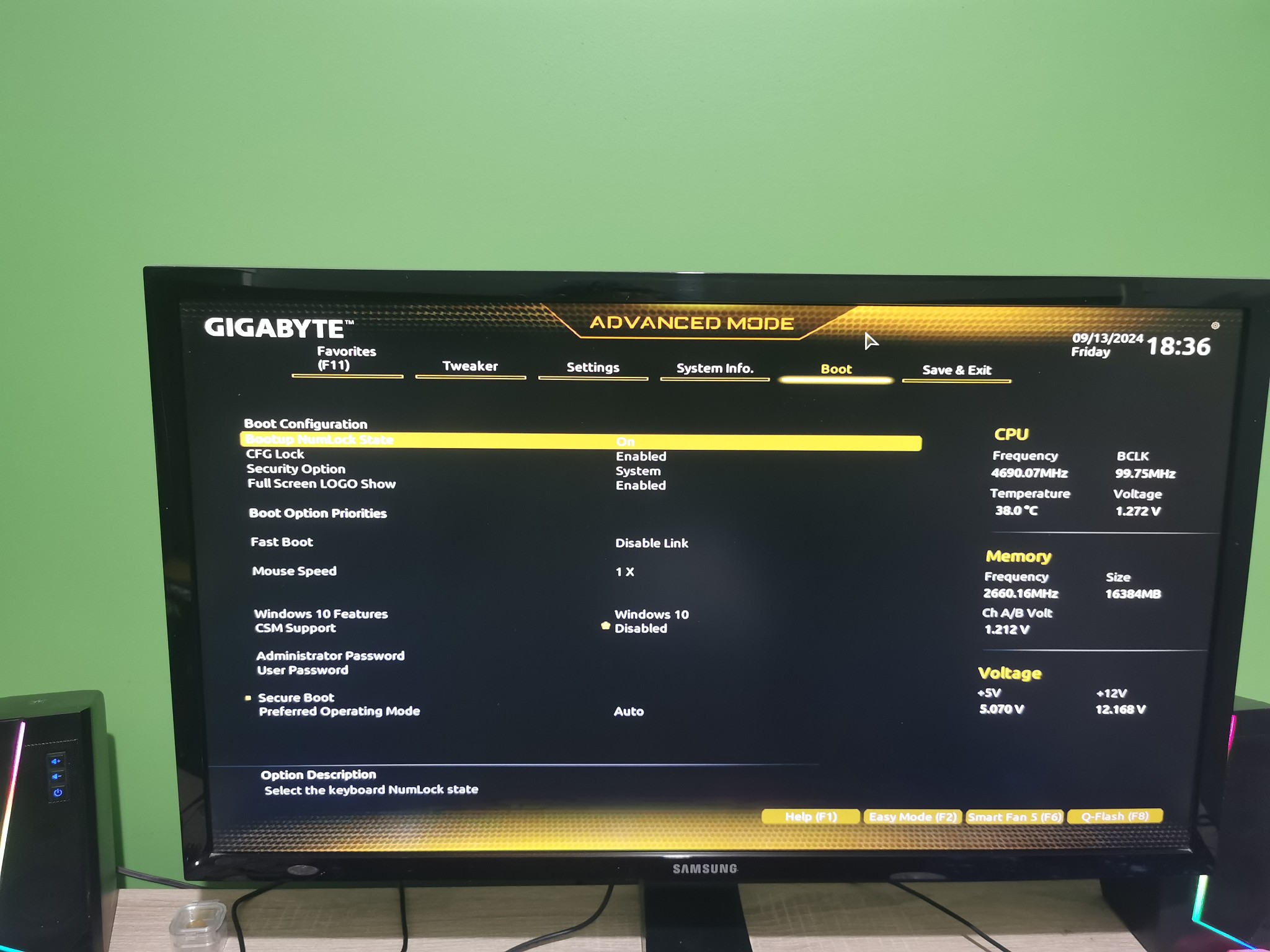
There is nothing showing under boot option priority, so i think thats the issue


try setting CSM Support to enable 


then you might have to save and exit then come back in and see on the main bios screen if there is a drive showing under boot sequence on the main bios page. if there is sitll nothing showing there is one more thing we can do but try this first


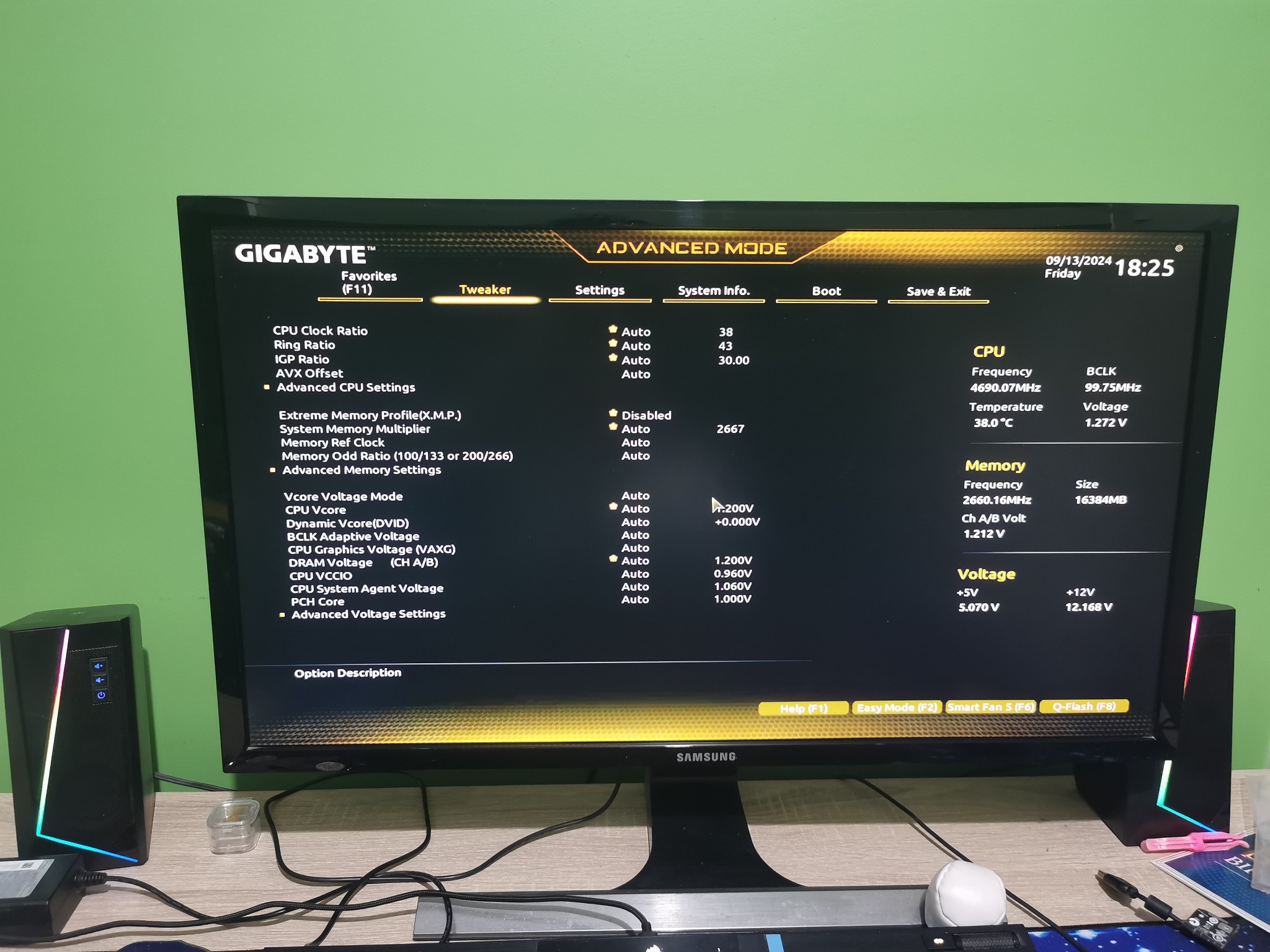
You also need to enable XMP to get the most out of the RAM, that would be under the tweeker tab, and set Extreme Memory Profile (XMP) to enable.


1 | 2 | 3 | 4 | 5 | 6 | 7
View this topic in a long page with up to 500 replies per page Create new topic


Geekzone Live »

Try automatic live updates from Geekzone directly in your browser, without refreshing the page, with Geekzone Live now.


Are you subscribed to our RSS feed? You can download the latest headlines and summaries from our stories directly to your computer or smartphone by using a feed reader.