|
|
|
Check under C:\Users and your old folder will be there. Sometimes this happens when the profile is corrupted. I think this thread should move to window support. 😁
quickymart: ... Have I got two desktop folders somehow? 😕
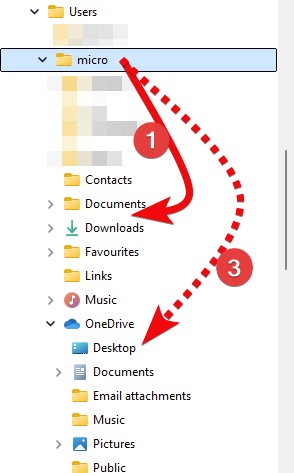
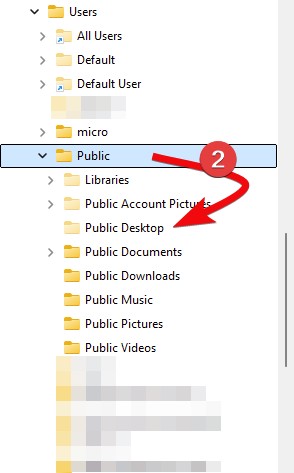
Every Windows user has 2 by default, the 'Public' Desktop & the 'personal' Desktop. Windows shows both Desktops together on your screen. OneDrive users might also have a 'third' Desktop folder inside of their OneDrive folder.

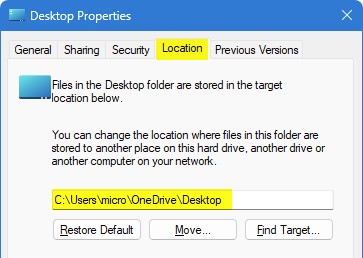
Windows File Explorer also sort-of 'hides / obscures' the location of your Desktop folder. You can right-click on your Desktop folder & look at the location tab. Or use the Command Prompt to view your C:\Users\[username] folder. See my post about Windows 11 showing you 3 Desktop folders. in the navigation tree.

Please keep this GZ community vibrant by contributing in a constructive & respectful manner.

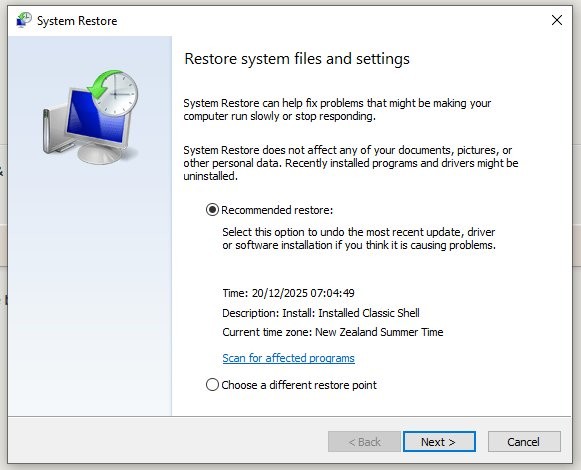
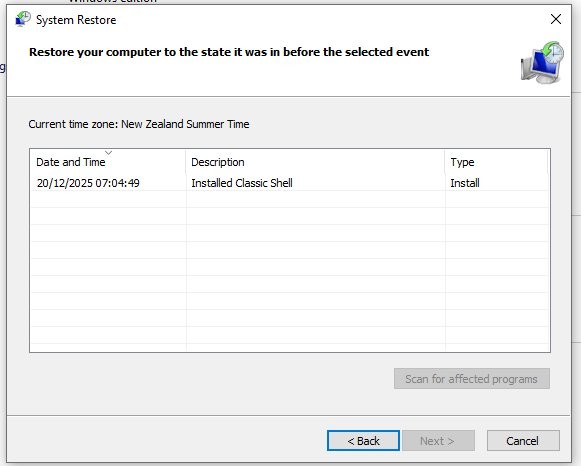
This is the only restore point available.
Worth a try?
BarTender:
Check under C:\Users and your old folder will be there. Sometimes this happens when the profile is corrupted. I think this thread should move to window support. 😁
Indeed, I found my desktop files in there and copied them to the folder that gzt suggested, which worked...for a while.
quickymart:
This is the only restore point available.
Worth a try?

I would back everything up first, ideally to an external USB or to a cloud drive just in case. The restore points can sometimes wipe out your home directory and documents / folders under there.
BarTender:
I would back everything up first, ideally to an external USB or to a cloud drive just in case. The restore points can sometimes wipe out your home directory and documents / folders under there.
Right, I've backed up everything I possibly can, and am running System Restore. Here goes 🤞
All done (took about 90 minutes) but sadly absolutely nothing has changed - I think my only choice is going to be to blow it away and reinstall Windows 😞 I'm going to try the "Reset this PC" option from the Settings menu first to see if that resolves it or not.
I'd like to thank everyone who posted here with a suggestion, I do greatly appreciate it. Just a pity what started as a simple how to open a file query turned into something quite different 😕
Back on my desktop now. I'm glad I backed everything up - restoring it all is going to be a major nuisance, but at least I've got my backup files to utilise.
Again a big thanks to everyone who made a suggestion in here, I do appreciate it.
As to the original topic, I think that file is too dangerous to try and open 😆
|
|
|