Geekzone: technology news, blogs, forums
Guest
Welcome Guest.
You haven't logged in yet. If you don't have an account you can register now.


View this topic in a long page with up to 500 replies per page Create new topic
1 | 2 | 3 | 4 | 5 | 6 | 7
Twalknz72

156 posts

Master Geek
+1 received by user: 3


  #3281876 13-Sep-2024 20:13
Send private message

So what do I do please?


Jase2985
13732 posts

Uber Geek
+1 received by user: 6206

ID Verified
Lifetime subscriber

  #3281878 13-Sep-2024 20:19
Send private message

Twalknz72: So what do I do please?


read the previous post


Twalknz72

156 posts

Master Geek
+1 received by user: 3


  #3281880 13-Sep-2024 20:22
Send private message

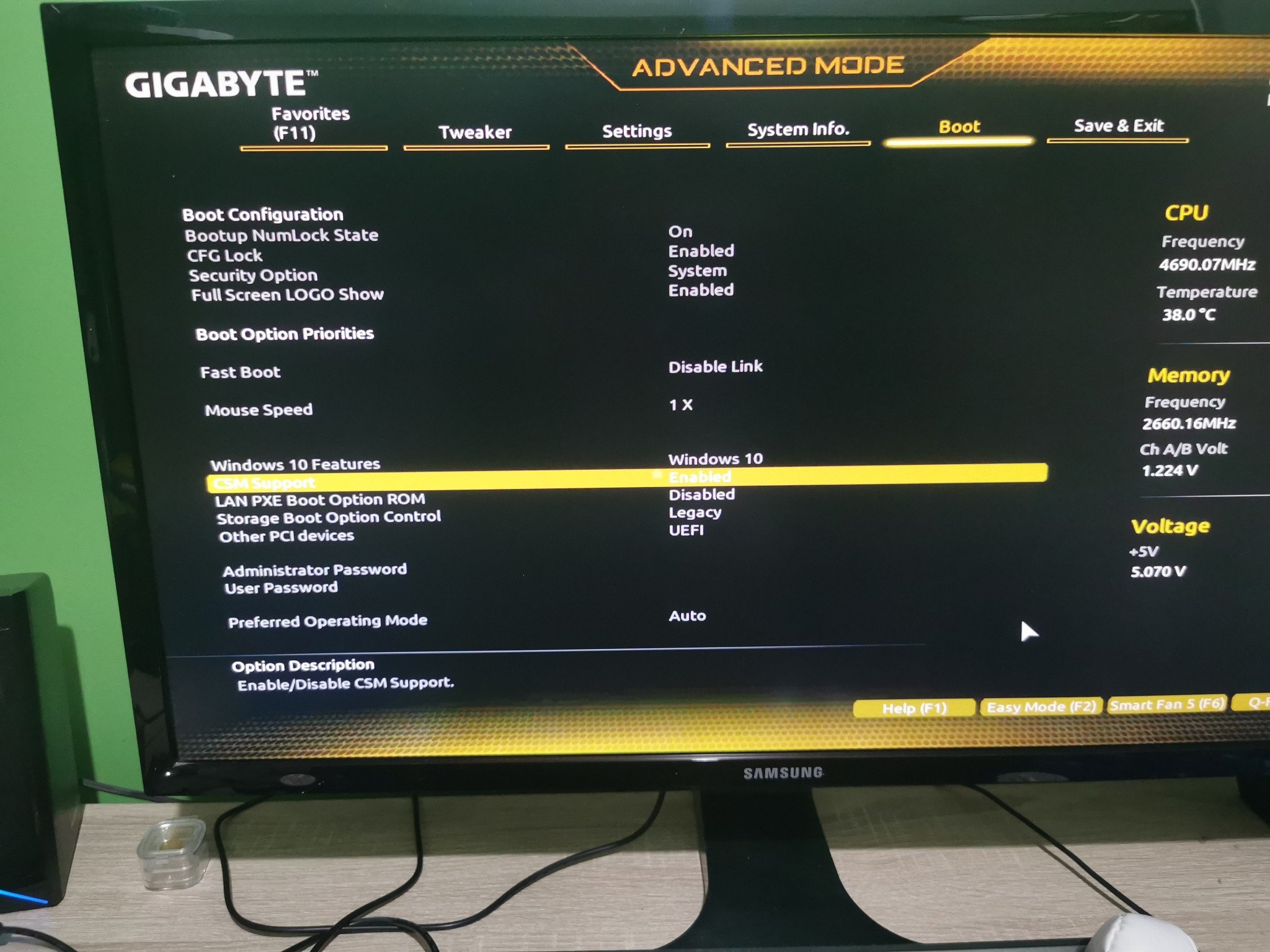
Thank you for your patients. I'm uploading what I see after enabling csm


Twalknz72

156 posts

Master Geek
+1 received by user: 3


  #3281881 13-Sep-2024 20:23
Send private message


Jase2985
13732 posts

Uber Geek
+1 received by user: 6206

ID Verified
Lifetime subscriber

  #3281882 13-Sep-2024 20:25
Send private message

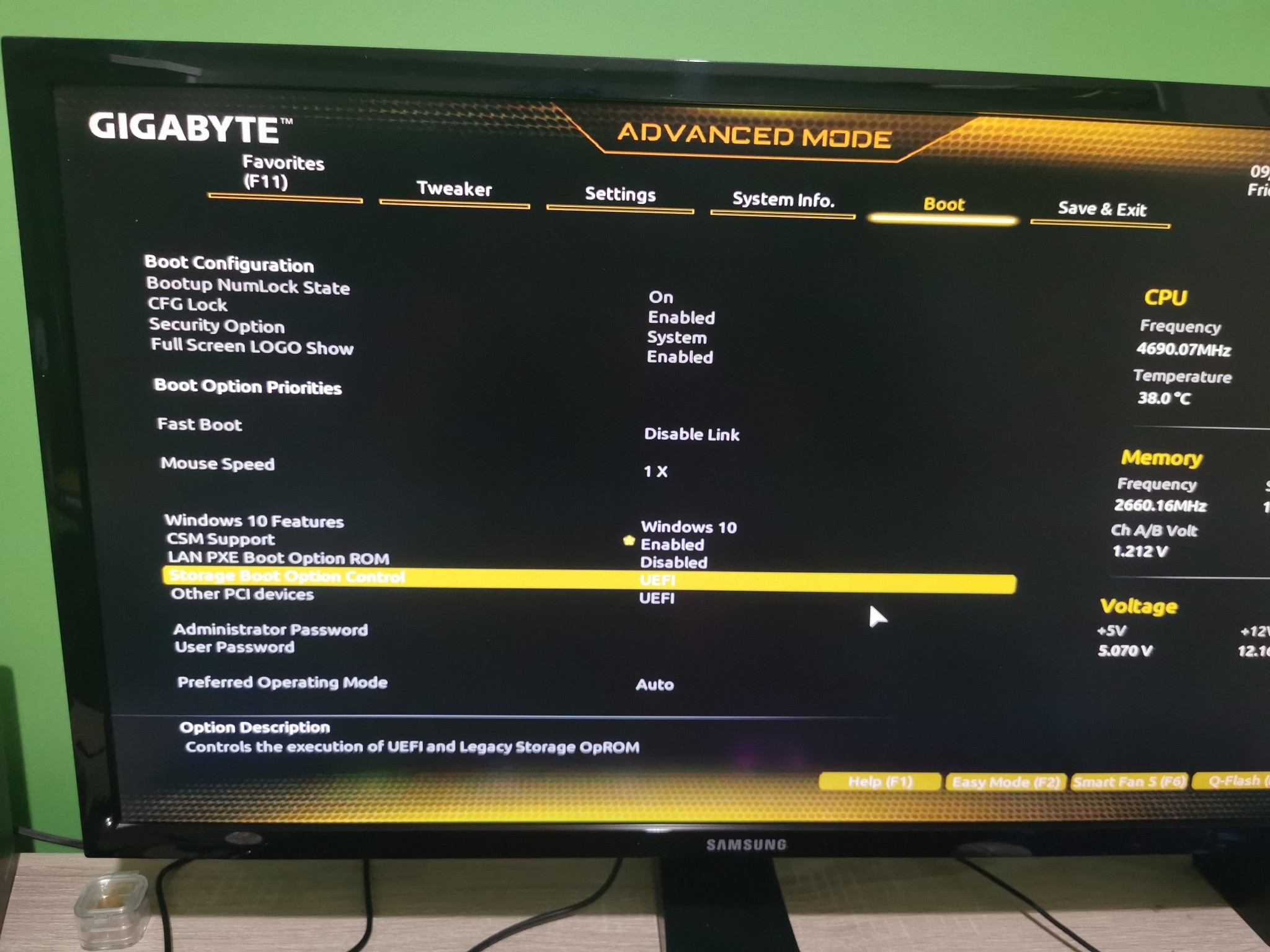
Try changing storage boot control option to UEFI


Twalknz72

156 posts

Master Geek
+1 received by user: 3


  #3281885 13-Sep-2024 20:28
Send private message


Shop now on AliExpress (affiliate link).
Twalknz72

156 posts

Master Geek
+1 received by user: 3


  #3281886 13-Sep-2024 20:30
Send private message

Should I have saved and exited before I did the uefi?

Jase2985
13732 posts

Uber Geek
+1 received by user: 6206

ID Verified
Lifetime subscriber

  #3281887 13-Sep-2024 20:30
Send private message

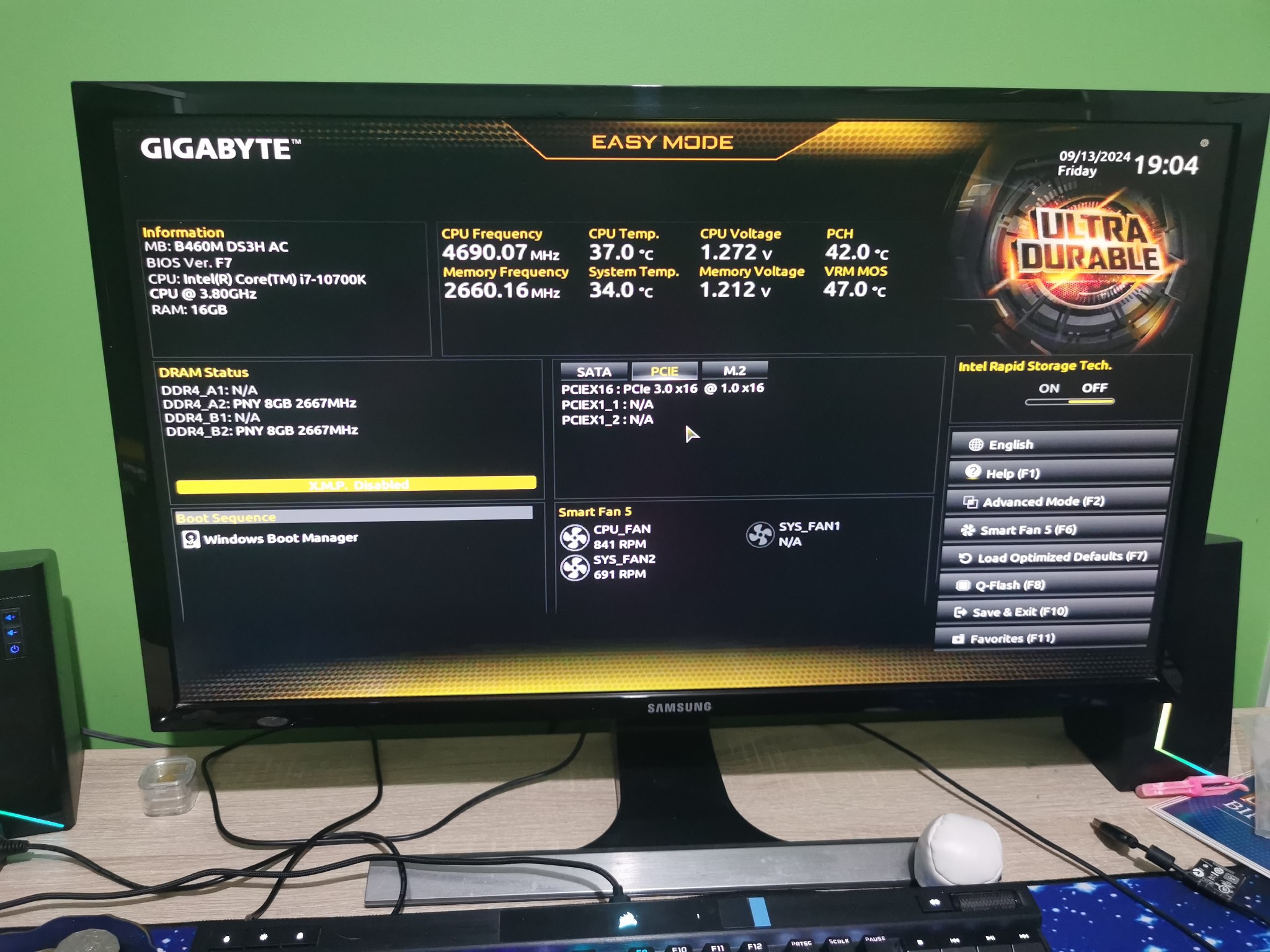
What is showing on the main bios page when you first go into it?


Twalknz72

156 posts

Master Geek
+1 received by user: 3


  #3281889 13-Sep-2024 20:33
Send private message

This is what I see when pressing f2


Jase2985
13732 posts

Uber Geek
+1 received by user: 6206

ID Verified
Lifetime subscriber

  #3281890 13-Sep-2024 20:40
Send private message

Sorry I've got no more ideas


Maybe go back through the steps and put the settings back where they were.


Qazzy03
545 posts

Ultimate Geek
+1 received by user: 492


  #3281891 13-Sep-2024 20:40
Send private message

This youtube video looks like it matches your bios and it steps you through the steps in setting up your SSD to boot. 


https://www.youtube.com/watch?v=Oq06ABF9ji4


This is assuming the SSD is still inside the PC.... 


Want to support Geekzone and browse the site without the ads? Subscribe to Geekzone now (monthly, annual and lifetime options).
Jase2985
13732 posts

Uber Geek
+1 received by user: 6206

ID Verified
Lifetime subscriber

  #3281893 13-Sep-2024 20:44
Send private message

Qazzy03:


This youtube video looks like it matches your bios and it steps you through the steps in setting up your SSD to boot. 


https://www.youtube.com/watch?v=Oq06ABF9ji4


This is assuming the SSD is still inside the PC.... 


they can see 2 drives from the previous pictures but none are showing as being boot options with CSM on or off


Twalknz72

156 posts

Master Geek
+1 received by user: 3


  #3281894 13-Sep-2024 20:49
Send private message


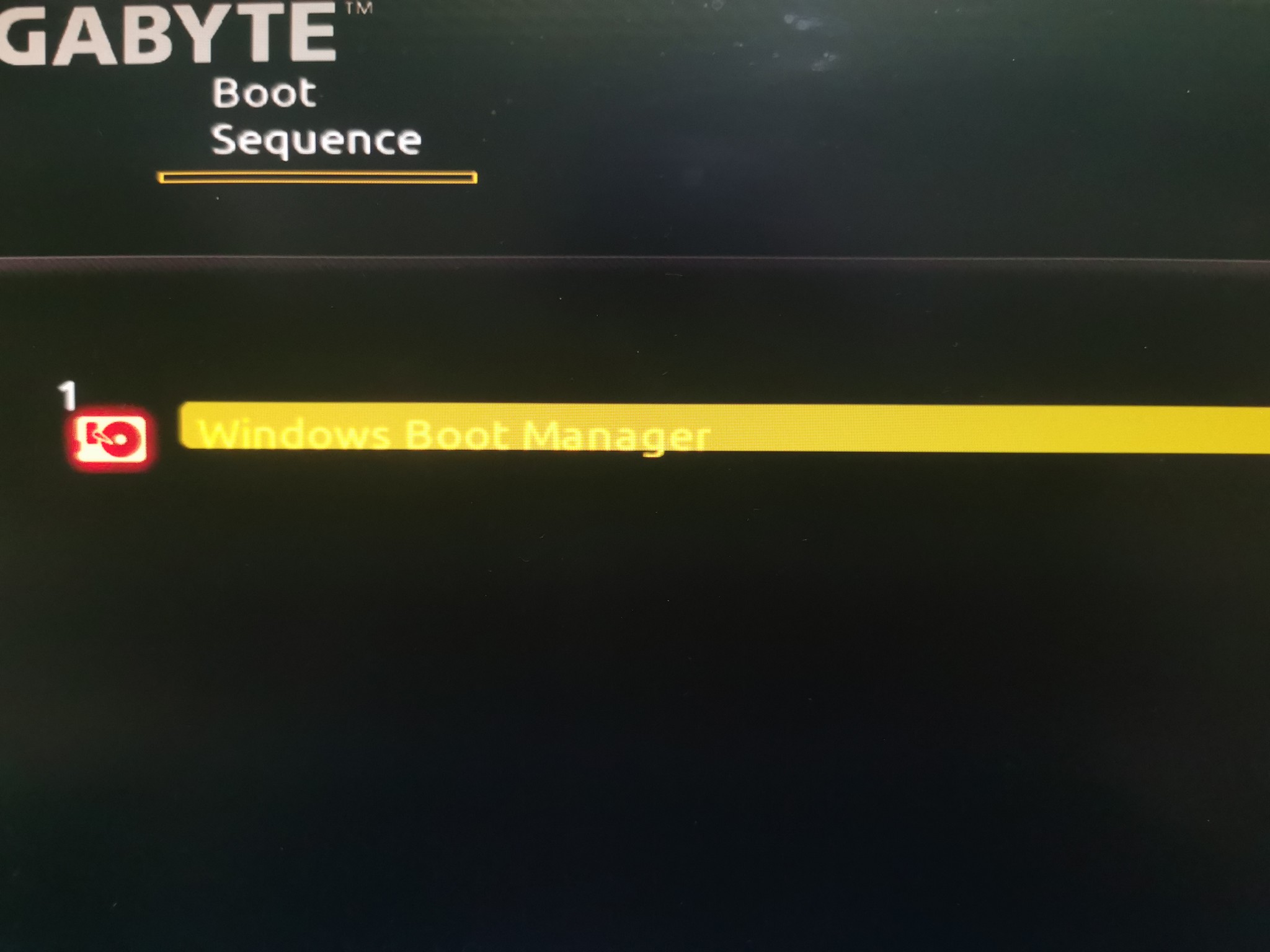
Is this right?

Jase2985
13732 posts

Uber Geek
+1 received by user: 6206

ID Verified
Lifetime subscriber

  #3281895 13-Sep-2024 20:51
Send private message

i dont think so, i think you should be seeing a few more options than that, especially if it won't boot into windows.


Twalknz72

156 posts

Master Geek
+1 received by user: 3


  #3281896 13-Sep-2024 20:54
Send private message

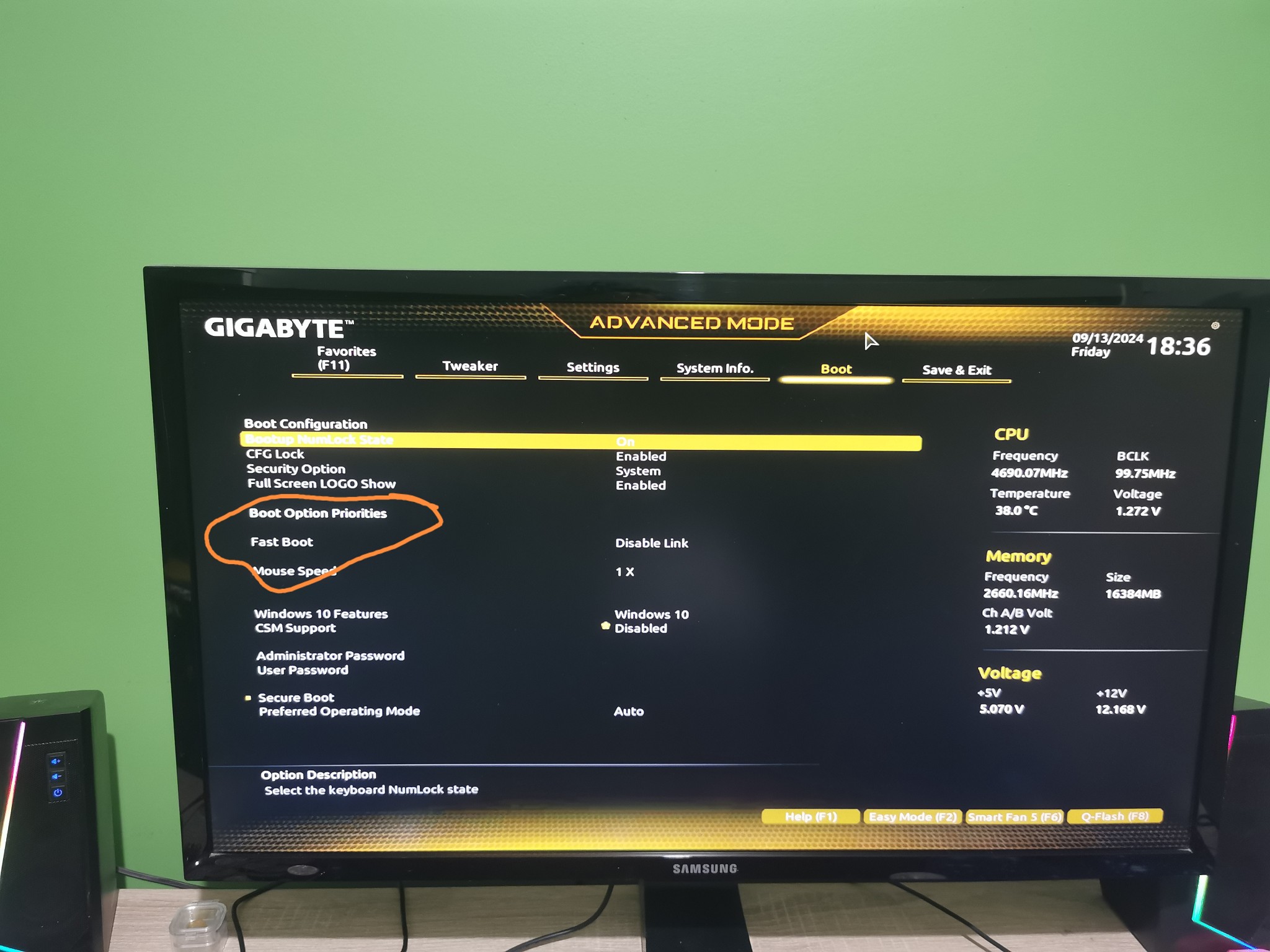
Under boot options I have no options


1 | 2 | 3 | 4 | 5 | 6 | 7
View this topic in a long page with up to 500 replies per page Create new topic


Geekzone Live »

Try automatic live updates from Geekzone directly in your browser, without refreshing the page, with Geekzone Live now.


Are you subscribed to our RSS feed? You can download the latest headlines and summaries from our stories directly to your computer or smartphone by using a feed reader.