Geekzone: technology news, blogs, forums
Guest
Welcome Guest.
You haven't logged in yet. If you don't have an account you can register now.


View this topic in a long page with up to 500 replies per page Create new topic
1 | 2 | 3 | 4 | 5 | 6 | 7
Qazzy03
545 posts

Ultimate Geek
+1 received by user: 492


  #3281897 13-Sep-2024 20:56
Send private message

Jase2985:


they can see 2 drives from the previous pictures but none are showing as being boot options with CSM on or off


Ah, good to know the drives are there at least. 


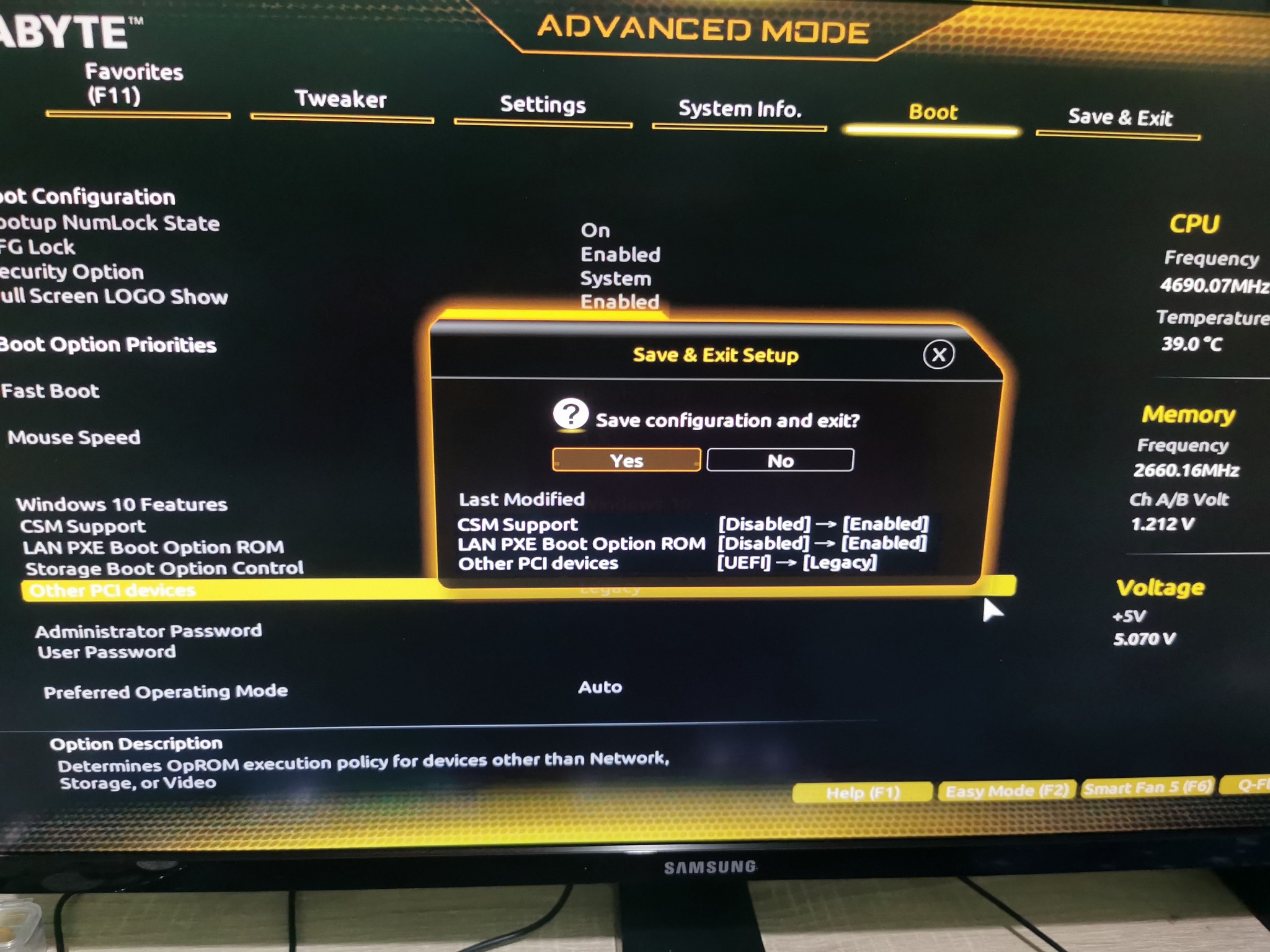
If OP enabled CSM support, saved with F10 and rebooted and went back into bios and the drives are not showing.... then that has me stuck. 


Qazzy03
545 posts

Ultimate Geek
+1 received by user: 492


  #3281898 13-Sep-2024 20:57
Send private message

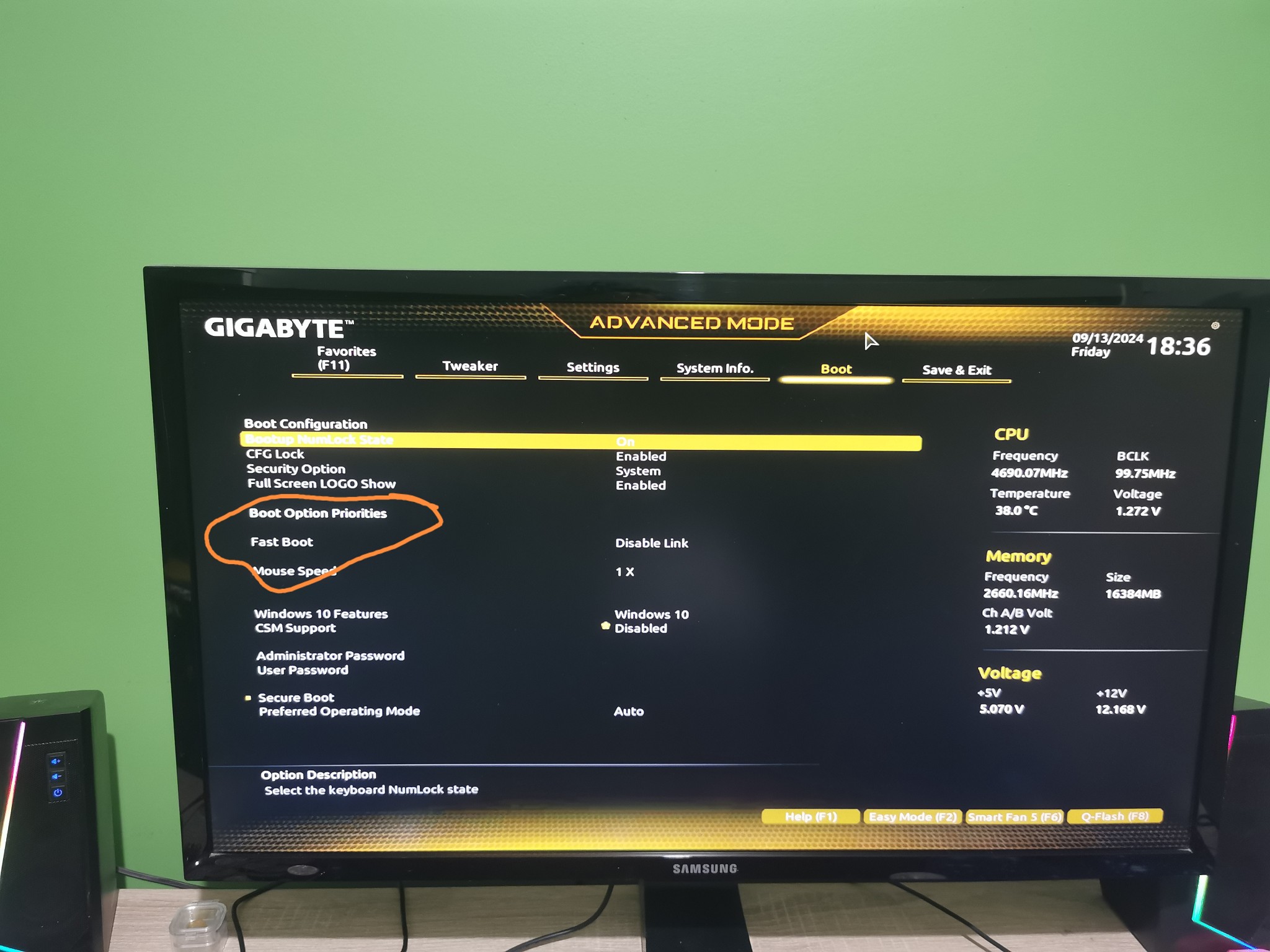
Twalknz72: Under boot options I have no options


In this photo you have CSM disabled. 


Enable it, F10 reboot, and go back into BIOS.


Twalknz72

156 posts

Master Geek
+1 received by user: 3


  #3281899 13-Sep-2024 21:00
Send private message


So my bios now looks like the YouTube one so continue?


Qazzy03
545 posts

Ultimate Geek
+1 received by user: 492


  #3281900 13-Sep-2024 21:02
Send private message

Yes save and exit and follow the youtube video. 

Youtube taught me how to build my own PC and any troubleshooting like you are doing now.


Twalknz72

156 posts

Master Geek
+1 received by user: 3


  #3281902 13-Sep-2024 21:04
Send private message

OK windows has loaded by it self

Qazzy03
545 posts

Ultimate Geek
+1 received by user: 492


  #3281903 13-Sep-2024 21:05
Send private message

Twalknz72: OK windows has loaded by it self


Remember to give that guy on youtube a like!


Glad it is sorted for you. 


Shop now at Mighty Ape (affiliate link).
Jase2985
13732 posts

Uber Geek
+1 received by user: 6205

ID Verified
Lifetime subscriber

  #3281904 13-Sep-2024 21:06
Send private message

Twalknz72: OK windows has loaded by it self


so you must not have saved something in one of the steps i asked you to follow.


But glad you got back into windows


Jase2985
13732 posts

Uber Geek
+1 received by user: 6205

ID Verified
Lifetime subscriber

  #3281905 13-Sep-2024 21:07
Send private message

also dont forget to go back into the bios and enable XMP as i explained in one of the previous posts. Get the ram up to a faster speed.


Twalknz72

156 posts

Master Geek
+1 received by user: 3


  #3281906 13-Sep-2024 21:08
Send private message

Jase2985:

Twalknz72: OK windows has loaded by it self


so you must not have saved something in one of the steps i asked you to follow.


But glad you got back into windows


No I didn't save and exit before. I'm so sorry my brain is struggling right now.


Thank you both so much.

SpartanVXL
1498 posts

Uber Geek
+1 received by user: 666


  #3282044 14-Sep-2024 10:14
Send private message

Send a complaint to pbtech, they should not have returned the machine without it being able to boot.

Qazzy03
545 posts

Ultimate Geek
+1 received by user: 492


  #3282049 14-Sep-2024 10:51
Send private message

SpartanVXL: Send a complaint to pbtech, they should not have returned the machine without it being able to boot.


OP advised local tech, so to be fair that might not be pbtech. 
Hopefully, this was not something Op paid for as an actual service (oh they did), because surprised that the tech didn't bother to boot it, 
let alone install and update drivers and any window updates. 

This is why I usually refuse to do tech support for family. 


Shop now for Dyson appliances (affiliate link).
Twalknz72

156 posts

Master Geek
+1 received by user: 3


  #3282052 14-Sep-2024 10:55
Send private message

Thank you but it wasn't pbtech.

Twalknz72

156 posts

Master Geek
+1 received by user: 3


  #3282055 14-Sep-2024 10:58
Send private message

Qazzy03:

SpartanVXL: Send a complaint to pbtech, they should not have returned the machine without it being able to boot.


OP advised local tech, so to be fair that might not be pbtech. 
Hopefully, this was something Op paid for as an actual service, because surprised that the tech didn't bother to boot it,
let alone install and update drivers and any window updates. 

This is why I usually refuse to do tech support for family. 


So do we now have to check the drivers? It was a paid service and was suppose to be a back up, fresh windows reinstall and data transfer back /setup.

Qazzy03
545 posts

Ultimate Geek
+1 received by user: 492


  #3282057 14-Sep-2024 11:04
Send private message

Twalknz72: So do we now have to check the drivers? It was a paid service and was suppose to be a back up, fresh windows reinstall and data transfer back /setup.


Windows should be pretty good at getting most of the drivers. 
The only one to double-check on will be the GPU Nvidia one, you son will probably know how to set that one up.
Otherwise, just go here https://www.nvidia.com/en-us/geforce/drivers/


ooofff, a paid service, yeah, that is like...mmm 1 star never go back and never recommend to friends or family. 
I would say meets the complaint level, but I don't like confrontation, so I would be leaving a google/facebook 1 star review with my experience for possible future customers. 


Twalknz72

156 posts

Master Geek
+1 received by user: 3


  #3282072 14-Sep-2024 11:44
Send private message

Very strange, I just turned his computer on for the first time since lastnight and it went back to the bios. I put the settings back, as the YouTube video, and it's all good again. What's going on?

1 | 2 | 3 | 4 | 5 | 6 | 7
View this topic in a long page with up to 500 replies per page Create new topic


Geekzone Live »

Try automatic live updates from Geekzone directly in your browser, without refreshing the page, with Geekzone Live now.


Are you subscribed to our RSS feed? You can download the latest headlines and summaries from our stories directly to your computer or smartphone by using a feed reader.