Geekzone: technology news, blogs, forums
Guest
Welcome Guest.
You haven't logged in yet. If you don't have an account you can register now.


kiaorazeld

4 posts

Wannabe Geek


#277239 2-Oct-2020 23:18
Send private message

Hi Guys,


I got a PC built about 3 months ago


ryzen3700x


asus prime b450m-a (pretty certain it's this one)


windows 10, M.2 SSD


think that's all thats relevant for this issue,


never had an issue with it - tonight I tried turning on and it went into BIOS and won't go past BIOS , it says no bootable device found when i'm trying to configure the boot. so I think it may be an SSD issue? 


I tried some google/youtube fixes like changing UEFI to Legacy etc. they all seem to work (according to youtube comments) for the laptops, but can't seem to find anything for desktop (not sure if a difference)


Usually I can just find / fix a problem using google etc but i'm stuck on this one and have no idea.


to spice things up my wife works for a law firm they use a program called "Citrix" which is kind of like an OS when you log in. I asked for it not to be on the desktop but hey here we are, it's never had an issue on my laptop but i just didn't want her shhhh on my the desk top.


she installed it yesterday no worries and pc worked last night , I know she is also notorius for switching plugs off at the wall , but have read on google this doesn't really effect SSD these days? (although i always shut down properly anyway) 


wondering if anyone has seen this before or if it's simply just buy a new hard drive? I think i'll have to get a technician out tomorrow (or ask wife to ask her I.T department to look into it lol) - haven't told her yet because they do say to pick your battles and i'd love for it to have nothing to do with it!


TLDR : Cant get past BIOS, No bootable device found, wife is lovely but doesn't listen.


Create new topic

xpd

xpd
Geek of Coastguard
14116 posts

Uber Geek
+1 received by user: 4579

Retired Mod
ID Verified
Trusted
Lifetime subscriber

  #2578382 2-Oct-2020 23:56
Send private message

Citrix is a form of remote desktop so won't be that.


Is the BIOS seeing your drives at all?


XPD / Gavin


LinkTree


kiaorazeld

4 posts

Wannabe Geek


  #2578463 3-Oct-2020 08:35
Send private message

Morning,

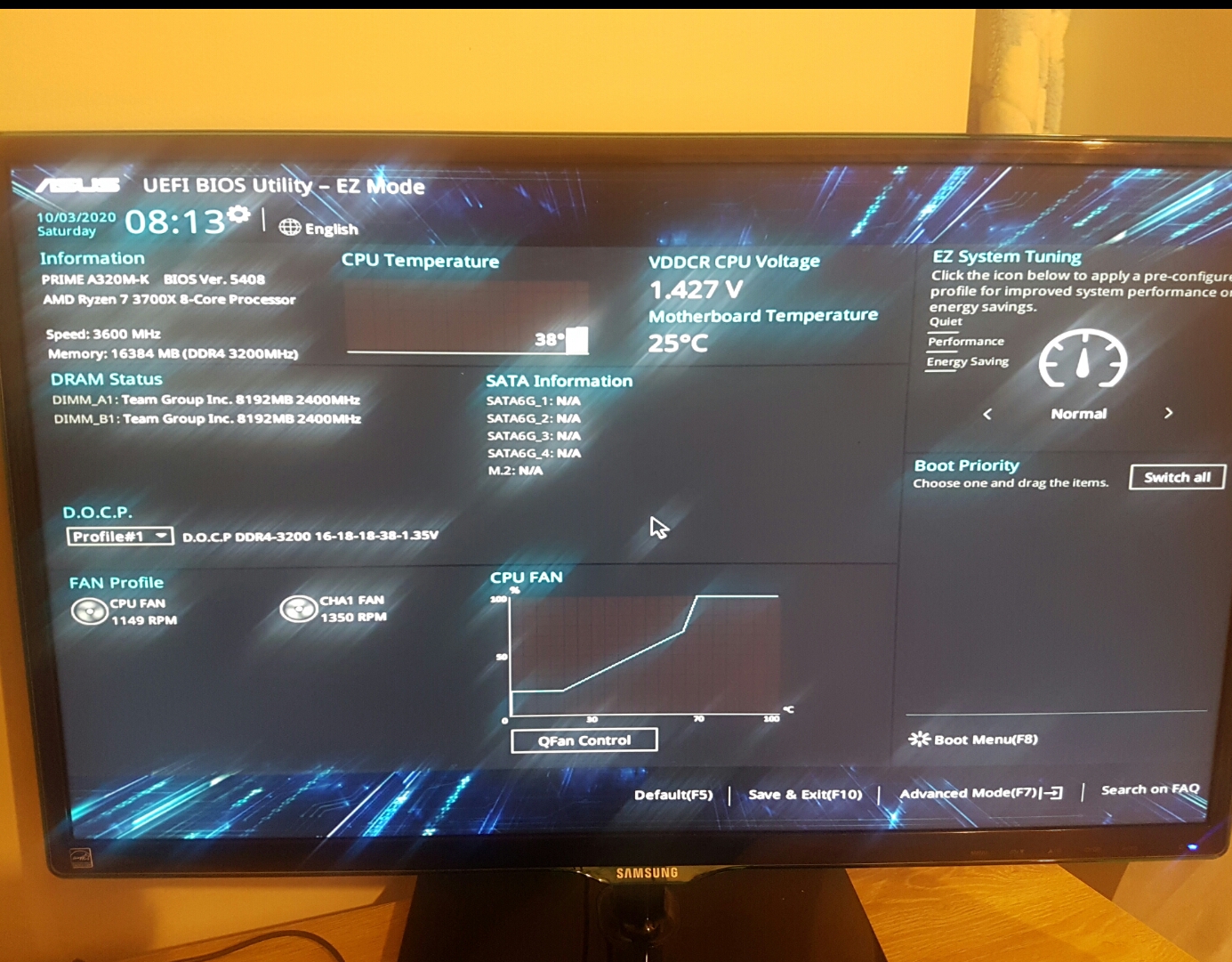
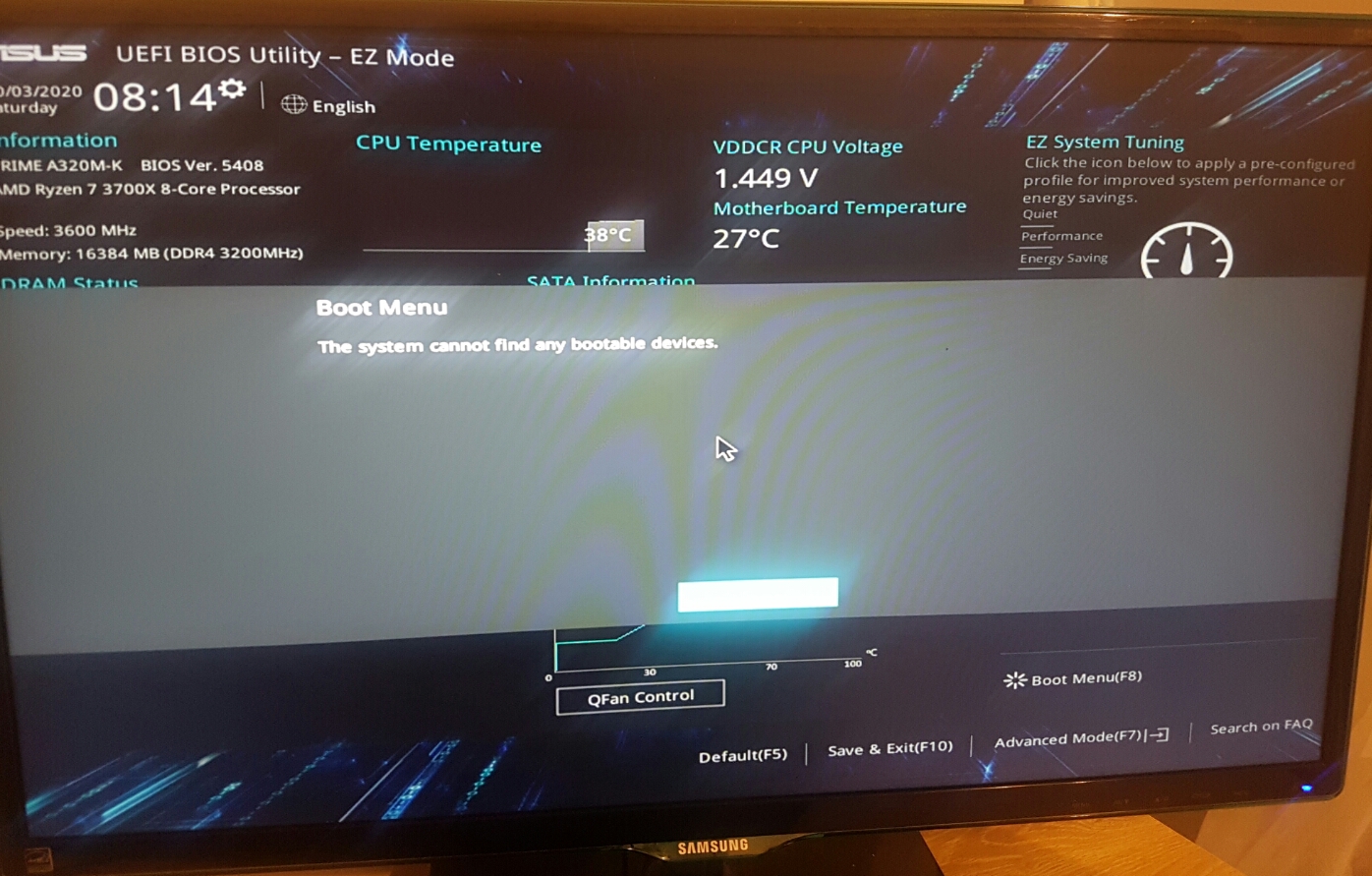
I'm not sure .. here's some pics I just took you can see in the first one there's nothing on the right and side and I get that pop up when I push f8,


Its not letting me upload anymore images right now but all I have all ssd/hdd ports enabled

I've just seen in the hdd/sdd smart information area, the devices drop down just shows N/A

Apsattv
2453 posts

Uber Geek
+1 received by user: 724


  #2578464 3-Oct-2020 09:21
Send private message

https://rog.asus.com/forum/showthread.php?101693-My-hard-disk-drives-not-showing-up-in-boot-priority


There are boot options hiding elsewhere


did you try a reset? and load defaults


xpd

xpd
Geek of Coastguard
14116 posts

Uber Geek
+1 received by user: 4579

Retired Mod
ID Verified
Trusted
Lifetime subscriber

  #2578467 3-Oct-2020 09:29
Send private message

The 1st screen shows theres no SATA devices. M2 or standard HDD/SSD.


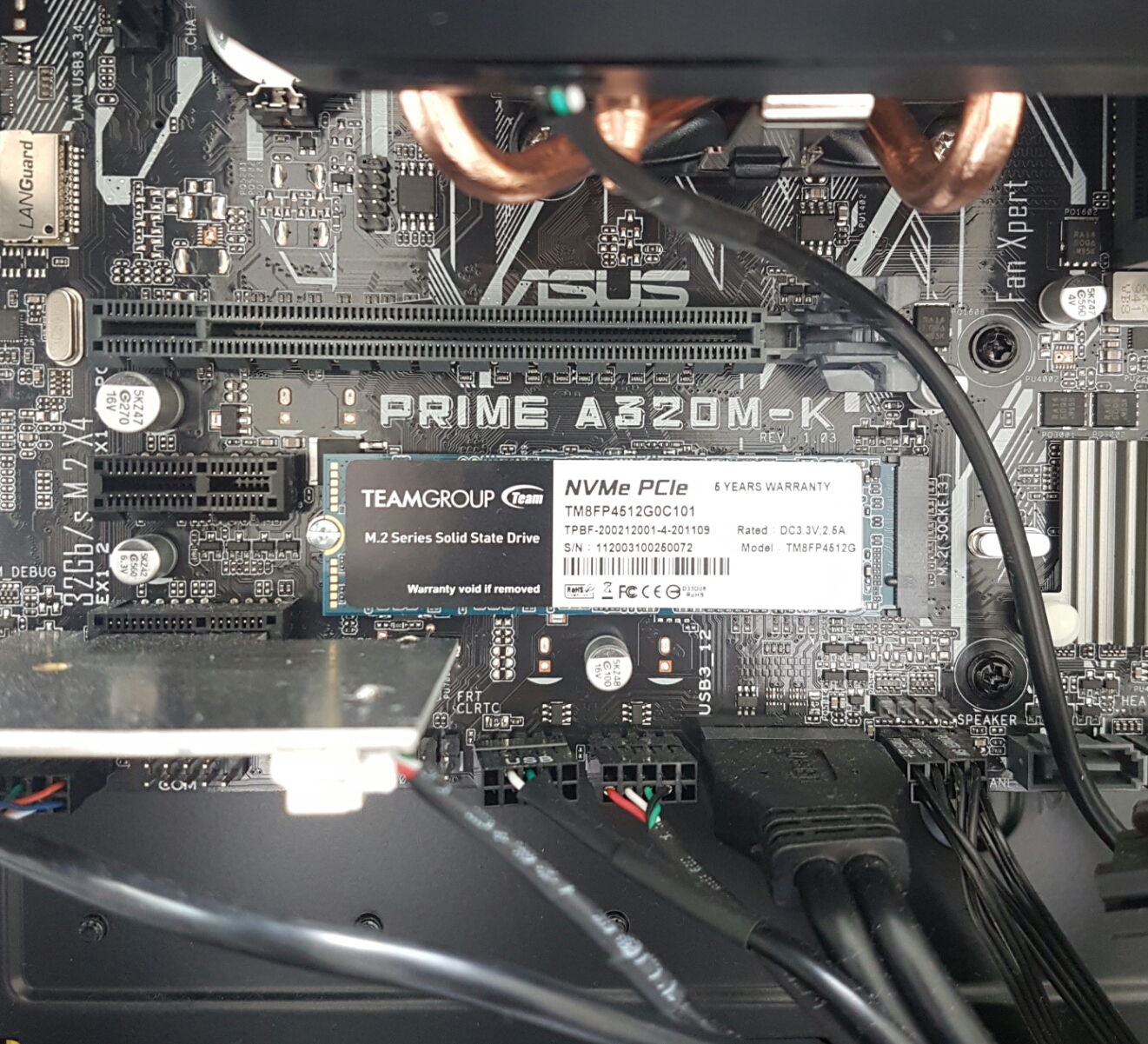
You may need to remove the M2 drive then reseat it - may have come loose for some reason.


Or worst case, it has died.


XPD / Gavin


LinkTree


bagheera
544 posts

Ultimate Geek
+1 received by user: 189


  #2578469 3-Oct-2020 09:44
Send private message

kiaorazeld:


Hi Guys,


I got a PC built about 3 months ago


take it back and get it fixed under warranty 


kiaorazeld

4 posts

Wannabe Geek


  #2578536 3-Oct-2020 12:11
Send private message

Yeah im in touch with the guy who built it now. I took graphics card out and its got a wee screw holding in the ssd so it hasn't come loose and obviously not remove it with that void warranty warning on there.


There's no option anywhere for me in bios from what I can tell , that shows that it's there. So I think it's just cooked itself somehow ?


Shop now for Lego sets and other gifts (affiliate link).
cyril7
9075 posts

Uber Geek
+1 received by user: 2499

ID Verified
Trusted
Subscriber

  #2578539 3-Oct-2020 12:21
Send private message

ah well I see it has a 6yr warranty, so no problem


Cyril


Jase2985
13732 posts

Uber Geek
+1 received by user: 6207

ID Verified
Lifetime subscriber

  #2578706 3-Oct-2020 19:12
Send private message

that sticker has nothing to do with removing the drive from the slot. its to do with not playing with the chips/controllers on the card. you can remove it without voiding any warranty on the SSD.


When you go into the BIOS and press F7 then go to the boot tab and look at CSM whats that set to? try changing it to the opposite position, mine is set to off, and it doesn't see any bootable devices if its on.


K8Toledo
1018 posts

Uber Geek
+1 received by user: 311


  #2582163 10-Oct-2020 03:57
Send private message

kiaorazeld:


Hi Guys,


I got a PC built about 3 months ago


ryzen3700x


asus prime b450m-a (pretty certain it's this one)


windows 10, M.2 SSD


think that's all thats relevant for this issue,


never had an issue with it - tonight I tried turning on and it went into BIOS and won't go past BIOS , it says no bootable device found when i'm trying to configure the boot. so I think it may be an SSD issue? 


I tried some google/youtube fixes like changing UEFI to Legacy etc. they all seem to work (according to youtube comments) for the laptops, but can't seem to find anything for desktop (not sure if a difference)


Usually I can just find / fix a problem using google etc but i'm stuck on this one and have no idea.


to spice things up my wife works for a law firm they use a program called "Citrix" which is kind of like an OS when you log in. I asked for it not to be on the desktop but hey here we are, it's never had an issue on my laptop but i just didn't want her shhhh on my the desk top.


she installed it yesterday no worries and pc worked last night , I know she is also notorius for switching plugs off at the wall , but have read on google this doesn't really effect SSD these days? (although i always shut down properly anyway) 


wondering if anyone has seen this before or if it's simply just buy a new hard drive? I think i'll have to get a technician out tomorrow (or ask wife to ask her I.T department to look into it lol) - haven't told her yet because they do say to pick your battles and i'd love for it to have nothing to do with it!


TLDR : Cant get past BIOS, No bootable device found, wife is lovely but doesn't listen.


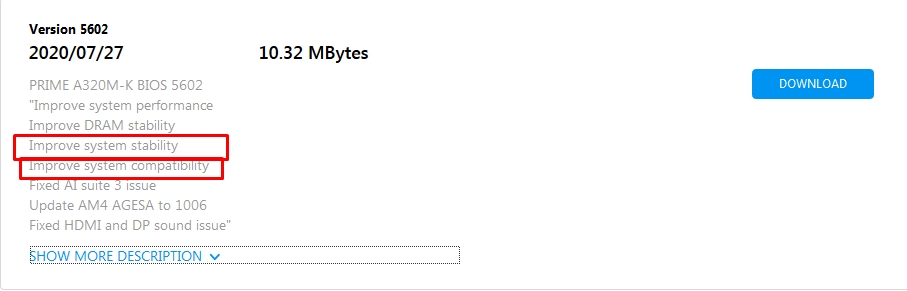
Try the latest 5602 BIOS.


Btw that board is an A320M-K  :)


kiaorazeld

4 posts

Wannabe Geek


  #2582831 12-Oct-2020 09:01
Send private message

Thanks for all the input guys ,


I sent it back to the guy who built it last monday - who confirmed it was a dead SSD , and recieved a new one the following day -


silver lining i'm now confident I could build a PC after having to take it all apart to get the thing out ! 


problem solved :) 


Create new topic


Geekzone Live »

Try automatic live updates from Geekzone directly in your browser, without refreshing the page, with Geekzone Live now.


Are you subscribed to our RSS feed? You can download the latest headlines and summaries from our stories directly to your computer or smartphone by using a feed reader.