Geekzone: technology news, blogs, forums
Guest
Welcome Guest.
You haven't logged in yet. If you don't have an account you can register now.


bendud

341 posts

Ultimate Geek
+1 received by user: 108

ID Verified
Lifetime subscriber

#325585 18-Sep-2026 20:42
Send private message quote this post

I have no idea what the best forum is for this so apologies if I have gone to the wrong place!


Here's the situation:


1) Disclaimer: I'm rubbish at this sort of thing so definitely don't assume even remotely know what I'm doing.


2) I have an older Synology NAS, a DS414 running its maximum DSM 7.1.1. This allows a maximum volume size of 16Tb. 


3) There are 4 drives in situ, 2x 18Tb and 2x 8Tb (from back in the days when NAS drives were cheap... 2x18Tb NAS drives form WaterPanther for USD 430!)


4) Setup is currently 2 volumes, vol 1 is almost out of space, and I can't increase the volume size because of the 7.1.1 restrictions. The NAS has about 10 years of backups, photos and music. 


5) I have upgraded the elderly 414 (thanks geek zone!) with a replacement DS420+, running DSM 7.4.1. This should overcome this particular issue and be considerably quicker. Currently it has a couple of spare old 3Tb drives in but no files.


6) I need to move the drives from the old box to the new box, but my understanding is that if I just move them across I am not able to resize the volumes? It appears that the drives need to be set up in SHR on the new box from clean to do this.


Is this correct? I have also seen things on line suggesting shifting one drive at a time allows resizing but seems a high risk situation.... Allegations that if only I understood how the NAS volume thing worked I wouldn't be in this mess are almost certainly correct.


Thanks in advance for your help on this one


From the Antarctic Riviera

Create new topic
Jase2985
13834 posts

Uber Geek
+1 received by user: 6298

ID Verified
Lifetime subscriber

  #3529180 19-Sep-2026 11:30
Send private message quote this post

are the in raid 1 or in SHR1? yes 2 drives in SHR1 would mean its running raid 1 but for expanding the volume with a new drive it makes a difference.


how much is on Volume 2? could you move stuff to volume 1/other devices and then move one of the 8TB drives to the new NAS and set it up as SHR1, then move the second 8TB drive, then move the next lot of data from the 18TB drives, granted there will still be some data still on the old NAS, but its minimising the risk, then pull one 18TB drive and move it over, then move the remaining data over, then move the final 18TB drive. its a process that will take a while.


Either way i think you are going to be up for some config/package reconfiguration 


freitasm
BDFL - Memuneh
81363 posts

Uber Geek
+1 received by user: 42727

Administrator
ID Verified
Trusted
Geekzone
Lifetime subscriber

  #3529186 19-Sep-2026 11:53
Send private message quote this post

The suggestion above means the OP will be at risk of losing data on 18TB drives if one of them fails. Worse if the one failing is the leftover one.


Are the two volumes across all drives, or split into pairs? @bendud could you clarify, please, before we can work out how to move things around.


Referral links: Quic Broadband (free setup code: R587125ERQ6VE) | Samsung | AliExpress | Wise | Sharesies 


Support Geekzone by subscribing (browse ads-free), or making a one-off or recurring donation through PressPatron.


LEGAL video, movies and TV download and streaming options in New Zealand


bendud

341 posts

Ultimate Geek
+1 received by user: 108

ID Verified
Lifetime subscriber

  #3529195 19-Sep-2026 13:27
Send private message quote this post

For some reason my screenshots upload to 99.99% and then fail so am struggling to attach here.


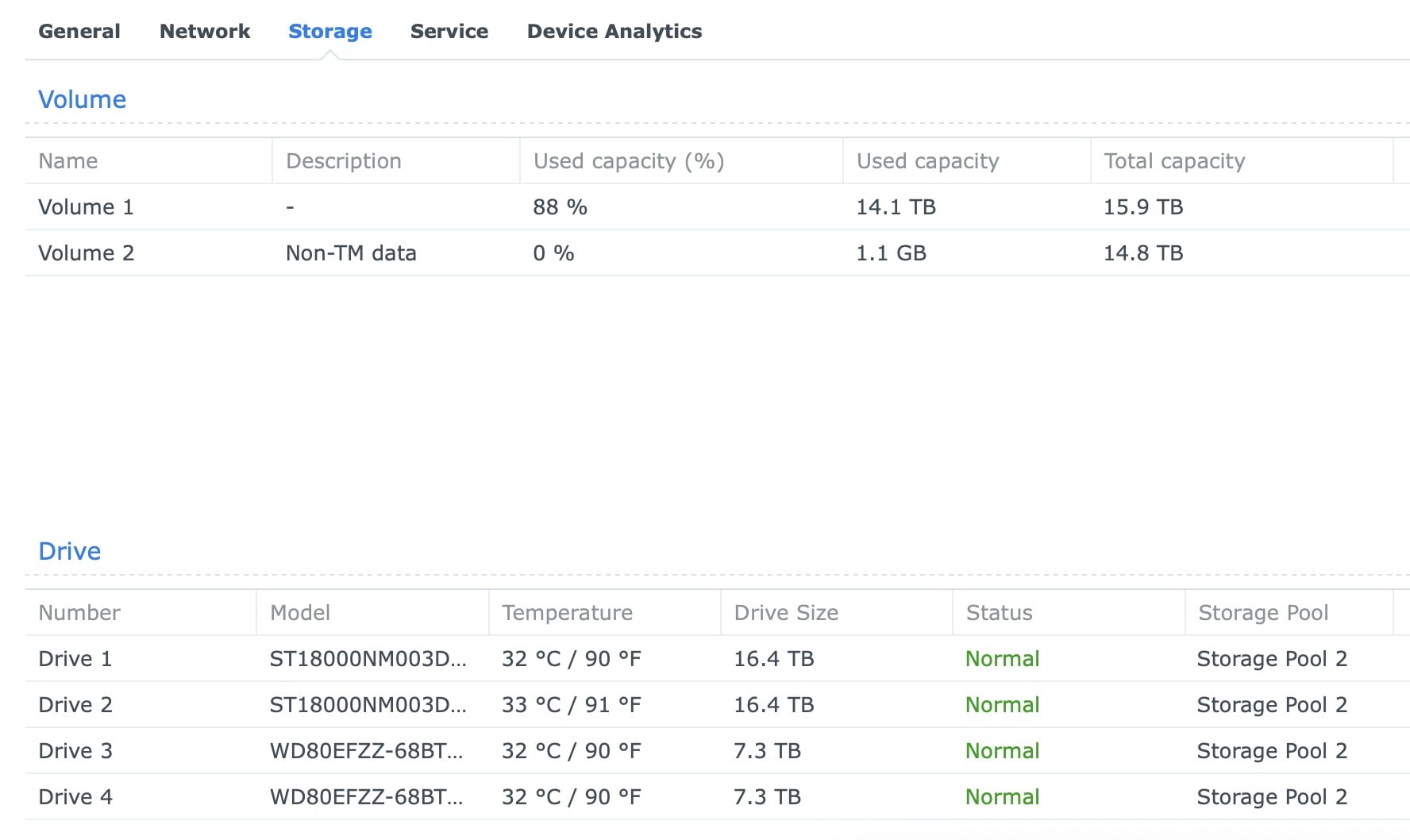
Two volumes showing:


Vol 1 (88%, 14.1 of 15.9TB)


Vol 2 0% 1.1GB ot 14.8TB (which is weird...)


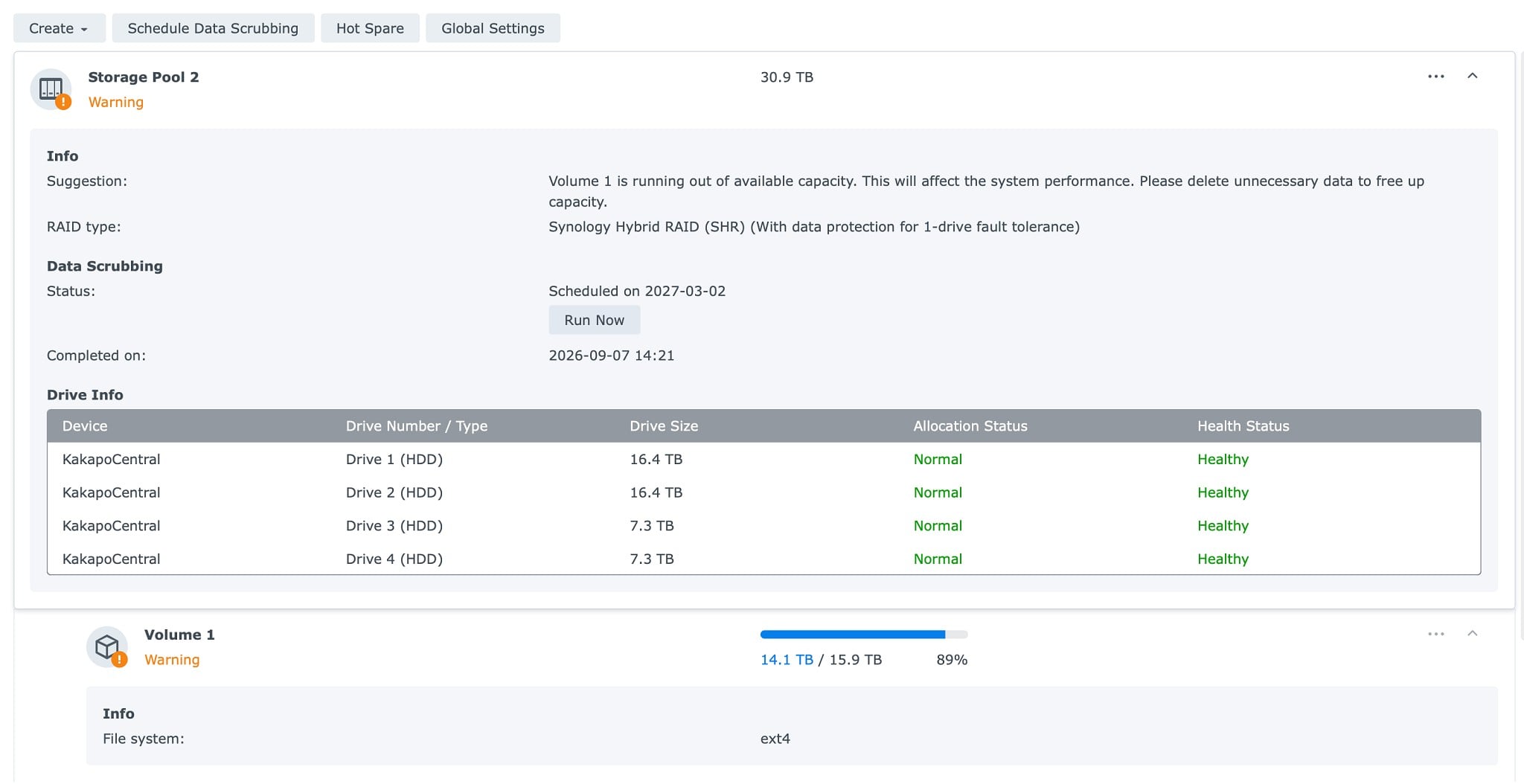
There appears to be only one storage pool, which is SP2, and 30.9TB


All four drives report they are in Storage Pool 2.


RAID type is SHR with protection for 1 drive fault tolerance. 


Thanks!


b


From the Antarctic Riviera


freitasm
BDFL - Memuneh
81363 posts

Uber Geek
+1 received by user: 42727

Administrator
ID Verified
Trusted
Geekzone
Lifetime subscriber

  #3529198 19-Sep-2026 13:40
Send private message quote this post

If the screenshot is too large... Try making it smaller.


Referral links: Quic Broadband (free setup code: R587125ERQ6VE) | Samsung | AliExpress | Wise | Sharesies 


Support Geekzone by subscribing (browse ads-free), or making a one-off or recurring donation through PressPatron.


LEGAL video, movies and TV download and streaming options in New Zealand


bendud

341 posts

Ultimate Geek
+1 received by user: 108

ID Verified
Lifetime subscriber

  #3529357 19-Sep-2026 17:21
Send private message quote this post


From the Antarctic Riviera

bendud

341 posts

Ultimate Geek
+1 received by user: 108

ID Verified
Lifetime subscriber

  #3529358 19-Sep-2026 17:22
Send private message quote this post


From the Antarctic Riviera


Move to New Zealand's best fibre broadband service (affiliate link). Free setup code: R587125ERQ6VE. Note that to use Quic Broadband you must be comfortable with configuring your own router.
Jase2985
13834 posts

Uber Geek
+1 received by user: 6298

ID Verified
Lifetime subscriber

  #3529420 19-Sep-2026 21:13
Send private message quote this post

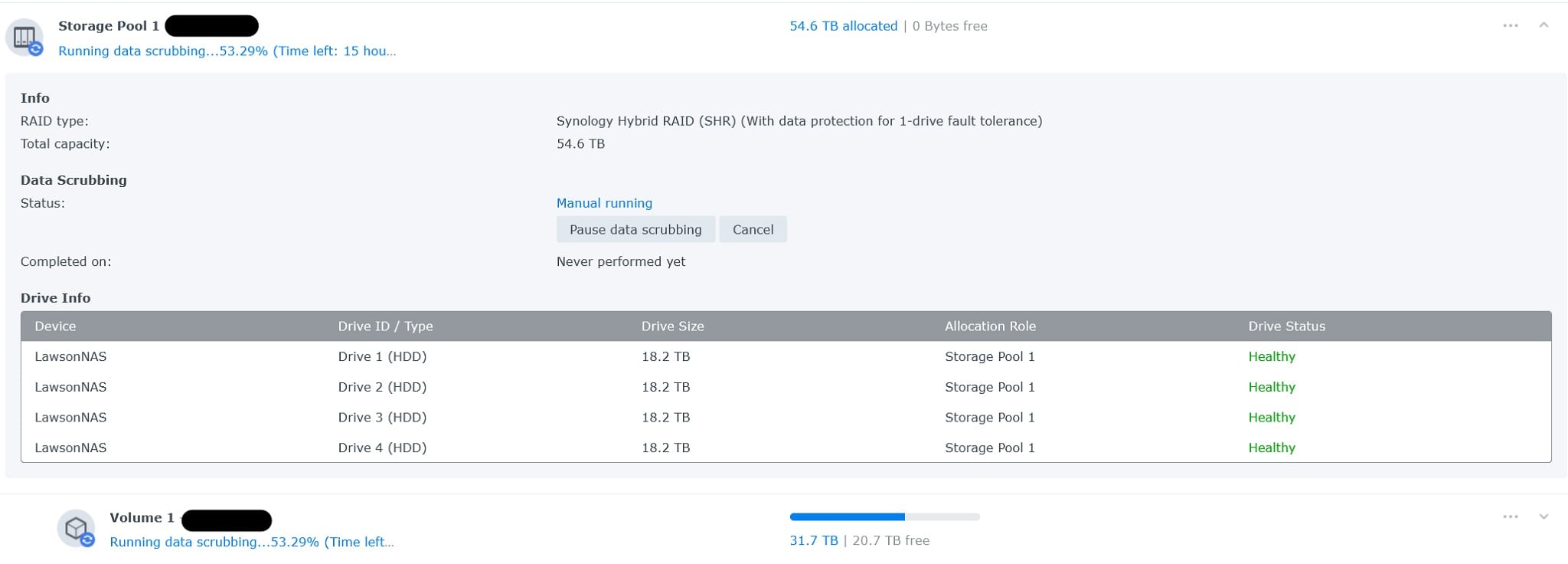
actually open the storage manager app and take some screenshots in there. Select Storage > storage pool X, like below


bendud

341 posts

Ultimate Geek
+1 received by user: 108

ID Verified
Lifetime subscriber

  #3529421 19-Sep-2026 21:17
Send private message quote this post


From the Antarctic Riviera

Create new topic


Geekzone Live »

Try automatic live updates from Geekzone directly in your browser, without refreshing the page, with Geekzone Live now.


Are you subscribed to our RSS feed? You can download the latest headlines and summaries from our stories directly to your computer or smartphone by using a feed reader.