Geekzone: technology news, blogs, forums
Guest
Welcome Guest.
You haven't logged in yet. If you don't have an account you can register now.


BTR

BTR

1527 posts

Uber Geek
+1 received by user: 449


#195104 6-Apr-2016 14:03
Send private message

As the title says, I'm interested to know what monitors people use for gaming.


Currently I used a Sony 32" TV because I have my Mac plugged into the HDMI 1 port and my gaming PC plugged into the HDMI 2 port. I realise the a TV's pictures isn;t as good up close but with dual HDMI monitors being around the $700-800 mark for a cheap one that is a bit out of my range.


A second monitor isn;t an option as I don't have room for it on my desk.


View this topic in a long page with up to 500 replies per page Create new topic
 1 | 2 | 3

xpd

xpd
Geek of Coastguard
14116 posts

Uber Geek
+1 received by user: 4579

Retired Mod
ID Verified
Trusted
Lifetime subscriber

  #1527018 6-Apr-2016 14:28
Send private message

Ive got a Samsung 23.6" S24C300L as my main monitor for gaming, and have a backup AOC LED (cant remember model, and its hiding in the garage atm) 24".


Find its perfectly fine, but Im not one of those "perfectionist" gamers who must have everything just right ;)


XPD / Gavin


LinkTree


Ramjet007
320 posts

Ultimate Geek
+1 received by user: 18


  #1527382 7-Apr-2016 05:21
Send private message

40" philips BDM4065UC/75 4k. Runs at 3840x2160. 


plas
456 posts

Ultimate Geek
+1 received by user: 59


  #1527485 7-Apr-2016 10:14
Send private message

Ramjet007:


40" philips BDM4065UC/75 4k. Runs at 3840x2160. 


Same :D


Poll
346 posts

Ultimate Geek
+1 received by user: 59


  #1527489 7-Apr-2016 10:24
Send private message

I've got a Yamakasi Catleap, it's a 27" 2560x1440 ips monitor that has its backlight failing, deciding what to replace it with is not an easy/cheap decision as I'm reluctant to go back to a tn panel or lower resolution which essentially doubles the price from 4 years ago.


MadEngineer
4591 posts

Uber Geek
+1 received by user: 2570

Trusted

  #1527504 7-Apr-2016 10:43
Send private message

Anyone else prefer the 1920x1200 format to get more of the view on screen? I feel I have a slight edge over others with the extra real estate.


You're not on Atlantis anymore, Duncan Idaho.

BTR

BTR

1527 posts

Uber Geek
+1 received by user: 449


  #1527517 7-Apr-2016 11:03
Send private message

Ramjet007:


40" philips BDM4065UC/75 4k. Runs at 3840x2160. 


Wow thats a nice monitor but I doubt my partner would let me spend $800+ on a monitor.  I wonder how long its going to take manufacturers to catch up and drop VGA.


Shop on-line at New World now for your groceries (affiliate link).
hio77
'That VDSL Cat'
13036 posts

Uber Geek
+1 received by user: 3896

ID Verified
Trusted
Lizard Networks
Subscriber

  #1527564 7-Apr-2016 11:56
Send private message

BenQ XL2420G.


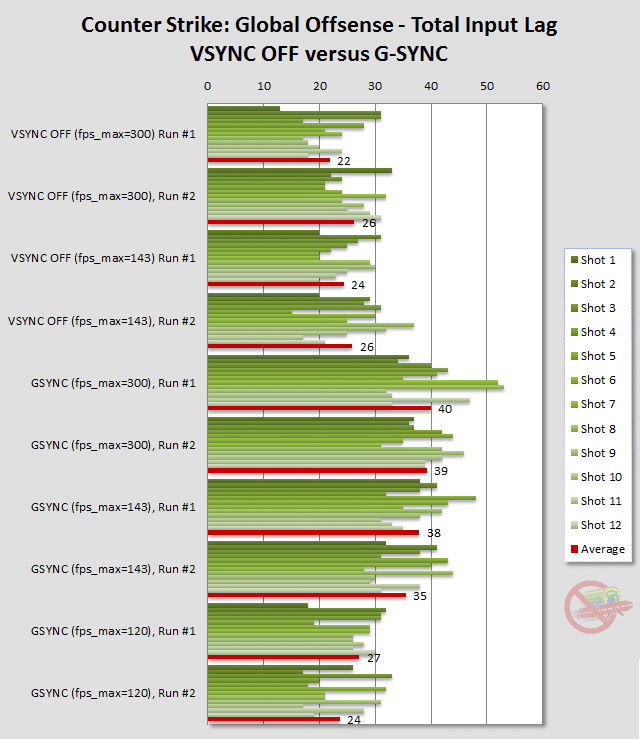
i often game at 120fps fixed, rather than the 144 peak as the gsync latency can be a little iffy there.


Yeah, its slightly on the expensive side but i love it.


As for screen realestate, its backed by another two 1080ps for auxiliary display. For eve in particular i have very much considered the jump to 6. 3 just isn't enough.


#include <std_disclaimer>


Any comments made are personal opinion and do not reflect directly on the position my current or past employers may have. 


sidefx
3775 posts

Uber Geek
+1 received by user: 1295

Trusted

  #1527581 7-Apr-2016 12:29
Send private message

Using a TV as a gaming monitor. Blergh :p


I game on a Shimian Achieva 1440p 27 inch monitor. QH270 I think. Backed up by a 24 inch dell ultrasharp. 


"I was born not knowing and have had only a little time to change that here and there."         | Octopus Energy | Sharesies
              - Richard Feynman


BTR

BTR

1527 posts

Uber Geek
+1 received by user: 449


  #1527620 7-Apr-2016 13:12
Send private message

sidefx:


Using a TV as a gaming monitor. Blergh :p


I game on a Shimian Achieva 1440p 27 inch monitor. QH270 I think. Backed up by a 24 inch dell ultrasharp. 


The specs on that monitor only show DVI when I prefer to use HDMI, yes the image quality is pretty much the same but thats just what I prefer. 


Taling nicely to my partner I might be allowed a BDM4065UC/75.


plas
456 posts

Ultimate Geek
+1 received by user: 59


  #1527632 7-Apr-2016 13:26
Send private message

BTR:


sidefx:


Using a TV as a gaming monitor. Blergh :p


I game on a Shimian Achieva 1440p 27 inch monitor. QH270 I think. Backed up by a 24 inch dell ultrasharp. 


The specs on that monitor only show DVI when I prefer to use HDMI, yes the image quality is pretty much the same but thats just what I prefer. 


Taling nicely to my partner I might be allowed a BDM4065UC/75.


If I remember correctly the HDMI ports are only 1.4 and can only do 4k @ 30hz, you have to use displayport and remember to set to 1.2 (it defaults to 1.1)


Elpie
1304 posts

Uber Geek
+1 received by user: 272


  #1527895 7-Apr-2016 19:33
Send private message

LG 21:9 UltraWide 29UM67 


I would have preferred the 34" model with higher resolution but desk space and a reluctance to spend money upgrading my graphics card precluded that. 


Want to support Geekzone and browse the site without the ads? Subscribe to Geekzone now (monthly, annual and lifetime options).
ratsun81
516 posts

Ultimate Geek
+1 received by user: 183


  #1528188 8-Apr-2016 09:52
Send private message

Ramjet007:


40" philips BDM4065UC/75 4k. Runs at 3840x2160. 


What are you using for GFX card and what sort of games are you running? Im interested in getting one but just a bit wary of the additional cost of upgrading my GFX card as well to support the 4k gaming.


Also how do you find it for day to day usage? 


Quic Broadband


Use R212389ELFLL2 promo code for free setup at checkout.


sidefx
3775 posts

Uber Geek
+1 received by user: 1295

Trusted

  #1528207 8-Apr-2016 10:26
Send private message

ratsun81:


What are you using for GFX card and what sort of games are you running? Im interested in getting one but just a bit wary of the additional cost of upgrading my GFX card as well to support the 4k gaming.


I'm interested in this too. My conclusion from some basic research in the past was that you need a really beefy setup if you want to game at 4K with all the bling turned on. Like dual 980tis. Just not affordable for me, so I went with a GTX 970 and game at 1440p.  Perfectly happy with performance of this combination. 


"I was born not knowing and have had only a little time to change that here and there."         | Octopus Energy | Sharesies
              - Richard Feynman


networkn
Networkn
32871 posts

Uber Geek
+1 received by user: 15468

ID Verified
Trusted
Lifetime subscriber

  #1528253 8-Apr-2016 10:50
Send private message

Yamakasi 27" 1440P Monitor @ 100HZ.


lNomNoml
1842 posts

Uber Geek
+1 received by user: 521

ID Verified

  #1528265 8-Apr-2016 11:10
Send private message

ASUS XB270HU 27" 2560x1440 144Hz G-Sync


Bought myself the Acer X34 Predator but it was too wide for me haha so I sold it.


 1 | 2 | 3
View this topic in a long page with up to 500 replies per page Create new topic


Geekzone Live »

Try automatic live updates from Geekzone directly in your browser, without refreshing the page, with Geekzone Live now.


Are you subscribed to our RSS feed? You can download the latest headlines and summaries from our stories directly to your computer or smartphone by using a feed reader.