Geekzone: technology news, blogs, forums
Guest
Welcome Guest.
You haven't logged in yet. If you don't have an account you can register now.


TG09

244 posts

Master Geek
+1 received by user: 16


#295188 11-Mar-2022 09:07
Send private message

Hi All


My PC seems to be collecting dust a lot, and not sure why. 


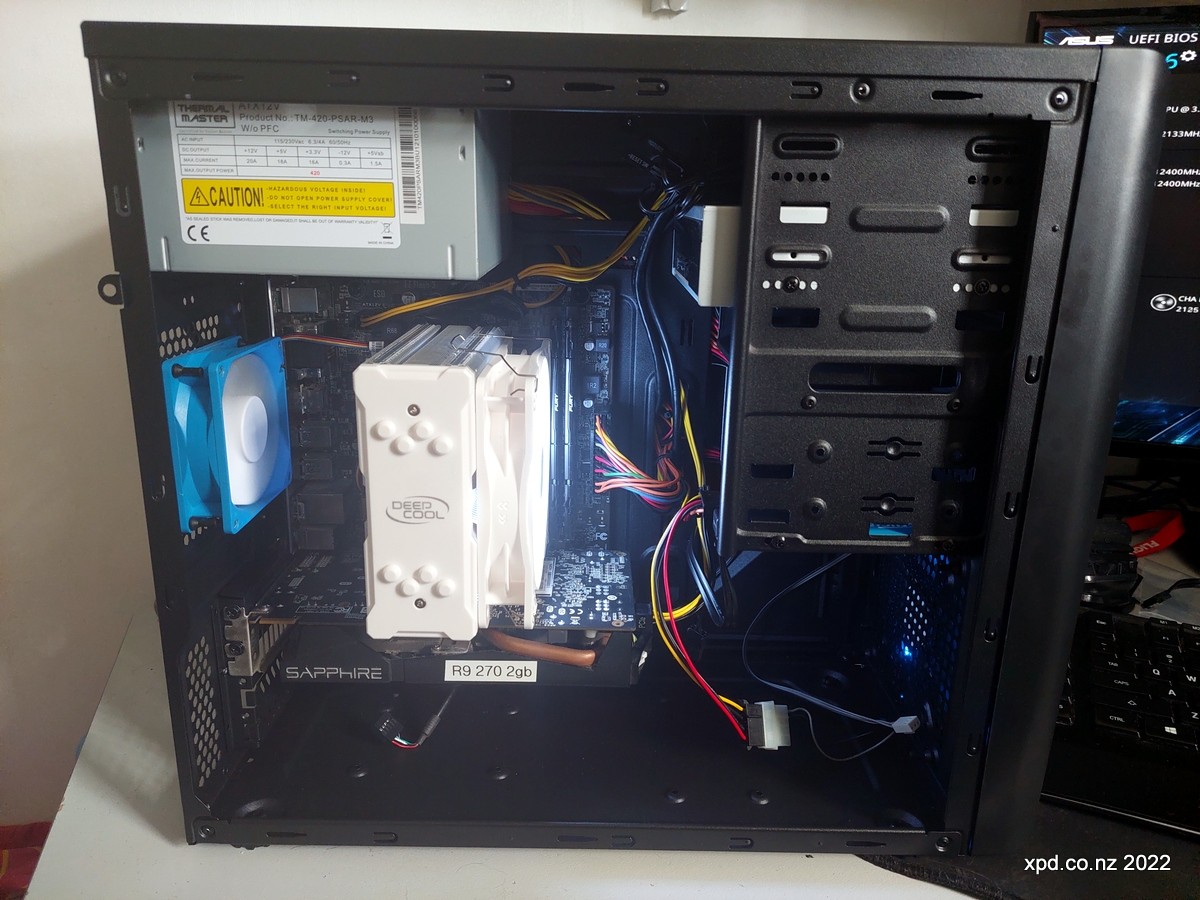
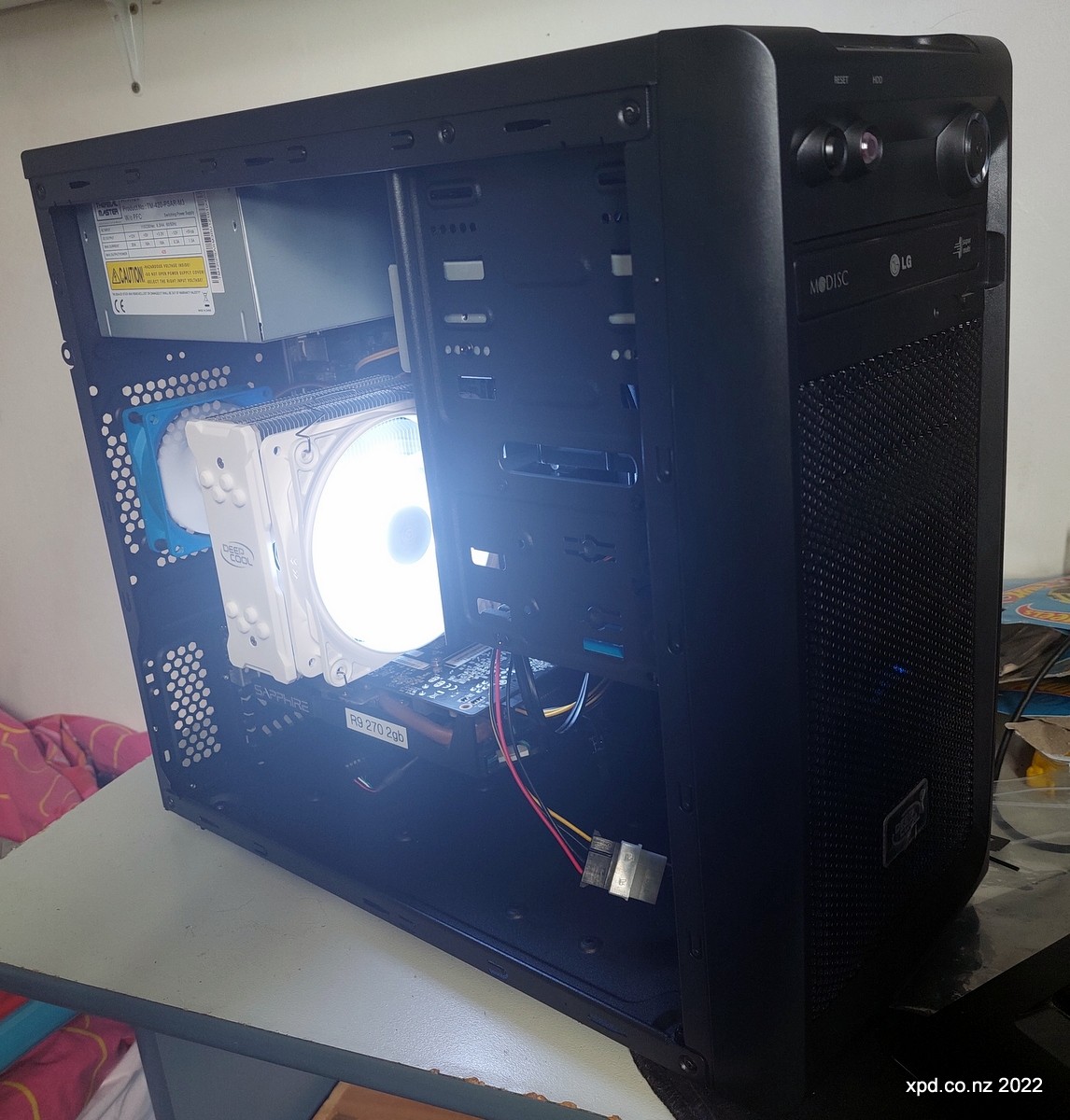
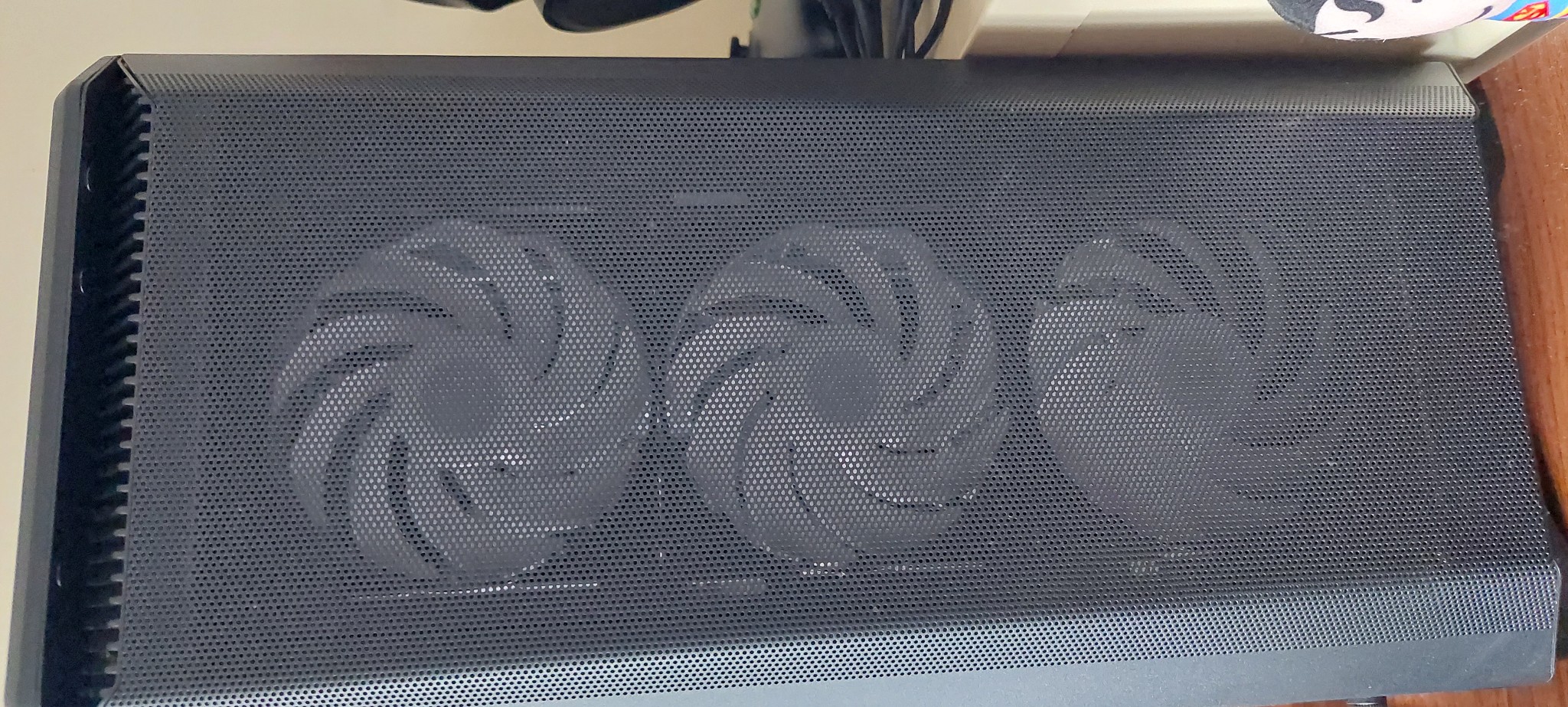
My case is a Phanteks Eclipse P400A Digital, which comes with three fans at the front.


I've added one for the back and one at the top. Pics show the setup.


Have I got the fans the wrong way around, it should be three intakes (front) and top and back as outlet fans.



View this topic in a long page with up to 500 replies per page Create new topic
 1 | 2

xpd

xpd
Geek of Coastguard
14116 posts

Uber Geek
+1 received by user: 4576

Retired Mod
ID Verified
Trusted
Lifetime subscriber

  #2884735 11-Mar-2022 09:29
Send private message

Layout seems fine, do you have any mesh material or anything at the front of the case ?


XPD / Gavin


LinkTree


TG09

244 posts

Master Geek
+1 received by user: 16


  #2884744 11-Mar-2022 09:42
Send private message

For the fans does the sticker on the front means it will suck the air backwards? I could have the one on the top wrong, as its blowing air in the case?


dt

dt
1152 posts

Uber Geek
+1 received by user: 371
Inactive user


  #2884745 11-Mar-2022 09:43
Send private message

There does seem to be an insane amount of dust in there! 


Im no expert on this but I believe the top fan should also be an intake otherwise you're drawing the airflow from the front fans straight out.. however I don't think it will help with your dust issue


you could do a bit of reading up on case static pressure and see if that can an help you out, but as xpd mentioned some mesh dust filters will help out a lot.. I have one on the front and top of my case they need a good clean every few months 


TG09

244 posts

Master Geek
+1 received by user: 16


  #2884748 11-Mar-2022 09:44
Send private message

xpd:


Layout seems fine, do you have any mesh material or anything at the front of the case ?


Not mesh, just the metal mesh-like front which is detachable 


dt

dt
1152 posts

Uber Geek
+1 received by user: 371
Inactive user


  #2884749 11-Mar-2022 09:45
Send private message

TG09:


For the fans does the sticker on the front means it will suck the air backwards? I could have the one on the top wrong, as its blowing air in the case?


most but not all fans will have an arrow indicator on them to show airflow direction, otherwise a piece of tissue near the fan works well to figure out airflow direction 


SpartanVXL
1498 posts

Uber Geek
+1 received by user: 666


  #2884767 11-Mar-2022 10:11
Send private message

Your top fan is mounted as intake, if you want it as exhaust reverse it (sticker on back means it flows that way).

The mesh on the front should be okay as a filter, it might be you had no filter on the top intake and it was dumping dust downwards.

If it still doesn’t solve the dust issue, you’d have to look at finer filters, though this will reduce your intake flow.


Shop now for Lenovo laptops and other devices (affiliate link).

xpd

xpd
Geek of Coastguard
14116 posts

Uber Geek
+1 received by user: 4576

Retired Mod
ID Verified
Trusted
Lifetime subscriber

  #2884772 11-Mar-2022 10:16
Send private message

I'd get some sort of mesh/filter type material which will allow airflow but catch larger particles.


Also, where do you keep your case - on the floor or desk ? Obviously if at floor level, will pickup more stuff.


XPD / Gavin


LinkTree


TG09

244 posts

Master Geek
+1 received by user: 16


  #2884773 11-Mar-2022 10:19
Send private message

xpd:


I'd get some sort of mesh/filter type material which will allow airflow but catch larger particles.


Also, where do you keep your case - on the floor or desk ? Obviously if at floor level, will pickup more stuff.


PC is on my desk, I will look for a mesh/filter. there is one on the top but just a metal front case mesh.


Dial111
979 posts

Ultimate Geek
+1 received by user: 656


  #2884778 11-Mar-2022 10:23
Send private message

The trade off with airflow cases is you get a lot of dust if you have a lot of positive pressure fans.

Can you move the top intake fan to the backside of the cooler as 'pulling air' or remove it entirely.

Next you could try a custom fan curve (if pwm) so the front fans don't ramp up unless needed, failing that remove a fan or two and see what temps are like, or even switch one or two to the top as exhaust but they may conflict with the CPU cooler

MadEngineer
4591 posts

Uber Geek
+1 received by user: 2570

Trusted

  #2884782 11-Mar-2022 10:29
Send private message

Yeah, make sure that top fan is blowing air out.

Also does it live on the floor or desk?


You're not on Atlantis anymore, Duncan Idaho.

TG09

244 posts

Master Geek
+1 received by user: 16


  #2884784 11-Mar-2022 10:31
Send private message

Dial111: The trade off with airflow cases is you get a lot of dust if you have a lot of positive pressure fans.

Can you move the top intake fan to the backside of the cooler as 'pulling air' or remove it entirely.

Next you could try a custom fan curve (if pwm) so the front fans don't ramp up unless needed, failing that remove a fan or two and see what temps are like, or even switch one or two to the top as exhaust but they may conflict with the CPU cooler


I can not move it too the back of the CPU fan, its too big. Will remove it entirely to see how that goes.


Thanks for the reply. 


Want to support Geekzone and browse the site without the ads? Subscribe to Geekzone now (monthly, annual and lifetime options).
TG09

244 posts

Master Geek
+1 received by user: 16


  #2884792 11-Mar-2022 10:42
Send private message

MadEngineer: Yeah, make sure that top fan is blowing air out.

Also does it live on the floor or desk?


On the desk next to the monitors


xpd

xpd
Geek of Coastguard
14116 posts

Uber Geek
+1 received by user: 4576

Retired Mod
ID Verified
Trusted
Lifetime subscriber

  #2884803 11-Mar-2022 10:47
Send private message

My current setup, is just a 120mm fan at the front running at full speed (run off molex), similar cooler to yours for the CPU, and a 80mm fan out the back. Front panel is meshed like yours but have filter behind it. Im hoping it avoids too much dust as its on the desk. Cant tell how much is in the room blowing around as I only installed the setup yesterday (new case and cooler).


XPD / Gavin


LinkTree


Wakrak
1748 posts

Uber Geek
+1 received by user: 1126

ID Verified
Lifetime subscriber

  #2884805 11-Mar-2022 10:47
Send private message

How long was it between the last time it was clean and now? 


Dial111
979 posts

Ultimate Geek
+1 received by user: 656


  #2884806 11-Mar-2022 10:48
Send private message

Try a fan curve so the fans idle low and only ramp up under load

My setup is in a Corsair 5000d Airflow with 10 fans on a custom fan curve and I'm getting very minimal dust

 1 | 2
View this topic in a long page with up to 500 replies per page Create new topic


Geekzone Live »

Try automatic live updates from Geekzone directly in your browser, without refreshing the page, with Geekzone Live now.


Are you subscribed to our RSS feed? You can download the latest headlines and summaries from our stories directly to your computer or smartphone by using a feed reader.