Geekzone: technology news, blogs, forums
Guest
Welcome Guest.
You haven't logged in yet. If you don't have an account you can register now.


Oriphix

523 posts

Ultimate Geek
+1 received by user: 32


#303455 11-Feb-2023 17:32

Hi All,

Hoping someone can give me some insight into my issue. I am on Skinny Fibre max/max.

I have a desktop and Laptop at home. My issue is that I get very slow speed on the desktop as appose to the laptop. I am using speedtest.net as the bench mark for the tests.

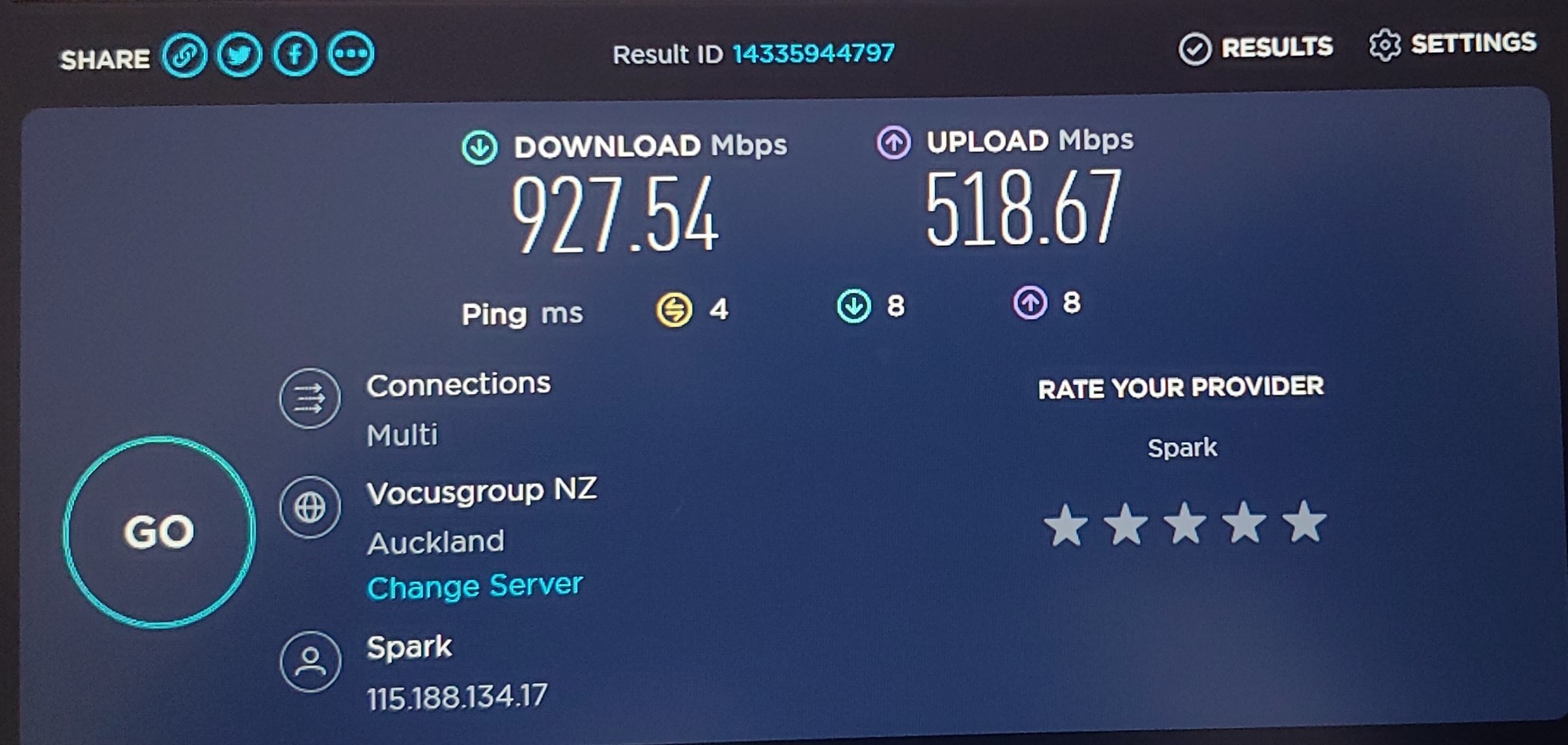
When I plug my laptop via ethernet into the Edgerouter X I get the below speeds

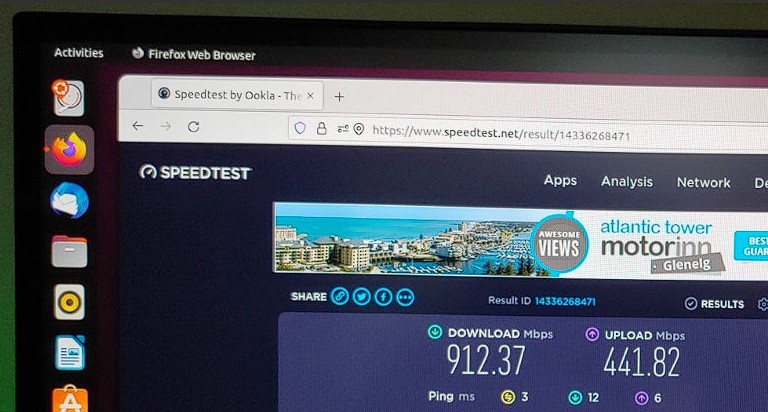
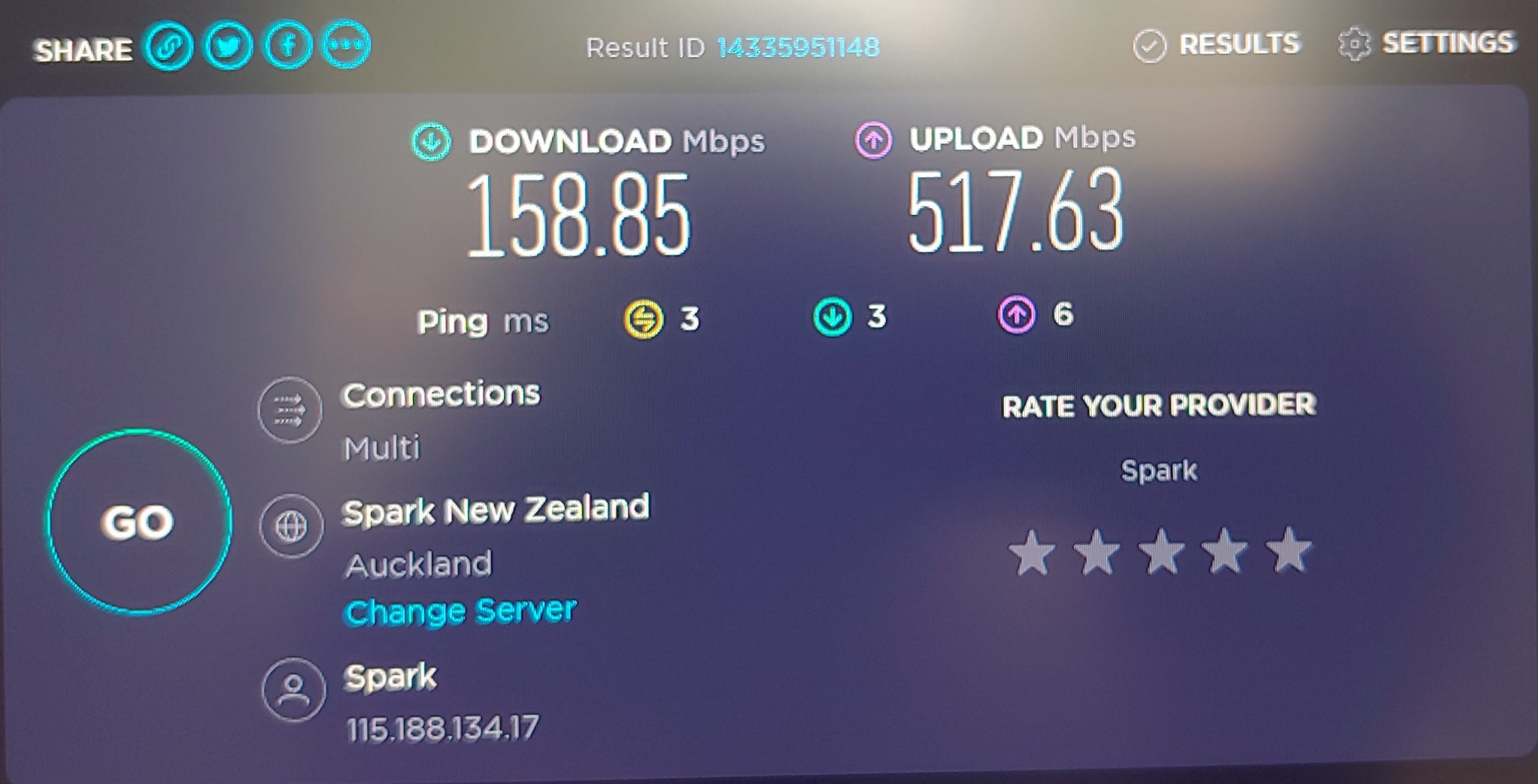
When I plug my desktop via ethernet into the Edgerouter X I get this as the download speed
As you can see the download speed seems to be much lower but the upload speeds is about right.

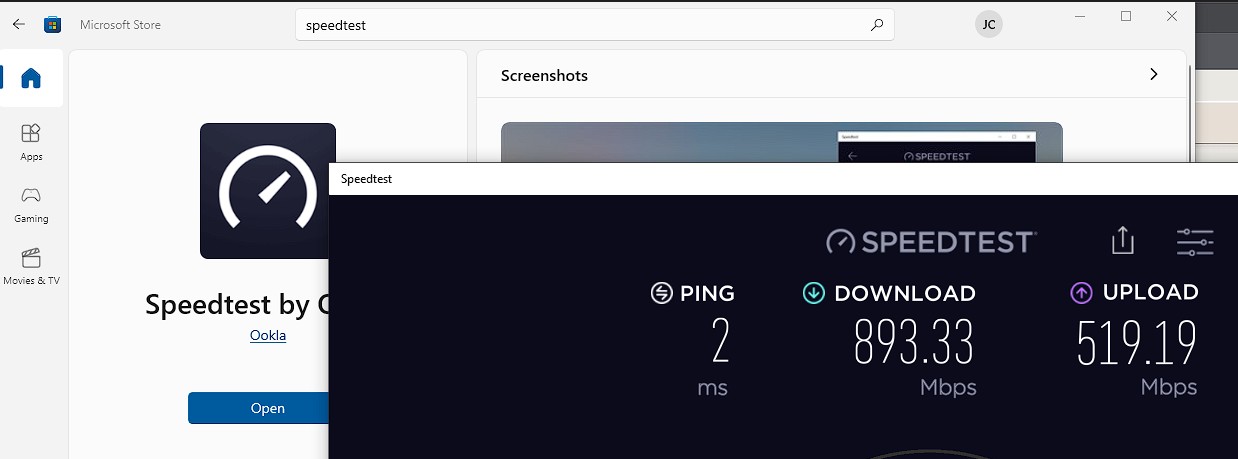
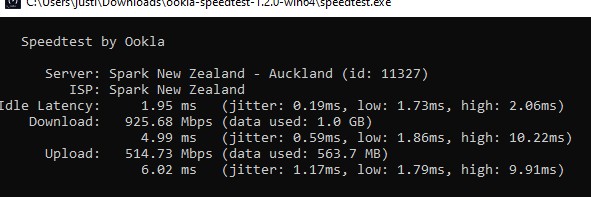
Now if I run the CLI version of the speedtest I get this which matches the laptop speeds.

Things I have tried so far:
- Changed network cable
- I use Edge so tried Chrome and Firefox
- Disabled anti-virus
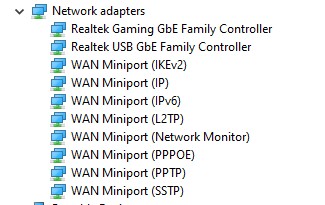
- Removed ethernet drivers from device manager
- Re-installed Windows 10

None of the above has helped sadly.

Does anyone know why would my browser show slower download between the two devices or anything else I can try?

Create new topic
michaelmurfy
meow
13581 posts

Uber Geek
+1 received by user: 10914

Moderator
ID Verified
Trusted
Lifetime subscriber

  #3035101 11-Feb-2023 18:30
Send private message

Realtek Ethernet by any chance?

Try booting up in a live Linux distro. But my bet is it is the crappy TCP Scheduling that Windows has. Windows 11 I find is a little better at this.


Also run this in an administrator powershell window and reboot:


netsh int tcp set global autotuninglevel=normal


Michael Murphy | https://murfy.nz
Referral Links: Quic Broadband (use R122101E7CV7Q for free setup)

Are you happy with what you get from Geekzone? Please consider supporting us by subscribing.
Opinions are my own and not the views of my employer.


freitasm
BDFL - Memuneh
80662 posts

Uber Geek
+1 received by user: 41088

Administrator
ID Verified
Trusted
Geekzone
Lifetime subscriber

  #3035151 11-Feb-2023 18:48
Send private message

Using the browser test or the Windows app? There is a difference in results, with app being better.


Referral links: Quic Broadband (free setup code: R587125ERQ6VE) | Samsung | AliExpress | Wise | Sharesies 


Support Geekzone by subscribing (browse ads-free), or making a one-off or recurring donation through PressPatron.


stick
357 posts

Ultimate Geek
+1 received by user: 113


  #3035155 11-Feb-2023 19:12
Send private message

freitasm: Using the browser test or the Windows app? There is a difference in results, with app being better.

Oriphix: Now if I run the CLI version of the speedtest I get this which matches the laptop speeds.


OP is trying to fix browser speeds


freitasm
BDFL - Memuneh
80662 posts

Uber Geek
+1 received by user: 41088

Administrator
ID Verified
Trusted
Geekzone
Lifetime subscriber

  #3035160 11-Feb-2023 19:28
Send private message

It is worth mentioning that browser speed tests are limited. If the CLI shows max speed, then nothing on the system itself. The app may just confirm that.


Referral links: Quic Broadband (free setup code: R587125ERQ6VE) | Samsung | AliExpress | Wise | Sharesies 


Support Geekzone by subscribing (browse ads-free), or making a one-off or recurring donation through PressPatron.


Oriphix

523 posts

Ultimate Geek
+1 received by user: 32


  #3035165 11-Feb-2023 19:53

michaelmurfy:

Realtek Ethernet by any chance?


Yes thats correct its Realtek Ethernet


I downloaded ubuntu iso and did a live test and the speeds are good, so the issue maybe related to windows and drivers?


freitasm: It is worth mentioning that browser speed tests are limited. If the CLI shows max speed, then nothing on the system itself. The app may just confirm that.

I didn't actually think there was a difference between the app and broswer. To be fair I should have tested that as well since the CLI was different.
You are correct the speeds once again is great with the app. So i wonder why its only affecting my browser and does it affect browsing / streaming ?


Jase2985
13735 posts

Uber Geek
+1 received by user: 6217

ID Verified
Lifetime subscriber

  #3035176 11-Feb-2023 20:17
Send private message

you dont really have an issue here, browsers have an inherent overhead which you are seeing, both CLI and App show your connection is fine.


apart from the speedtest results are you seeing any other slowdowns in the browser?


Shop now for Dell laptops and other devices (affiliate link).
freitasm
BDFL - Memuneh
80662 posts

Uber Geek
+1 received by user: 41088

Administrator
ID Verified
Trusted
Geekzone
Lifetime subscriber

  #3035178 11-Feb-2023 20:30
Send private message

Your connection is fine, the desktop is fine. It's just the browser.


Referral links: Quic Broadband (free setup code: R587125ERQ6VE) | Samsung | AliExpress | Wise | Sharesies 


Support Geekzone by subscribing (browse ads-free), or making a one-off or recurring donation through PressPatron.


Create new topic


Geekzone Live »

Try automatic live updates from Geekzone directly in your browser, without refreshing the page, with Geekzone Live now.


Are you subscribed to our RSS feed? You can download the latest headlines and summaries from our stories directly to your computer or smartphone by using a feed reader.