Geekzone: technology news, blogs, forums
Guest
Welcome Guest.
You haven't logged in yet. If you don't have an account you can register now.


Filter this topic showing only the reply marked as answer View this topic in a long page with up to 500 replies per page Create new topic
1 | 2 | 3
BlackrazorNZ

41 posts

Geek
+1 received by user: 24

ID Verified

  #3105216 17-Jul-2023 20:19
Send private message

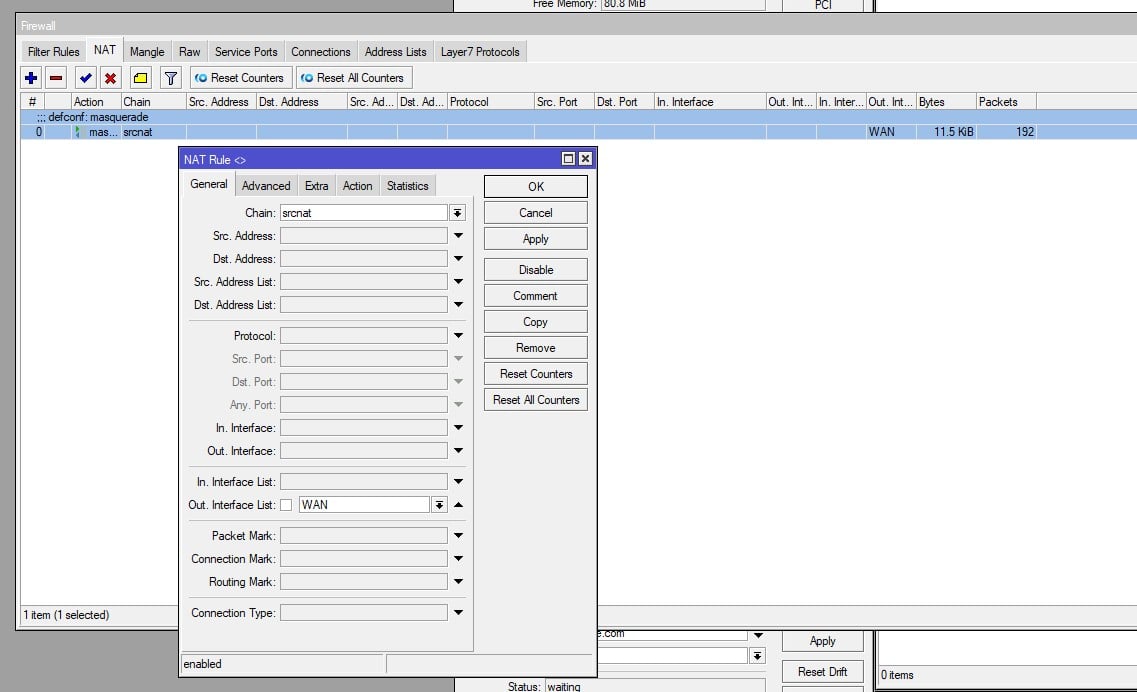
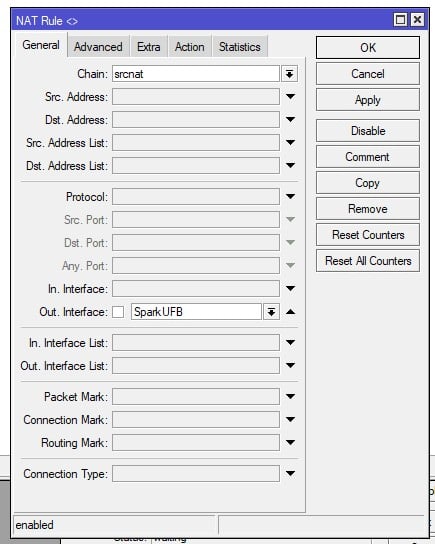
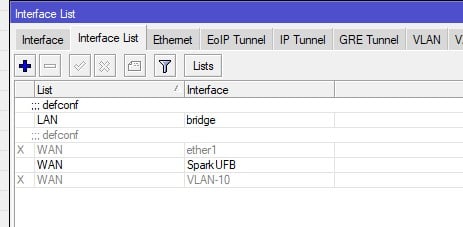
michaelmurfy: Your default NAT masquerade rule is disabled. Enable it and ensure the outbound interface is your pppoe interface. Under the interface list remove both ether1 and your VLAN interface.


I have done all of the above - it does not appear to make a difference as yet :


- Enabled the Masquerade rule. 


- Removed the interface Out list and replaced it with the PPPoE Out interface directly


- removed the Ether1 and VLAN-10 from the WAN interface list


Still get a timeout on pings and no DNS.


Also still can't answer why I cannot authenticate when using the exact credentials Spark advise to use.


cyril7
9075 posts

Uber Geek
+1 received by user: 2499

ID Verified
Trusted
Subscriber

  #3105217 17-Jul-2023 20:21
Send private message

Yep if using the stock firewall rule, ensure the ppp interface is in the wan interface list.

Cyril

BlackrazorNZ

41 posts

Geek
+1 received by user: 24

ID Verified

  #3105218 17-Jul-2023 20:22
Send private message

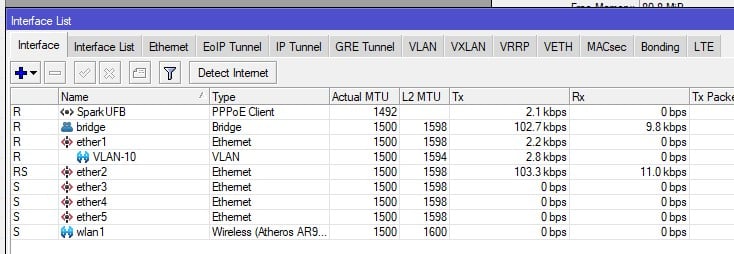
Just as an additional data point - I show transmit Tx values on the PPPoE and Ether1/VLAN-10, but no receive Rx data.


cyril7
9075 posts

Uber Geek
+1 received by user: 2499

ID Verified
Trusted
Subscriber

  #3105219 17-Jul-2023 20:23
Send private message

It's the ppp interface, not the vlan that needs to be in the wan list

Cyril

BlackrazorNZ

41 posts

Geek
+1 received by user: 24

ID Verified

  #3105221 17-Jul-2023 20:26
Send private message

cyril7: It's the ppp interface, not the vlan that needs to be in the wan list

Cyril


Yes, that's how I've set it up. Sorry, I probaby created confusion by part way through this excercise renaming 'pppoe-out1' to 'SparkUFB', and renaming the VLAN on Ether1 i originally named 'SparkUFB', to 'VLAN 10'.


So current config is PPPoE named as 'SparkUFB' using VLAN 'VLAN 10' on Ether1, with the PPPoE set as the masquerade Out on the NAT and as the only remaining member of the WAN group in Interface Lists. Ether2-5 are bridged as LAN in the interface list.


RunningMan
9186 posts

Uber Geek
+1 received by user: 4840


  #3105224 17-Jul-2023 20:29
Send private message

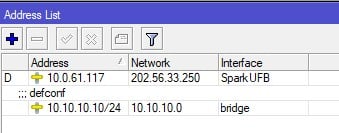
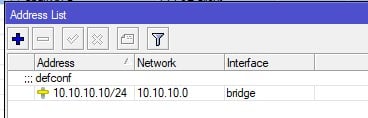
Can you see the PPP address OK in ip/address ?


Stream your favourite shows now on Apple TV (affiliate link).
BlackrazorNZ

41 posts

Geek
+1 received by user: 24

ID Verified

  #3105225 17-Jul-2023 20:39
Send private message

RunningMan:


Can you see the PPP address OK in ip/address ?


If i use PPP username 'user@xtrabb.co.nz', yes:


If i use PPP username 'user@spark.co.nz', no :


But again in both cases I still do not have any access to the inernet via ping, DNS or any other method.


RunningMan
9186 posts

Uber Geek
+1 received by user: 4840


  #3105229 17-Jul-2023 20:50
Send private message

Something odd about your PPP address - should be a public IPv4 in Spark's range, not the 10.0.0.0/8 address you've got there.


huckster
887 posts

Ultimate Geek
+1 received by user: 460

ID Verified
Lifetime subscriber

#3105230 17-Jul-2023 20:51
Send private message

BlackrazorNZ:


huckster:


I only have some subtle differences....


  • L2 MTU for me is 1510 on Interface Spark UFB (I don't remember setting that)
  • Username is user@xtrabb.co.nz
  • And use peer dns is off (I don't use Spark's DNS)


OK. You're all going to think I am making this up, but I swear on my ancestors honour I am not:


Changing the Username from 'user@spark.co.nz' (the one Spark's own instructions tell you to use) to 'user@xtrabb.co.nz', stops the 'failed to authenticate' error and now it shows authenticated and connected.


You're welcome.


😅


huckster
887 posts

Ultimate Geek
+1 received by user: 460

ID Verified
Lifetime subscriber

  #3105231 17-Jul-2023 20:55
Send private message

BlackrazorNZ:


If i use PPP username 'user@xtrabb.co.nz', yes:


If i use PPP username 'user@spark.co.nz', no :


But again in both cases I still do not have any access to the inernet via ping, DNS or any other method.


The network address above - 202.56.33.250 - belongs to Now.....!


michaelmurfy
meow
13580 posts

Uber Geek
+1 received by user: 10910

Moderator
ID Verified
Trusted
Lifetime subscriber

  #3105232 17-Jul-2023 20:56
Send private message

RunningMan:


Something odd about your PPP address - should be a public IPv4 in Spark's range, not the 10.0.0.0/8 address you've got there.


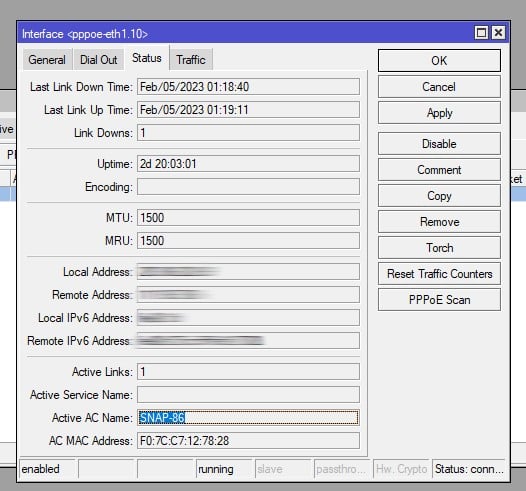
I'll be interested what you get when you double-click on the PPPoE dialer and go to Status - it'll look something like this screen (old image of mine):


Michael Murphy | https://murfy.nz
Referral Links: Quic Broadband (use R122101E7CV7Q for free setup)

Are you happy with what you get from Geekzone? Please consider supporting us by subscribing.
Opinions are my own and not the views of my employer.


Shop on-line at New World now for your groceries (affiliate link).
BlackrazorNZ

41 posts

Geek
+1 received by user: 24

ID Verified

  #3105237 17-Jul-2023 21:13
Send private message

michaelmurfy:


RunningMan:


Something odd about your PPP address - should be a public IPv4 in Spark's range, not the 10.0.0.0/8 address you've got there.


I'll be interested what you get when you double-click on the PPPoE dialer and go to Status - it'll look something like this screen (old image of mine):


I’m in bed now so I can’t show the exact screen above but the same data is surfaced on the iOS app, screenshot below.


djtOtago
1181 posts

Uber Geek
+1 received by user: 605


  #3105242 17-Jul-2023 21:55
Send private message

BlackrazorNZ:


....
My router that I've been using for years, a Mikrotik CRS109, decided to die right as we were moving house. .....


huckster:


The network address above - 202.56.33.250 - belongs to Now.....!


In the OPs first post they mention they have moved house.


I wonder if the previous owner's internet connection is still active and the OP Spark connection hasn't actually been activated yet.


huckster
887 posts

Ultimate Geek
+1 received by user: 460

ID Verified
Lifetime subscriber

  #3105250 17-Jul-2023 22:18
Send private message

Have you tried turn the ONT off and then after a few seconds back on?


Jase2985
13732 posts

Uber Geek
+1 received by user: 6205

ID Verified
Lifetime subscriber

  #3105291 18-Jul-2023 07:34
Send private message

maybe call your ISP and confirm the connection has been setup properly and on what ONT port?


1 | 2 | 3
Filter this topic showing only the reply marked as answer View this topic in a long page with up to 500 replies per page Create new topic


Geekzone Live »

Try automatic live updates from Geekzone directly in your browser, without refreshing the page, with Geekzone Live now.


Are you subscribed to our RSS feed? You can download the latest headlines and summaries from our stories directly to your computer or smartphone by using a feed reader.