Geekzone: technology news, blogs, forums
Guest
Welcome Guest.
You haven't logged in yet. If you don't have an account you can register now.


Filter this topic showing only the reply marked as answer View this topic in a long page with up to 500 replies per page Create new topic
1 | 2 | 3
harlansmart

447 posts

Ultimate Geek
+1 received by user: 59


  #3270305 10-Aug-2024 15:18
Send private message

With everything OFF on the cabled MBP13 and using a private / incognito FireFox browser window still can't get to Pharos or PING it but the default IP is the only thing  ipconfig comes up with:


Last login: Sat Aug 10 15:09:50 on ttys000
h-m13@h-m13 ~ % ipconfig
usage: ipconfig <command> <args>
where <command> is one of waitall, getifaddr, ifcount, getoption, getiflist, getsummary, getpacket, getv6packet, getra, getdhcpduid, getdhcpiaid, set, setverbose
h-m13@h-m13 ~ % arp -a
? (192.168.0.254) at (incomplete) on en6 ifscope [ethernet]


JemS
86 posts

Master Geek
+1 received by user: 46

ID Verified

  #3270324 10-Aug-2024 16:28
Send private message

Do you have access to another router that you can try with?

If you can access another router, set the routers' dhcp server to 192.168.0.x.
Plug the CPE710 into that router along with you MBP, and see if you can access the web interface that way. If you can, change the ip of the CPE710 to 192.168.1.x so that I will show up on the starlink network. Plug the CPE back into the starlink network and you should be able to access the web interface.


Join Mercury and I’ll get bonus rewards points. Make sure you use my referral link to explore their wonderful offers. https://www.mercury.co.nz/join?m_copc=FGF50&m_rc=100211888685 


Router: UXG-Lite


AP's: 2x U6-Pro, 1x U6-Lite, 1x UK-Ultra, 1x AC Mesh Pro


Phone: S26 Ultra


Wearable: Garmin Forerunner 955


harlansmart

447 posts

Ultimate Geek
+1 received by user: 59


  #3270326 10-Aug-2024 16:51
Send private message

Thanks JemS,


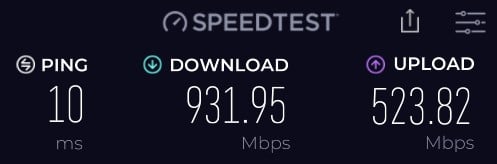
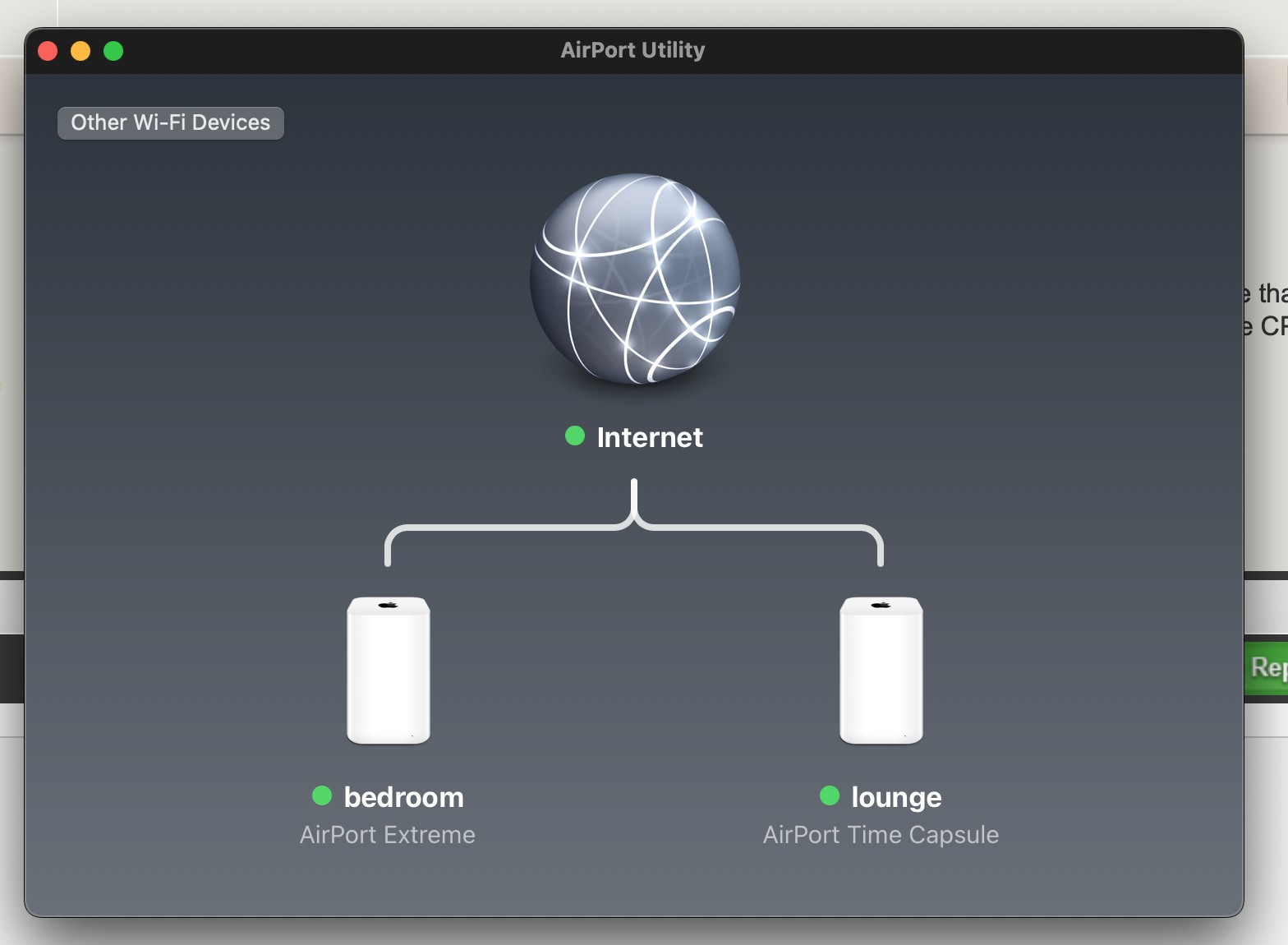
See, (below) what's running 'as per normal'... starlink > 2 x Apple 5t Gen. Wi-Fi Access Points, this works 100% perfect, except 50 metres away the Wi-Fi is weak in the shed (hence the TP-Link CPE710 we cannot access).


RunningMan
9186 posts

Uber Geek
+1 received by user: 4840


  #3270376 10-Aug-2024 18:09
Send private message

harlansmart:


Can anyone point to some more complete assistance on how to do this properly, please, don't think for 1 moment we're carrying this out correctly...


Set the MacBook's network to 169.254.x.y/16 and scan that network with IP scanner. - Spyware


You shouldn't need to manually do this. What @spyware is suggesting is setting a link local IP address which is a IP range used when there is no router or DHCP server on a network so devices can talk to each other. A Mac will automatically assign a link local IP address (169.254.x.x) by itself if the interface is set to DHCP but it can't find a DHCP server. The reason to try this is the Pharos may also default to a link local address and then you'll be able to see it.


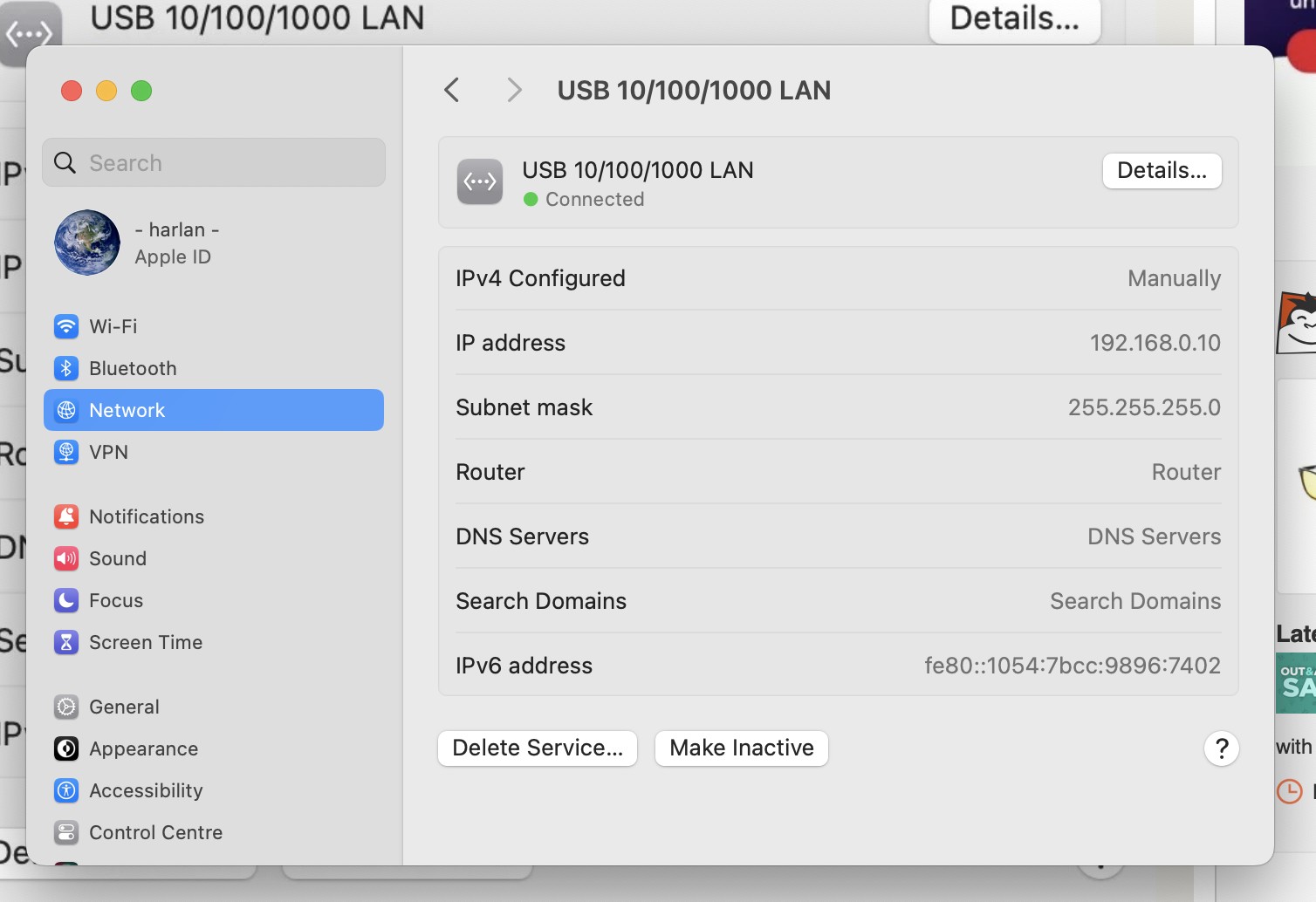
However, with you cabled directly to the Pharos, and an IP address set in the 192.168.0.0/24 range (which you've been doing with 192.168.0.10 & 255.255.255.0 subnet mask) you should be able to set it after a reset. The support docs certainly say this is the case. I'm wondering if the reset isn't being done correctly, and instead it's being rebooted. I haven't checked that deivce but the reset button sometimes has multiple functions - short press is a reboot but hold for 30 seconds for reset as an example.


harlansmart

447 posts

Ultimate Geek
+1 received by user: 59


  #3270383 10-Aug-2024 18:41
Send private message

100% RunningMan,


What's spurring us on is that it is so rare that the H/W is actually at fault... almost bound to be a non H/W issue.


We're trying to default reset this CPE710 both at the dish reset button (PITA as requires a ladder) and the POE Injector bricks reset button. We've tried holding it over a minute, and unplugging and replugging power with the reset button depressed... on the CPE710 we get flashing light apres reset but not on the brick.


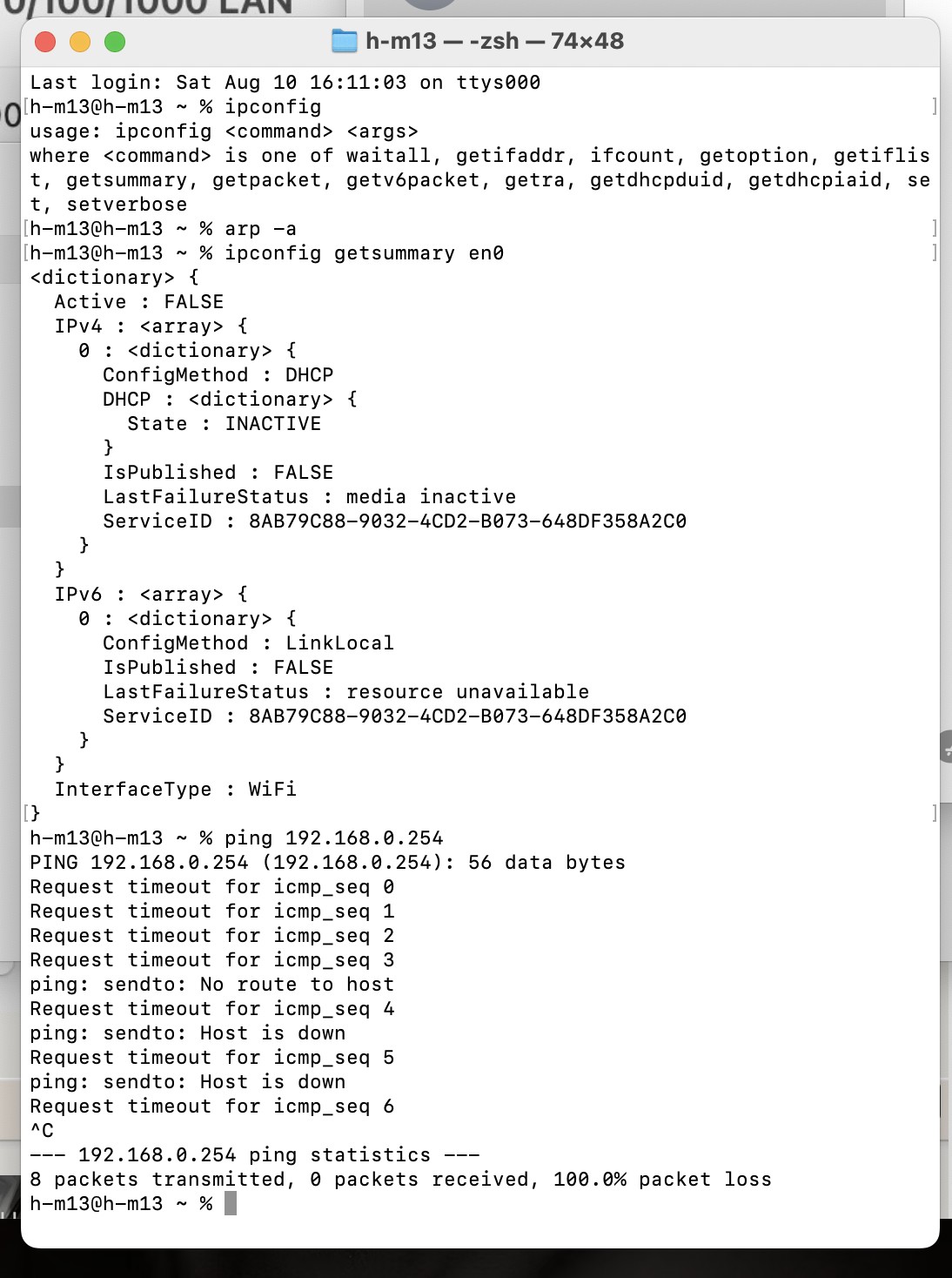
And we can see the default IP after reset, we just cant't PING it or access via browser.. bit of a weird one, admittedly.


We chucked the box out, keeping the paper manual but it is less comprehensive even then the TP-Link online instructions as linked to above.


ipconfig 'sees' the IP address 192.168.0.254, and that address only right, but we can't get to it lol


Something retarded is going on, is at fault, the cause, but what !?


RunningMan
9186 posts

Uber Geek
+1 received by user: 4840


  #3270385 10-Aug-2024 18:47
Send private message

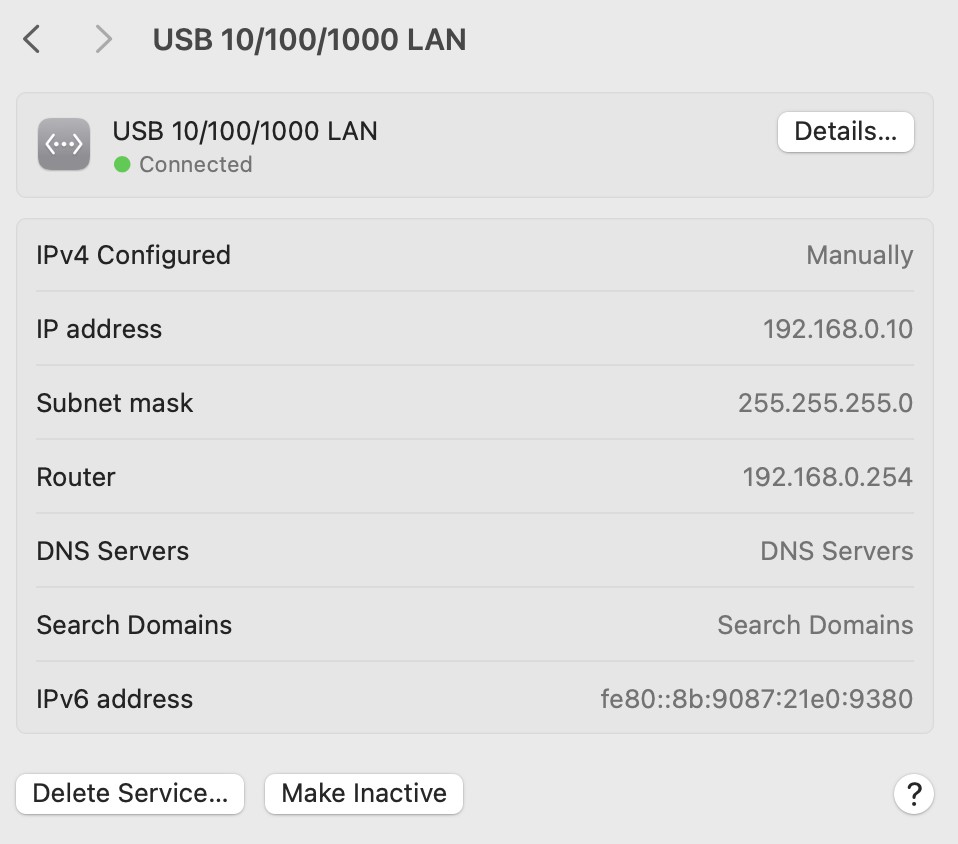
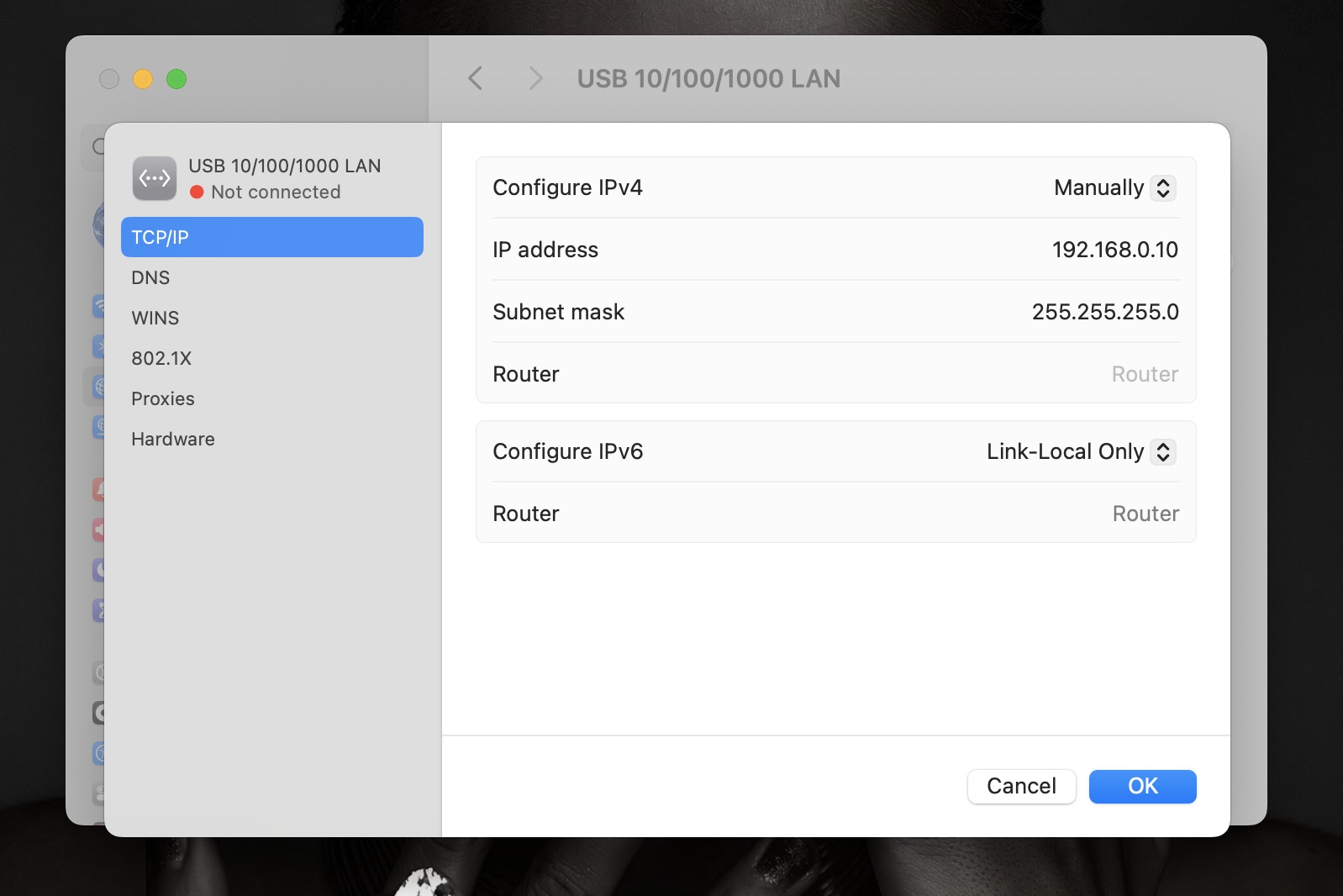
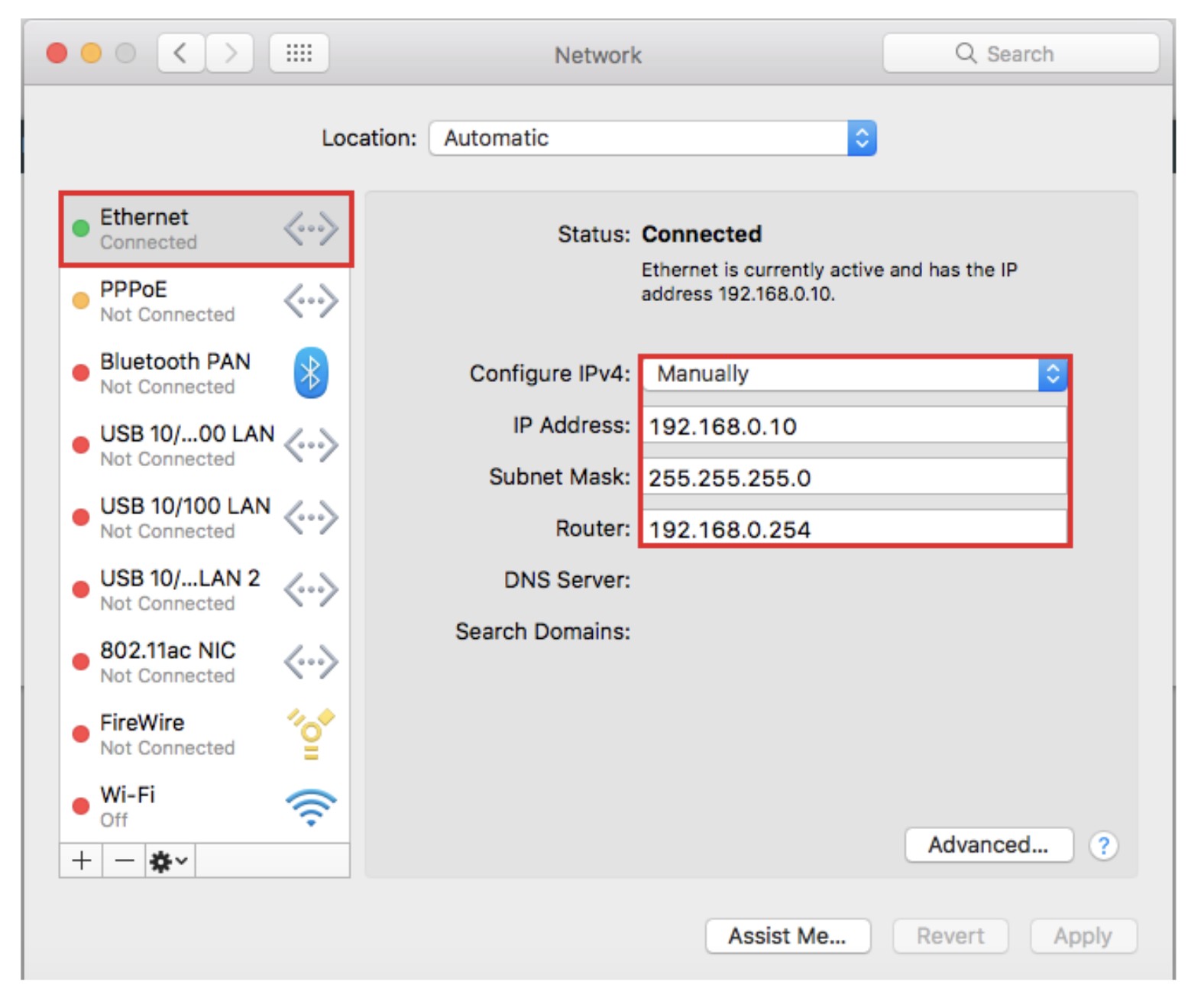
Are you sure you are seeing the Pharos after the reset? I note in this you have set a router address of 192.168.0.254 - just wondering if that is the address that you're seeing show up. You shouldn't need to enter a router address for doing the config setup, just leave it blank.


Shop now at Mighty Ape (affiliate link).
RunningMan
9186 posts

Uber Geek
+1 received by user: 4840


  #3270386 10-Aug-2024 18:48
Send private message


harlansmart

447 posts

Ultimate Geek
+1 received by user: 59


  #3270436 10-Aug-2024 19:03
Send private message

Thanks RM - cheers for the replies and helpful advice / suggestions,


And, yep we are trying by NOT entering the router address 90% of the time, a few video's etc suggest and / or show doing so but agreed it should not be required - that yt video, is exactly what we're doing, after 5-10s the lights flash up on the roof, but then it starts going useless as we never get to have the ip become pingable or show in the browser.


Um, this will need to be rechecked, wonder... can we confirm, by checking this, wonder if we're getting ipconfig to give us this only because a few times we've entered the router addy? Will confirm, good point.


'Are you sure you are seeing the Pharos after the reset?' - RunningMan


AB's are about to play, so have to go to the TV Room, will attack this again asap, as it is wholly utterly embarrassingly completely unacceptable not to be able to get a basic bit of configuration sussed as a GZ 'ultimate geek' lol


Thanks Team - GO AB's !


harlansmart

447 posts

Ultimate Geek
+1 received by user: 59


  #3270441 10-Aug-2024 19:16
Send private message

RM - no router IP entered, will plug cable to the CPE710 and try ipconfig to see if the CPE's default IP is found, report back in a bit, cheers.


harlansmart

447 posts

Ultimate Geek
+1 received by user: 59


  #3270442 10-Aug-2024 19:32
Send private message

10 nil to the AB's yahh !


You are right RM… router not listed in System Setting et al etc + it does not get shown with ipconfig 🙁


It is AWOL apparently... like you suggest, it is really as if it is indeed not being factory default reset etc:


harlansmart

447 posts

Ultimate Geek
+1 received by user: 59


  #3270485 11-Aug-2024 09:46
Send private message

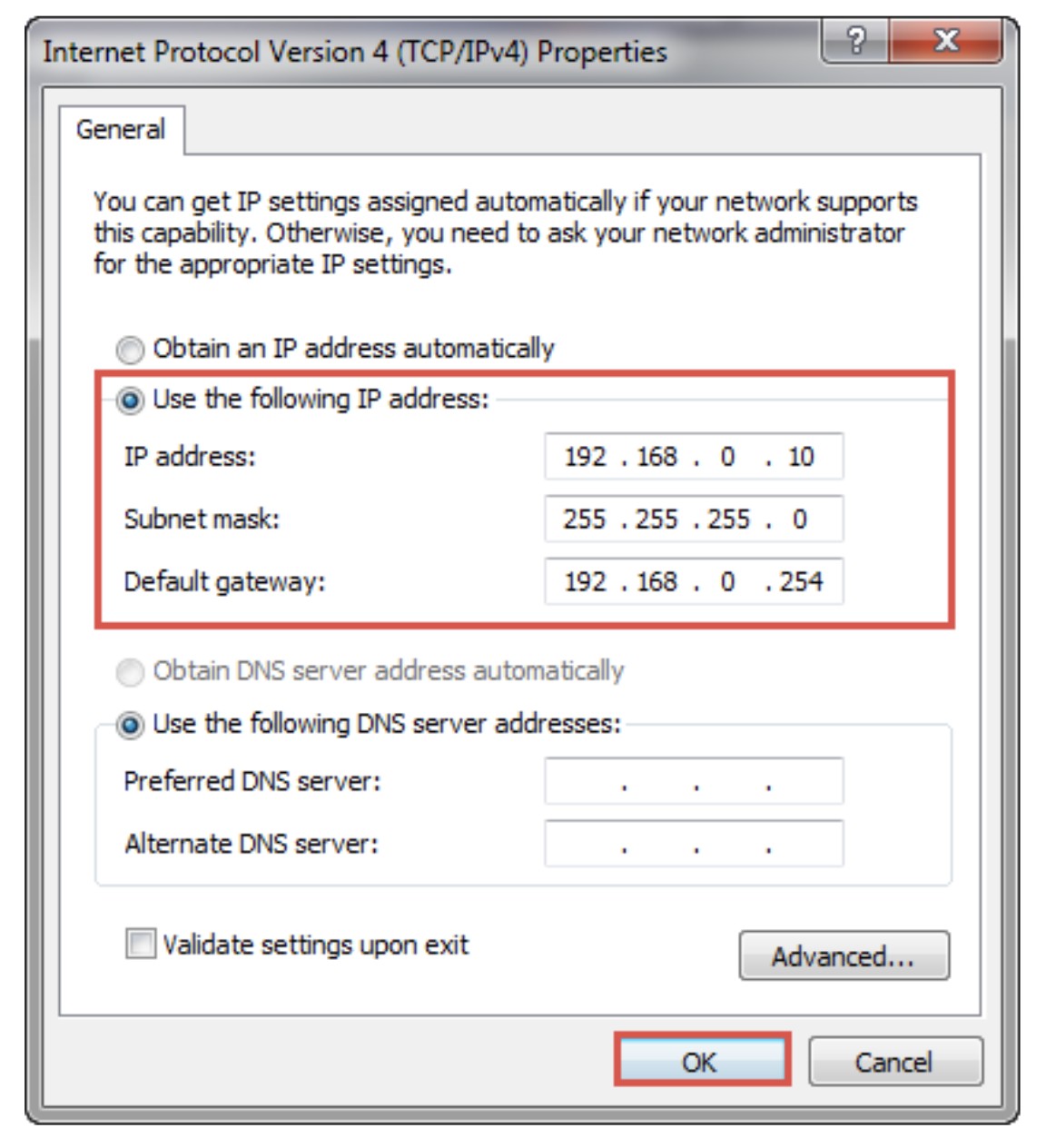
Still can't work out what's going on here... looking on the TP-Link Community pages they seems to suggest setting the routers address at the default too:


https://www.tp-link.com/au/support/faq/710/


This is exactly what we are doing...


Shop now on Samsung phones, tablets, TVs and more (affiliate link).
harlansmart

447 posts

Ultimate Geek
+1 received by user: 59


  #3270493 11-Aug-2024 10:25
Send private message

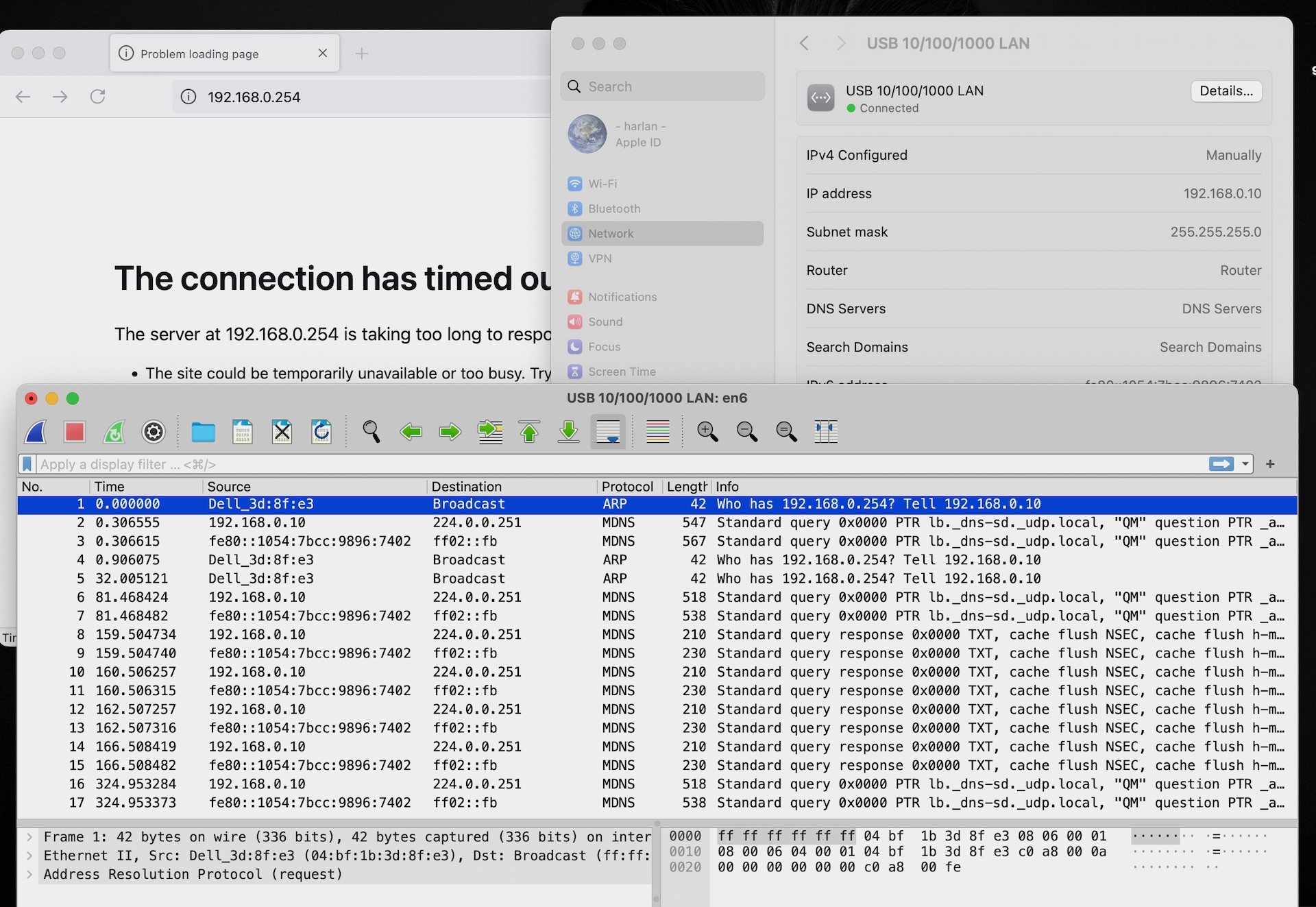
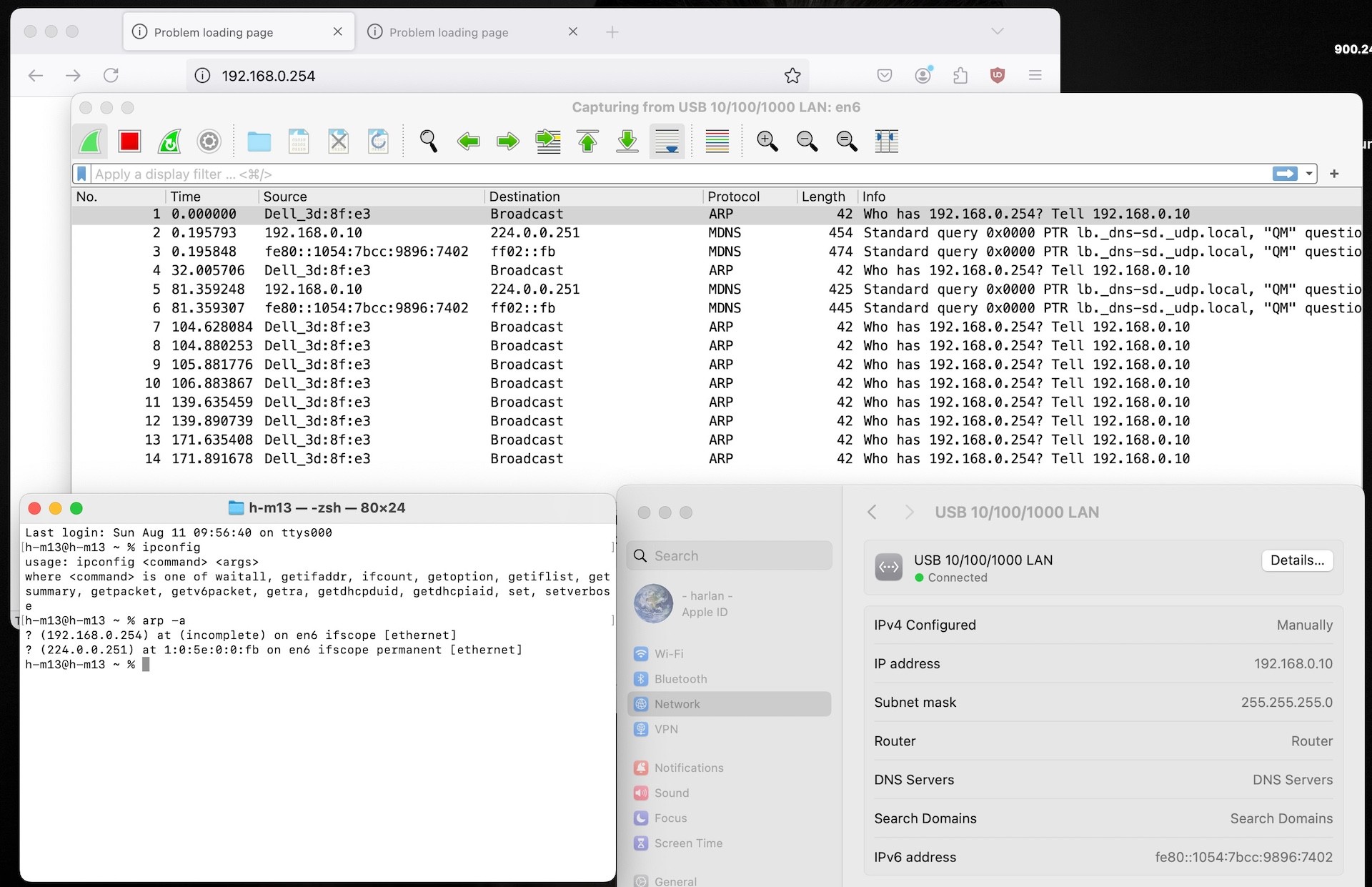
Without entering the router default in Network Settings, we DL'd and ran/sniffed with WireShark and got (below), seems that it sniffs some sort of broadcast from the CPE710 on it's default 192.168.0.254


Maybe this could help us work out why we can't get to this jolly Pharos interface ... 


We can take the CAT 6 out of the LAN Port on the POE Injector, plug it into the Apple Wireless AP and it works fine, so we know the DELL Dock / cabling is all good, we've also tested the cabling repeatedly with a LAN Cable tester etc... what's going on here is bizarre.


harlansmart

447 posts

Ultimate Geek
+1 received by user: 59


#3270501 11-Aug-2024 11:13
Send private message

Another CPE Default Factory Reset, restarted MBP / Dell K20A Dock etc


Same result with ipconfig + WireShark listing the CPE again 🤯


(Still haven't been able to PING 192.168.0.254 either.)


RunningMan
9186 posts

Uber Geek
+1 received by user: 4840


  #3270503 11-Aug-2024 11:42
Send private message

I think you're misinterpreting wireshark. What you've highlighted is the Dell dock (i.e. your laptop) sending out an ARP request to try and find the device using IP address 192.168.0.254. It will be doing this because you've entered that IP address as the router address and it's looking to contact the router. If it was there, you'd expect to see a reply to that request, but don't.


I think the problem is simply the Pharos is not at factory defaults. What was the original reason for starting all this? Did it stop working? Wondering if it's actually died and won't reset properly. Could be a faulty POE injector too.


harlansmart

447 posts

Ultimate Geek
+1 received by user: 59


  #3270504 11-Aug-2024 11:46
Send private message

The router address is not entered in Network Settings, and everything (Mac + Dell Dock + CPE + POE Injector) has just been again rebooted, factory reset, caches cleared in browser etc.. we haven't PING'd for 192.168.0.254 before the results below... it's getting the IP from the CPE surely ?


In these screen grabs we've not told anything to look for 192.168.0.254... the IP is just coming through the Dell, since Wi-Fi is switched OFF, it can only be coming to the lMBP13 via the CPE710 up on the roof.


Just that we can't PING it, nor log into that IP via a browser...


1 | 2 | 3
Filter this topic showing only the reply marked as answer View this topic in a long page with up to 500 replies per page Create new topic


Geekzone Live »

Try automatic live updates from Geekzone directly in your browser, without refreshing the page, with Geekzone Live now.


Are you subscribed to our RSS feed? You can download the latest headlines and summaries from our stories directly to your computer or smartphone by using a feed reader.