Geekzone: technology news, blogs, forums
Guest
Welcome Guest.
You haven't logged in yet. If you don't have an account you can register now.


Filter this topic showing only the reply marked as answer View this topic in a long page with up to 500 replies per page Create new topic
1 | 2 
K8Toledo
1018 posts

Uber Geek
+1 received by user: 311


  #3327008 2-Jan-2025 14:45
Send private message

Kerans:


Definitely in the Fibre port, not one of the ethernet ports. The internet is speedy and consistent when connecting directly to the ethernet.


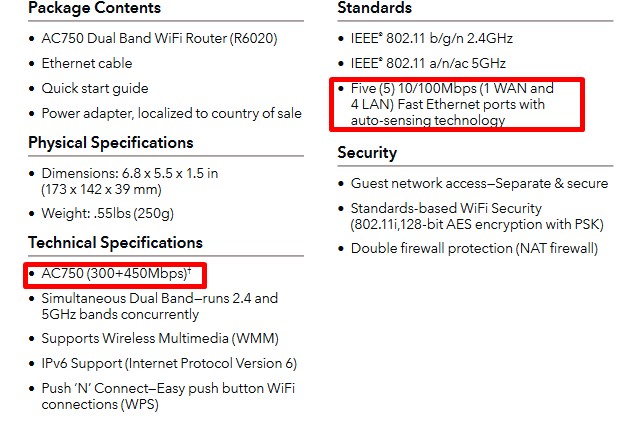
The old router is a NetGear AC750 R6020, which in theory can support 300 - 400 mbps... but I'm hesitant to reset it and access the settings in case I need credentials I don't have to get the internet back up and running. The landlords are great, just trying not to bother them if I can fix it myself.



Kerans

6 posts

Wannabe Geek
+1 received by user: 1


  #3327050 2-Jan-2025 16:44
Send private message

@K8Toledo lol nice fine print they have there.


I hope everyone had a good new years!


Changing the IP address seems to be a winner 🥳


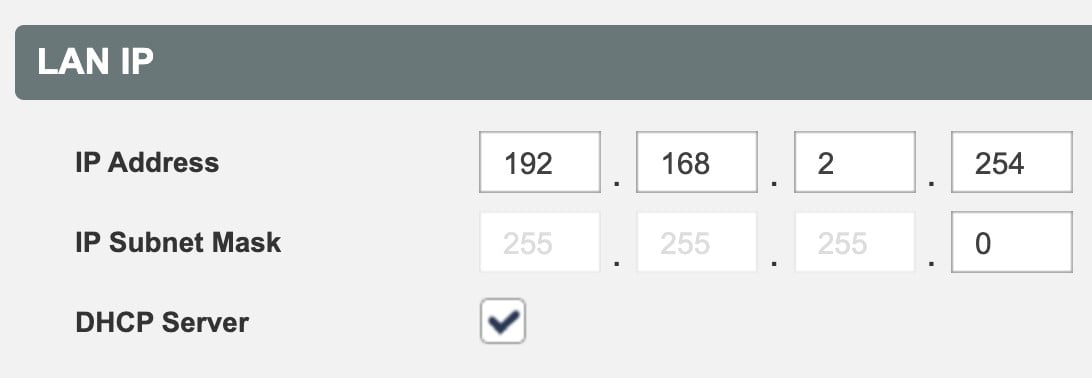
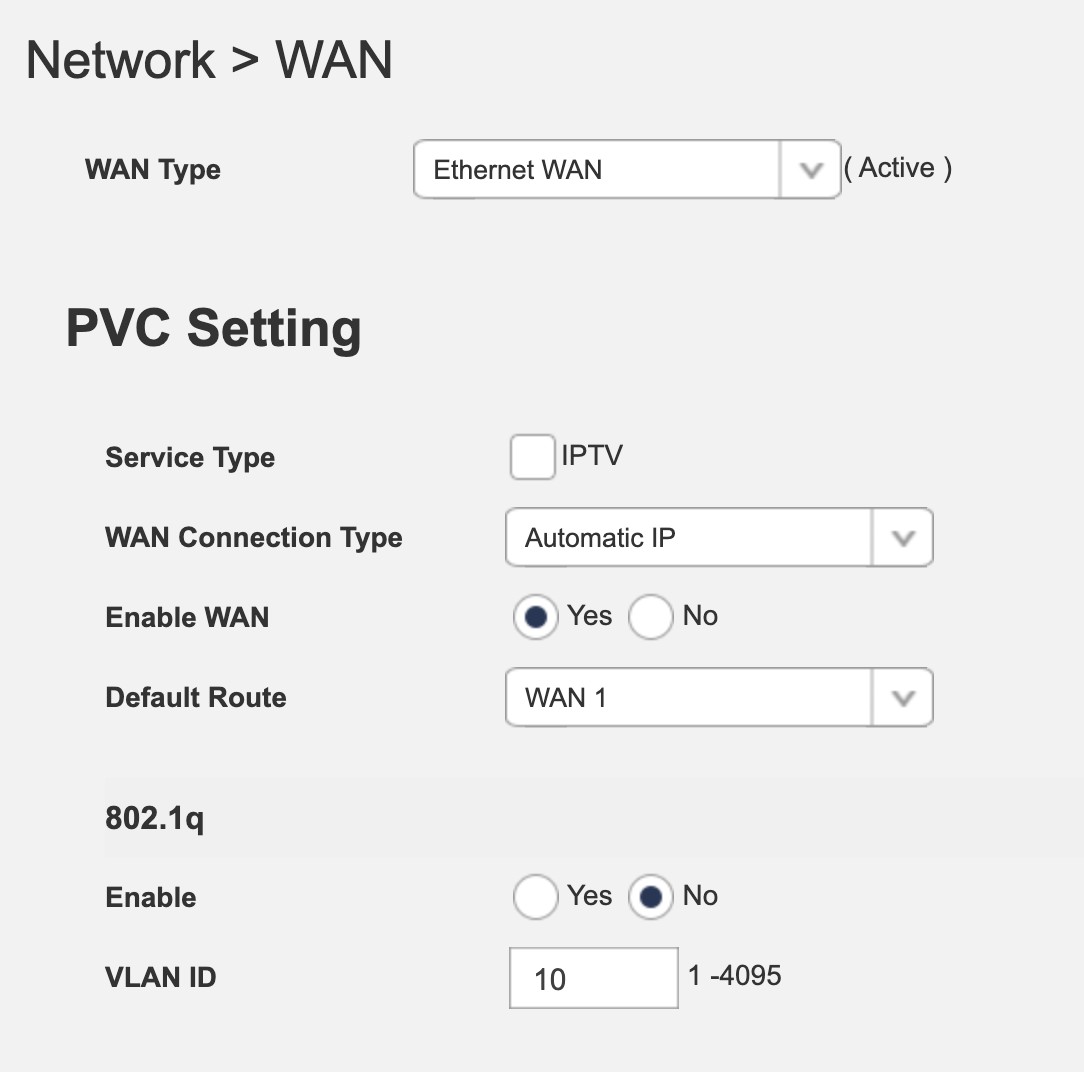
The IP coming from the wall is 192.168.1.254. Changing this to 192.168.2.254 and setting WAN Connection Type to Automatic IP results in great stable internet so far.


I really appreciate the help.


Jase2985
13735 posts

Uber Geek
+1 received by user: 6216

ID Verified
Lifetime subscriber

  #3327051 2-Jan-2025 17:01
Send private message

Glad you got it sorted, the answer was in the 5th reply


1 | 2 
Filter this topic showing only the reply marked as answer View this topic in a long page with up to 500 replies per page Create new topic


Geekzone Live »

Try automatic live updates from Geekzone directly in your browser, without refreshing the page, with Geekzone Live now.


Are you subscribed to our RSS feed? You can download the latest headlines and summaries from our stories directly to your computer or smartphone by using a feed reader.