Geekzone: technology news, blogs, forums
Guest
Welcome Guest.
You haven't logged in yet. If you don't have an account you can register now.


borgia

101 posts

Master Geek
+1 received by user: 5


#151615 30-Aug-2014 15:02
Send private message

Hi


 I am trying to solve a problem with the above combination.  Basically I have lots of devices which share my adsl connection.  At the heart is a Windows server 2012 essentials with DNS and DHCP roles enabled.  The gateway has the standard 192.168.1.1 address and the Server is static on 192.168.1.4, same subnet.  This has worked peachy until recently when I wanted to add a flash new router.  I bridged the Draytek (which had been working fine as a modem router, good connection speed etc) by ticking the bridge PPPoE box, and added the Linksys to network by plugging the Draytek Lan port into the WAN of the Linksys and putting in appropriate password.  The Linksys duly connects to the internet and it looks like a perfect connection.  All my PC’s say they are connected to the internet.  I can send and receive emails, but I cant get any internet to work.    I have disabled DHCP on both the modem and router, so only the Server is giving out addresses.  When I look at the network connections on each machine they look fine.  When I restore the Draytek in a non-bridged mode and remove the Linksys all is fine.


What am I missing?


Cheers Ivan



Create new topic
borgia

101 posts

Master Geek
+1 received by user: 5


  #1118599 30-Aug-2014 15:06
Send private message

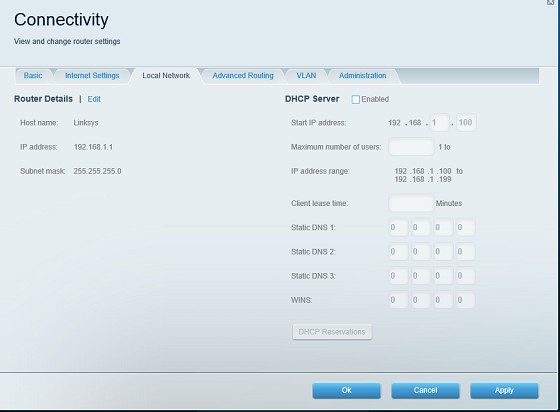
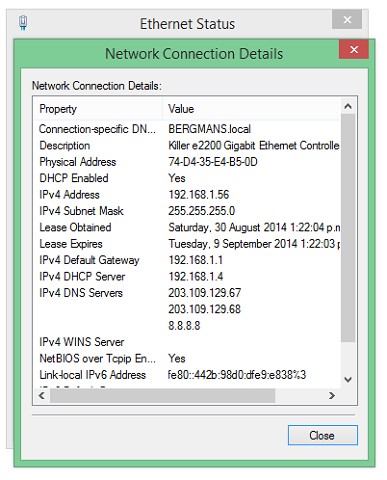
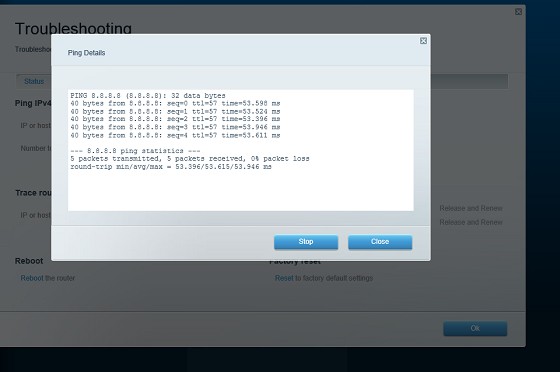
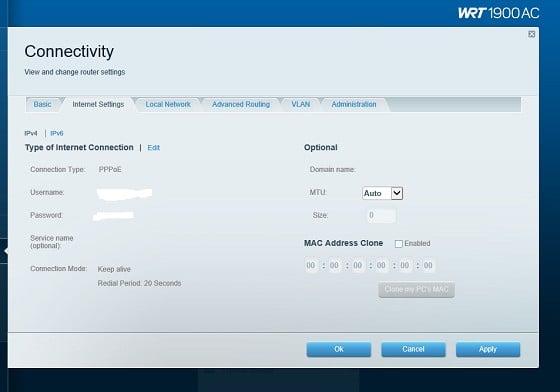
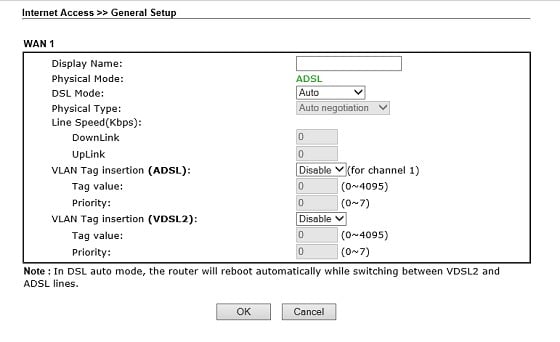
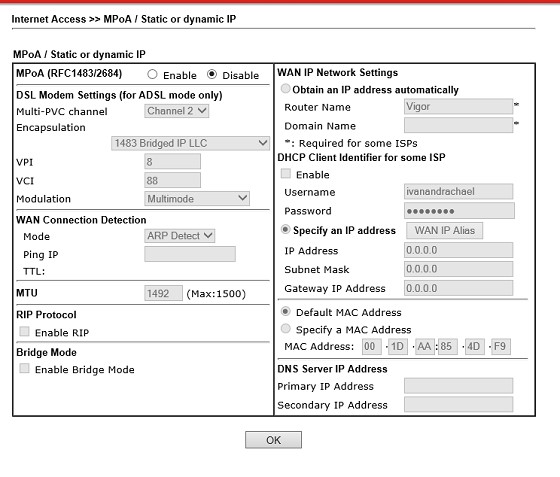
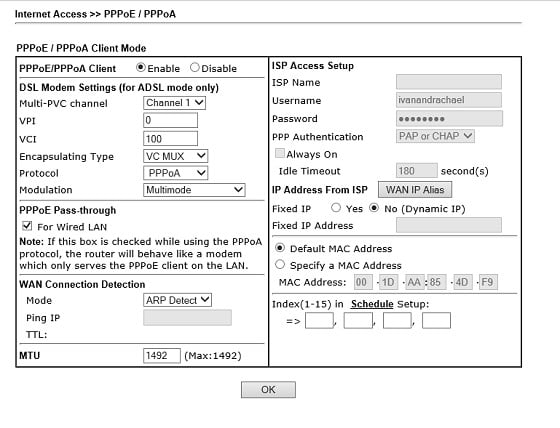
And in case pics help....


DHCP disabled


Outlook can see internet


Looks OK here


Router can see internet


Setup of router


Draytek settings


chevrolux
4962 posts

Uber Geek
+1 received by user: 2638
Inactive user


  #1118606 30-Aug-2014 15:29
Send private message

The Linksys is a hunk of junk and dooesn't work properly with PPPoE - they work fine if you use DHCP on the WAN and therefore double NAT the connection. They are just pure sh1t.

I had this exact same problem setting up one of these for a friend. Threw the Linksys in the bin and put in a Unifi Pro just for an AP and used the draytek for all routing.

cyril7
9075 posts

Uber Geek
+1 received by user: 2499

ID Verified
Trusted
Subscriber

  #1118640 30-Aug-2014 17:07
Send private message

Hi, aggree with Sam, had to deal with one of those Linksys's recently no end of issues, put a basic other brand .n device in its place problem solved, Cisco has not dumped Linksys for any trivial reason.

Cyril

Create new topic


Geekzone Live »

Try automatic live updates from Geekzone directly in your browser, without refreshing the page, with Geekzone Live now.


Are you subscribed to our RSS feed? You can download the latest headlines and summaries from our stories directly to your computer or smartphone by using a feed reader.