Geekzone: technology news, blogs, forums
Guest
Welcome Guest.
You haven't logged in yet. If you don't have an account you can register now.


freitasm

BDFL - Memuneh
80652 posts

Uber Geek
+1 received by user: 41045

Administrator
ID Verified
Trusted
Geekzone
Lifetime subscriber

#295911 4-May-2022 15:50
Send private message

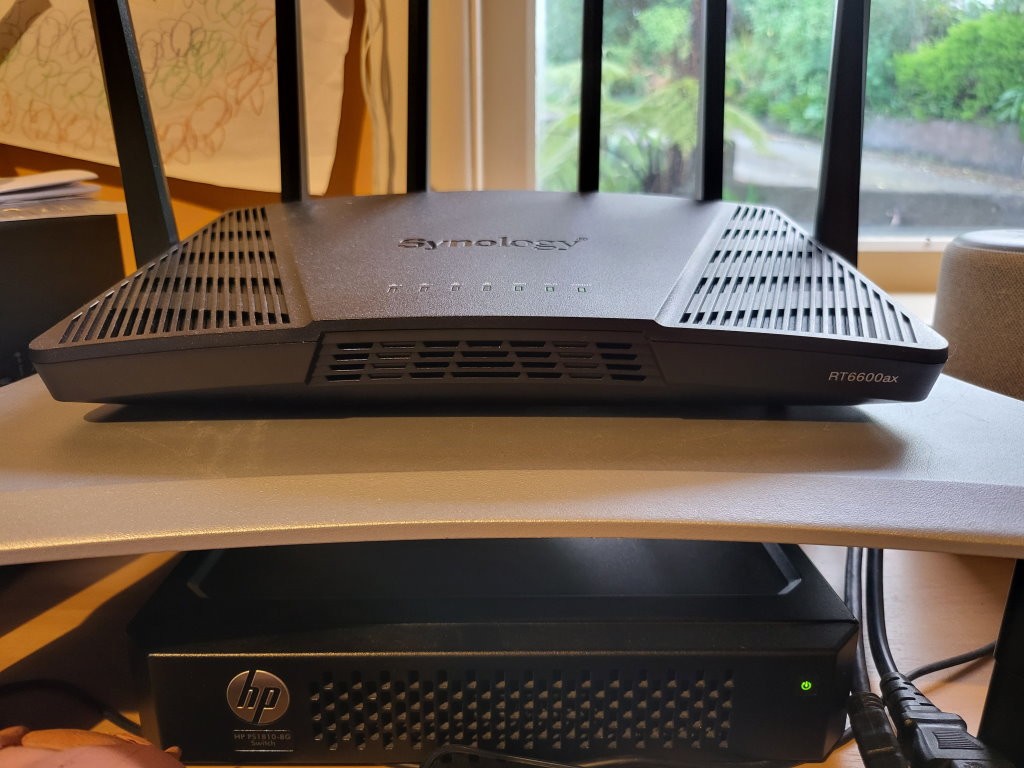
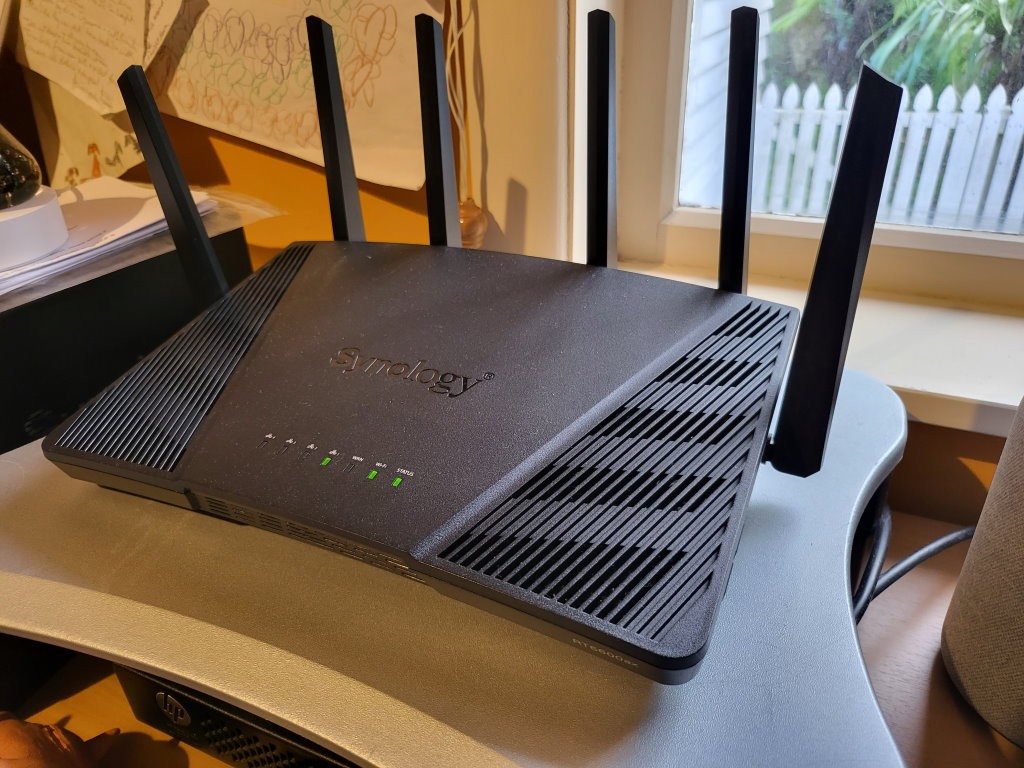
A review is coming next week but for now, I can post some photos of the new Synology Router RT6600ax.


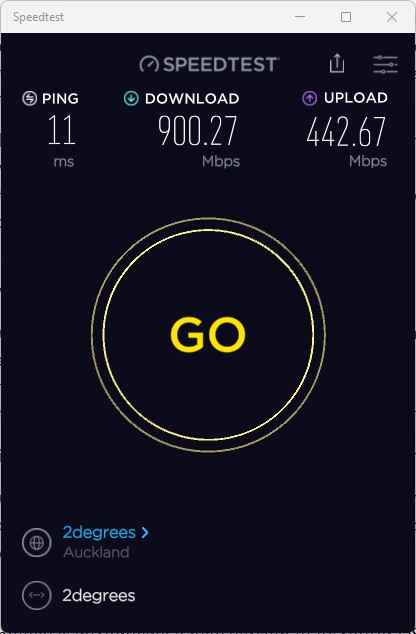
I have been using it on my 2degrees fibre connection and having a blast. I am not allowed to post all the features but ok to post stuff they have already posted in the Synology CONNECT 2022.


You can create multiple networks associated with different devices - ethernet ports, wireless radio 2.4 GHz, 5 GHz and 5.9 GHz. You can use network isolation or create firewall rules to allow traffic in one direction only. It is possible to create up to 15 different networks here - check out the video.


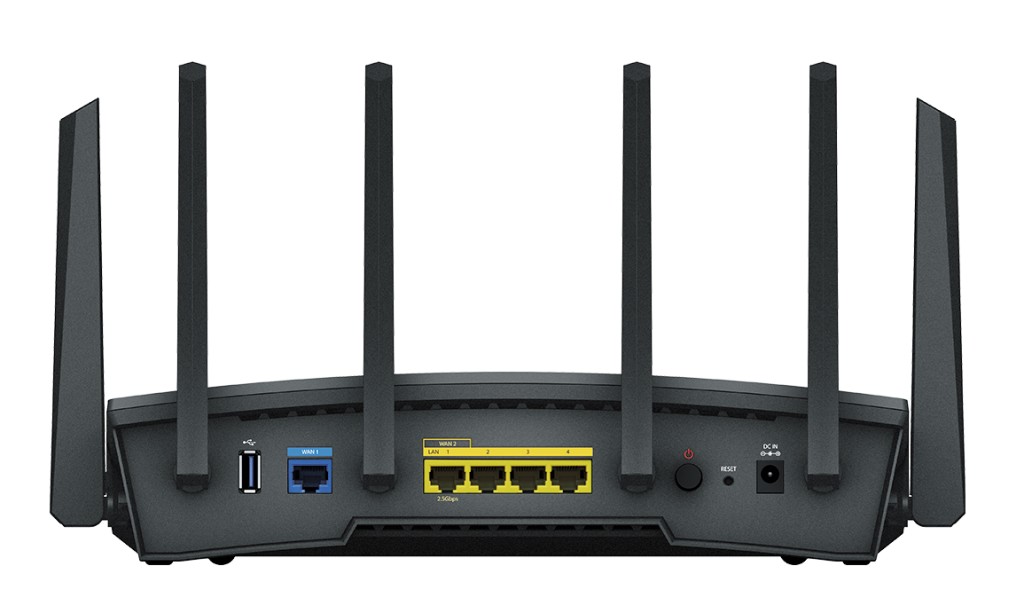
The ethernet port 1 supports 2.5 Gbps and can be used as LAN/WAN or a backup WAN (when the dedicated WAN port is used). 


The Synology Router RT6600ax supports WiFi 6 as well and comes with a new SRM 1.3. 


More coming next week.


(The last image is supplied by Synology)



Referral links: Quic Broadband (free setup code: R587125ERQ6VE) | Samsung | AliExpress | Wise | Sharesies 


Support Geekzone by subscribing (browse ads-free), or making a one-off or recurring donation through PressPatron.


Filter this topic showing only the reply marked as answer View this topic in a long page with up to 500 replies per page Create new topic
 1 | 2
MaxineN
Max
2049 posts

Uber Geek
+1 received by user: 1663

ID Verified
Trusted
Subscriber

  #2910175 4-May-2022 16:09
Send private message

If only it had more LAN ports.

Looks like the old one as well?


Ramblings from a mysterious lady who's into tech. Warning I may often create zingers.


freitasm

BDFL - Memuneh
80652 posts

Uber Geek
+1 received by user: 41045

Administrator
ID Verified
Trusted
Geekzone
Lifetime subscriber

  #2910176 4-May-2022 16:10
Send private message

Just a bit different. And faster.


Referral links: Quic Broadband (free setup code: R587125ERQ6VE) | Samsung | AliExpress | Wise | Sharesies 


Support Geekzone by subscribing (browse ads-free), or making a one-off or recurring donation through PressPatron.


ChalkyNZ
6 posts

Wannabe Geek


  #2910659 5-May-2022 19:02
Send private message

My understanding is the new SRM 1.3 would also run on the RT2600ac (but not the old RT1900) - anyone know if that’s still supposed to work?


freitasm

BDFL - Memuneh
80652 posts

Uber Geek
+1 received by user: 41045

Administrator
ID Verified
Trusted
Geekzone
Lifetime subscriber

  #2911642 8-May-2022 15:46
Send private message

@MaxineN: Looks like the old one as well?


The previous model had four antennas, this one has six.


Referral links: Quic Broadband (free setup code: R587125ERQ6VE) | Samsung | AliExpress | Wise | Sharesies 


Support Geekzone by subscribing (browse ads-free), or making a one-off or recurring donation through PressPatron.


MaxineN
Max
2049 posts

Uber Geek
+1 received by user: 1663

ID Verified
Trusted
Subscriber

  #2911645 8-May-2022 15:59
Send private message

freitasm:


The previous model had four antennas, this one has six.


Yeah. Just the body and the shape is what reminds me of the old one. Additional antennas make sense.


Ramblings from a mysterious lady who's into tech. Warning I may often create zingers.


freitasm

BDFL - Memuneh
80652 posts

Uber Geek
+1 received by user: 41045

Administrator
ID Verified
Trusted
Geekzone
Lifetime subscriber

  #2911659 8-May-2022 17:20
Send private message

I am pretty happy - enabled the Threat Prevention package, with storage as required (a USB 3 SSD) and still get max speed on my fibre (via ethernet). And this on a Windows machine, which is notorious for being generally bad at networking. 


IIRC, Threat Prevention on previous router models caused some drop in performance. This one seems solid.


Referral links: Quic Broadband (free setup code: R587125ERQ6VE) | Samsung | AliExpress | Wise | Sharesies 


Support Geekzone by subscribing (browse ads-free), or making a one-off or recurring donation through PressPatron.


Shop now for Dell laptops and other devices (affiliate link).
freitasm

BDFL - Memuneh
80652 posts

Uber Geek
+1 received by user: 41045

Administrator
ID Verified
Trusted
Geekzone
Lifetime subscriber

  #2912688 11-May-2022 15:28
Send private message

This just went live Synology RT6600ax Review (geekzone.co.nz)


Great router. I now have separate Default, Streaming and IoT networks setup, each with their own VLAN and different DNS (if you know why I'd use it) and have these networks assigned to different SSID and Ethernet ports.


SRM 1.3 is very flexible. Performance is astounding.  


Referral links: Quic Broadband (free setup code: R587125ERQ6VE) | Samsung | AliExpress | Wise | Sharesies 


Support Geekzone by subscribing (browse ads-free), or making a one-off or recurring donation through PressPatron.


Behodar
11099 posts

Uber Geek
+1 received by user: 6082

Trusted
Lifetime subscriber

  #2918954 26-May-2022 14:34
Send private message

I now have one of these sitting in its box on my couch. It's going to replace my ageing AirPort which, while extremely reliable, can't route faster than around 300 Mb/s. Now I just need free time to actually install the thing!


Behodar
11099 posts

Uber Geek
+1 received by user: 6082

Trusted
Lifetime subscriber

  #2919686 28-May-2022 13:57
Send private message

This is now chugging along. Initial speed test 935/434, a great improvement over the AirPort. I admit that I haven't done much with it yet, but it's nice to actually be getting the speed I'm paying for, for starters :)


At present I have a VPN server running on my Synology NAS. It'll probably be 'cleaner' to move this onto the router (since it's a network service rather than a server service) so I'll probably do that at some point. To be honest, the whole thing's probably overkill for what I need, but where's the fun in getting something boring? 😁


Zagbot
12 posts

Geek
+1 received by user: 4

ID Verified
Trusted
Subscriber

  #2921739 2-Jun-2022 10:52
Send private message

To anyone setting up the rt6600ax on 2degress fibre or similar systems that require the WAN interface to have VLAN 10


- after the initial setup you will not be able to connect to the Internet as VLAN on the WAN is not configured.


- Follow the instructions on https://kb.synology.com/en-in/SRM/tutorial/If_my_ISP_requires_that_I_set_a_VLAN_tag_but_does_not_provide_IPTV_VoIP_services_how_should_my_settings_be_configured to enable VLAN 10 on the WAN interface.


- After that you should be able to connect.


May be just me but I had a lot of trouble tracking down the page to set VLAN 10 on the WAN interface. Now its off to play with my new router :-)


Behodar
11099 posts

Uber Geek
+1 received by user: 6082

Trusted
Lifetime subscriber

  #2922811 4-Jun-2022 21:43
Send private message

Hmm... I selected NZ as my country when going through initial setup, and it's still set to NZ now, but the expanded info on my Mac (hold Option as you click the Wi-Fi menu bar icon) says that it's reporting a US country code. Is anyone else's doing the same thing?


Want to support Geekzone and browse the site without the ads? Subscribe to Geekzone now (monthly, annual and lifetime options).
cyril7
9075 posts

Uber Geek
+1 received by user: 2499

ID Verified
Trusted
Subscriber

  #2922829 5-Jun-2022 08:19
Send private message

Hi don't understand, setting the country presumably just preloads time zones a wifi regulatory settings

What exactly is OSX detected.

Cyril

Behodar
11099 posts

Uber Geek
+1 received by user: 6082

Trusted
Lifetime subscriber

  #2922838 5-Jun-2022 09:43
Send private message

cyril7: Hi don't understand, setting the country presumably just preloads time zones a wifi regulatory settings


Yes, and the regulatory settings are the problem. It may be using NZ settings itself, but it's advertising itself as US. The client therefore restricts itself to US frequencies, which isn't ideal and if it's not respecting the setting correctly then it may be breaching RSM rules.


Edit: Fixed it. It's a hard-to-find setting. Under Wi-Fi Connect/Wi-Fi Settings, click the three dots on the network and choose Edit. Under Advanced Options, tick "Regional compatibility". This makes it broadcast the correct country code.


ChalkyNZ
6 posts

Wannabe Geek


  #2922882 5-Jun-2022 13:06
Send private message

ChalkyNZ: My understanding is the new SRM 1.3 would also run on the RT2600ac (but not the old RT1900) - anyone know if that’s still supposed to work?

Yes, it will, but not on initial release, coming in 1st update apparently.

freitasm

BDFL - Memuneh
80652 posts

Uber Geek
+1 received by user: 41045

Administrator
ID Verified
Trusted
Geekzone
Lifetime subscriber

  #2922883 5-Jun-2022 13:08
Send private message

ChalkyNZ:
ChalkyNZ: My understanding is the new SRM 1.3 would also run on the RT2600ac (but not the old RT1900) - anyone know if that’s still supposed to work?


Yes, it will, but not on initial release, coming in 1st update apparently.


The first update is out already. Synology never said it would be available then - only that those other devices would be supported later this year.


Referral links: Quic Broadband (free setup code: R587125ERQ6VE) | Samsung | AliExpress | Wise | Sharesies 


Support Geekzone by subscribing (browse ads-free), or making a one-off or recurring donation through PressPatron.


 1 | 2
Filter this topic showing only the reply marked as answer View this topic in a long page with up to 500 replies per page Create new topic


Geekzone Live »

Try automatic live updates from Geekzone directly in your browser, without refreshing the page, with Geekzone Live now.


Are you subscribed to our RSS feed? You can download the latest headlines and summaries from our stories directly to your computer or smartphone by using a feed reader.