Geekzone: technology news, blogs, forums
Guest
Welcome Guest.
You haven't logged in yet. If you don't have an account you can register now.


PJ48

302 posts

Ultimate Geek
+1 received by user: 106

Lifetime subscriber

#298722 10-Jul-2022 17:47
Send private message

I am strongly considering purchasing and setting up a Unifi Wifi AP network at home, and have recently signed up for a Unifi account and downloaded Java 8 for Mac, and the Mac Unifi Network Controller. The desktop app appears to open up OK, but because I don't yet have an AP I can't go further.


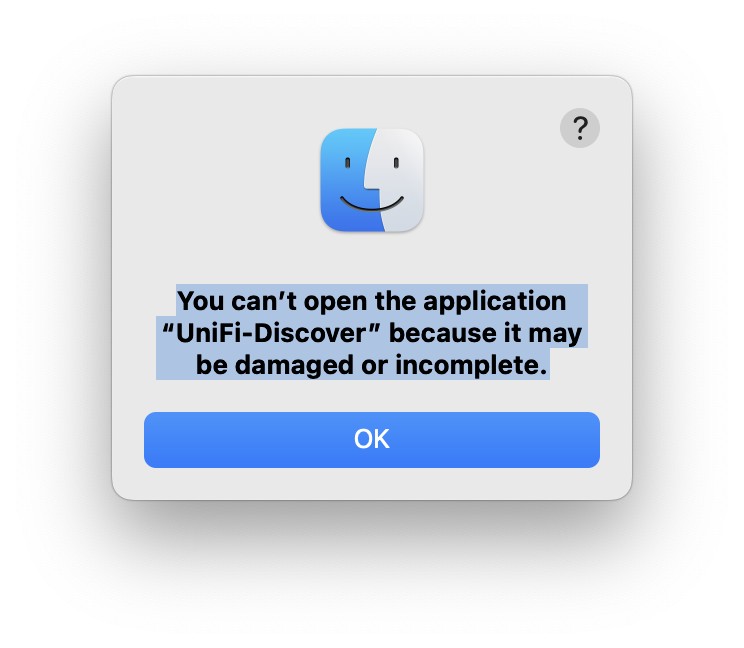
However...The Unifi Discover app is not able to be opened - I get the following message in the image below.


Question? Does this matter? Do I need this app as well, or will the Unifi Network controller work Ok without it? If not - does anyone know of a way around this. I have downloaded it three times, and I can't get it to install without this message.


Thanks for any help,


Peter


Create new topic
Psilan
860 posts

Ultimate Geek
+1 received by user: 94


  #2940472 10-Jul-2022 18:13
Send private message

No you don't need that. It's just a discovery tool to list unifi devices. The network controller can do this.


Voyager referral - https://refer.voyager.nz/68QKJ8XKK


PJ48

302 posts

Ultimate Geek
+1 received by user: 106

Lifetime subscriber

  #2940479 10-Jul-2022 18:48
Send private message

Brilliant. Thanks.

Mehrts
1112 posts

Uber Geek
+1 received by user: 984

Trusted

  #2940781 11-Jul-2022 17:54
Send private message

It was a handy app to have on hand, but it was broken by an update a while ago. The Chrome internet browser can have an extension added which can locate unifi devices easily too if needed.

The discovery app was only used to apply the set-inform address of the unifi controller. Once the APs found that controller, then they could be adopted and managed via that.


lxsw20
3689 posts

Uber Geek
+1 received by user: 2174

Subscriber

  #2940794 11-Jul-2022 18:50
Send private message

If you're only setting up 1 AP, you don't need the controller, the mobile app can control it. 


PJ48

302 posts

Ultimate Geek
+1 received by user: 106

Lifetime subscriber

  #2940804 11-Jul-2022 19:22
Send private message

lxsw20:


If you're only setting up 1 AP, you don't need the controller, the mobile app can control it. 


Thanks but I am anticipating at least 2 and possibly 3 APs will be needed, as our house has a lot of internal 1920's lathe and plaster. A lot of the internal walls seem to have a 10-12 dbm effect on the signal based on extensive testing I have done.


Create new topic


Geekzone Live »

Try automatic live updates from Geekzone directly in your browser, without refreshing the page, with Geekzone Live now.


Are you subscribed to our RSS feed? You can download the latest headlines and summaries from our stories directly to your computer or smartphone by using a feed reader.