Geekzone: technology news, blogs, forums
Guest
Welcome Guest.
You haven't logged in yet. If you don't have an account you can register now.


benfolds

32 posts

Geek
+1 received by user: 1


#300574 19-Sep-2022 15:09
Send private message

Hi,


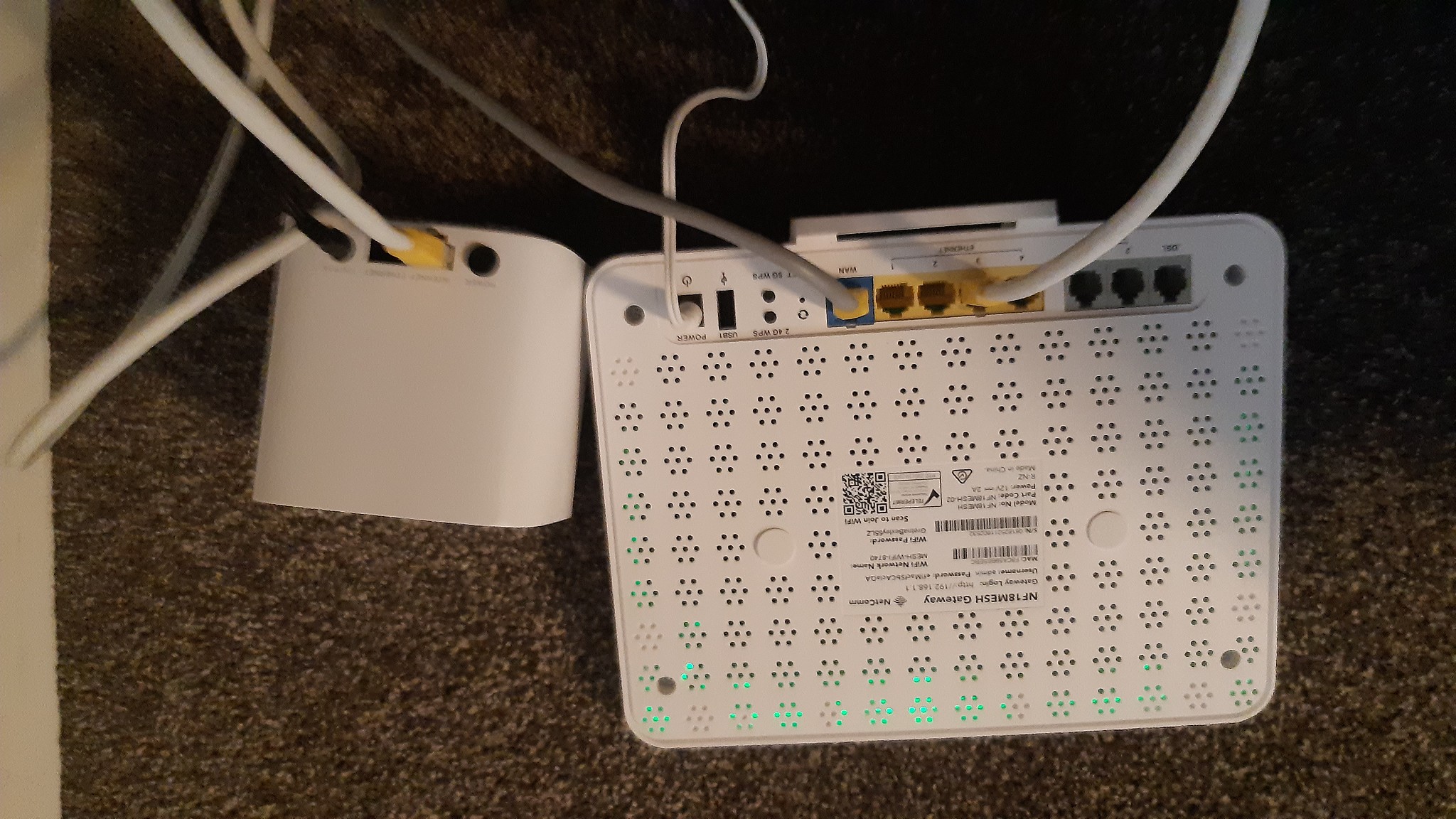
I bought a COVR-1100 system which worked fairly well in our house. However it got unplugged when we were moving things around and i can't seem to get it working again. I don't think i have connected it correctly. When trying to set it up I can connect to the Dlink wifi but then it can never find the COVR system to complete the set up. I have connected it to our modem into both of the sockets and neither work....


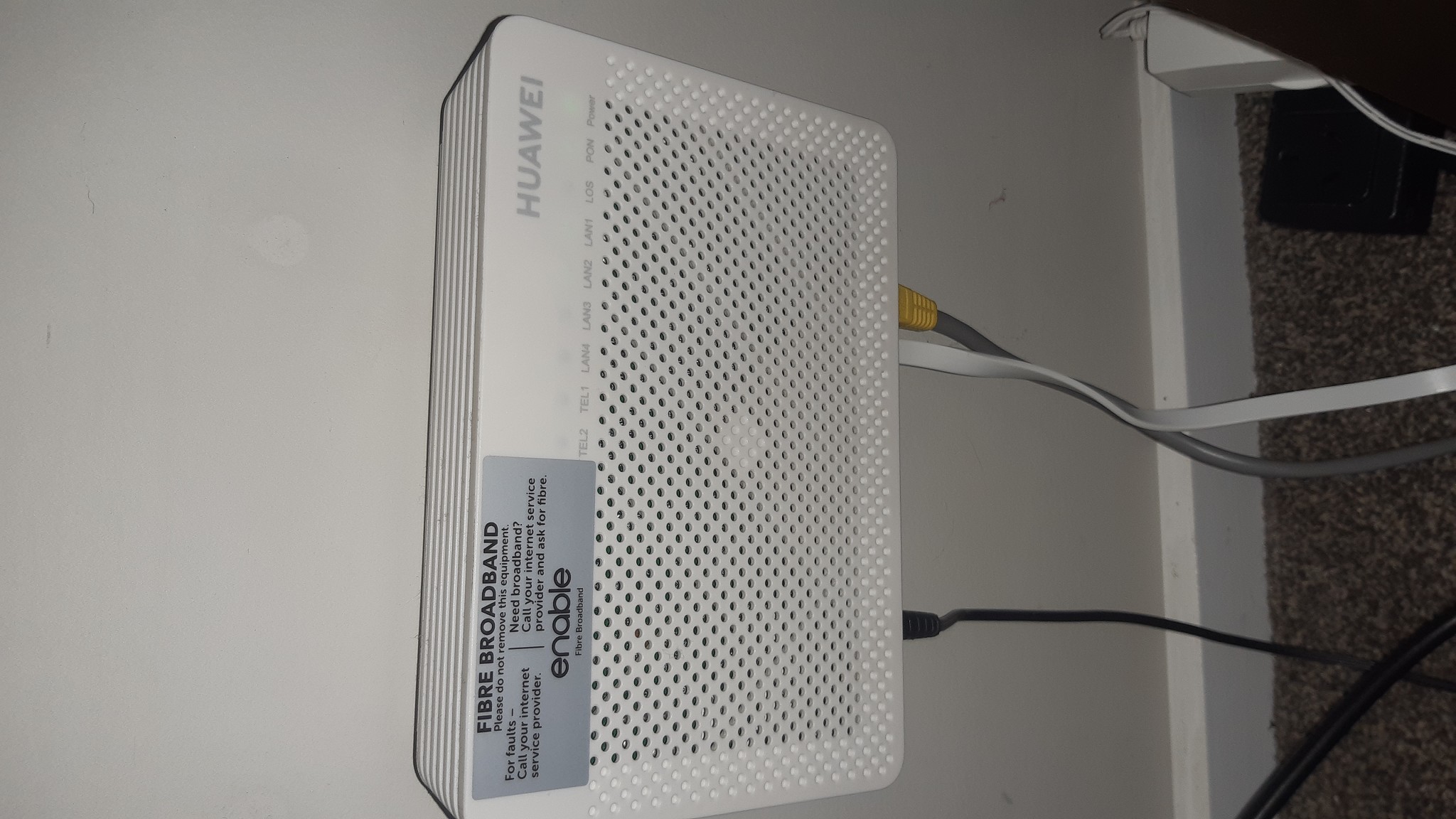
This may be a dumb question but if the above photo is the modem then what is in the below photo and does it need to be also connected to the COVR? I do recall the COVR having 2 cables connected previously and i do have a spare cable which i assume goes somewhere.....thanks in advance 


Create new topic
shk292
2916 posts

Uber Geek
+1 received by user: 2040

Lifetime subscriber

  #2970155 19-Sep-2022 15:32
Send private message

Box on wall = ONT = modem


Box on floor = router


ONT connects to WAN port of router (blue one)


Mesh connects to any LAN (yellow) port on router


shk292
2916 posts

Uber Geek
+1 received by user: 2040

Lifetime subscriber

  #2970528 20-Sep-2022 15:31
Send private message

Did that work @benfolds ?


benfolds

32 posts

Geek
+1 received by user: 1


  #2970805 21-Sep-2022 09:18
Send private message

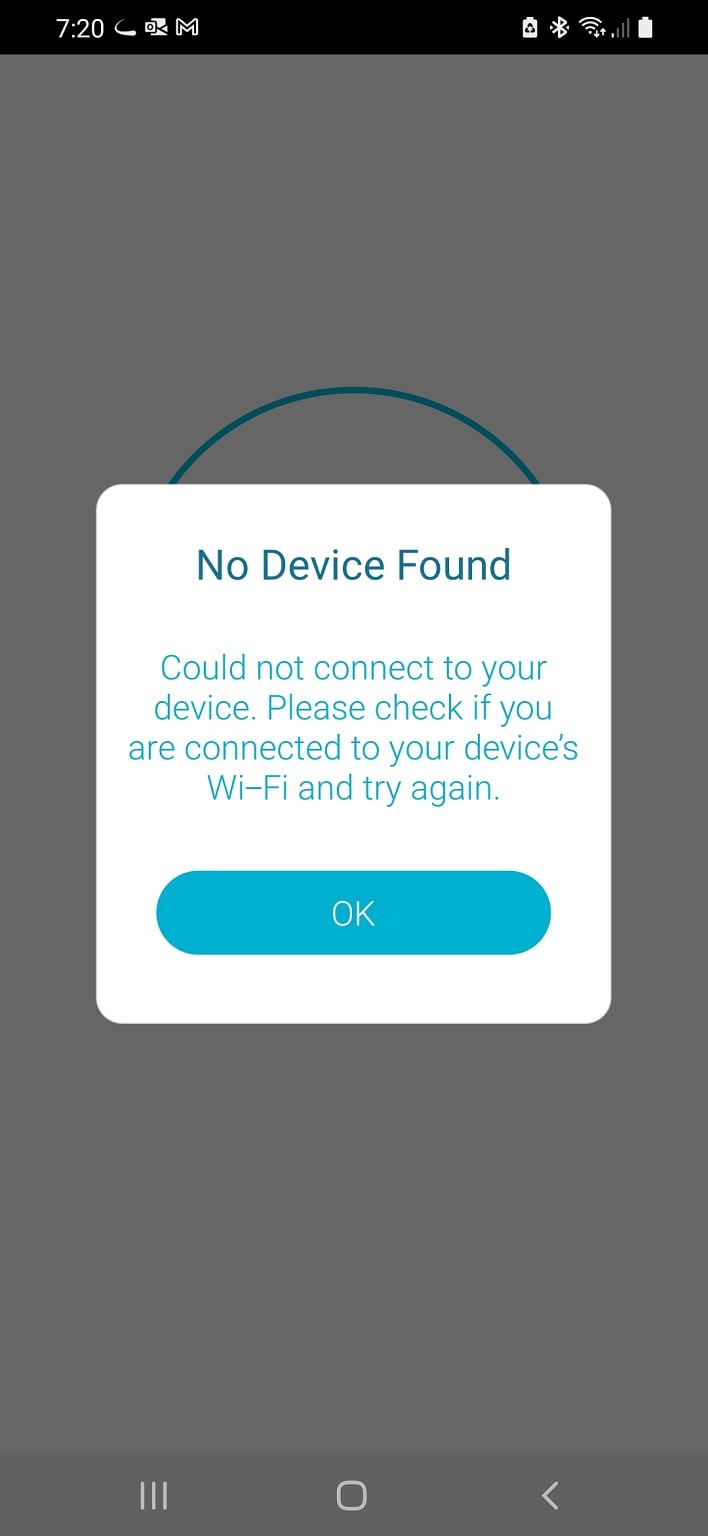
Thanks for your help but unfortunately i keep getting the message below....i'm following the steps on the D-link app which is quite straightforward and i got working previously without this issue. 


Spyware
3818 posts

Uber Geek
+1 received by user: 1366

Lifetime subscriber

  #2970811 21-Sep-2022 09:34
Send private message

Did you correct your cabling??


Spark Max Fibre using Mikrotik CCR1009-8G-1S-1S+, CRS125-24G-1S, Unifi UAP, U6-Pro, UAP-AC-M-Pro, Apple TV 4K (2022), Apple TV 4K (2017), iPad Air 1st gen, iPad Air 4th gen, iPhone 13, SkyNZ3151 (the white box). If it doesn't move then it's data cabled.


benfolds

32 posts

Geek
+1 received by user: 1


  #2970911 21-Sep-2022 11:59
Send private message

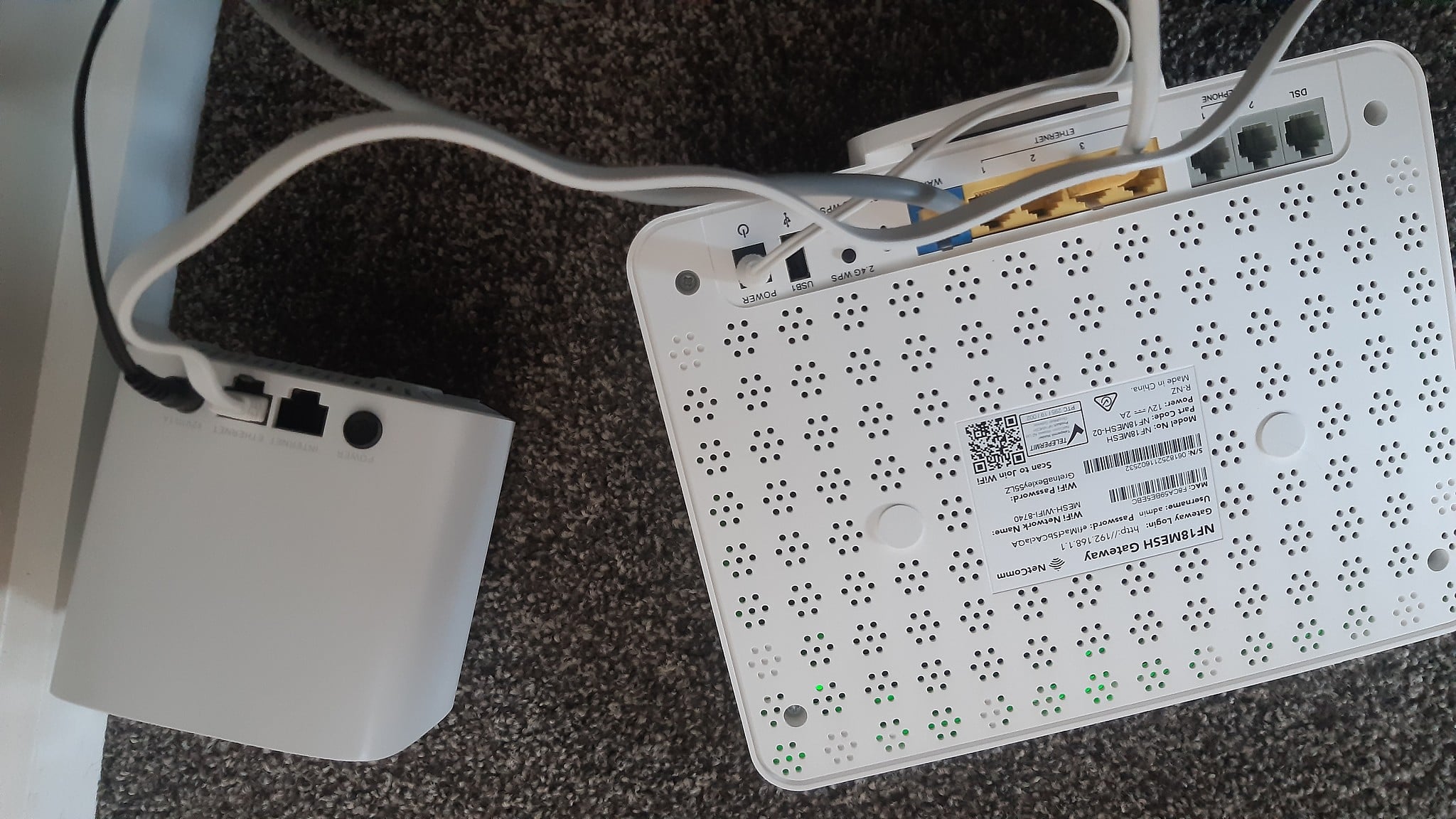
Yes i have tried a number of combinations but this photo below should be correct but it still isn't connecting.....


shk292
2916 posts

Uber Geek
+1 received by user: 2040

Lifetime subscriber

  #2971030 21-Sep-2022 16:04
Send private message

It looks like the app wants you to connect to the D-Link's WiFi - are you sure you have done this, and not connected to the router's WiFi?  What are the SSIDs?


Shop on-line at New World now for your groceries (affiliate link).
benfolds

32 posts

Geek
+1 received by user: 1


  #2971518 22-Sep-2022 10:43
Send private message

Yes i have connected to the COVR d-link wifi, sometimes it says connected without internet and other times it says connected but regardless it can never find the device to complete the install. 


I'm not sure what SSIDs are, I will have a look on the box when i get home. 


freitasm
BDFL - Memuneh
80652 posts

Uber Geek
+1 received by user: 41045

Administrator
ID Verified
Trusted
Geekzone
Lifetime subscriber

  #2971529 22-Sep-2022 10:53
Send private message

I find that configuring these devices over a ethernet cable has better results than WiFi.


Referral links: Quic Broadband (free setup code: R587125ERQ6VE) | Samsung | AliExpress | Wise | Sharesies 


Support Geekzone by subscribing (browse ads-free), or making a one-off or recurring donation through PressPatron.


Create new topic


Geekzone Live »

Try automatic live updates from Geekzone directly in your browser, without refreshing the page, with Geekzone Live now.


Are you subscribed to our RSS feed? You can download the latest headlines and summaries from our stories directly to your computer or smartphone by using a feed reader.