Geekzone: technology news, blogs, forums
Guest
Welcome Guest.
You haven't logged in yet. If you don't have an account you can register now.


stick

357 posts

Ultimate Geek
+1 received by user: 113


#300697 28-Sep-2022 17:25
Send private message

Hi,


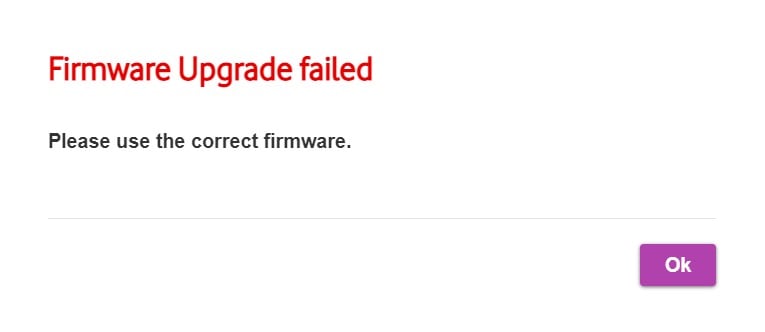
I just started using a Vodafone Ultrahub Plus router which I grabbed from a friend. It had never been used and still has 2018 firmware on it (I think). The only firmware I can find is here (step 1) but using that file on the Ultrahub just gives me an error. Any help? I am not having any issues with the current firmware, so it's fine if there is no solution.


(Router is being used on Orcon connection)



Filter this topic showing only the reply marked as answer View this topic in a long page with up to 500 replies per page Create new topic
 1 | 2
Linux
12188 posts

Uber Geek
+1 received by user: 8480

Trusted
Lifetime subscriber

  #2974321 28-Sep-2022 17:26
Send private message

Hard reset modem and try again


stick

357 posts

Ultimate Geek
+1 received by user: 113


  #2974323 28-Sep-2022 17:28
Send private message

Linux: Hard reset modem and try again


Via the pinhole or the configuration site?


Also, the router had never been used, would a hard reset it really do anything?


Linux
12188 posts

Uber Geek
+1 received by user: 8480

Trusted
Lifetime subscriber

  #2974324 28-Sep-2022 17:29
Send private message

Pinhole and had this issue before and hard reset sorted it


stick

357 posts

Ultimate Geek
+1 received by user: 113


  #2974325 28-Sep-2022 17:30
Send private message

Linux: Pinhole and had this issue before and hard reset sorted it


Alright, will try this now :)


Is it alright if I back up and restore my settings or nah


Linux
12188 posts

Uber Geek
+1 received by user: 8480

Trusted
Lifetime subscriber

  #2974326 28-Sep-2022 17:34
Send private message

Yes that is fine do a backup and restore

stick

357 posts

Ultimate Geek
+1 received by user: 113


#2974343 28-Sep-2022 19:03
Send private message

Linux: Pinhole and had this issue before and hard reset sorted it


Tried multiple times and didn't work. Lights just kept changing with no progress and the internet stayed on. I reset via the website twice and was still unable to do a firmware update. So using the pinhole the router doesn't reset and using the website does make it reset but doesn't fix the issue :(


Anything else I should try?


Want to support Geekzone and browse the site without the ads? Subscribe to Geekzone now (monthly, annual and lifetime options).
cisconz
cisconz
1348 posts

Uber Geek
+1 received by user: 179

ID Verified
Trusted
Lifetime subscriber

  #2974393 28-Sep-2022 19:20
Send private message

how long did you hold the reset pinhole button down for?


Hmmmm


stick

357 posts

Ultimate Geek
+1 received by user: 113


  #2974394 28-Sep-2022 19:21
Send private message

cisconz:


how long did you hold the reset pinhole button down for?


First I held it down for like 2 seconds then the other times I just pressed it. 


cisconz
cisconz
1348 posts

Uber Geek
+1 received by user: 179

ID Verified
Trusted
Lifetime subscriber

  #2974396 28-Sep-2022 19:22
Send private message

Hold it for 30 at least


Hmmmm


Linux
12188 posts

Uber Geek
+1 received by user: 8480

Trusted
Lifetime subscriber

  #2974398 28-Sep-2022 19:24
Send private message

You need to hold it down much longer

stick

357 posts

Ultimate Geek
+1 received by user: 113


  #2974469 28-Sep-2022 20:44
Send private message

Still not working. How long should I hold it exactly? I've tried 30s and 1min. All the lights turn on and then turn off from start to end repeatedly.


Shop now on AliExpress (affiliate link).
Linux
12188 posts

Uber Geek
+1 received by user: 8480

Trusted
Lifetime subscriber

  #2974470 28-Sep-2022 20:45
Send private message

Ok it has hard reset then

stick

357 posts

Ultimate Geek
+1 received by user: 113


  #2974471 28-Sep-2022 20:47
Send private message

Linux: Ok it has hard reset then


It just keeps doing that and none of my settings have changed. I am posting this using the routers wifi while it is still doing that pattern.


Buckchoi
119 posts

Master Geek
+1 received by user: 43


  #2974552 28-Sep-2022 23:00
Send private message

The firmware file which you are trying to flash is for the Ultra Hub, whereas you have the Ultra Hub Plus. They use different firmware. You are already running the latest available firmware (see here).


bigalow
568 posts

Ultimate Geek
+1 received by user: 112


  #2974556 29-Sep-2022 00:03
Send private message

what above said the firmware is the wrong one


 1 | 2
Filter this topic showing only the reply marked as answer View this topic in a long page with up to 500 replies per page Create new topic


Geekzone Live »

Try automatic live updates from Geekzone directly in your browser, without refreshing the page, with Geekzone Live now.


Are you subscribed to our RSS feed? You can download the latest headlines and summaries from our stories directly to your computer or smartphone by using a feed reader.