Geekzone: technology news, blogs, forums
Guest
Welcome Guest.
You haven't logged in yet. If you don't have an account you can register now.


SATTV

1670 posts

Uber Geek
+1 received by user: 658

ID Verified

#312015 7-Mar-2024 21:25
Send private message

Help,


I am stuck.


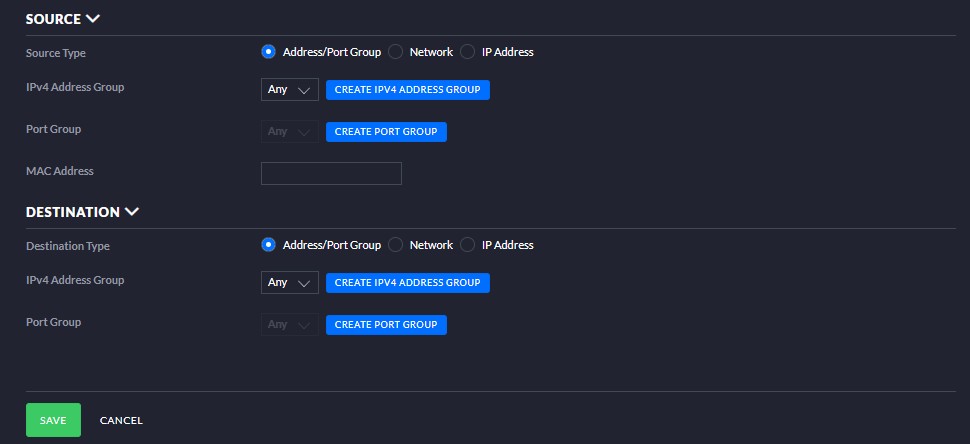
I am trying to get a router reply to a ping on the wan port.


Once I get it to work I will lock down to only reply to our work IP address.


I have looked online and created a rule that should work and Nada.


All sites have a public static IP


After hours of testing and failing I am really hoping it is something stupid.


The device is up to date as is the controller.


I have tried all sorts on the destination but it does not seem to matter.


I know the device is old, it is sheduled for replacement in the comming weeks but we need to monitor the internet for this clinet as they are having some outages.


Thanks in advance.


John



I know enough to be dangerous


Create new topic
CYaBro
4708 posts

Uber Geek
+1 received by user: 1182

ID Verified
Trusted

  #3204303 7-Mar-2024 21:44
Send private message

Legacy UI setting! :)
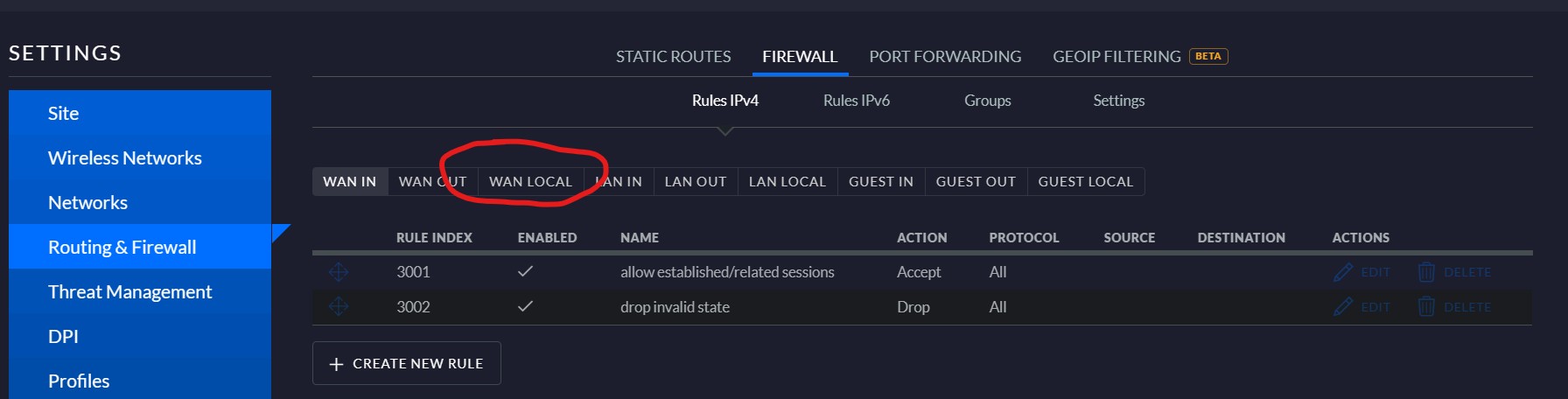
Are you choosing WAN Local for the type?
Otherwise those settings appear to be the same as I have for a USG.

Edit: sorry! The icmp type name should be Echo Request.
Not echo reply. Or you could set it to ‘Any’.


Opinions are my own and not the views of my employer.


SATTV

1670 posts

Uber Geek
+1 received by user: 658

ID Verified

  #3204317 7-Mar-2024 22:27
Send private message

Thanks for the reply.


Changing to any or echo request make no difference.


You can not select an incoming port that I can see, you cant in port forwading either.


John


I know enough to be dangerous


CYaBro
4708 posts

Uber Geek
+1 received by user: 1182

ID Verified
Trusted

  #3204324 7-Mar-2024 23:48
Send private message

You don’t need a port.

Are you creating the firewall rule under the WAN Local tab?

When you select the Firewall section it will start on the WAN In tab so you need to choose the WAN Local tab and create the new rule from there.


Opinions are my own and not the views of my employer.


SATTV

1670 posts

Uber Geek
+1 received by user: 658

ID Verified

  #3204338 8-Mar-2024 07:46
Send private message

CYaBro: You don’t need a port.

Are you creating the firewall rule under the WAN Local tab?

When you select the Firewall section it will start on the WAN In tab so you need to choose the WAN Local tab and create the new rule from there.


From what I can see there is no WAN IN tab in the firewall section. 


John


I know enough to be dangerous


CYaBro
4708 posts

Uber Geek
+1 received by user: 1182

ID Verified
Trusted

  #3204343 8-Mar-2024 08:28
Send private message

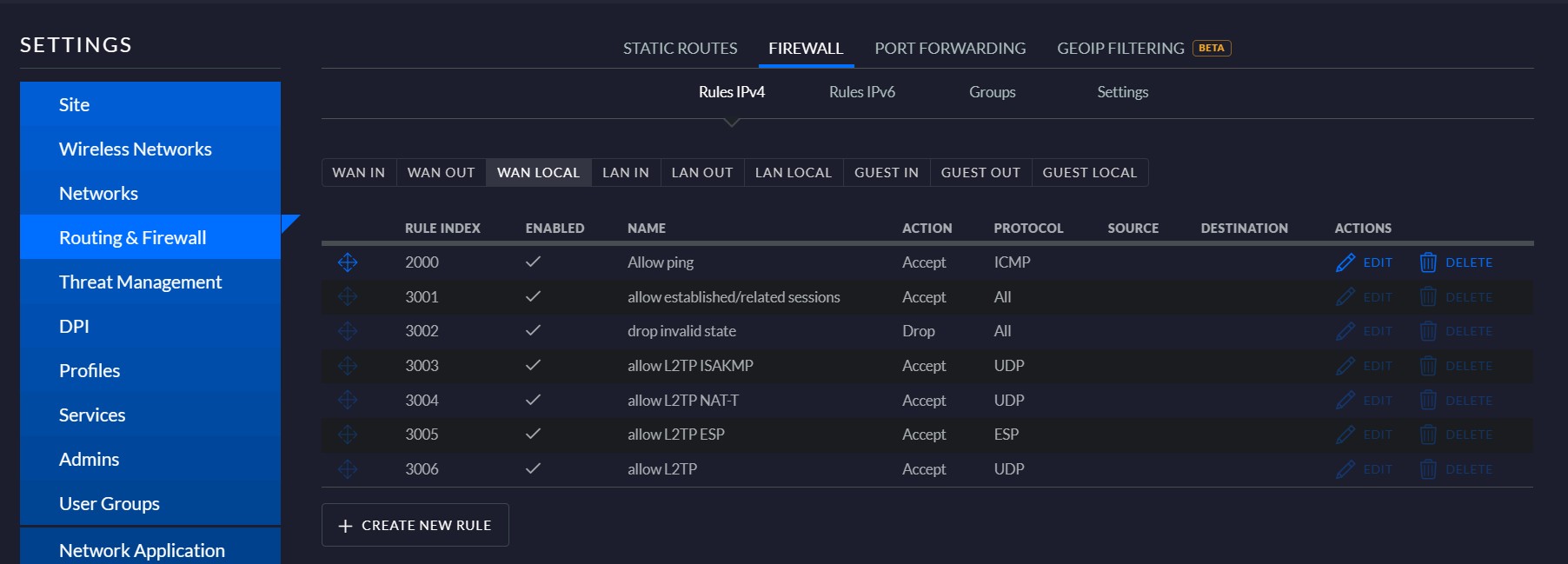
This is what you should be seeing when you first go to the Firewall settings:


From there you need to select the WAN LOCAL tab and then create the new ICMP rule.


Opinions are my own and not the views of my employer.


SATTV

1670 posts

Uber Geek
+1 received by user: 658

ID Verified

  #3204593 8-Mar-2024 16:36
Send private message

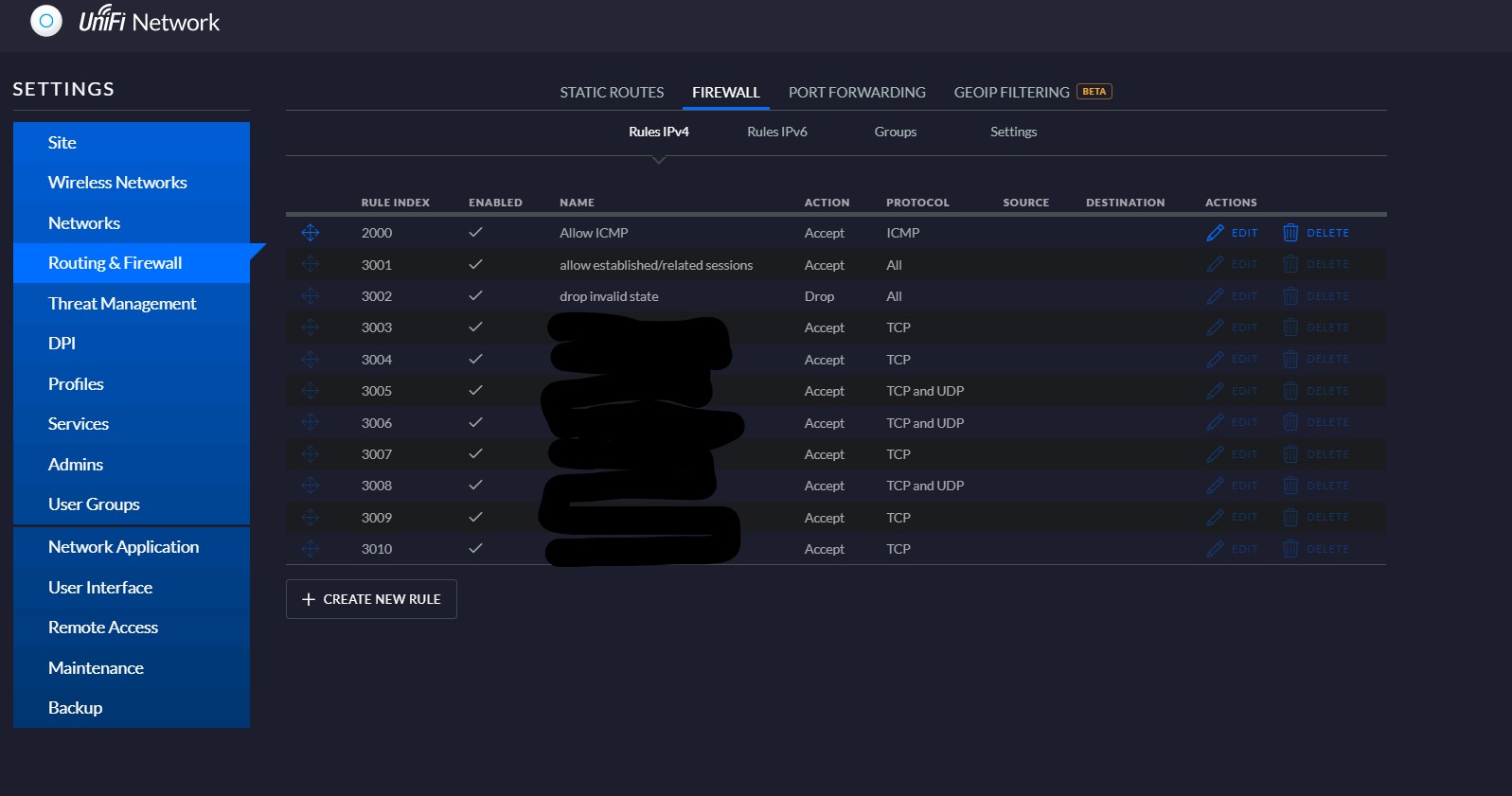
This is what I get to see.


I can not select a WAN in.


John


I know enough to be dangerous


Want to support Geekzone and browse the site without the ads? Subscribe to Geekzone now (monthly, annual and lifetime options).
CYaBro
4708 posts

Uber Geek
+1 received by user: 1182

ID Verified
Trusted

  #3204595 8-Mar-2024 16:40
Send private message

No you need to select WAN Local but yea that menu bar is missing from your controller for some reason!
Try switch to the new UI and see if you get ‘Internet Local’ as the firewall type.


Opinions are my own and not the views of my employer.


Create new topic


Geekzone Live »

Try automatic live updates from Geekzone directly in your browser, without refreshing the page, with Geekzone Live now.


Are you subscribed to our RSS feed? You can download the latest headlines and summaries from our stories directly to your computer or smartphone by using a feed reader.