Geekzone: technology news, blogs, forums
Guest
Welcome Guest.
You haven't logged in yet. If you don't have an account you can register now.


deadlyllama

1283 posts

Uber Geek
+1 received by user: 476

Trusted

#320296 28-Jul-2025 16:21
Send private message

I'm setting up some Tp-link deco units at our church to make the Wifi extend across the buildings.  There is some wired networking around the place.


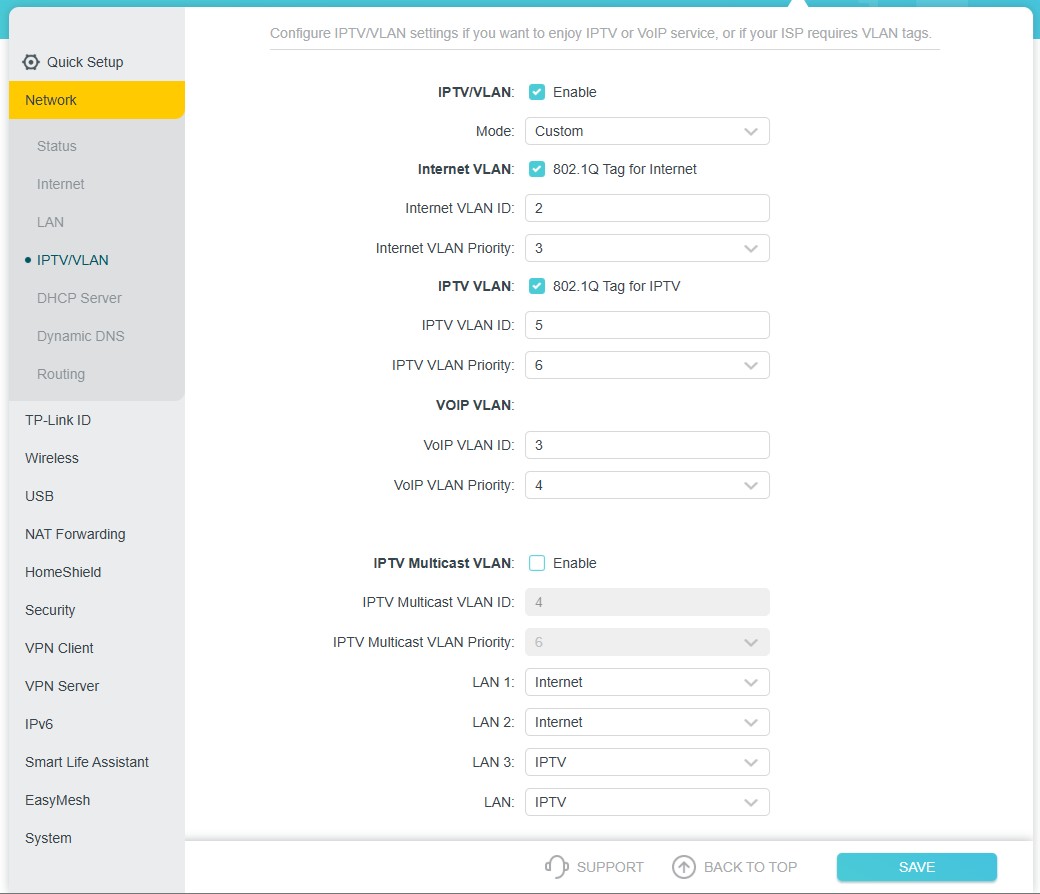
I read that the Decos can do wired backhaul to the main unit, and I've got that working here at home.  I also read that using a Deco as a router with NZ UFB and VLAN 10 means turning on "IPTV/VLAN" support.  And that "IPTV/VLAN" mode means that I can only use the second port of my two port, router Deco as an "IPTV" port - which I assume means I can't use it for wired backhaul.


Has anyone got experience one way or the other?  Wired backhaul is a requirement, if I can't use the Deco in router mode I can always use it in bridge mode and not worry about VLANs.  If we can use the deco as a router, we'd prefer that option.


Create new topic
nitro
756 posts

Ultimate Geek
+1 received by user: 335


  #3397774 28-Jul-2025 17:17
Send private message

TP-Link has a emulators available online that you can try - TP-Link Emulators.


Looking at the one for an AX80, it appears you do find the options under IPTV/VLAN, and also that you can choose which ports they apply to (if i understand it correctly).


r0bbie
259 posts

Ultimate Geek
+1 received by user: 24


  #3397791 28-Jul-2025 19:07
Send private message

Your fine!  -It only uses the extra port when you are using the IPTV side of it


deadlyllama

1283 posts

Uber Geek
+1 received by user: 476

Trusted

  #3397796 28-Jul-2025 19:28
Send private message

r0bbie:


Your fine!  -It only uses the extra port when you are using the IPTV side of it


Thanks! Clearly I'm just confused by the documentation. They're all set up and ready to be installed now :) 


cunningdavid
87 posts

Master Geek
+1 received by user: 10


  #3398223 30-Jul-2025 10:45
Send private message

deadlyllama:


Thanks! Clearly I'm just confused by the documentation. They're all set up and ready to be installed now :) 


We have a TP-Link Deco PX50 AX3000 wifi mesh, which works alright but has less-than-great quality at one further end of the house. An electrician could run an ethernet cable from the base station to the Deco unit at that end (via the exterior wall), but I'm unsure how to configure the Deco unit to use the ethernet backhaul. Can you please point me in the right direction here? Thanks in advance!


jamesrt
1663 posts

Uber Geek
+1 received by user: 941

ID Verified
Trusted
Lifetime subscriber

  #3398227 30-Jul-2025 11:14
Send private message

cunningdavid:


deadlyllama:


Thanks! Clearly I'm just confused by the documentation. They're all set up and ready to be installed now :) 


We have a TP-Link Deco PX50 AX3000 wifi mesh, which works alright but has less-than-great quality at one further end of the house. An electrician could run an ethernet cable from the base station to the Deco unit at that end (via the exterior wall), but I'm unsure how to configure the Deco unit to use the ethernet backhaul. Can you please point me in the right direction here? Thanks in advance!


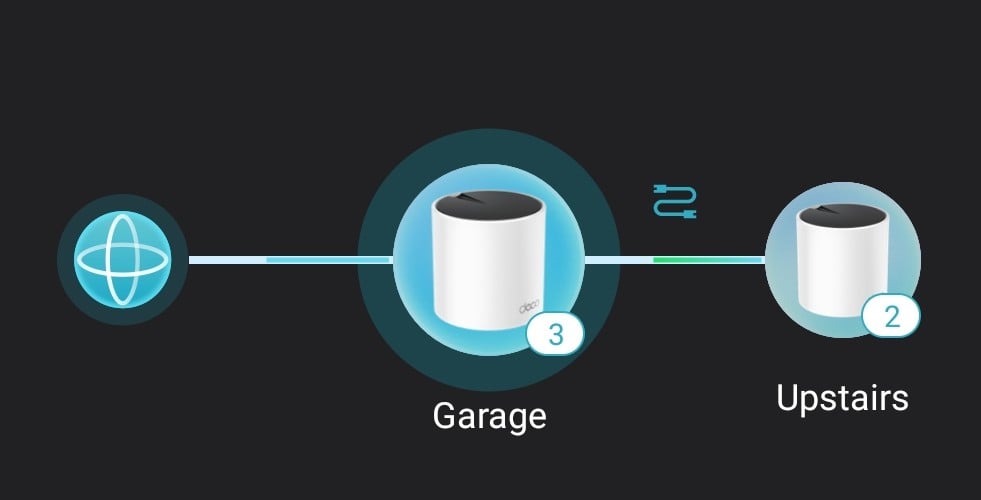
Fairly sure the Deco will self-discover the wired backhaul and use it automagically.  Mine did, at any rate.  You should be able to see a "wire icon" on the status screen:


deadlyllama

1283 posts

Uber Geek
+1 received by user: 476

Trusted

  #3398239 30-Jul-2025 12:46
Send private message

What I did find with wired backhaul is that one of my managed switches really hated it and would turn off ports - at least when the Deco network was IN AP (not Router) mode.


The problem went away when I used a cheap dumb $20 switch. 


Shop now on AliExpress (affiliate link).
cunningdavid
87 posts

Master Geek
+1 received by user: 10


  #3399817 4-Aug-2025 09:45
Send private message

Thanks for that. So we just run an ethernet cable from the primary AP to the remote AP, and everything just works? Sounds good if so :-)


We don't have any switches conneted by wire to an AP, though I do have a Microtik device which provides ethernet -> wifi, so a couple of SIP phones which only have ethernet can use the wifi network.


noroad
1025 posts

Uber Geek
+1 received by user: 675

Trusted

  #3399819 4-Aug-2025 09:49
Send private message

deadlyllama:


What I did find with wired backhaul is that one of my managed switches really hated it and would turn off ports - at least when the Deco network was IN AP (not Router) mode.


The problem went away when I used a cheap dumb $20 switch. 


I would suggest you might have created a layer2 loop and spanning tree on the switch might have saved you


Create new topic


Geekzone Live »

Try automatic live updates from Geekzone directly in your browser, without refreshing the page, with Geekzone Live now.


Are you subscribed to our RSS feed? You can download the latest headlines and summaries from our stories directly to your computer or smartphone by using a feed reader.