Geekzone: technology news, blogs, forums
Guest
Welcome Guest.
You haven't logged in yet. If you don't have an account you can register now.


xyeovillian

403 posts

Ultimate Geek
+1 received by user: 23

ID Verified

#324943 17-Jun-2026 09:29
Send private message quote this post

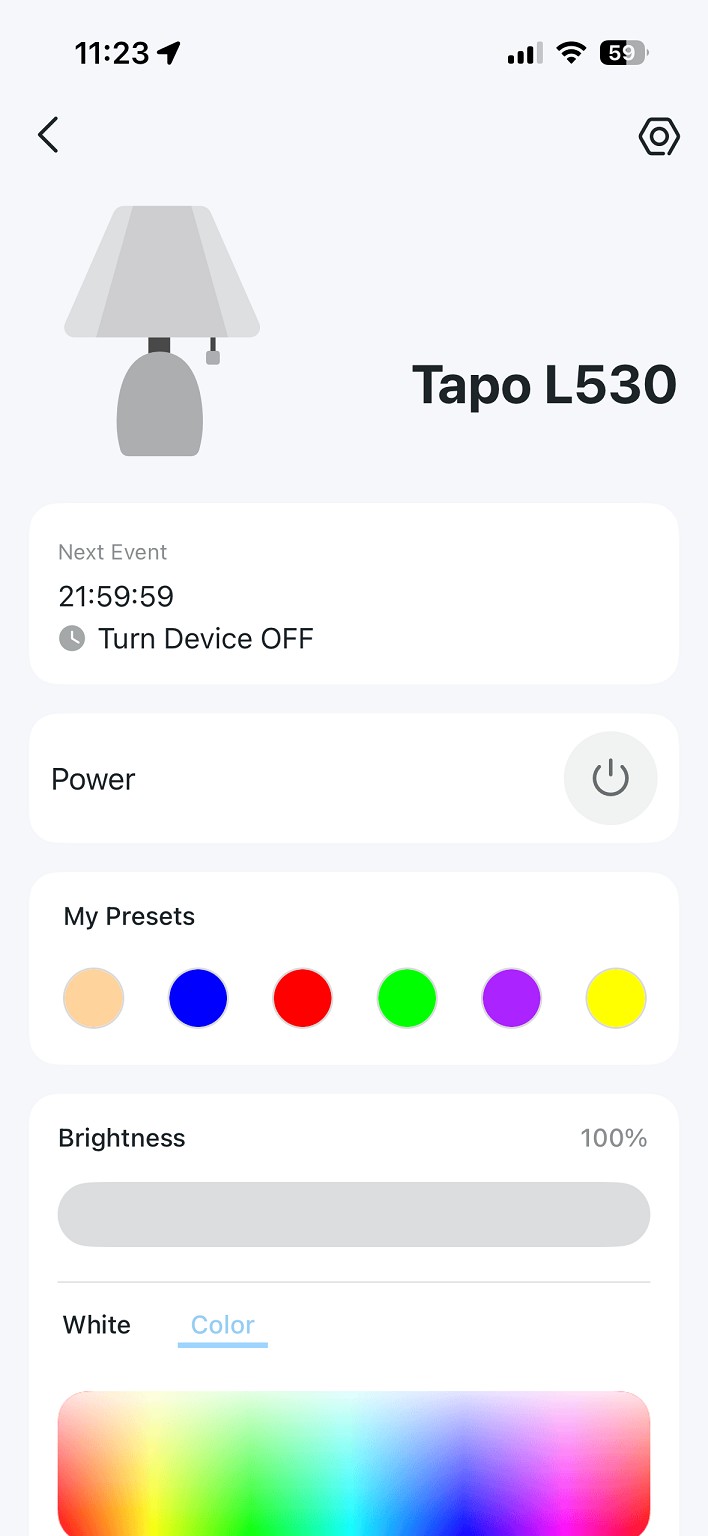
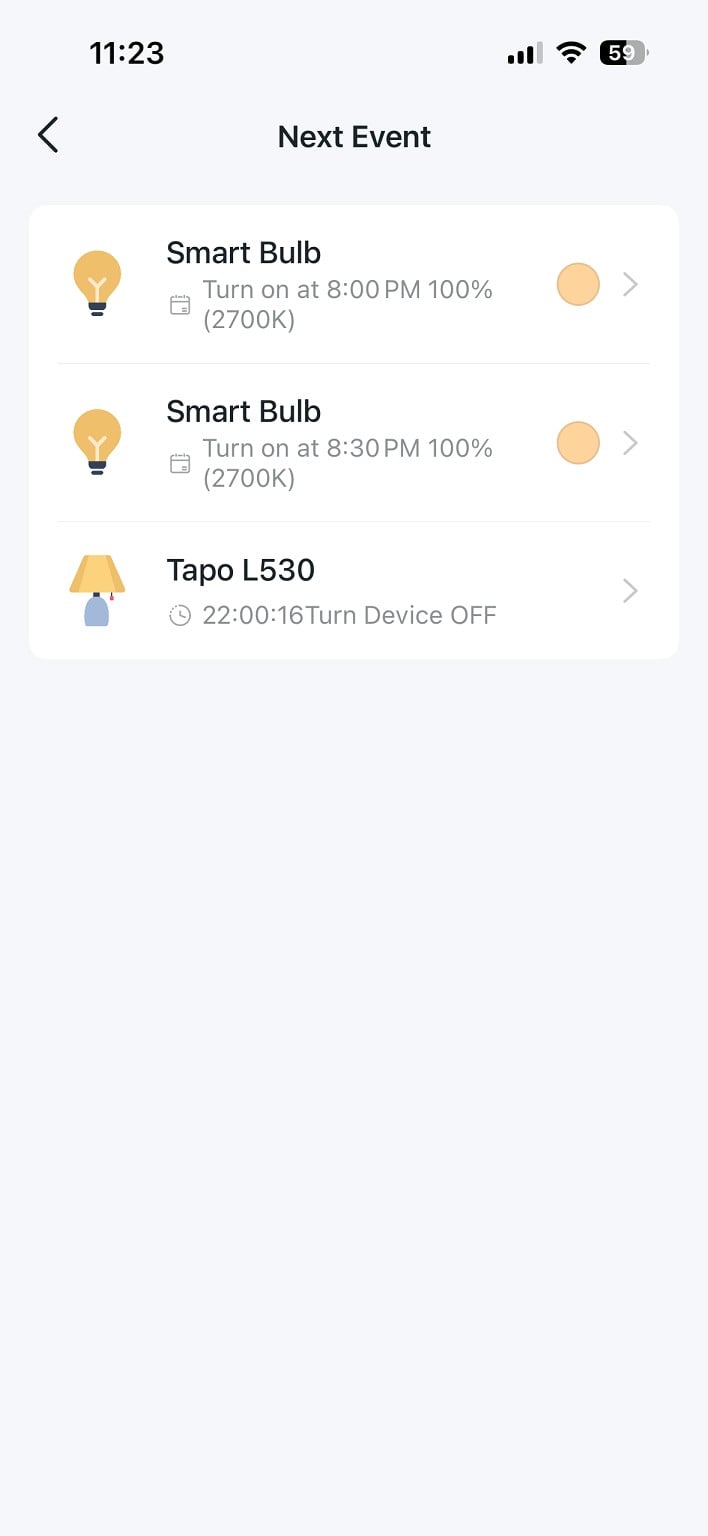
Smart bulbs I can connect and setup but can't seem to set a timer for Tapo bulbs I have 2 Tapo bulbs which have worked perfectly but this one has me stumpted. Tapo app.
I also bought a Powertech bulb from Jaycar and the same setup all done but hen again can't set the timer smartlife app!


Create new topic
richms
29289 posts

Uber Geek
+1 received by user: 10382

Trusted
Lifetime subscriber

  #3503694 17-Jun-2026 10:09
Send private message quote this post

In smartlife/tuya your timed events can be done in Smart at the bottom and then adding an Automation with schedule as the trigger, and then putting all the actions you want in that schedule like setting the colour brightness off or on etc. If you are making a complex one then consider making a group of 1 bulb so that when you need to replace the bulb or whatever you can just change what is in the group since otherwise you have to update every single event one at a time if you change the lamp out for another one.


The schedule options on the device itself are dependant on what the makers of the lamp choose to put in their control panel for the bulb or whatever, and some seem to choose to not put the schedule button on it.


Richard rich.ms


djtOtago
1194 posts

Uber Geek
+1 received by user: 614


  #3503700 17-Jun-2026 10:27
Send private message quote this post

@xyeovillian
Are you saying the Tapo app doesn't give you the option to set a schedule, or the schedule doesn't work?

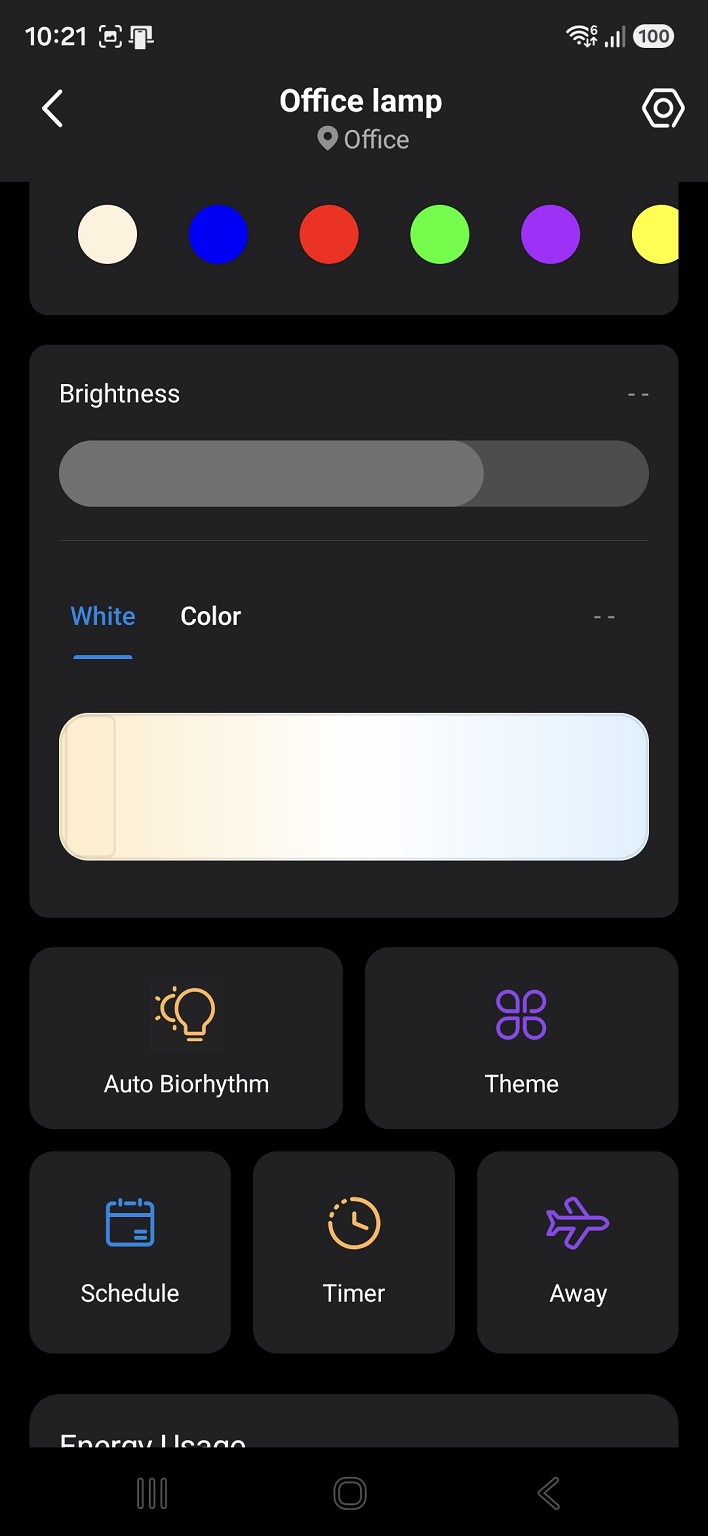
In my Tapo app, I select the Bulb, scroll down a little, click the schedule button, and click '+' to add a new schedule, then pick an action and the time.


richms
29289 posts

Uber Geek
+1 received by user: 10382

Trusted
Lifetime subscriber

  #3503706 17-Jun-2026 10:42
Send private message quote this post

I have no idea on tapo, Never used it, probably never will. All my gear is either tuya/smart life or else matter over thread stuff


Richard rich.ms


djtOtago
1194 posts

Uber Geek
+1 received by user: 614


  #3503709 17-Jun-2026 10:50
Send private message quote this post

Sorry @richms , my question was for @xyeovillian . I've updated my post to make that more obvious.


xyeovillian

403 posts

Ultimate Geek
+1 received by user: 23

ID Verified

  #3503732 17-Jun-2026 11:56
Send private message quote this post

djtOtago:


@xyeovillian
Are you saying the Tapo app doesn't give you the option to set a schedule, or the schedule doesn't work?

In my Tapo app, I select the Bulb, scroll down a little, click the schedule button, and click '+' to add a new schedule, then pick an action and the time.


The other 2 smart bulbs are showing timer set but I can't seem to be able to set Tapo L30 just telling me turn off time set!


djtOtago
1194 posts

Uber Geek
+1 received by user: 614


  #3503765 17-Jun-2026 14:37
Send private message quote this post

When you are on the first screen and you scroll it up a bit, do you get the Schedule button? This is a screenshot of my Tapo app and L530 Lamp?

It looks like you may have a Timer set, and not an On / Off Schedule for your L530


Create new topic


Geekzone Live »

Try automatic live updates from Geekzone directly in your browser, without refreshing the page, with Geekzone Live now.


Are you subscribed to our RSS feed? You can download the latest headlines and summaries from our stories directly to your computer or smartphone by using a feed reader.