Geekzone: technology news, blogs, forums
Guest
Welcome Guest.
You haven't logged in yet. If you don't have an account you can register now.


View this topic in a long page with up to 500 replies per page Create new topic
1 | ... | 35 | 36 | 37 | 38 | 39 | 40 | 41
kiwijunglist
2983 posts

Uber Geek
+1 received by user: 135

ID Verified

  #2374453 12-Dec-2019 21:40
Send private message

yeah i need to get around to adding a home assistant automation to do this too, we haven't been using the robot vacuum much recently, because i haven't bother to go around and clear all the obstructions (cords etc)


HTPC / Home automation (home assistant) enthusiast.


ringbearer
122 posts

Master Geek
+1 received by user: 18

Trusted

  #2423157 18-Feb-2020 12:56
Send private message

Can anyone offer any comments on the Roborock E35? Comparing the specifications, it looks like a slight upgrade on the Mi Robot Vacuum, but looks like it lacks lidar. Worth the $100 saving on list price?


jonathan18
7415 posts

Uber Geek
+1 received by user: 2850

ID Verified
Trusted

  #2423433 18-Feb-2020 19:15
Send private message

Yeah, I'd be having a read of some reviews of this particular model before putting down cash, given the lack of lidar. 


What about an ex-demo higher-spec model with lidar? https://www.pbtech.co.nz/product/HOMMIX17061/Xiaomi-Smart-Robot-Vacuum-Cleaner-with-5200mAh-Bat


We've got the S50 (the newer version of the one I've linked to above), and I'd not hesitate to pay the same or even more next time - they're that useful!


kiwijunglist
2983 posts

Uber Geek
+1 received by user: 135

ID Verified

  #2423435 18-Feb-2020 19:23
Send private message

No lidar is not an upgrade.


HTPC / Home automation (home assistant) enthusiast.


jonathan18
7415 posts

Uber Geek
+1 received by user: 2850

ID Verified
Trusted

  #2423439 18-Feb-2020 19:35
Send private message

kiwijunglist: No lidar is not an upgrade.


Out of interest, why do you say that? 


jonathan18
7415 posts

Uber Geek
+1 received by user: 2850

ID Verified
Trusted

  #2423839 19-Feb-2020 11:23
Send private message

... and here's why I wouldn't go with the E35 (had a feeling from the descriptions it was lacking in this space, but confirmed in this review):


The Roborock Xiaowa E35 has a mapping feature, but I’m confused as to its purpose. It builds a live map that you can view in the mobile app as it cleans, but the map isn’t persistent; it restarts from scratch with subsequent cleanings. You can’t mark areas to avoid, you can’t create zones, and you can’t use the map to direct where the vacuum should go. As far as I can tell, it only exists to show you where it has gone during the current cleaning cycle.


https://www.makeuseof.com/tag/roborock-xiaowa-e35-review/


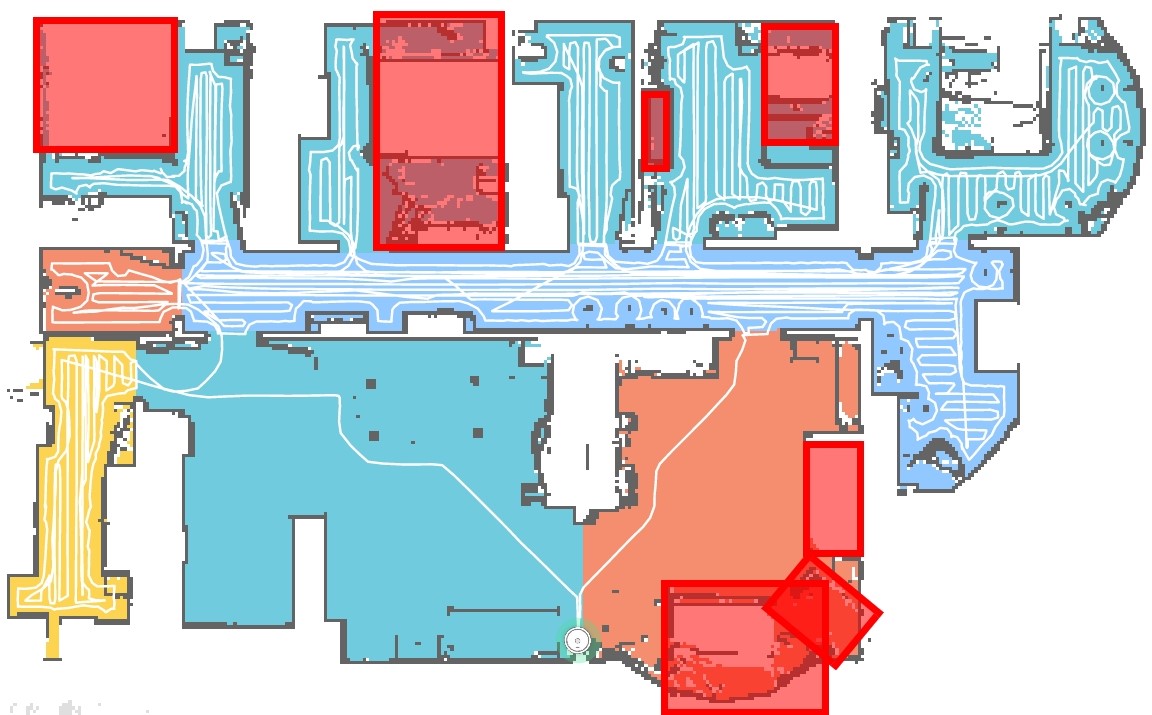
If that's correct then that's a significant limitation, IMHO. My experience is that the ability to set permanent 'no-go' zones - without the whole hassle of using magnetic tape etc -  is critical to using our cleaner. For example, it would get stuck under the couches, as it was stupid enough to think it could fit under them (out by a very few mm); or would get tangled in power cords under dressers; or try to clean under a bed where stuff was stored... Given we run the cleaner when we're out of the house (and just make sure stools etc are up before we leave for work) it was really frustrating to have to go home to sort it out, or have it run for ages when we got home (they are far from quick if doing the whole house). Now those no-go zones are sorted it hardly ever gets stuck (ironically, it has this morning! Now it's typically caused by a piece of Lego or some other toy left by the kids...).


Shop now at Mighty Ape (affiliate link).
ringbearer
122 posts

Master Geek
+1 received by user: 18

Trusted

  #2423880 19-Feb-2020 11:38
Send private message

jonathan18:


... and here's why I wouldn't go with the E35 (had a feeling from the descriptions it was lacking in this space, but confirmed in this review):


The Roborock Xiaowa E35 has a mapping feature, but I’m confused as to its purpose. It builds a live map that you can view in the mobile app as it cleans, but the map isn’t persistent; it restarts from scratch with subsequent cleanings. You can’t mark areas to avoid, you can’t create zones, and you can’t use the map to direct where the vacuum should go. As far as I can tell, it only exists to show you where it has gone during the current cleaning cycle.


https://www.makeuseof.com/tag/roborock-xiaowa-e35-review/


If that's correct then that's a significant limitation, IMHO. My experience is that the ability to set permanent 'no-go' zones - without the whole hassle of using magnetic tape etc -  is critical to using our cleaner. For example, it would get stuck under the couches, as it was stupid enough to think it could fit under them (out by a very few mm); or would get tangled in power cords under dressers; or try to clean under a bed where stuff was stored... Given we run the cleaner when we're out of the house (and just make sure stools etc are up before we leave for work) it was really frustrating to have to go home to sort it out, or have it run for ages when we got home (they are far from quick if doing the whole house). Now those no-go zones are sorted it hardly ever gets stuck (ironically, it has this morning! Now it's typically caused by a piece of Lego or some other toy left by the kids...).


Ah brilliant, that helps make up my mind. And thanks for that ex demo link as well, I hadn't noticed that yet.


jonathan18
7415 posts

Uber Geek
+1 received by user: 2850

ID Verified
Trusted

  #2464732 18-Apr-2020 13:26
Send private message

In a firmware upgrade a couple of months back, the Roborock S50 now has the room divide feature of their newer model. It not only allows the (relatively) easy division of the house into rooms but, even more usefully, timers can be set to vacuum specific rooms of the house. This allows us to vacuum the lounge/dining/kitchen spaces more frequently, plus mean we can force it to vacuum certain rooms first, which is really useful when the whole family is forcibly at home all day every day (we get the living spaces done first, so it doesn't interrupt the kids' school work). 


adida101
127 posts

Master Geek
+1 received by user: 21


  #2464747 18-Apr-2020 13:57
Send private message

Unfortunately after just under one year of moderate usage our roborock S50 developed a permanent "Error 1, try turning the Laser sensor", which doesn't resolve despite turning the laser head, cleaning it out, resetting the device etc. From googling it sounds like a reasonably common issue and a problem with the LDS sensor itself. Thankfully the unit was just within the warranty period and handled very well by Dick Smith who have collected it for a warranty claim. Has anyone else had similar issues?


Edwood
218 posts

Master Geek
+1 received by user: 21


  #2467546 22-Apr-2020 07:57
Send private message

I can't remember model numbers, but I have the Xiaomi Mi vacuum and an E series with mop function (labeled Xiaowa)


My Mi has Lidar


My E does not


The E mapping feature looks/feels much more simplistic in the app. It is also more clumsy around the house and bumps into walls and furniture without the same finesse of the lidar unit.


I'll eventually get around to putting 'Old White' on TradeMe (the lidar unit) and will stick with the mopping one. Two vacuums in our apartment is way OTT!


kiwijunglist
2983 posts

Uber Geek
+1 received by user: 135

ID Verified

  #2473639 29-Apr-2020 20:28
Send private message

Just wondering if anyone is running any of the alternative firmwares for the Gen 1 Mi Robot Vacuum?


I was looking at adding root access so I can use the live map feature in home assistant
https://community.home-assistant.io/t/xiaomi-vacuum-interactive-map-card/123901
https://github.com/PiotrMachowski/Lovelace-Xiaomi-Vacuum-Map-card


... But then I wondered if I should just remove the vacuum completely from the cloud ?


-Kiwi


HTPC / Home automation (home assistant) enthusiast.


Shop now for Dyson appliances (affiliate link).
Rmani
295 posts

Ultimate Geek
+1 received by user: 98

ID Verified
Lifetime subscriber

  #2552056 29-Aug-2020 20:15
Send private message

Looking to go for Roborock S6. How is it compared to iRobot Roomba i7+? Any feedbacks/suggestions/recommendations?


Cheers


Rmani


Obraik
2167 posts

Uber Geek
+1 received by user: 1347


  #2552181 29-Aug-2020 23:18
Send private message

Personally, I think the self emptying aspect of the i7+ makes it the better option. It really makes vacuuming a fully automatic process.


Looking to buy a Tesla? Use my referral link and we both get credits


Rmani
295 posts

Ultimate Geek
+1 received by user: 98

ID Verified
Lifetime subscriber

  #2552183 29-Aug-2020 23:25
Send private message

Obraik: Personally, I think the self emptying aspect of the i7+ makes it the better option. It really makes vacuuming a fully automatic process.


I was also thinking the same, wasn't sure if the cost difference is justifiable. Also, how is i7+'s performance in carpets (90% carpet, 10%tiles, no pets).


Rmani


Obraik
2167 posts

Uber Geek
+1 received by user: 1347


  #2552184 29-Aug-2020 23:40
Send private message

That's about the same layout as my house except I've also got a cat. I have no complaints with its carpet performance. I've even checked on it with the Dyson I also have and done a run over some high traffic areas and the Dyson didn't pick up anything the Roomba didn't.


Looking to buy a Tesla? Use my referral link and we both get credits


1 | ... | 35 | 36 | 37 | 38 | 39 | 40 | 41
View this topic in a long page with up to 500 replies per page Create new topic


Geekzone Live »

Try automatic live updates from Geekzone directly in your browser, without refreshing the page, with Geekzone Live now.


Are you subscribed to our RSS feed? You can download the latest headlines and summaries from our stories directly to your computer or smartphone by using a feed reader.