Geekzone: technology news, blogs, forums
Guest
Welcome Guest.
You haven't logged in yet. If you don't have an account you can register now.


mattwnz

20515 posts

Uber Geek
+1 received by user: 4794


#318467 20-Jan-2025 16:39
Send private message

I am trying to setup the Eufy App on a new phone, but after logging in, it says it has sent me a TXT to my phone number, but I never receive it so can't complete the setup. Incoming TXTs from others are working fine. Anyone else having trouble getting TXTs from Eufy? I am guessing it is a problem at their end. My phone is on One NZ.  It is an existing account so they already have all my details and 2FA was setup several years ago. 


Create new topic
richms
29097 posts

Uber Geek
+1 received by user: 10205

Trusted
Lifetime subscriber

  #3333625 20-Jan-2025 16:44
Send private message

Have you checked your junk senders list on the phone?


The gateway that work uses seems to share with some clothes companies that send lots of crap out so gets treated by the android SMS apps as spam if some of those have come to the handset in the past.


Richard rich.ms


mattwnz

20515 posts

Uber Geek
+1 received by user: 4794


  #3333629 20-Jan-2025 16:48
Send private message

I am receiving it on an iphone and can't see any junkmail folder


caffynz
317 posts

Ultimate Geek
+1 received by user: 139

ID Verified
Subscriber

  #3333682 20-Jan-2025 17:08
Send private message

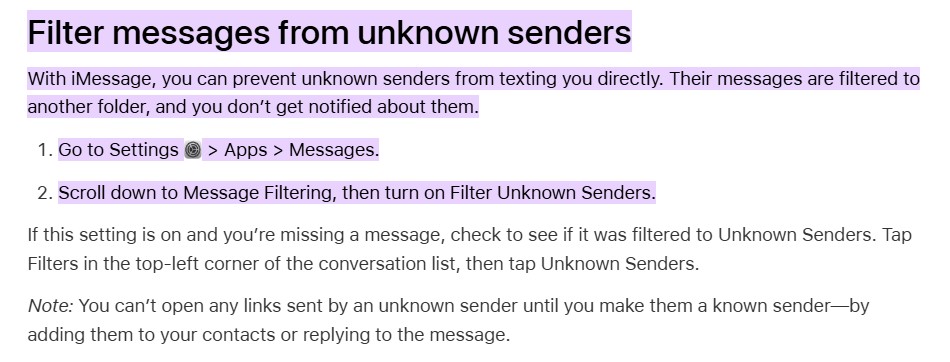
Do you use iMessage? Checked your filter settings?


mattwnz

20515 posts

Uber Geek
+1 received by user: 4794


  #3333686 20-Jan-2025 17:14
Send private message

caffynz:


Do you use iMessage? Checked your filter settings?


Thanks, I have checked that and that filter feature is disabled, so all messages should be coming through to the main inbox. I am getting 2FA messages from other places which seem to come from odd random 4 digit numbers. Just Eufys 2FA not working. 


yann
138 posts

Master Geek
+1 received by user: 37


#3333910 20-Jan-2025 22:08
Send private message

From my understanding, the Eufy App tends to default to email.  I think when I've used it, it tends to send me emails, even if a phone number is loaded.  I don't think there is a mechanism to set user preference from what I remember - this is via iOS.  I just had a quick try to change some 2FA settings in my app and it sent the code to my email address even when adding a phone number. Though having said that, I removed my Trusted Phone number to see what happened when I re-added it and nothing get sent through to my email.  When reseting the trusting of the device, it works (being sent to me email), but when adding a phone number - no email is received.  


So it could indeed be something down or maybe it isn't reading the phone number formatting correctly 🤔  The new app does need some bugs ironed out though.


Yann


mattwnz

20515 posts

Uber Geek
+1 received by user: 4794


  #3334453 22-Jan-2025 14:24
Send private message

Thanks. I think the phone format is correct, I removed the 0, in from f the 021 for international formatting (eg +64 21) as I always do.  I think you are right about it being the new app as it has only recently come out. If I log into the website, the 2FA is sent to me email address. But the app only gives the option to send it to the phone. You can't disable 2FA from the website, only the app by the looks of it. I managed to solve setting up the app, by entering the wrong 2FA a few times, and it then emailed it to me. So if anyone else if having the issue, it looks like they have a problem with their SMS 2FA.


Create new topic


Geekzone Live »

Try automatic live updates from Geekzone directly in your browser, without refreshing the page, with Geekzone Live now.


Are you subscribed to our RSS feed? You can download the latest headlines and summaries from our stories directly to your computer or smartphone by using a feed reader.