Geekzone: technology news, blogs, forums
Guest
Welcome Guest.
You haven't logged in yet. If you don't have an account you can register now.


xpd

xpd

Geek of Coastguard
14115 posts

Uber Geek
+1 received by user: 4574

Retired Mod
ID Verified
Trusted
Lifetime subscriber

#324093 26-Feb-2026 08:45
Send private message quote this post

Picked up a Tapo D210 doorbell, and C401 Kit last week to start giving the house some "smarts" and security.


The D210 is running perfectly fine, but the C401, appears to be extremely slow at waking up via the app. 


Example : Go into app, select the D210, get a live view within 10s. Select the C401, and it sits there..... sometimes it comes up with a refresh option which I hit and again wait... if I'm lucky it'll eventually load the live view.


Camera firmware is up to date, wifi shouldn't be an issue (but will be doing extra testing next few days) and camera is fully charged (solar panel). 


Anyone else have a C401 with this issue ?


My t/shooting this week will consist of :


  1. Remove SD card
  2. Setup detection rules etc (not set for recording yet - took while for wife to decide where she wanted me to put the camera for best coverage) and see if detection is recorded even though the camera appears to take ages to wake up.
  3. Move camera closer to Unifi AP to ensure not a network issue (shouldn't be - D210 is same distance and works fine.)



XPD / Gavin


LinkTree


Create new topic
freitasm
BDFL - Memuneh
80646 posts

Uber Geek
+1 received by user: 41030

Administrator
ID Verified
Trusted
Geekzone
Lifetime subscriber

  #3465097 26-Feb-2026 10:35
Send private message quote this post

Are these in a separate VLAN? At home I have all cameras and lights on their own IoT VLAN, set to 2.4 GHz only. This expands coverage and ensure no hoping between bands if the devices are 2.4/5 GHz capable.


Referral links: Quic Broadband (free setup code: R587125ERQ6VE) | Samsung | AliExpress | Wise | Sharesies 


Support Geekzone by subscribing (browse ads-free), or making a one-off or recurring donation through PressPatron.


xpd

xpd

Geek of Coastguard
14115 posts

Uber Geek
+1 received by user: 4574

Retired Mod
ID Verified
Trusted
Lifetime subscriber

  #3465116 26-Feb-2026 11:20
Send private message quote this post

No VLAN - will take look at to help keep things tidy :) . Thanks :)


XPD / Gavin


LinkTree


Xile
175 posts

Master Geek
+1 received by user: 31

ID Verified

  #3465213 26-Feb-2026 15:45
Send private message quote this post

xpd:


Picked up a Tapo D210 doorbell, and C401 Kit last week to start giving the house some "smarts" and security.


The D210 is running perfectly fine, but the C401, appears to be extremely slow at waking up via the app. 


Example : Go into app, select the D210, get a live view within 10s. Select the C401, and it sits there..... sometimes it comes up with a refresh option which I hit and again wait... if I'm lucky it'll eventually load the live view.


Camera firmware is up to date, wifi shouldn't be an issue (but will be doing extra testing next few days) and camera is fully charged (solar panel). 


Anyone else have a C401 with this issue ?


My t/shooting this week will consist of :


  1. Remove SD card
  2. Setup detection rules etc (not set for recording yet - took while for wife to decide where she wanted me to put the camera for best coverage) and see if detection is recorded even though the camera appears to take ages to wake up.
  3. Move camera closer to Unifi AP to ensure not a network issue (shouldn't be - D210 is same distance and works fine.)


I have a C110 and a C401.


The C110 will open up straight to the current view. The C401 can take anywhere from a second or two to a long while. Having said that the C110 is practically right next to the mesh unit. The C410 is about 10m from the nearest unit.


xpd

xpd

Geek of Coastguard
14115 posts

Uber Geek
+1 received by user: 4574

Retired Mod
ID Verified
Trusted
Lifetime subscriber

  #3465278 26-Feb-2026 21:10
Send private message quote this post

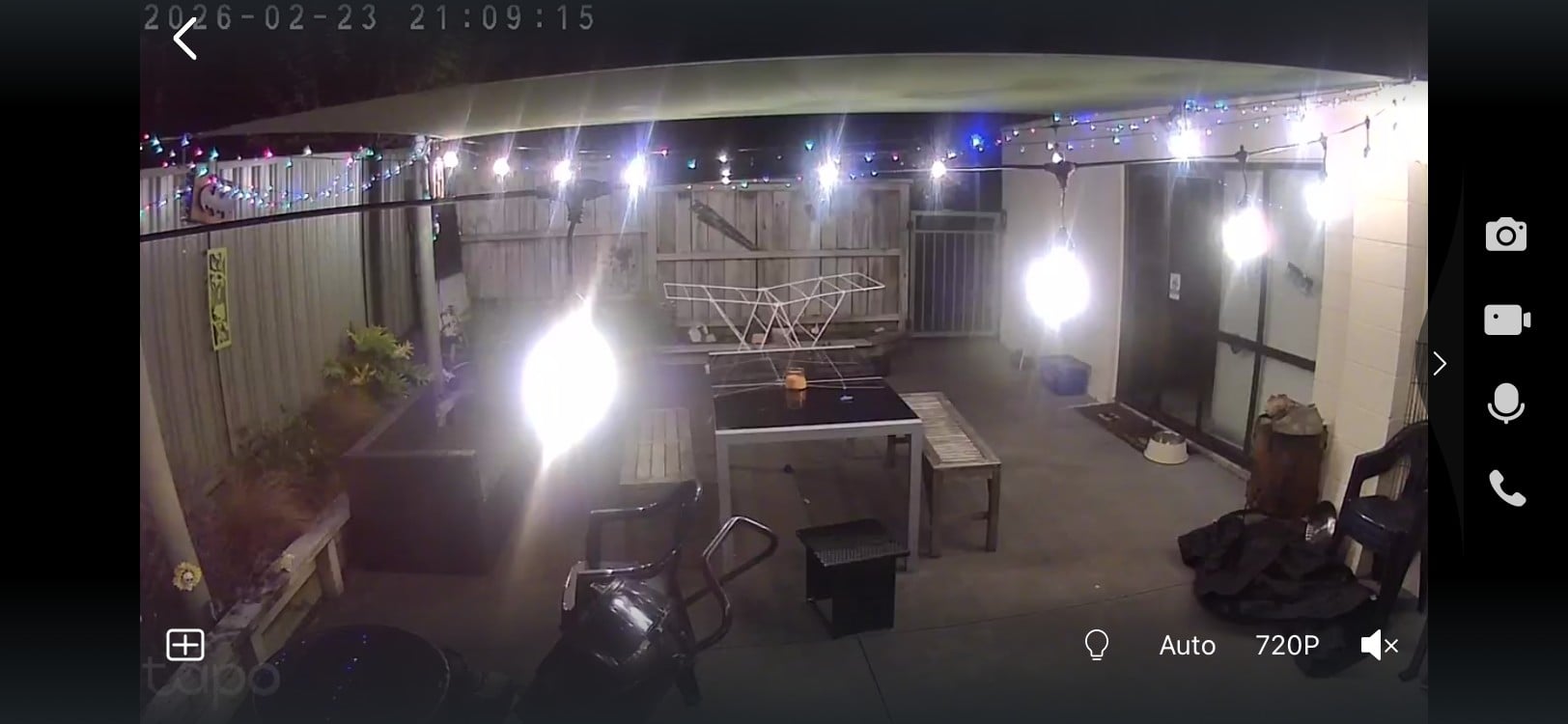
No change with wifi changes. Once Ive got a connection to it, it seems ok, responds quite happily to anything I ask it to do. Close the app, then go back in, and its either still responding or dead again. The AP its connecting to is on the other side of that brick wall on the right - I know, brick isnt great etc, but all our phones happily run off that AP when we're out there, so a bit frustrating to work out.... especially when the Unifi controller shows all good. Might drag the AP outside over the weekend and see how it behaves ;)


XPD / Gavin


LinkTree


xpd

xpd

Geek of Coastguard
14115 posts

Uber Geek
+1 received by user: 4574

Retired Mod
ID Verified
Trusted
Lifetime subscriber

  #3465380 27-Feb-2026 11:28
Send private message quote this post

Interesting... took look at wifi stats this morning and altho theyre showing as poor now, I seem to be getting better response. Its set to 2.4 only for the cameras now. So must be wifi related - pain is its not something I can probably fix easily....  unless I can find a dirt cheap outdoor AP to put there.


XPD / Gavin


LinkTree


richms
29098 posts

Uber Geek
+1 received by user: 10208

Trusted
Lifetime subscriber

  #3465384 27-Feb-2026 11:54
Send private message quote this post

IME 2.4GHz outside is useless as there is enough channel use from all the neighbours networks coming out of their houses that devices see that and hold off transmission. I ended up sticking the outdoor APs on ch 3 and 9 (from memory) so that all the 1,6,11 stuff didn't affect it as much. That got the ring cameras at the back of the lawn able to stream video to me over it and also means that when I am mowing the lawn using wifi for music it will work ok. Now the unifi chart is a lot cleaner as well. On 1 or 6 I could not stream tidal without it breaking up, and the connection to the cameras was glitchy as hell.


Richard rich.ms


Shop now for Dell laptops and other devices (affiliate link).
Xile
175 posts

Master Geek
+1 received by user: 31

ID Verified

  #3465880 2-Mar-2026 08:35
Send private message quote this post

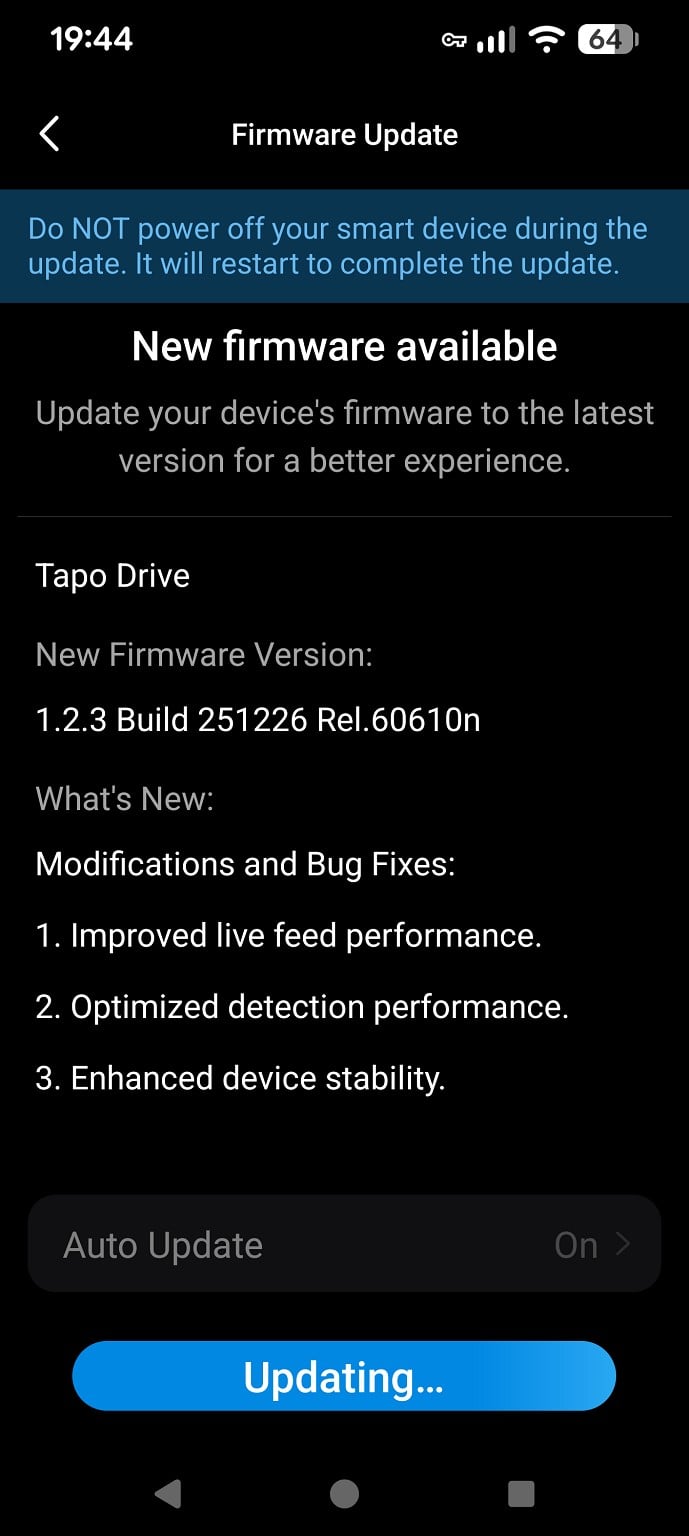
There is a new firmware available. Didn't make much difference to my camera when I downloaded it yesterday evening. This morning I had trouble connecting but seems to be back to (my) normal now.


xpd

xpd

Geek of Coastguard
14115 posts

Uber Geek
+1 received by user: 4574

Retired Mod
ID Verified
Trusted
Lifetime subscriber

  #3465883 2-Mar-2026 08:43
Send private message quote this post

Odd, mine isn't seeing that firmware. 


(Shrug)


Mines been a little bit better since shifting the wifi AP a bit closer, so looks like it is just network related. I'm looking to move the AP away from the brick wall a bit more once I dig out a longer network cable :)


XPD / Gavin


LinkTree


Create new topic


Geekzone Live »

Try automatic live updates from Geekzone directly in your browser, without refreshing the page, with Geekzone Live now.


Are you subscribed to our RSS feed? You can download the latest headlines and summaries from our stories directly to your computer or smartphone by using a feed reader.