Geekzone: technology news, blogs, forums
Guest
Welcome Guest.
You haven't logged in yet. If you don't have an account you can register now.


Filter this topic showing only the reply marked as answer View this topic in a long page with up to 500 replies per page Create new topic
1 | 2 | 3 | 4
Batman

Mad Scientist
30014 posts

Uber Geek
+1 received by user: 6217

Trusted
Lifetime subscriber

  #2797323 18-Oct-2021 20:32
Send private message

thanks


anyway, after buying a domain, i have no idea how to get emails or set up email accounts for my domain


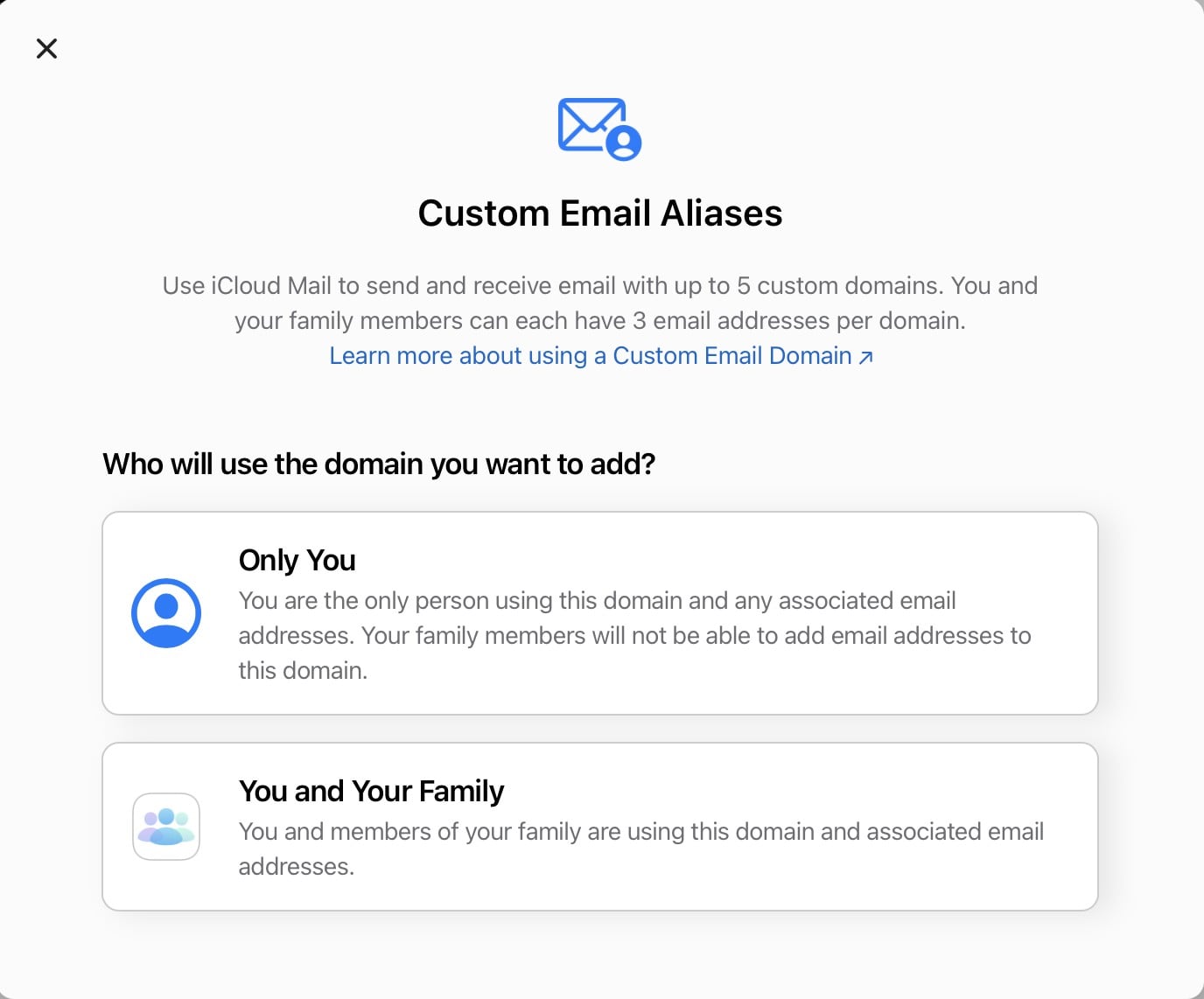
one thing i did learn ... i didn't need icloud to use domain emails lol.


there are other options like google ... ? microsoft .. etc


zocster
1994 posts

Uber Geek
+1 received by user: 105

ID Verified
Trusted
Lifetime subscriber

  #2797326 18-Oct-2021 20:37
Send private message

Batman:


thanks


anyway, after buying a domain, i have no idea how to get emails or set up email accounts for my domain


one thing i did learn ... i didn't need icloud to use domain emails lol.


there are other options like google ... ? microsoft .. etc


I guess the whole idea is instead of paying extra for an email provider, if you are already on apple 1 family plan which includes iCloud+ then it's a no brainer to have one of the domain with no email service. But yeah zoho, microsoft and google are good providers, but i'd stick to microsoft subscription due to the use of office. 


Batman

Mad Scientist
30014 posts

Uber Geek
+1 received by user: 6217

Trusted
Lifetime subscriber

  #2797329 18-Oct-2021 20:41
Send private message

hmm ...


just realised the icloud service allows unlimited email creation - am i correct about this?


i don't suppose i can create unlimited emails on google and microsoft ...


anyway still trying to understand how i can get one email address going with my domain .. let alone 100


haven't found any articles that explains my conundrum. i guess i'll take it day by day


zocster
1994 posts

Uber Geek
+1 received by user: 105

ID Verified
Trusted
Lifetime subscriber

  #2797332 18-Oct-2021 20:46
Send private message


That reminds me, I don't need to subscribe to MS for one of the domain I barely use lol. thanks for bringing this topic up. 


Batman

Mad Scientist
30014 posts

Uber Geek
+1 received by user: 6217

Trusted
Lifetime subscriber

  #2797362 18-Oct-2021 21:06
Send private message

ah so i confused myself - icloud is not a way to create unlimited email addresses with a domain. i get i now.


so i need to get my web registrar to host emails ... hmm


dfnt
1553 posts

Uber Geek
+1 received by user: 1036

Trusted
Lifetime subscriber

  #2797367 18-Oct-2021 21:14
Send private message

why do you want your own domain, when you can just use hide my email to create an unlimited number of randomly generated @icloud.com addresses to use for sites?


HP


Shop now for HP laptops and other devices (affiliate link).
chiefie
I iz your trusted friend
5877 posts

Uber Geek
+1 received by user: 151

Retired Mod
Trusted
Lifetime subscriber

  #2797369 18-Oct-2021 21:15
Send private message

I went with Google Workspace with 1 user for myself, I registered a bunch of domains with IWantMyName.com (I transferred my last and longer domain from CrazyDomains just after OpenHost transitioned to them, which was formerly WebDriver. O/T: I find IWMN is simply great and easy.

With Google Workspace, I set up a primary domain which I use as login, I then registered all the secondary domains and configured them as aliases (mailboxes+domains aliasing) to a single user mailbox.


Internet is my backyard...


«Geekzone blog: Tech 'n Chips Takeaway» «Personal blog: And then...»


Please read the Geekzone's FUG


Batman

Mad Scientist
30014 posts

Uber Geek
+1 received by user: 6217

Trusted
Lifetime subscriber

  #2797374 18-Oct-2021 21:33
Send private message

dfnt:


why do you want your own domain, when you can just use hide my email to create an unlimited number of randomly generated @icloud.com addresses to use for sites?


i thought it would be cool?


Batman

Mad Scientist
30014 posts

Uber Geek
+1 received by user: 6217

Trusted
Lifetime subscriber

  #2797375 18-Oct-2021 21:35
Send private message

chiefie:


I went with Google Workspace with 1 user for myself, I registered a bunch of domains with IWantMyName.com (I transferred my last and longer domain from CrazyDomains just after OpenHost transitioned to them, which was formerly WebDriver. O/T: I find IWMN is simply great and easy.

With Google Workspace, I set up a primary domain which I use as login, I then registered all the secondary domains and configured them as aliases (mailboxes+domains aliasing) to a single user mailbox.


are you able to generate new email ids or do you need IWMN to be the host email server for each email address? this is the bit i'm getting confused - who generates and who hosts each email address


thanks


yes i have just read about google workspace and will be exploring it


my google is linked to 99% of my life now so what's another layer of management lol. 


chiefie
I iz your trusted friend
5877 posts

Uber Geek
+1 received by user: 151

Retired Mod
Trusted
Lifetime subscriber

  #2797381 18-Oct-2021 21:43
Send private message

Batman:


chiefie:


I went with Google Workspace with 1 user for myself, I registered a bunch of domains with IWantMyName.com (I transferred my last and longer domain from CrazyDomains just after OpenHost transitioned to them, which was formerly WebDriver. O/T: I find IWMN is simply great and easy.

With Google Workspace, I set up a primary domain which I use as login, I then registered all the secondary domains and configured them as aliases (mailboxes+domains aliasing) to a single user mailbox.


are you able to generate new email ids or do you need IWMN to be the host email server for each email address? this is the bit i'm getting confused - who generates and who hosts each email address


thanks


yes i have just read about google workspace and will be exploring it


my google is linked to 99% of my life now so what's another layer of management lol. 


Although, I have Apple One for Family, I didn't opt for iCloud+ services; I found the way I have set up and made use of Google Workspace fits my usage better. I must admit I have not explore into what iCloud+ services can help/extend my existing usage but at the same time, I have a separate (long going) gmail account that I use as my "collect all" for sites I sign up etc. I am also being careful and diligent on how I use my personal email address (gmail) and when-how to use private email addresses (Google Workspace).


Internet is my backyard...


«Geekzone blog: Tech 'n Chips Takeaway» «Personal blog: And then...»


Please read the Geekzone's FUG


ANglEAUT
altered-ego
2436 posts

Uber Geek
+1 received by user: 842

Trusted
Lifetime subscriber

  #2797426 19-Oct-2021 00:29
Send private message

Batman: ah so i confused myself - icloud is not a way to create unlimited email addresses with a domain. ...


Here's a simple explainer


  1. DNS


    1. Converts domain names to IP addresses so that routers can carry the packets of data to their destination (the web server, the mail server, your PC, etc...)
    2. King of the hill for other services listed below
    3. Has various types of records associated with it


      1. A /AAAA records: Contains to IPv4/IPv6 address of your web server
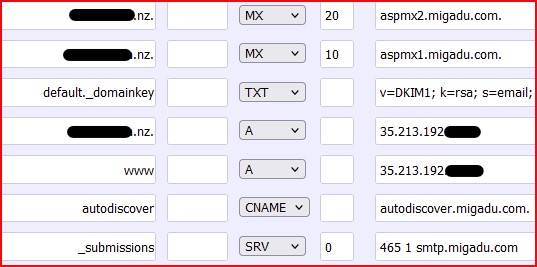
      2. MX records: Which servers must receive the incoming emails (includes priority value)
      3. TXT records: Generic records that don't have their own class of record. SPF & DKIM values are two examples
      4. CNAME records: Aliases
      5. etc ...


    4. Name servers such as NS1.provider.tld or NS2.mydomain.tld store & publish the above records


  2. Web server


    1. This is where you host your web site
    2. In SME / home environments, this can be the same as your DNS & email server, larger environments split these functions
    3. Requires either a CNAME or A/AAAA record so that when you type www.website.tld into your browser, the DNS server can tell your browser to which IP address to connect to


  3. Email server


    1. Requires MX (Mail eXchange) records to receive emails via SMTP
    2. Requires A/AAAA records so that names like smtp.mydomain.tld or mail.mydomain.tld can be resolved by DNS
    3. Runs the software to either relay or store the emails received.


      1. In SME / home environments, this can be the same server. In larger environments, there is an internet facing relay server to receive emails and a user facing mailbox server to show the emails to the end user


    4. You get three "types of email addresses"


      1. User mailbox - One inbox for one specific person / purpose. This is basically what you see when you log into Gmail or Yahoo mail or or mailbox provider web site
      2. Distribution list - One email address that will copy the incoming email into the mailbox of every person that is a member of the DL. Put differently, a DL is a pointer into many user mailboxes. An example would be nz@globalcompany.xyz which distributes the incoming email to every employee located in New Zealand.
      3. Catch all mailbox - Incoming emails sent to an address that can't be linked to a user mailbox or DL can be collected in this catch all mailbox. This is a specific case of a user mailbox. If you enable this, be prepared for a lot of SPAM here.
      4. /dev/nul - If you don't enable a catch all mailbox, incoming emails sent to an address that can't be linked to a user mailbox or DL will be dropped


    5. Email addresses can also have an alias


      1. This is useful when you want to funnel emails addressed to different addresses to arrive in the same
      2. This is useful when you want to send emails as two different entities from the same mailbox


  4. VPN / firewall / gateways / proxy server


    1. All different devices relying on DNS to translate the name to an IP address


So, what you are interested in is 3.4.1 (user mailbox) & maybe 3.4.3 (catch all mailbox)


  • Emails have two parts


    • After the @ sign, you have the domain. This is managed by the mail admin together with the DNS admin. For work, this is specified by the company, for free email providers, this is specified by the provider. For personal use such as in your case, you are the mail & DNS admin and the domain is specified by you
    • In front of the @ sign is the local / user part of the email address. In the examples below, I'll use "memyselfI" as the user part
  • Yahoo allows you to create 1 user mailbox per yahoo.com email address
  • Microsoft allows you to create 1 user mailbox and you can choose wither @outlook.com or @hotmail.com or @msn.com as the domain part


    • For Office 365 / Microsoft 365 subscriptions, every user mailbox will cost you 1 license. DL's & aliases are free
  • Gmail allows you to create 1 user mailbox per gmail.com email address.


    • Let's say you sign up for memyselfI@gmail.com. That's where people send emails to when they want to communicate with you.
    • Gmail also allows you to create task-specific email addresses. These are email addres with a plus sign and text after the user part part of the email address.


      • Think of these email addresses with a plus sign as an alias to your mailbox
      • Besides the main email address of memyselfI@gmail.com, you can also have memyselfI+IWantSuperPowers@gmail.com and you can have memyselfI+companyXYZ@gmail.com and memyselfI+website.co.nz@gmail.com.
      • All of these "plus sign" email addresses can only receive email. You can't use them to send email
      • You can have an "unlimited" number of these task-secific email addresses
    • For Google Workspace subscriptions, every user mailbox will cost you 1 license. DL's & aliases are free
  • Apple & iCloud+ for "hide my email" seem to use a transparent alias for your email address. You can have as many of these as you want & it seems like you can reply from these, unlike the task-specific Gmail accounts. Only an iCloud account & iCloud+ subscription required. No personal domain required.
  • Migadu is one of the companies that allow you to have unlimited number of user mailboxes. Their pricing is based on volume of email.

To me it sounds like you can achieve what you want without the need for your own custom domain.


Please keep this GZ community vibrant by contributing in a constructive & respectful manner.


Support Geekzone with one-off or recurring donations Donate via PressPatron.
Batman

Mad Scientist
30014 posts

Uber Geek
+1 received by user: 6217

Trusted
Lifetime subscriber

  #2797439 19-Oct-2021 06:03
Send private message

thanks I'm going to digest all these and ask some questions.


so now i 


1. own a domain


2. signed up to trial google workspace


i ... just .. need to connect all the dots in the middle!


i guess my first question is - owning a domain with a registrar (crazydomains) will not in itself allow me to set up emails service? i need to pay money somewhere ... 


crazydomains has a "advanced DNS" upgrade. will buying that alone allow me to create email addresses on google workspace?


zocster
1994 posts

Uber Geek
+1 received by user: 105

ID Verified
Trusted
Lifetime subscriber

  #2797441 19-Oct-2021 06:09
Send private message

yes, you need to fully control your dns at your registrar to enable all the features required for hosted emails. 


Batman

Mad Scientist
30014 posts

Uber Geek
+1 received by user: 6217

Trusted
Lifetime subscriber

  #2797443 19-Oct-2021 06:17
Send private message

zocster:


yes, you need to fully control your dns at your registrar to enable all the features required for hosted emails. 


so if i have DNS control i will be able to set up as many emails as i want on google workspace?


thanks


zocster
1994 posts

Uber Geek
+1 received by user: 105

ID Verified
Trusted
Lifetime subscriber

  #2797455 19-Oct-2021 07:37
Send private message

Batman:


zocster:


yes, you need to fully control your dns at your registrar to enable all the features required for hosted emails. 


so if i have DNS control i will be able to set up as many emails as i want on google workspace?


thanks


as much and as many your wallet allows, remember you can have unlimited aliases. 


1 | 2 | 3 | 4
Filter this topic showing only the reply marked as answer View this topic in a long page with up to 500 replies per page Create new topic


Geekzone Live »

Try automatic live updates from Geekzone directly in your browser, without refreshing the page, with Geekzone Live now.


Are you subscribed to our RSS feed? You can download the latest headlines and summaries from our stories directly to your computer or smartphone by using a feed reader.