Geekzone: technology news, blogs, forums
Guest
Welcome Guest.
You haven't logged in yet. If you don't have an account you can register now.
To post in this sub-forum you must have made 100 posts or have Trust status or have completed our ID Verification


harlansmart

447 posts

Ultimate Geek
+1 received by user: 59


#272576 2-Jul-2020 20:08
Send private message

Hey GZ'ers,


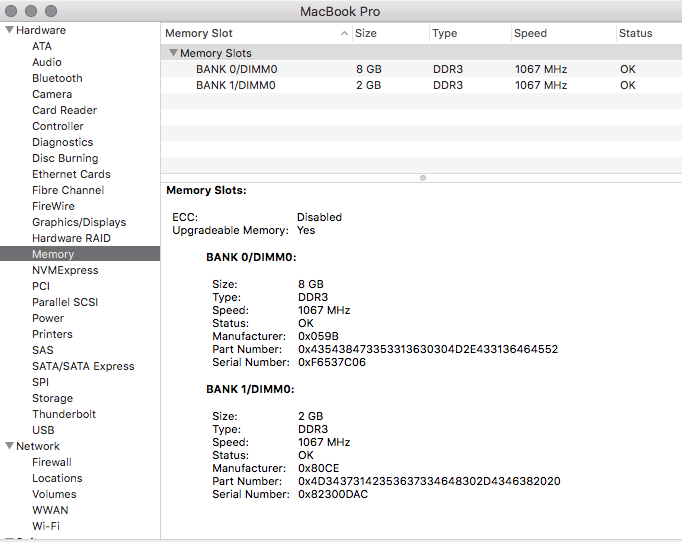
Trying to help someone (who is in their 80's !!) wanting to upgrade their MacBook Pro 2.4 GHz Mid 2010 13" from 2 x 2GB 1067 MHz ---> 2 x 4/8 GB.


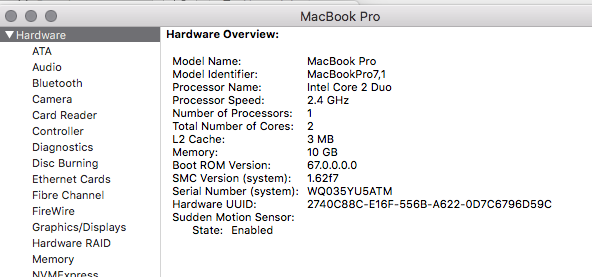
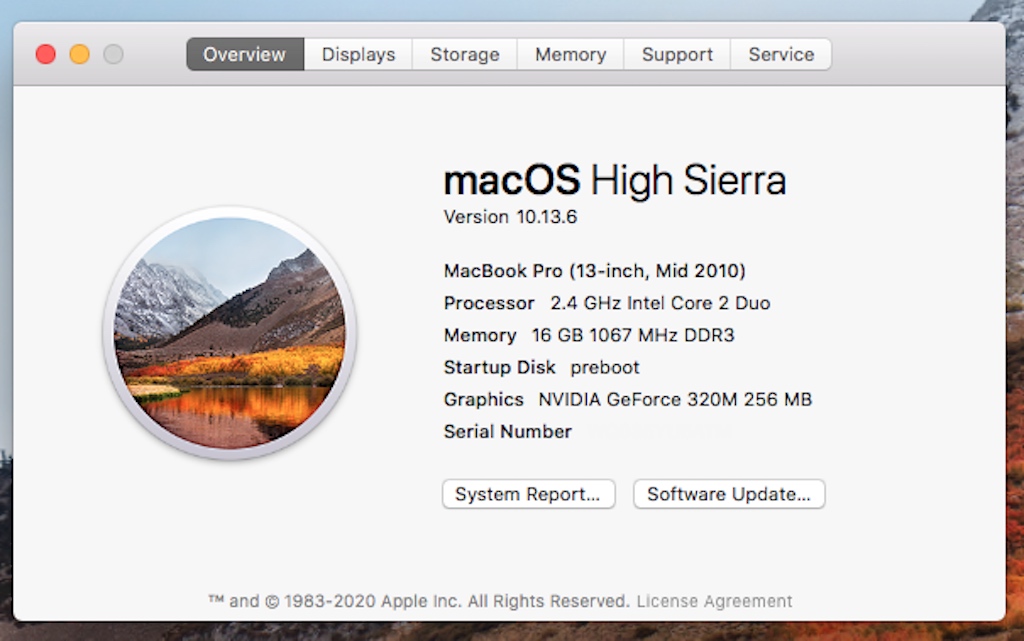
Their 2010 13" Core 2 Duo should be happy with 2 x 4 or 2 x 8GB Modules, but doesn't seem to be, so have just done fresh combo install of latest version 10.13.6 but thats only bumped the Boot ROM up to 68.0.0.0.0 (from 67.0.0.0.0), SMC stayed same... and still cannot boot 2 x 4GB or 2 x 8GB modules.


4GB 1333 MHz and 8GB 1600 MHz sticks only work if a 2GB 1067MHz stick is in there, feck knows why, so I can get 2 + 4 (6GB) or 2 + 8 (10GB) but I cannot get 4 + 4 or 8 + 8 working.... wondering if it's because the only way to run pairs is if they are both 1067 MHz..


Maybe I'm just even more retarded than I ever thought possible, but on the 'off-chance' I'm not, maybe someone can sell, or lend me some 4 or 8GB 1067 MHz laptop modules to test, I'll get CourierPost to collect them, from your place, and return if required etc


TIA


====


macOS 10.13.6


Boot Rom: 68.0.0.0.0


SMC: 162f7


Create new topic
CrashAndBurn
693 posts

Ultimate Geek
+1 received by user: 105


  #2516488 2-Jul-2020 20:38
Send private message

Looks like a known issue wherein it does not down clock and it seems it needed the other RAM with the correct speed as a catalyst.


https://discussions.apple.com/thread/5246623


harlansmart

447 posts

Ultimate Geek
+1 received by user: 59


#2516492 2-Jul-2020 20:47
Send private message

CrashAndBurn:


Looks like a known issue wherein it does not down clock and it seems it needed the other RAM with the correct speed as a catalyst.


https://discussions.apple.com/thread/5246623


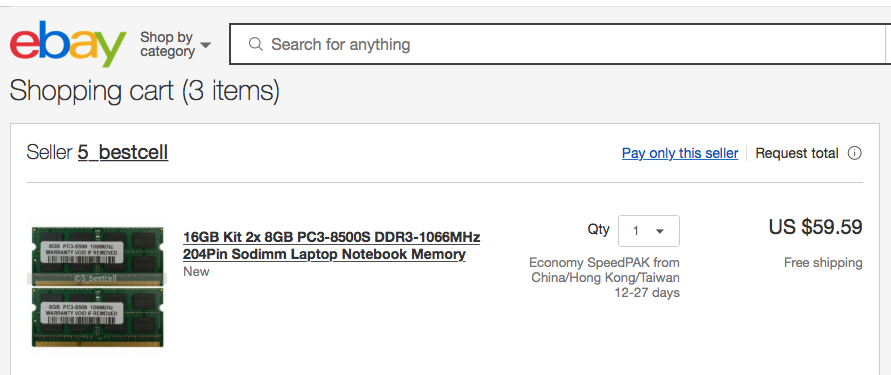
Yup, 99.95% I fully suspect this CrashAndBurn.. just wanted to check before I spend (see below) approx. NZD100 on 2 x 8GB 1067 MHz from ePrey... thing is I have a massive amount of laptop memory modules here, most I'll never use, sick of buying them for SFA purpose frankly


Marmalade
94 posts

Master Geek
+1 received by user: 10

ID Verified

  #2516516 2-Jul-2020 22:18
Send private message

Shame they don't have four slots. I have two 2GB PC3-8500 SO-DIMM's from an iMac here that I'd love to give to someone who could use them.


K8Toledo
1018 posts

Uber Geek
+1 received by user: 311


  #2516983 3-Jul-2020 19:25
Send private message

It's likely the timings.   I get this often with older HP machines, and occasionally Apple lappies.


The trick is to install a DIMM with stock OEM timings along with the other DIMM.  


 Crucial's memory upgrade page will list compatible sticks you can see what the timings are supposed to be.  


harlansmart

447 posts

Ultimate Geek
+1 received by user: 59


  #2522777 14-Jul-2020 14:41
Send private message

2 x 8GB 1067 MHz's sticks arrived this week, like suggested above, this model proves a bit picky in that one module needs be 1067 MHz or it will have issues.


One very happy MacBook Pro owner 💯


Create new topic


Geekzone Live »

Try automatic live updates from Geekzone directly in your browser, without refreshing the page, with Geekzone Live now.


Are you subscribed to our RSS feed? You can download the latest headlines and summaries from our stories directly to your computer or smartphone by using a feed reader.