Geekzone: technology news, blogs, forums
Guest
Welcome Guest.
You haven't logged in yet. If you don't have an account you can register now.
To post in this sub-forum you must have made 100 posts or have Trust status or have completed our ID Verification


neon

156 posts

Master Geek
+1 received by user: 19

ID Verified

#324071 24-Feb-2026 18:20
Send private message quote this post

So I finally got around to organising adding hard wired networking to the house. I figured I would check here first to see if anyone has any leftover cables etc that I can buy rather than buying new. I also have no idea which specific cables I should be buying too (patch cable, installation cable etc).


I want to do few runs to several spots in the house (under the house) from a central networking spot in that garage, and I suspect something like 100m+ would be good just to be sure (more would be ideal). I do want to ideally have a proper wall socket installed at the end points as well as a some female Jacks on the garage side.


Happy to buy these new if I can't find anything cheaper here, but would be great to have some advice on what exactly I should buy and if there's anywhere particular I should look for to get all of them. Is there particularly different kinds of cat6 cables I should be looking for for wiring like this (specially installation cable vs patch cable?)? 


I'm not a huge DIY person, but i have an electrician coming sometime next week for an alternative work, so was hoping to ask them to do the wall sockets etc - so hoping I can source everything before that.


Any help would be appreciated, specially advice/guidance and links :) 


Im in auckland, North Shore.


View this topic in a long page with up to 500 replies per page Create new topic
 1 | 2

Zal

Zal
257 posts

Ultimate Geek
+1 received by user: 26


  #3464398 24-Feb-2026 21:49
Send private message quote this post

Some points that I'm sure others may disagree on but its my 2c.


Sparkys shouldn't be touching cat6, they think they know what they are doing, and will tell you they do, but they don't. They really don't. 


Here is your cable: https://www.pbtech.co.nz/product/CABDNX0772/Dynamix-C-C6-SLD24-GY-Cat6-UTP-Solid-Cable-Roll


Face plates https://www.pbtech.co.nz/product/ITPFPKS0021/Dynamix-FP-2PV2-AMDEX-Dual-Port-RJ-45-Face


jacks https://www.pbtech.co.nz/product/ITPPPUT21/AMDEX-FP-C6-005-Jack-for-AMDEX-Face-Plates---AMDEX


Patch: https://www.pbtech.co.nz/product/CABDNX0354/Dynamix-HPP-1008-1SL-8-Port-Cat6-Slimline-Patch-Pa


You'll need a wall box or go full cabinet on the wall. Save yourself the pain of the sparkys, save some money, find a friend who knows what they are doing and do it yourself :D 


You'll need a punch down tool. 


neon

156 posts

Master Geek
+1 received by user: 19

ID Verified

  #3464403 24-Feb-2026 22:19
Send private message quote this post

Zal:


Some points that I'm sure others may disagree on but its my 2c.


Sparkys shouldn't be touching cat6, they think they know what they are doing, and will tell you they do, but they don't. They really don't. 


Here is your cable: https://www.pbtech.co.nz/product/CABDNX0772/Dynamix-C-C6-SLD24-GY-Cat6-UTP-Solid-Cable-Roll


Face plates https://www.pbtech.co.nz/product/ITPFPKS0021/Dynamix-FP-2PV2-AMDEX-Dual-Port-RJ-45-Face


jacks https://www.pbtech.co.nz/product/ITPPPUT21/AMDEX-FP-C6-005-Jack-for-AMDEX-Face-Plates---AMDEX


Patch: https://www.pbtech.co.nz/product/CABDNX0354/Dynamix-HPP-1008-1SL-8-Port-Cat6-Slimline-Patch-Pa


You'll need a wall box or go full cabinet on the wall. Save yourself the pain of the sparkys, save some money, find a friend who knows what they are doing and do it yourself :D 


You'll need a punch down tool. 


Thank you for that, that is so helpful. That length of cable is overkill though, but i suppose i can do multiple runs for each location (maybe worth it actually). 


Im not exactly using sparkey to do the main work. I have some AC installers (incl sparkey) running under the house next week, so i was going to get them (the sad low paid apprentices that have to crawl under the house) to run the cables under the house for me. But i also figured while they are at it, maybe get them to install the wall fittings since i may not have good tools/experience to do the wall panel and potential clean ducting. Im sure i can get a proper wiring person to do this cleanly, but given that i would have to pay callout fees etc, may not be worth it. I can most definitely do this too, but its hard for me to crawl under the house and i do not have enough tools etc to pull cable through tight spaces (figured a sparkey [or sparkey apprentice] would have those haha).

The Punch down tool is something like this? https://www.pbtech.co.nz/product/TOLPSK0144/ProsKit-CP-3152-Impact-and-Punch-Down-Tool-With-11


How does that patch panel you linked work? The wires get connected on the same side as the port? That looks so weird.


Zal

Zal
257 posts

Ultimate Geek
+1 received by user: 26


  #3464406 24-Feb-2026 22:50
Send private message quote this post

Uh i see. Yep get them to run it, who wants to be under the floor! note that Ethernet and power cable can't be run together. You'll want to keep it 50mm apart. 


You can't loop Ethernet together like power cable, say you want Ethernet in the lounge, kitchen and master bed room, all 3 need their own cables, if I am reading you right. Plus run more than one cable to high use zones like gaming PC, tv, xbox, your plex server and printer. (wifi printers are from the devil) 


That punch down tool may work - this also does https://www.pbtech.co.nz/product/TOLTC0110/Dynamix-CT-PDT110KR-110Krone-Punch-Down-Tool-Metal


You push the cables into slots at the top and punch it down, Ethernet 1 may be your lounge, then 2 and 3 for your xbox and apple tv (all going to the lounge) 


Get them to run it for you, dill the holes etc. Find a friend on here who can help you punch it down, surely someone in Auckland can do this for say $$$ bucks. I would. But I'm in chch :) You will get a better result. 


richms
29098 posts

Uber Geek
+1 received by user: 10207

Trusted
Lifetime subscriber

  #3464416 25-Feb-2026 00:10
Send private message quote this post

I would suggest getting a patch panel that you snap keystones into, it makes adding more at a later stage easier. That one with the punch down on the same side as the jacks is just ugly and will have all your cables exposed where they can both get pulled on, and worse, critiqued by anyone that looks in there.


That is a punch down tool. The cheaper ones tend to lose the click from the mechanism after a few 1000 uses. Cheap will be fine for you. If the blade goes blunt then just cut the excess manually. Slower, but beats spending on a fancy punch down tool.


If time is not a concern for you then look on aliexpress for cheap keystone jacks and similar. All I have got have been perfectly fine.


Richard rich.ms

Goosey
3014 posts

Uber Geek
+1 received by user: 867

Subscriber

  #3464421 25-Feb-2026 06:05
Send private message quote this post

What are you going to use to secure the cable to the underfloor?


remember, it’s not good to staple, or squash these cables (including tight bends).


you don’t want them to sag and cause stress on itself either.


nztim
4012 posts

Uber Geek
+1 received by user: 2710

ID Verified
Trusted
TEAMnetwork
Subscriber

  #3464445 25-Feb-2026 08:57
Send private message quote this post

I strongly suggest NOT using punch down tools, the termination will fail in 2-3 years, instead use quality rapid termination tools for the jacks you buy.


For example CT-RAPV2 is the tool for the FP-C6-007V2 jacks which can be populated into any Dynamix patch panels or face plates. 


Any views expressed on these forums are my own and don't necessarily reflect those of my employer. 


Shop now for Dell laptops and other devices (affiliate link).
s.joseph
606 posts

Ultimate Geek
+1 received by user: 24

Trusted

  #3464463 25-Feb-2026 09:28
Send private message quote this post

I did my own install this year. Originally I was going to run everything under the floor, but once I saw how much room I had under the house I decided to spend my time in the roof and go down instead.


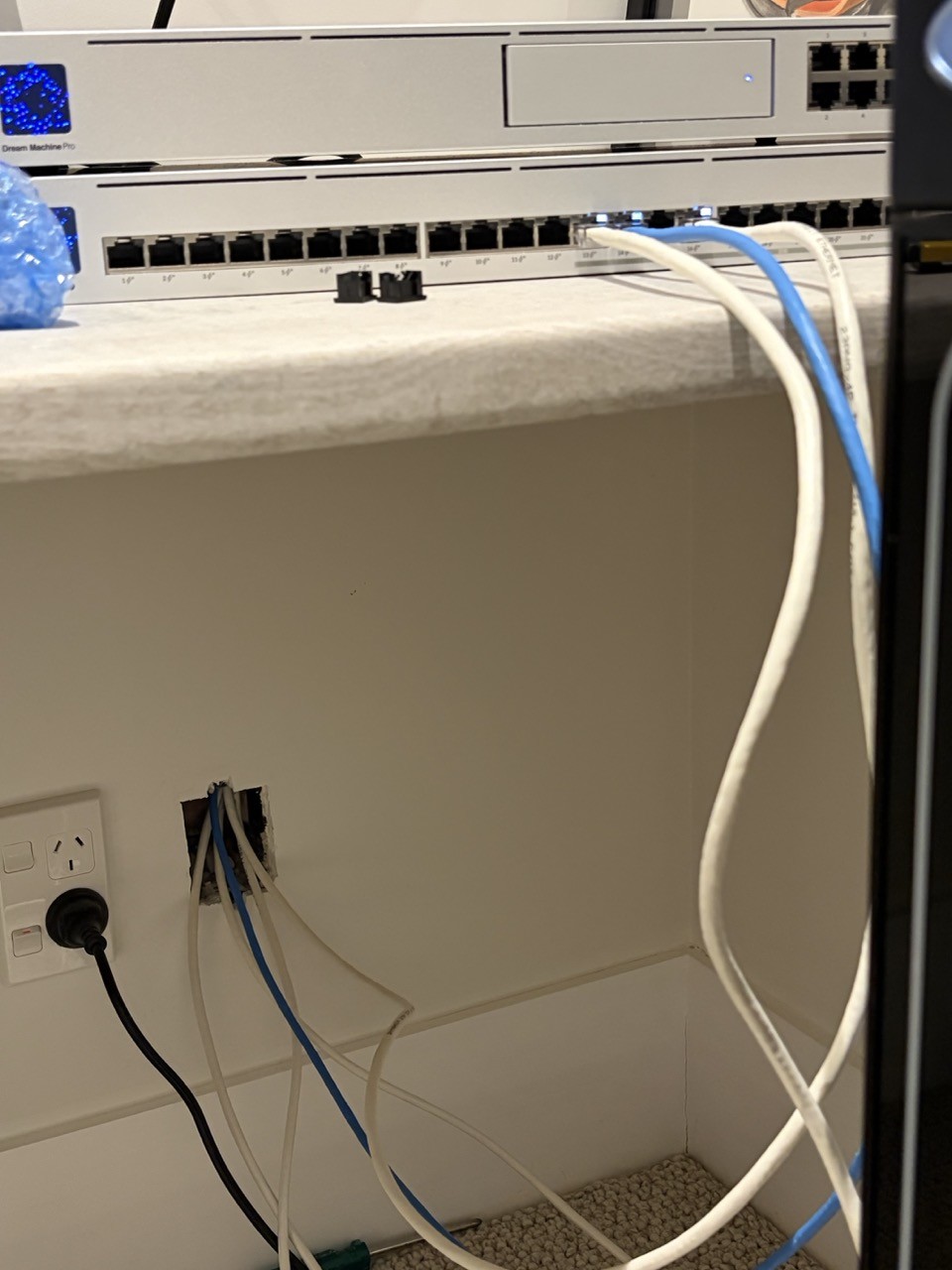
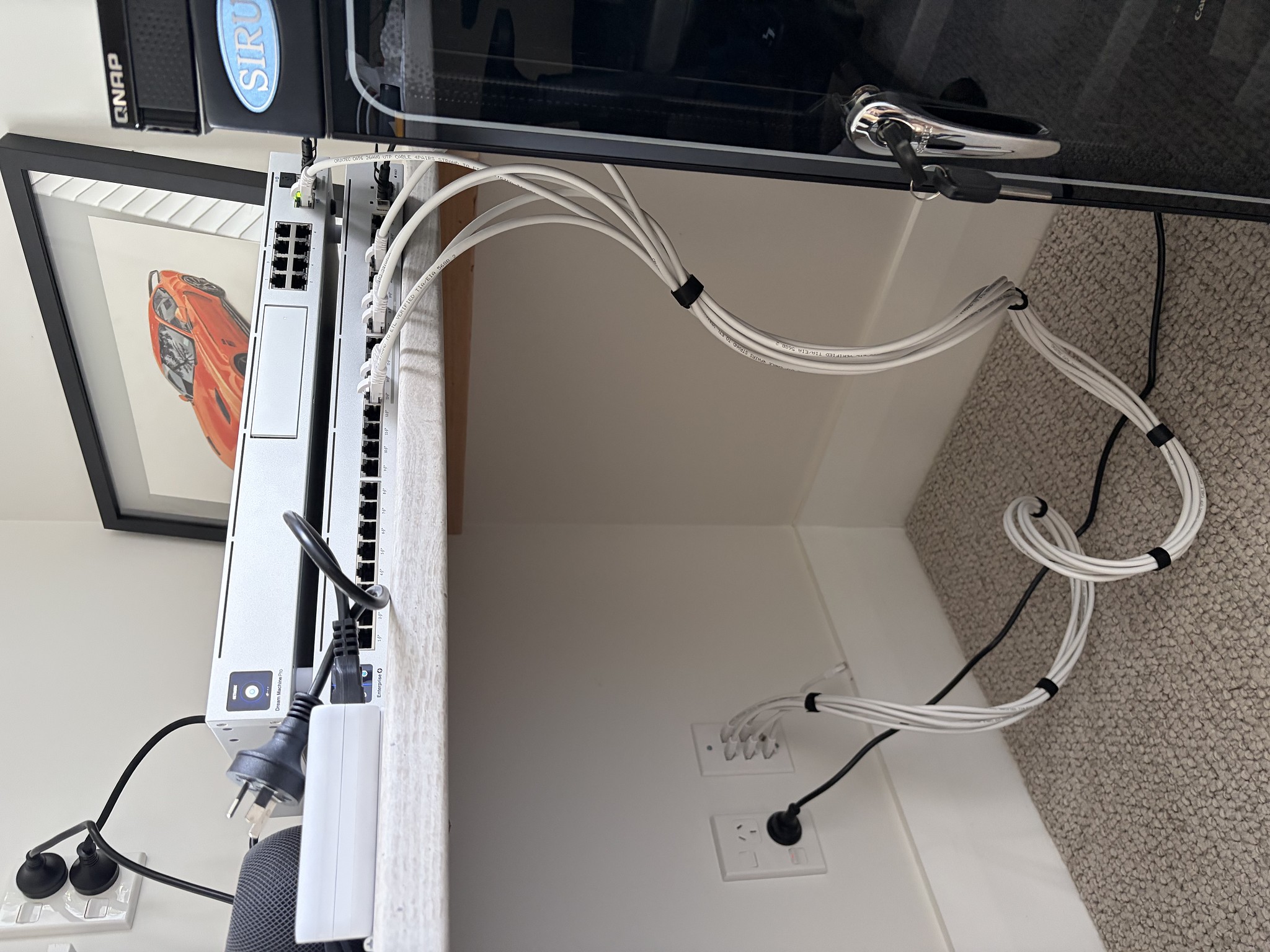
All the parts were from AliExpress apart from the CAT6 cable. At the office end (in the pictures) I used CAT6 female-to-female couplers instead of punching down. That now feeds into a racked ubiquiti patch panel, so it looks much tidier than in these pics.


On the other ends, I used punchdown keystone jacks.


aliexpress gang plate


johno1234
3352 posts

Uber Geek
+1 received by user: 2843


  #3464466 25-Feb-2026 09:41
Send private message quote this post

I'm a fan of back-to-back keystones and pre-terminated cables. Because I'm lazy and not very good at cable stuff.


neon

156 posts

Master Geek
+1 received by user: 19

ID Verified

  #3464619 25-Feb-2026 12:21
Send private message quote this post

Zal:


Uh i see. Yep get them to run it, who wants to be under the floor! note that Ethernet and power cable can't be run together. You'll want to keep it 50mm apart. 


You can't loop Ethernet together like power cable, say you want Ethernet in the lounge, kitchen and master bed room, all 3 need their own cables, if I am reading you right. Plus run more than one cable to high use zones like gaming PC, tv, xbox, your plex server and printer. (wifi printers are from the devil) 


That punch down tool may work - this also does https://www.pbtech.co.nz/product/TOLTC0110/Dynamix-CT-PDT110KR-110Krone-Punch-Down-Tool-Metal


You push the cables into slots at the top and punch it down, Ethernet 1 may be your lounge, then 2 and 3 for your xbox and apple tv (all going to the lounge) 


Get them to run it for you, dill the holes etc. Find a friend on here who can help you punch it down, surely someone in Auckland can do this for say $$$ bucks. I would. But I'm in chch :) You will get a better result. 


Sweet, thanks for the notes, i will keep those in mind. Yeah i was going to run a bunch of wires from the garage (i will use that as the central point for networking) to living room, rumpus, office (two runs each if we have enough time/cables) etc. Multiple runs mainly incase if anything breaks, i have a 2nd cable before having to fix the first haha. I dont think i need a direct individual lines for the xbox/pc/tv etc, i will just use a switch at the destination to split these up. 


That punch down tool is $$$. Hope i can get away with something cheaper.


richms:


I would suggest getting a patch panel that you snap keystones into, it makes adding more at a later stage easier. That one with the punch down on the same side as the jacks is just ugly and will have all your cables exposed where they can both get pulled on, and worse, critiqued by anyone that looks in there.


That is a punch down tool. The cheaper ones tend to lose the click from the mechanism after a few 1000 uses. Cheap will be fine for you. If the blade goes blunt then just cut the excess manually. Slower, but beats spending on a fancy punch down tool.


If time is not a concern for you then look on aliexpress for cheap keystone jacks and similar. All I have got have been perfectly fine.


Thanks for the advice. Yeah i will try my luck with the cheaper punchdown tool. And yeah also going to order things from aliexpress. Ill just get the guys to run the cables/ducting ahead of time, and will do the last punchdown bit later once the aliexpress stuff arrives. 


Goosey:


What are you going to use to secure the cable to the underfloor?


remember, it’s not good to staple, or squash these cables (including tight bends).


you don’t want them to sag and cause stress on itself either.


Was going to staple, yes. Is there a better way? Its not practical for me to hire the sparkey apprentice to live under the house to hold the cable :( 


neon

156 posts

Master Geek
+1 received by user: 19

ID Verified

  #3464666 25-Feb-2026 12:26
Send private message quote this post

nztim:


I strongly suggest NOT using punch down tools, the termination will fail in 2-3 years, instead use quality rapid termination tools for the jacks you buy.


For example CT-RAPV2 is the tool for the FP-C6-007V2 jacks which can be populated into any Dynamix patch panels or face plates. 


The FP-C6-007V2 seems ok, but the CT-RAPV2 seems quite expensive for my usecase. Is punchdown that bad?


if anyone has one of these rapid termination tools that i can borrow, please hook me up :) 


neon

156 posts

Master Geek
+1 received by user: 19

ID Verified

  #3464668 25-Feb-2026 12:29
Send private message quote this post

s.joseph:


I did my own install this year. Originally I was going to run everything under the floor, but once I saw how much room I had under the house I decided to spend my time in the roof and go down instead.


All the parts were from AliExpress apart from the CAT6 cable. At the office end (in the pictures) I used CAT6 female-to-female couplers instead of punching down. That now feeds into a racked ubiquiti patch panel, so it looks much tidier than in these pics.


On the other ends, I used punchdown keystone jacks.


aliexpress gang plate


Hopefully i can have something like this - but i doubt my end result would look this clean haha :) 


Shop now for Dyson appliances (affiliate link).
mail2mm
91 posts

Master Geek
+1 received by user: 13

ID Verified
Trusted
Lifetime subscriber

#3464845 25-Feb-2026 20:06
Send private message quote this post


Goosey:


What are you going to use to secure the cable to the underfloor?


remember, it’s not good to staple, or squash these cables (including tight bends).


you don’t want them to sag and cause stress on itself either.


Was going to staple, yes. Is there a better way? Its not practical for me to hire the sparkey apprentice to live under the house to hold the cable :( 


Good advice from Goosey.  Do NOT under any circumstance secure, fasten communications cable, including Cat 6 with staples.  Too much chance of a staple crushing or nicking the cable.  Even overly tight nylon cable ties can damage the cable and effect performance.


Best to use cable hangers and velcro ties to support, bundle Cat cables.


neon

156 posts

Master Geek
+1 received by user: 19

ID Verified

  #3464849 25-Feb-2026 20:19
Send private message quote this post

mail2mm:


Goosey:


What are you going to use to secure the cable to the underfloor?


remember, it’s not good to staple, or squash these cables (including tight bends).


you don’t want them to sag and cause stress on itself either.


Was going to staple, yes. Is there a better way? Its not practical for me to hire the sparkey apprentice to live under the house to hold the cable :( 


Good advice from Goosey.  Do NOT under any circumstance secure, fasten communications cable, including Cat 6 with staples.  Too much chance of a staple crushing or nicking the cable.  Even overly tight nylon cable ties can damage the cable and effect performance.


Best to use cable hangers and velcro ties to support, bundle Cat cables.


Any particular product(s) that you can point me at that I can use to secure the cat6 cables under the house? Keep in mind that for bulk of the run, there would be about 6 cables going together. 


Zal

Zal
257 posts

Ultimate Geek
+1 received by user: 26


  #3465028 26-Feb-2026 07:42
Send private message quote this post

Just hang them on the joists and if needed use some cable ties around a nail, just be gentle not to pinch the cable or turn it too hard. 


mail2mm
91 posts

Master Geek
+1 received by user: 13

ID Verified
Trusted
Lifetime subscriber

#3465054 26-Feb-2026 08:34
Send private message quote this post


Look for HOOK & LOOP CABLE FASTENER (Velcro) about 19-25mm wide.  It comes in rolls and can be used to bundle cables and used with screw in saddles, screw in J hooks or a bent over nail. 


 1 | 2
View this topic in a long page with up to 500 replies per page Create new topic


Geekzone Live »

Try automatic live updates from Geekzone directly in your browser, without refreshing the page, with Geekzone Live now.


Are you subscribed to our RSS feed? You can download the latest headlines and summaries from our stories directly to your computer or smartphone by using a feed reader.