6.30 has basically destroyed my 7490's wifi. Loading web pages works mostly, but i get lots of connection resets and timeouts. 6.20 was fine. Not sure what's happened. Using Synergy (keyboard/mouse sharing) results in disconnects every 30 seconds. Same with playing games via wifi.
Can't seem to use the downgrade firmware either... do 2D/Snap lock this? What a pain!
spronkey: 6.30 has basically destroyed my 7490's wifi. Loading web pages works mostly, but i get lots of connection resets and timeouts. 6.20 was fine. Not sure what's happened. Using Synergy (keyboard/mouse sharing) results in disconnects every 30 seconds. Same with playing games via wifi.
Can't seem to use the downgrade firmware either... do 2D/Snap lock this? What a pain!
Yes, right down to the fact you can do a recovery using the avm supplied recovery tool either, it reports that the box has a defaultconfig set by the ISP and will refuse to go forward with the recovery, in my case because the box auto updated I took it back to snap but for a very different reason it killed the extfs i had attached.... but I never struck one single problem with the wireless - are you sure everything is setup correctly? Also I know that a friend of mine had his wireless die whenever his daughter used her laptop and she was sitting further away from the fritz than her was.
So it appeared in an attempt to connect her system was drowning out the signal for his.
But both my wife and I have had zero issues with the wireless under 6.20 and 6.30.
are you sure everything is setup correctly? Also I know that a friend of mine had his wireless die whenever his daughter used her laptop and she was sitting further away from the fritz than her was.
So it appeared in an attempt to connect her system was drowning out the signal for his.
But both my wife and I have had zero issues with the wireless under 6.20 and 6.30.
Well, considering absolutely nothing has changed except 6.30 firmware, pretty sure it's the cause. Signal is close to perfect, 35dB SNR Margin on 5GHz and 32dB SNR Margin on 2.4GHz. IPerf gets me 160mbit/sec on default settings on 5GHz 802.11n.
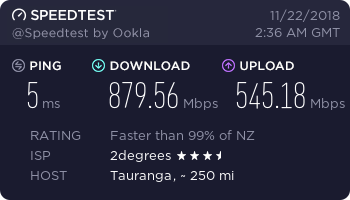
Every now and then it just completely stalls - can see it even in something like SpeedTest. There are zero other wifi devices operating at the moment (I've turned everything off).
are you sure everything is setup correctly? Also I know that a friend of mine had his wireless die whenever his daughter used her laptop and she was sitting further away from the fritz than her was.
So it appeared in an attempt to connect her system was drowning out the signal for his.
But both my wife and I have had zero issues with the wireless under 6.20 and 6.30.
Well, considering absolutely nothing has changed except 6.30 firmware, pretty sure it's the cause. Signal is close to perfect, 35dB SNR Margin on 5GHz and 32dB SNR Margin on 2.4GHz. IPerf gets me 160mbit/sec on default settings on 5GHz 802.11n.
Every now and then it just completely stalls - can see it even in something like SpeedTest. There are zero other wifi devices operating at the moment (I've turned everything off).
Extremely pissed off :<
Possibly interference from someone elses network I.E channel overlap or other devices? Could it possibly be also that the network device on your PC has chosen now to crap out, we had a lot of confusion at one point with a WAP where my wife's notebook would frequently drop connection even though the signal was as strong as it could get, personally I would try a completely separate device before blaming the router, if the symptoms persisted after trying the second device then I'd be asking questions but being that the 6.30 firmware had no issues on our network at home and not having seen mention of any other wireless issues under 6.30 it makes one wonder.
Good luck solving it but yes personally it is incredibly painful not being able to revert firmware because snap has locked things down in this way and funny enough speaking to 2degrees/snap they have told me they are not supporting 6.30 either as they tend to operate behind the times on firmware because of problems they have had with previous firmware.
Falloutboy: Possibly interference from someone elses network I.E channel overlap or other devices? Could it possibly be also that the network device on your PC has chosen now to crap out, we had a lot of confusion at one point with a WAP where my wife's notebook would frequently drop connection even though the signal was as strong as it could get, personally I would try a completely separate device before blaming the router, if the symptoms persisted after trying the second device then I'd be asking questions but being that the 6.30 firmware had no issues on our network at home and not having seen mention of any other wireless issues under 6.30 it makes one wonder.
Good luck solving it but yes personally it is incredibly painful not being able to revert firmware because snap has locked things down in this way and funny enough speaking to 2degrees/snap they have told me they are not supporting 6.30 either as they tend to operate behind the times on firmware because of problems they have had with previous firmware.
Factory reset all settings on 2degrees' advice, still no go. Turned off 5GHz radio, and suddenly, 2.4GHz works flawlessly.
Hrmmm...
2d are arranging a replacement unit for me, good service by them I have to say!
Falloutboy: Possibly interference from someone elses network I.E channel overlap or other devices? Could it possibly be also that the network device on your PC has chosen now to crap out, we had a lot of confusion at one point with a WAP where my wife's notebook would frequently drop connection even though the signal was as strong as it could get, personally I would try a completely separate device before blaming the router, if the symptoms persisted after trying the second device then I'd be asking questions but being that the 6.30 firmware had no issues on our network at home and not having seen mention of any other wireless issues under 6.30 it makes one wonder.
Good luck solving it but yes personally it is incredibly painful not being able to revert firmware because snap has locked things down in this way and funny enough speaking to 2degrees/snap they have told me they are not supporting 6.30 either as they tend to operate behind the times on firmware because of problems they have had with previous firmware.
Factory reset all settings on 2degrees' advice, still no go. Turned off 5GHz radio, and suddenly, 2.4GHz works flawlessly.
Hrmmm...
2d are arranging a replacement unit for me, good service by them I have to say!
Sounds like faulty hardware on the router then and with the firmware upgrade it has pushed the 5GHz radio with some form of optimization which has caused it to curl up it's toes.
Good service - good for you I have found it lacking.
Replacement unit works perfectly, on 2.4GHz and 5GHz. And an extra megabit DSL sync to boot. Running 6.20 firmware, still a little apprehensive about upgrading!
I don't believe it was your firmware but don't upgrade anyway 2degrees/snap has stated they won't support 6.30 until it's fully tested.
I found under 6.30 though that I did get a minor DSL speed improvement but I am not going there because it broke my ext3fs going back to a unit with 6.20 seemed to fix it thank goodness as all my insurance stuff was on there for EQC now it's shared of my main pc and I have two backups to boot.
As I alluded to, for provisioning you are best to leave the shipped ver on there. Especially if it is shown as a beta that's not found online. This Is the customised version that they use to push updates etc to. I had a generic firmware, and all of a sudden when I had more than 4 consecutive linespeed connections it would drop PPP.
Had to call them, and I wasn't found easily as the router wasn't in the management nor had the recent changes required to fix that issue pushed to it. Flashed with the customised back end version and voila. Fixed. Also means updated telephony changes can be pushed if you are using their VOIP service.
Oblivian: As I alluded to, for provisioning you are best to leave the shipped ver on there. Especially if it is shown as a beta that's not found online. This Is the customised version that they use to push updates etc to. I had a generic firmware, and all of a sudden when I had more than 4 consecutive linespeed connections it would drop PPP.
Had to call them, and I wasn't found easily as the router wasn't in the management nor had the recent changes required to fix that issue pushed to it. Flashed with the customised back end version and voila. Fixed. Also means updated telephony changes can be pushed if you are using their VOIP service.
As far as I am aware 6.30 isn't a beta but a full release, it is available on both the Australian and German websites if I remember rightly the latest beta release was either 6.35/6.
I started this discussion to see what results others were having . Interesting as I've had firmware going on my own router from date it launch without single issue. I never been told or advised by snap staff that you not allowed to update your firmware . It comes downs to personal choice but I know in my instance it improve the overall speed of my connection by couple meg/bit. Wifi seem also be stable so not sure why I hear others people have got issues. Maybe that router is faulty or simply could be operator error.
Are you subscribed to our RSS feed? You can download the latest headlines and summaries from our stories directly
to your computer or smartphone by using a feed reader.





 ID Verified
 Trusted