Geekzone: technology news, blogs, forums
Guest
Welcome Guest.
You haven't logged in yet. If you don't have an account you can register now.


naturalhighNZ

32 posts

Geek
+1 received by user: 4


#233482 17-Apr-2018 22:41
Send private message

Hi folks, I have been looking for some time for a guide on getting Ipv6 working on my Synology Router. To date I have been unable to get further than "Limited Connectivity" for Ipv6 and I'm at a loss.

Ive got a Synology 2600ac. Anyone with a Synology Router willing to share their setup?

View this topic in a long page with up to 500 replies per page Create new topic
 1 | 2
freitasm
BDFL - Memuneh
80655 posts

Uber Geek
+1 received by user: 41052

Administrator
ID Verified
Trusted
Geekzone
Lifetime subscriber

  #1998216 17-Apr-2018 23:31
Send private message

I have the same model and I remember having IPv6 enabled when configured out of the box. Once I disabled it (for DNS changes) I couldn't get it enabled again. I guess I could only be certain if the router is factory reset, which would take some time (SSL certificates installed, OpenVPN certificates, rules, etc).


Sorry I can't help much at the moment.


Referral links: Quic Broadband (free setup code: R587125ERQ6VE) | Samsung | AliExpress | Wise | Sharesies 


Support Geekzone by subscribing (browse ads-free), or making a one-off or recurring donation through PressPatron.


naturalhighNZ

32 posts

Geek
+1 received by user: 4


  #1999479 19-Apr-2018 19:50
Send private message

Do you think I should try a fact. reset then and see if that works?

freitasm
BDFL - Memuneh
80655 posts

Uber Geek
+1 received by user: 41052

Administrator
ID Verified
Trusted
Geekzone
Lifetime subscriber

  #1999682 20-Apr-2018 09:11
Send private message

It could be a good test. Remember to keep your username/password handy.


Referral links: Quic Broadband (free setup code: R587125ERQ6VE) | Samsung | AliExpress | Wise | Sharesies 


Support Geekzone by subscribing (browse ads-free), or making a one-off or recurring donation through PressPatron.


cinetech
3 posts

Wannabe Geek


  #2026863 1-Jun-2018 12:02
Send private message

Did this get resolved?  I'm having the same issue.  


Thanks


cinetech
3 posts

Wannabe Geek


  #2030918 6-Jun-2018 14:51
Send private message

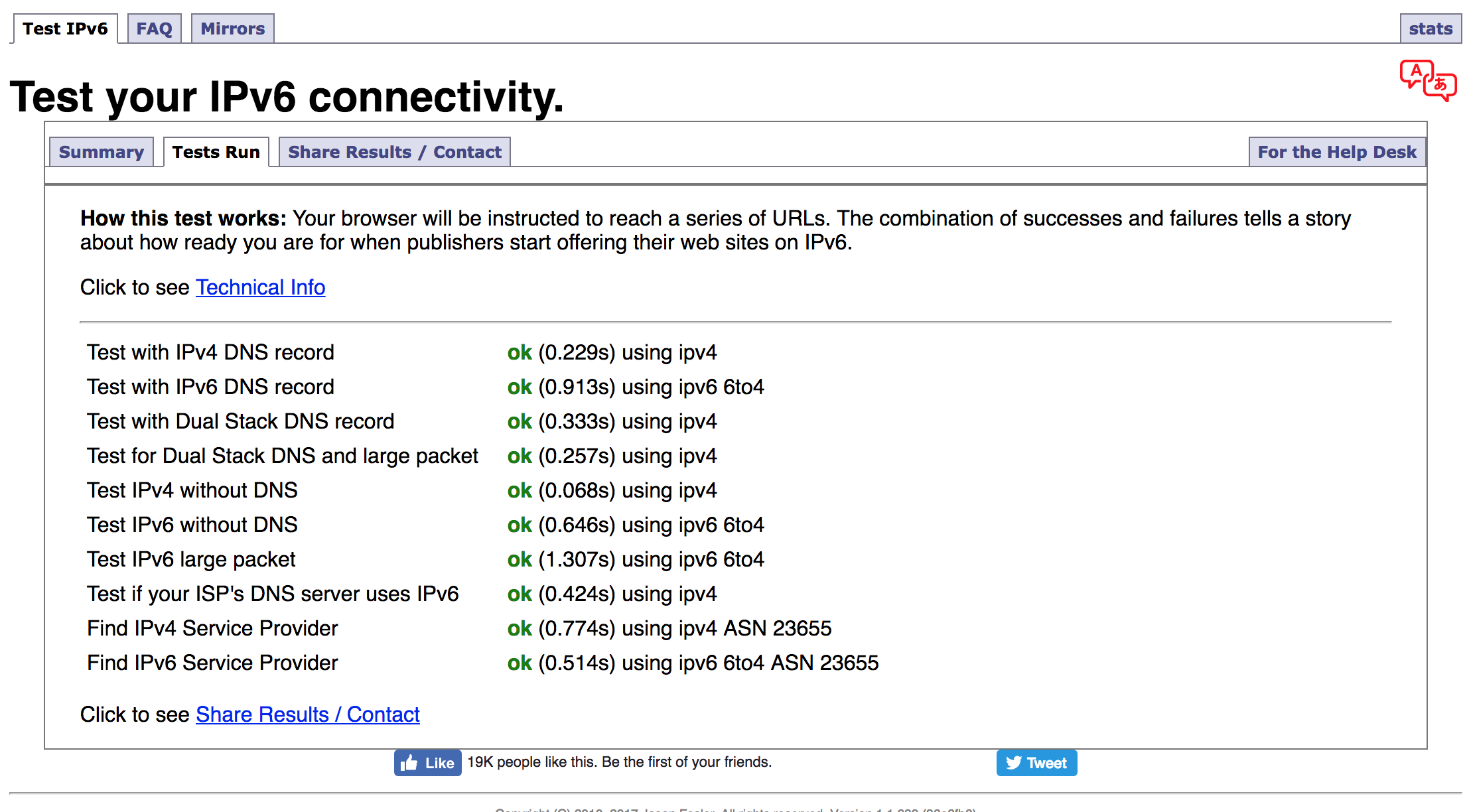
Looks like I got it working using the 6to4 setting. Took a few goes for it to autofill the server details etc.  It now tells me IPv6 is connected.


freitasm
BDFL - Memuneh
80655 posts

Uber Geek
+1 received by user: 41052

Administrator
ID Verified
Trusted
Geekzone
Lifetime subscriber

  #2030919 6-Jun-2018 14:52
Send private message

Good to know, will try as well. Interesting though there's no Auto option - unlike the sample menus in their forums.


Referral links: Quic Broadband (free setup code: R587125ERQ6VE) | Samsung | AliExpress | Wise | Sharesies 


Support Geekzone by subscribing (browse ads-free), or making a one-off or recurring donation through PressPatron.


Shop now on AliExpress (affiliate link).
freitasm
BDFL - Memuneh
80655 posts

Uber Geek
+1 received by user: 41052

Administrator
ID Verified
Trusted
Geekzone
Lifetime subscriber

  #2030945 6-Jun-2018 15:27
Send private message

@cinetech:


Looks like I got it working using the 6to4 setting. Took a few goes for it to autofill the server details etc.  It now tells me IPv6 is connected.


Are you sure? http://www.test-ipv6.com/ tells me nope. Are you seeing the Geekzone IPv6 logo on top of the page or the standard logo?


Referral links: Quic Broadband (free setup code: R587125ERQ6VE) | Samsung | AliExpress | Wise | Sharesies 


Support Geekzone by subscribing (browse ads-free), or making a one-off or recurring donation through PressPatron.


cinetech
3 posts

Wannabe Geek


  #2030952 6-Jun-2018 15:49
Send private message

With the test it tells me 7/10


don't think I'm seeing the ipv6 logo.


freitasm
BDFL - Memuneh
80655 posts

Uber Geek
+1 received by user: 41052

Administrator
ID Verified
Trusted
Geekzone
Lifetime subscriber

  #2030953 6-Jun-2018 15:50
Send private message

Interesting. I still think it should be using native IPv6 - or isn't this the 2degrees configuration?


Referral links: Quic Broadband (free setup code: R587125ERQ6VE) | Samsung | AliExpress | Wise | Sharesies 


Support Geekzone by subscribing (browse ads-free), or making a one-off or recurring donation through PressPatron.


vulcannz
436 posts

Ultimate Geek
+1 received by user: 136
Inactive user


  #2030961 6-Jun-2018 16:03
Send private message

There are some real issues with Ipv6 after some recent Windows 10 updates. If W10 says IPv6 but not connected to the internet you may have to reinstall your NIC driver.


I have two PCs that are doing my head in, one I got to say IPv6 Internet connected after doing the driver reinstall, but chrome still insists it's on IPv4 (but if you dig into it's net internals/DNS you can see all the v6 addresses resolved), and the other is stuck on the no IPv6 internet. I have an older box running server 2k8 on the same LAN segment thats just fine with the v6.


I hate IPv6.


naturalhighNZ

32 posts

Geek
+1 received by user: 4


  #2032537 9-Jun-2018 14:21
Send private message

Hey this worked for me. Testing my ipv6 now gives me a score of 7/10. So def 6to4.

HP


Shop now for HP laptops and other devices (affiliate link).
freitasm
BDFL - Memuneh
80655 posts

Uber Geek
+1 received by user: 41052

Administrator
ID Verified
Trusted
Geekzone
Lifetime subscriber

  #2032539 9-Jun-2018 14:24
Send private message

Not ideal really https://labs.ripe.net/Members/emileaben/6to4-why-is-it-so-bad


Referral links: Quic Broadband (free setup code: R587125ERQ6VE) | Samsung | AliExpress | Wise | Sharesies 


Support Geekzone by subscribing (browse ads-free), or making a one-off or recurring donation through PressPatron.


naturalhighNZ

32 posts

Geek
+1 received by user: 4


  #2032544 9-Jun-2018 14:29
Send private message

Maybe I should try the others. I'm pretty sure there was an ipv6 update recently for the Synology Router...

freitasm
BDFL - Memuneh
80655 posts

Uber Geek
+1 received by user: 41052

Administrator
ID Verified
Trusted
Geekzone
Lifetime subscriber

  #2040956 20-Jun-2018 11:13
Send private message

I think I know what's going on. The Synology RSM seems to limit MTU to 1492, while IPv6 seems to require MTU 1508 (1500 plus 8 overhead for packet). I've raised a case with Synology as this used to work before.


You should have IPv6 automatically via DHCPv6-PD, not a tunnel.


Referral links: Quic Broadband (free setup code: R587125ERQ6VE) | Samsung | AliExpress | Wise | Sharesies 


Support Geekzone by subscribing (browse ads-free), or making a one-off or recurring donation through PressPatron.


michaelmurfy
meow
13580 posts

Uber Geek
+1 received by user: 10912

Moderator
ID Verified
Trusted
Lifetime subscriber

  #2040964 20-Jun-2018 11:35
Send private message

Yeah don't use 6to4. SLAAC/DHCPv6-PD configuration is what you're after.


With 6to4 I think you'll end up going via a router at Unleash here in NZ.


Michael Murphy | https://murfy.nz
Referral Links: Quic Broadband (use R122101E7CV7Q for free setup)

Are you happy with what you get from Geekzone? Please consider supporting us by subscribing.
Opinions are my own and not the views of my employer.


 1 | 2
View this topic in a long page with up to 500 replies per page Create new topic


Geekzone Live »

Try automatic live updates from Geekzone directly in your browser, without refreshing the page, with Geekzone Live now.


Are you subscribed to our RSS feed? You can download the latest headlines and summaries from our stories directly to your computer or smartphone by using a feed reader.