Geekzone: technology news, blogs, forums
Guest
Welcome Guest.
You haven't logged in yet. If you don't have an account you can register now.


kiwibob1

109 posts

Master Geek
+1 received by user: 34

ID Verified
Lifetime subscriber

#243510 15-Dec-2018 11:25
Send private message

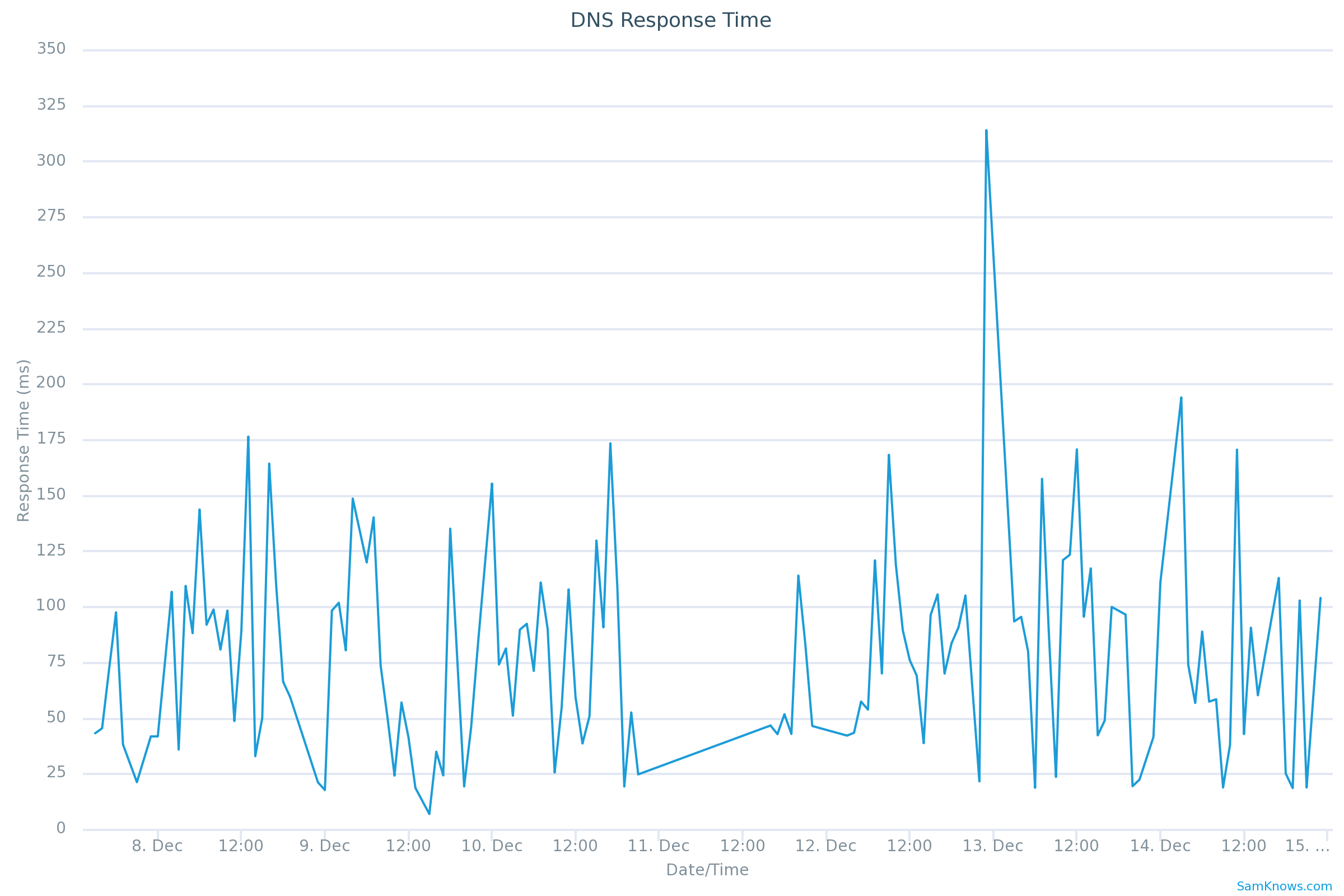
I thought I'd try Cloudflares 1.1.1.1 for my home DNS as they claim it would "speed up your internet".


You can see the two days of 1.1.1.1 on the SamKnows report. I'll stick with 2Degrees:
 

Click to see full size


Create new topic
sbiddle
30853 posts

Uber Geek
+1 received by user: 9996

Retired Mod
Trusted
Biddle Corp
Lifetime subscriber

  #2145737 15-Dec-2018 12:22
Send private message

In 99% of cases there will never be any performance gains using non RSP DNS servers over your RSPs own DNS servers. 


There are various reasons why people may want to use 3rd party DNS servers - but improving DNS lookup performance is not one of them.


freitasm
BDFL - Memuneh
80652 posts

Uber Geek
+1 received by user: 41034

Administrator
ID Verified
Trusted
Geekzone
Lifetime subscriber

  #2145738 15-Dec-2018 12:31
Send private message

This may be case in the USA but in NZ, stick to your ISP...


Referral links: Quic Broadband (free setup code: R587125ERQ6VE) | Samsung | AliExpress | Wise | Sharesies 


Support Geekzone by subscribing (browse ads-free), or making a one-off or recurring donation through PressPatron.



michaelmurfy
meow
13579 posts

Uber Geek
+1 received by user: 10910

Moderator
ID Verified
Trusted
Lifetime subscriber

  #2145741 15-Dec-2018 12:40
Send private message

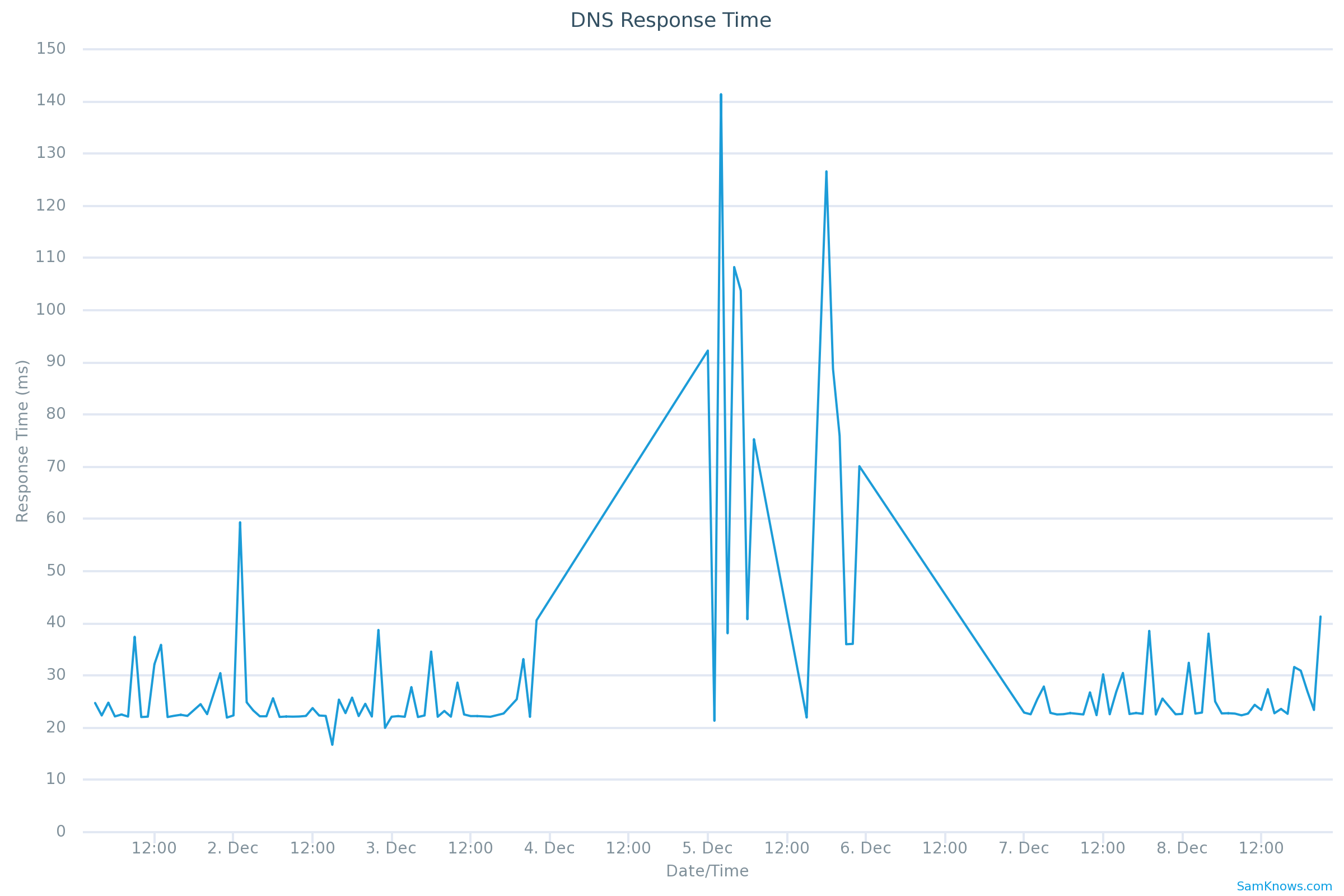
I use Cloudflare DNS over HTTPS (DOH) with a DNS server running on a Raspberry Pi. I know this isn't the fastest, but offers privacy. General DNS queries are blocked by an outbound firewall. Much like yours, I see spikes in DNS:


Click to see full size


I don't think anyone would notice a difference - betwen 2degrees, quad9 and Cloudflare the query response time is very similar.


Michael Murphy | https://murfy.nz
Referral Links: Quic Broadband (use R122101E7CV7Q for free setup)

Are you happy with what you get from Geekzone? Please consider supporting us by subscribing.
Opinions are my own and not the views of my employer.


Tracer
343 posts

Ultimate Geek
+1 received by user: 151


  #2145900 15-Dec-2018 18:55
Send private message

1.1.1.1: 27 ms


9.9.9.9: 17 ms


202.37.101.1: 13 ms


Hardly worth worrying about.


gregb
52 posts

Master Geek
+1 received by user: 13


  #2146106 16-Dec-2018 13:28
Send private message

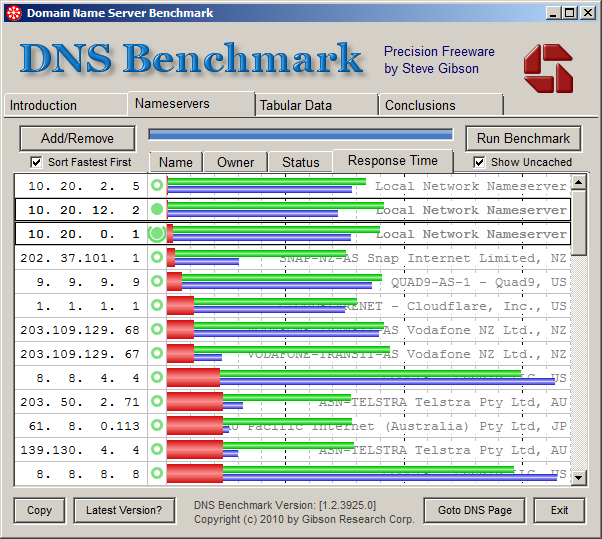
If speed is important to you, move DNS resolution (with caching) as close as possible. I use unbound locally and bypass the ISP resolver. If some form of privacy is of higher concern then one of the anonymousing resolvers may be suitable (cloudflare et. al.). Running local DNS resolvers allows QNAME minimisation (RFC7816) to be used which can help improve privacy. I use DNSBench to measure the performace.


sbiddle
30853 posts

Uber Geek
+1 received by user: 9996

Retired Mod
Trusted
Biddle Corp
Lifetime subscriber

  #2146110 16-Dec-2018 13:47
Send private message

You've pretty much just described probably 95% + of users out there.


Pretty much every router these days runs DNSmasq (or something similar) so unless people intentionally change their DHCP settings to hand out a RSP or 3rd party DNS then they're going to be running their own DNS cache locally.


Shop on-line at New World now for your groceries (affiliate link).
gregb
52 posts

Master Geek
+1 received by user: 13


  #2146151 16-Dec-2018 15:47
Send private message

Yes, 95%+ will be used a single appliance with DNSMasq or similar, which will discover the upstream resolver via ppp/dhcp. The 99% of the masses won't be reading geekzone and certainly won't be thinking about DNS forwarding and/or resolution.


Depending on your equipment/setup it is possible to move from DNS forwarding (e.g. DNSMasq) to local DNS resolution. This may provider better results, but my key point is to use something (like DNSBench) to measure the results.


Create new topic


Geekzone Live »

Try automatic live updates from Geekzone directly in your browser, without refreshing the page, with Geekzone Live now.


Are you subscribed to our RSS feed? You can download the latest headlines and summaries from our stories directly to your computer or smartphone by using a feed reader.