Geekzone: technology news, blogs, forums
Guest
Welcome Guest.
You haven't logged in yet. If you don't have an account you can register now.


jamcores

2 posts

Wannabe Geek


#251264 15-Jun-2019 22:25
Send private message

Hi, the LED's on the slingshot modem are a bit over the top. It nearly lights up the whole room when I'm trying to sleep. Does anyone know any method to turn off these led's?


Filter this topic showing only the reply marked as answer Create new topic
Linux
12182 posts

Uber Geek
+1 received by user: 8476

Trusted
Lifetime subscriber

  #2258934 15-Jun-2019 22:42
Send private message

Insulation tape over the LED's


toejam316
1516 posts

Uber Geek
+1 received by user: 888

Trusted
Lifetime subscriber

  #2258936 15-Jun-2019 22:48
Send private message

Nail polish is also a more permanent option (assuming Slingshot aren't doing the whole it's our modem, you can just borrow it schtick)


Join Quic Broadband with my referral - no sign up fee and gives me account credit


Anything I say is the ramblings of an ill informed, opinionated so-and-so, and not representative of any of my past, present or future employers, and is also probably best disregarded.


sqishy
530 posts

Ultimate Geek
+1 received by user: 193


  #2259021 16-Jun-2019 09:13
Send private message

Suggest something semi-permanent as you need the lights to determine faults sometimes. Black insulation tape?


ageorge
626 posts

Ultimate Geek
+1 received by user: 53


  #2319887 18-Sep-2019 16:38
Send private message

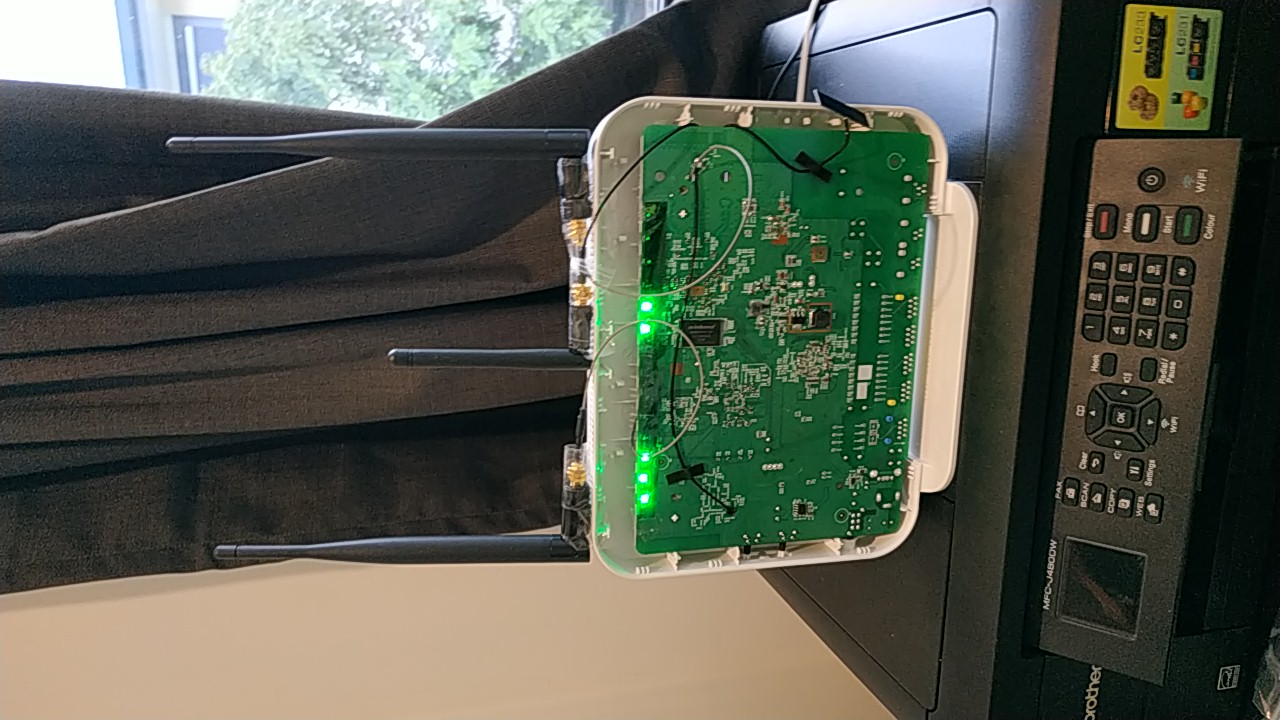
Hi there. That problem with the NF18ACV has been reported by many. In my efforts to get greater range out of the wifi, I pulled apart my own one (not Slingshots) and tried external aerials to replace the PCB thingys. Those darn PCB thingys are pretty good, as my external aerials made little difference to household signals. But in so modifying I put some Christmas Tree cellophane in front of the LED which helped hugely.


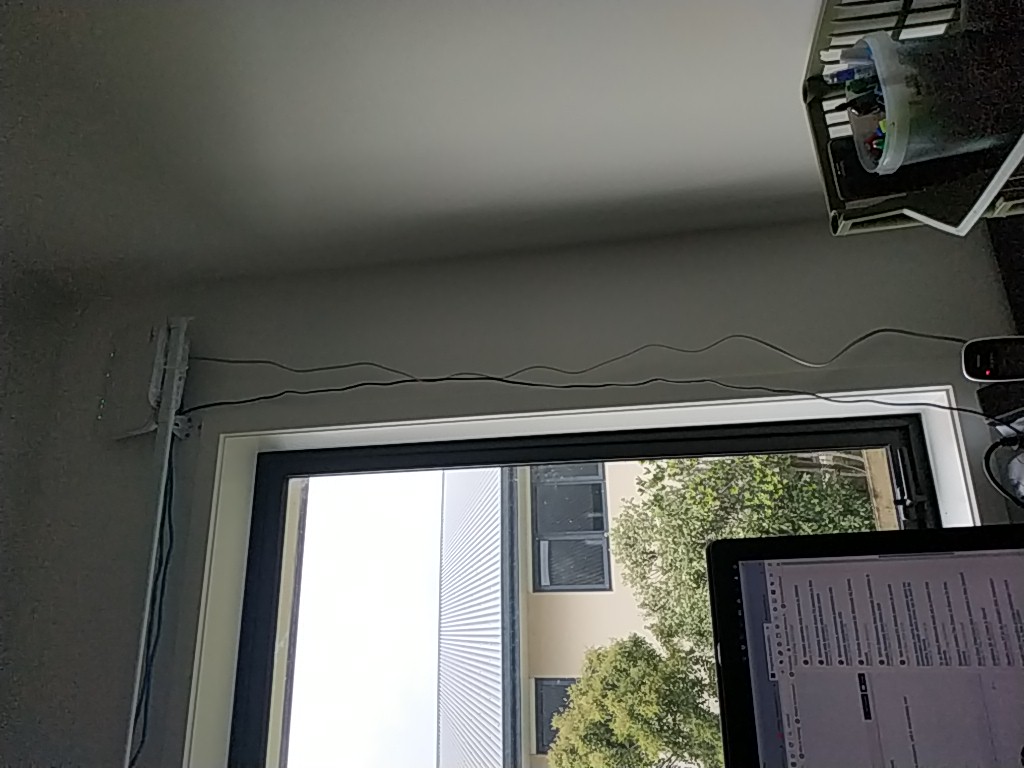
In the pictures you see my mods internal, but the best mod is the second picture where you take the router and put it on a curtain rail (use a cable tie to secure). You may need extension 3m cat5 cable too which is cheap enough. That brings your wifi into a whole new ballpark.


Regards,


Al.


(Geekzone image uploader changes the alignment)


Filter this topic showing only the reply marked as answer Create new topic


Geekzone Live »

Try automatic live updates from Geekzone directly in your browser, without refreshing the page, with Geekzone Live now.


Are you subscribed to our RSS feed? You can download the latest headlines and summaries from our stories directly to your computer or smartphone by using a feed reader.