Gidday
Just switched my folks to 2degrees and the change went ever too smoothly.
The, minor, thing is the download speed isn't there.
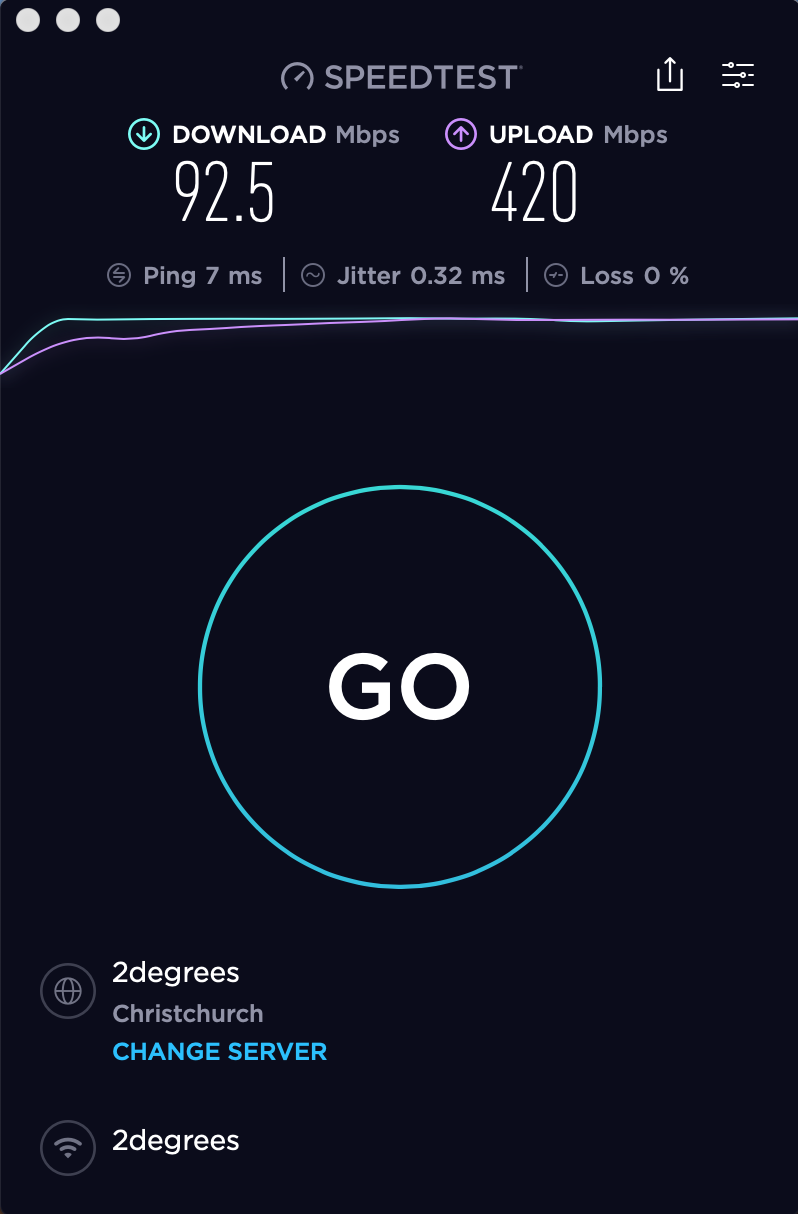
I can't test over ethernet as the only machine is 100/100
I would call but I don't have authority.
Cheers
|
|
|
There's many threads on the same issue already. If it's only just switched over, give it 24 hours or so for the provisioning to complete. If it still isn't correct after that, then contact 2 degrees.
if you cant test over ethernet you cant truly know your connection is working properly
Don't test on Wi-Fi.
Please review many of the other threads about this very same thing! Kind of like ground hog day on this topic
Unless you are testing over Ethernet no one here will really be interested
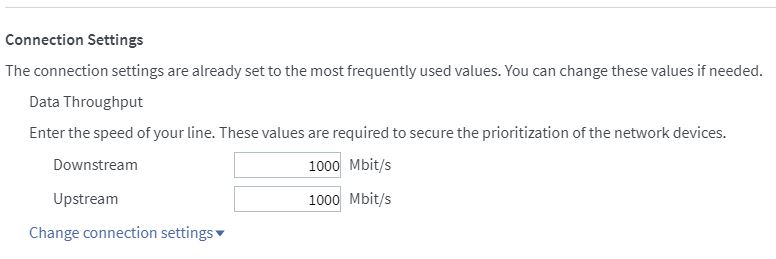
Also, are you using the Fritz!Box? Have you checked that the speed limits reflect the new speeds - in the Internet Connection section as below?

Referral links: Quic Broadband (free setup code: R587125ERQ6VE) | Samsung | AliExpress | Wise | Sharesies
Support Geekzone by subscribing (browse ads-free), or making a one-off or recurring donation through PressPatron.

I just got fibre installed yesterday afternoon, also with 2degrees. Signed up for 900 down 400 up, and a single device ethernet speed test showed similar speeds to the OP: 90 down, 530 up. Before seeing this thread I had already confirmed settings of 1000 down and up in the Fritz box, and I expected it would get sorted automatically, but I sent a note via the "Contact Us" page on the 2degrees website just to be sure they are aware of it.
I had a similar issue having to do with the Windows driver for my ethernet adapter. After applying a driver update to it, speed was as expected.
Linux:Please review many of the other threads about this very same thing! Kind of like ground hog day on this topic
Unless you are testing over Ethernet no one here will really be interested
Aucklandjafa:[snip] And please share other forums with this issue.
https://www.geekzone.co.nz/forums.asp?forumid=85&topicid=233510&showanswer=yes
https://www.geekzone.co.nz/forums.asp?forumid=85&topicid=239596&showanswer=yes
https://www.geekzone.co.nz/forums.asp?forumid=85&topicid=241020&showanswer=yes
Referral links: Quic Broadband (free setup code: R587125ERQ6VE) | Samsung | AliExpress | Wise | Sharesies
Support Geekzone by subscribing (browse ads-free), or making a one-off or recurring donation through PressPatron.
What makes you think CG-Nat has anything to do with impacting on speed, looks to me more like a provisioning issue, however any test via wifi will be non conclusive as its very unlikely to achieve anything approaching GigE on the download.
Cyril
RunningMan:Aucklandjafa:[snip] And please share other forums with this issue.https://www.geekzone.co.nz/forums.asp?forumid=85&topicid=233510&showanswer=yes
https://www.geekzone.co.nz/forums.asp?forumid=85&topicid=239596&showanswer=yes
https://www.geekzone.co.nz/forums.asp?forumid=85&topicid=241020&showanswer=yes
cyril7:What makes you think CG-Nat has anything to do with impacting on speed, looks to me more like a provisioning issue, however any test via wifi will be non conclusive as its very unlikely to achieve anything approaching GigE on the download.
Cyril
|
|
|