Geekzone: technology news, blogs, forums
Guest
Welcome Guest.
You haven't logged in yet. If you don't have an account you can register now.


NickMack

977 posts

Ultimate Geek
+1 received by user: 831

Trusted
In memoriam
Lifetime subscriber

#280766 8-Jan-2021 19:42
Send private message

Hi All,


I finally had some spare time to replace my Fritzbox with a Ubiquiti EdgeRouter X. There was noting wrong with the Fritz, they perform exceedingly well and i'm a huge fan, however I wanted a bit more insight and control over my internet connection. 


Thanks @michaelmurfy for the creation of your guide (https://www.geekzone.co.nz/forums.asp?forumid=66&topicid=205740). It didn't save me from headaches, however it was useful as was your assistance! For the average joe with one CGNAT/Dynamic/Static IP address, setup is relatively painless. I have a few more things at home, so .... it took me some time.


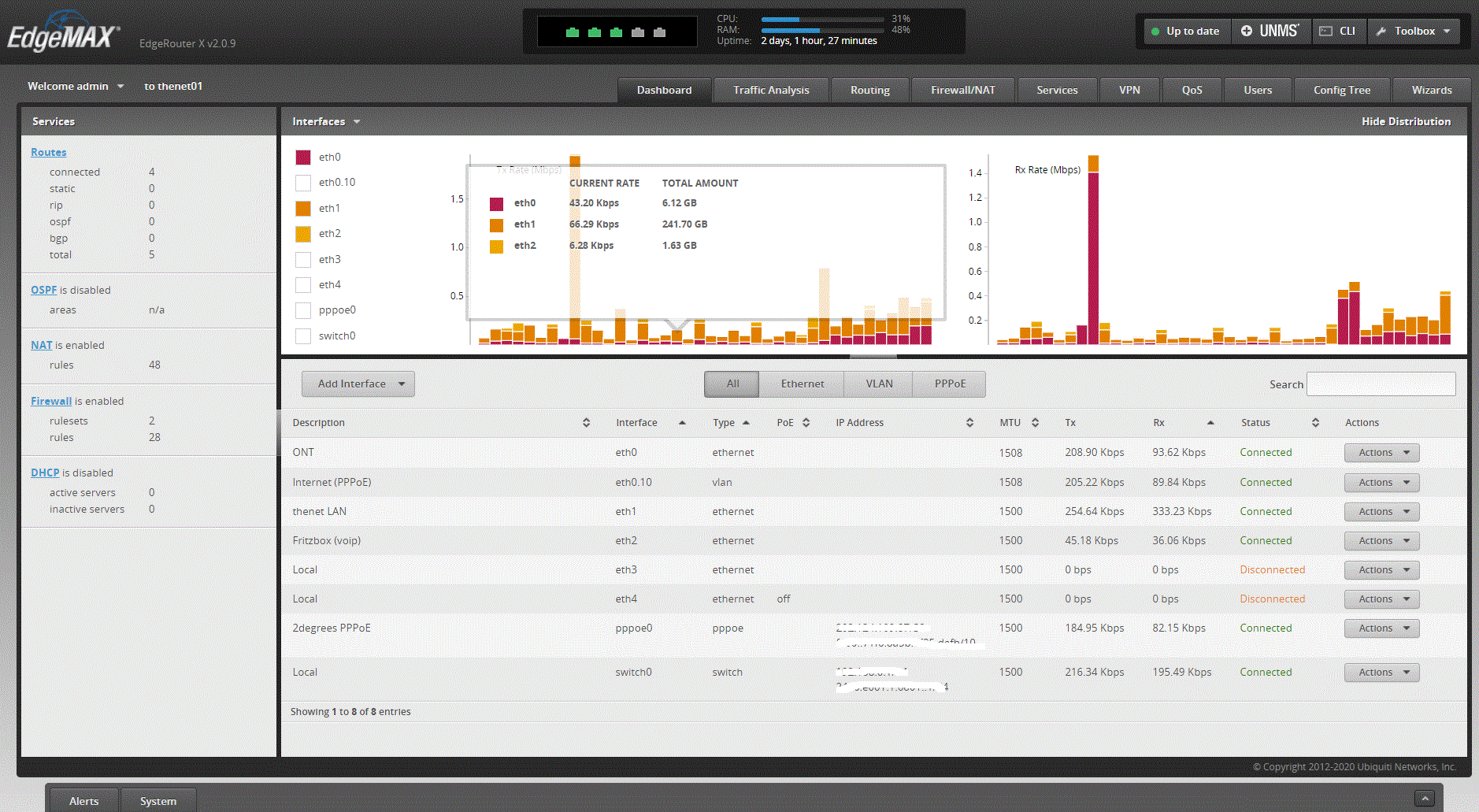
Edge Router Main page - Status
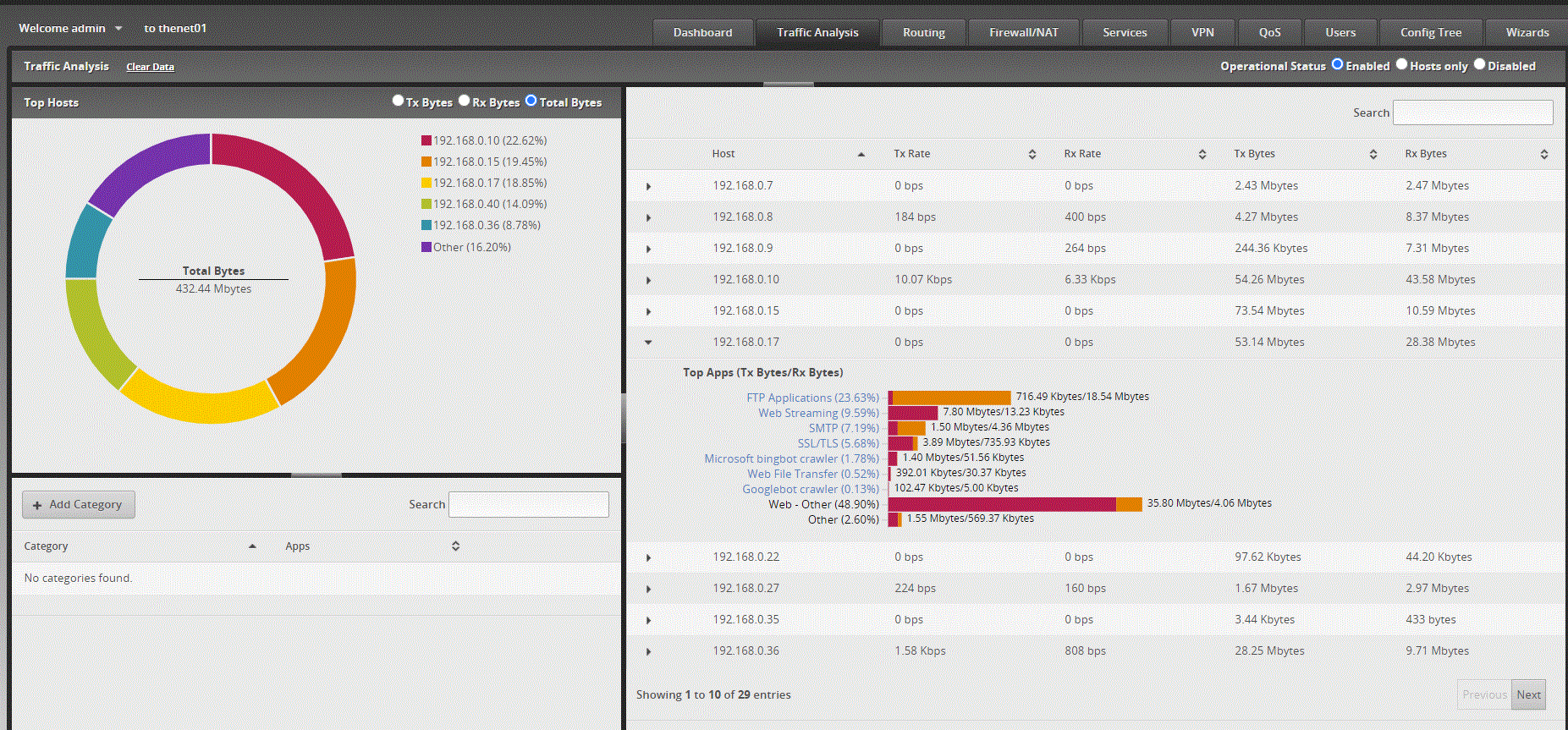


Traffic Analysis page


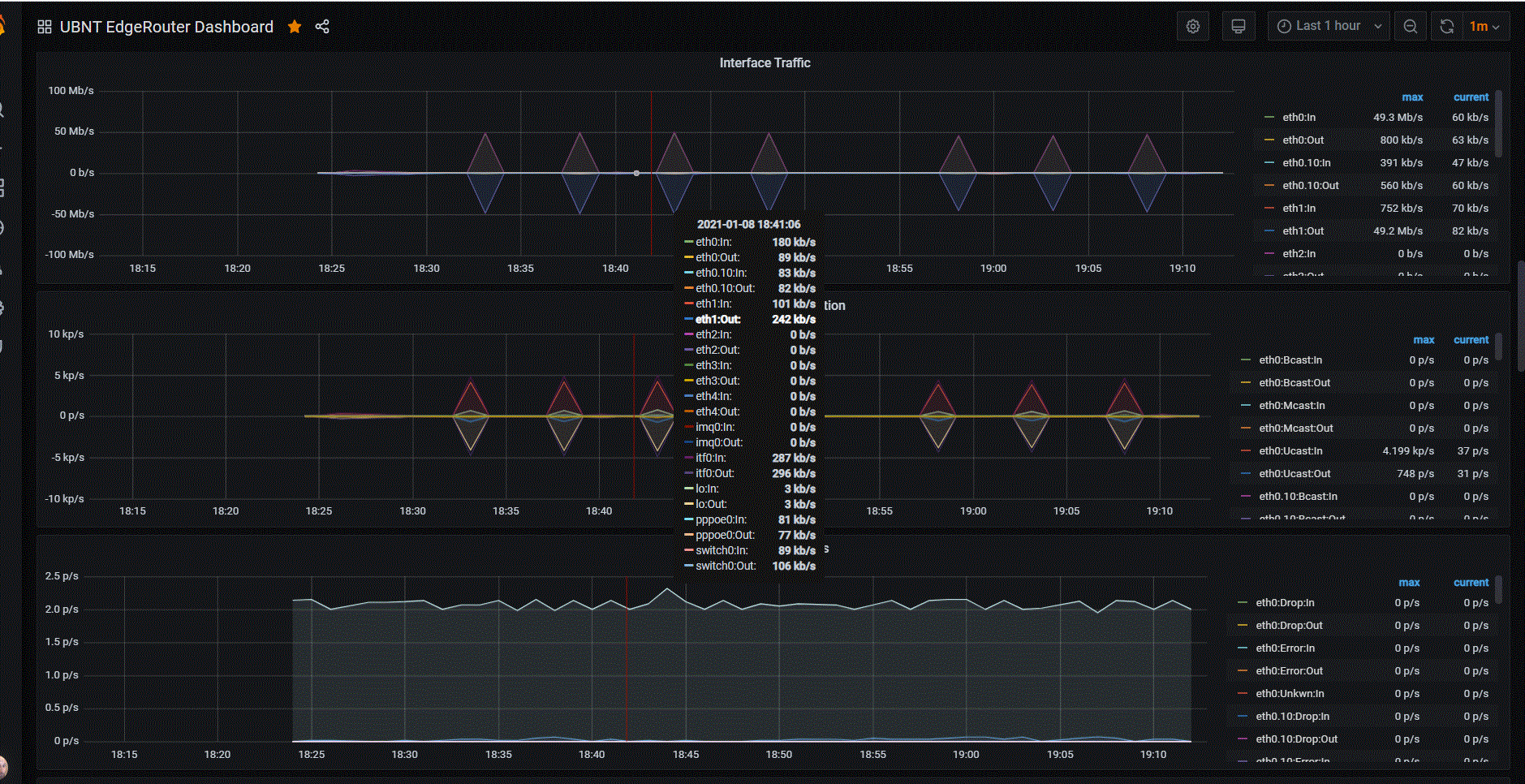
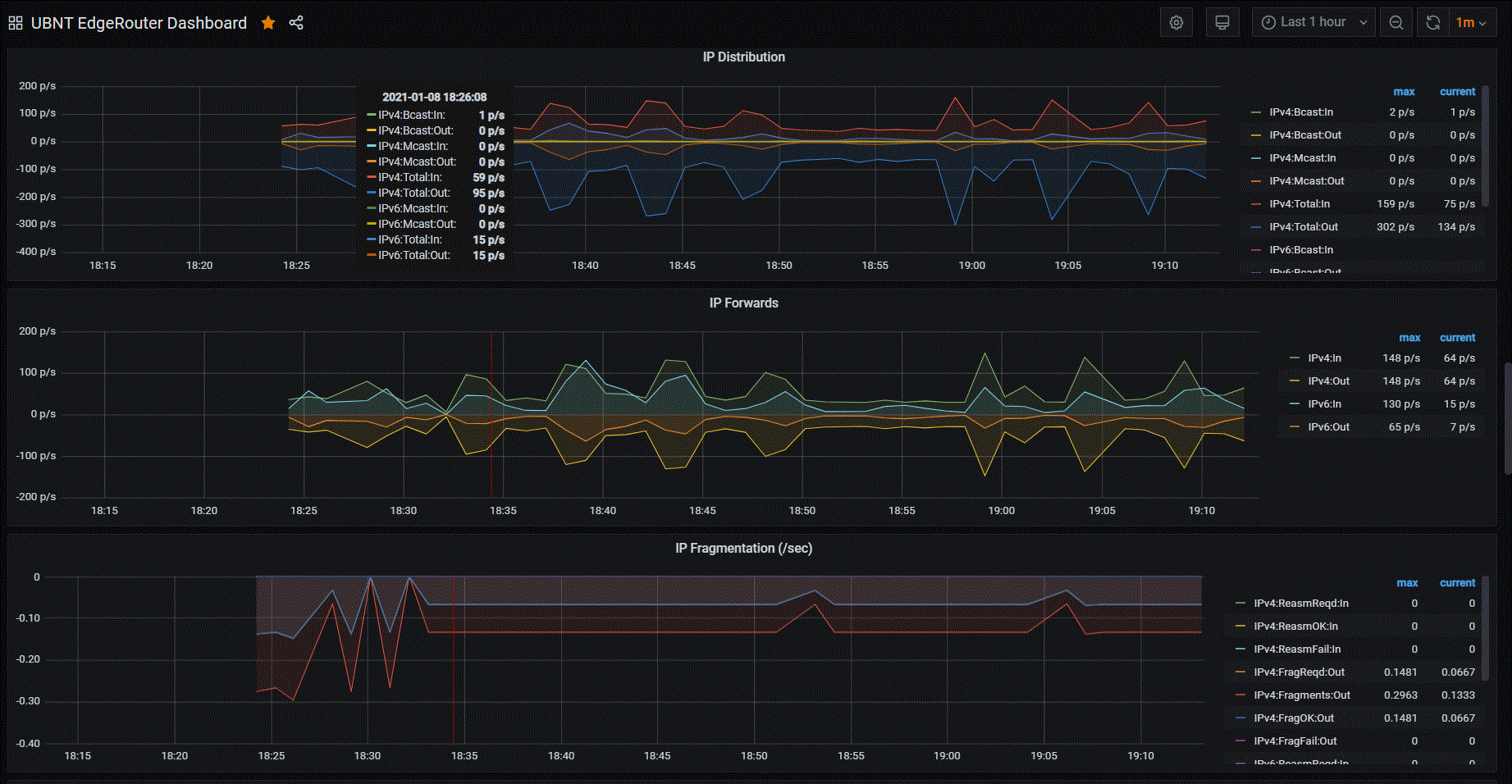
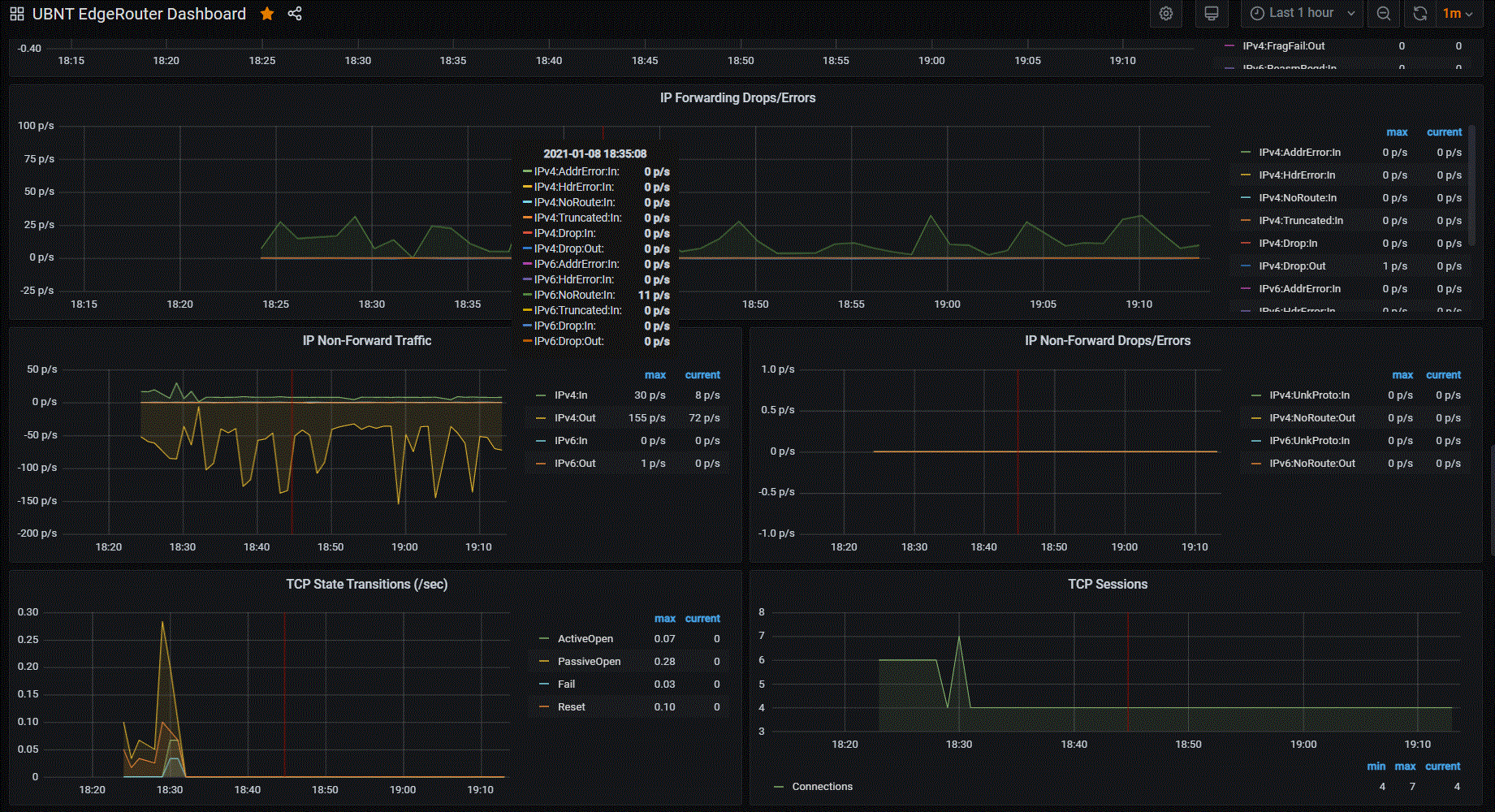
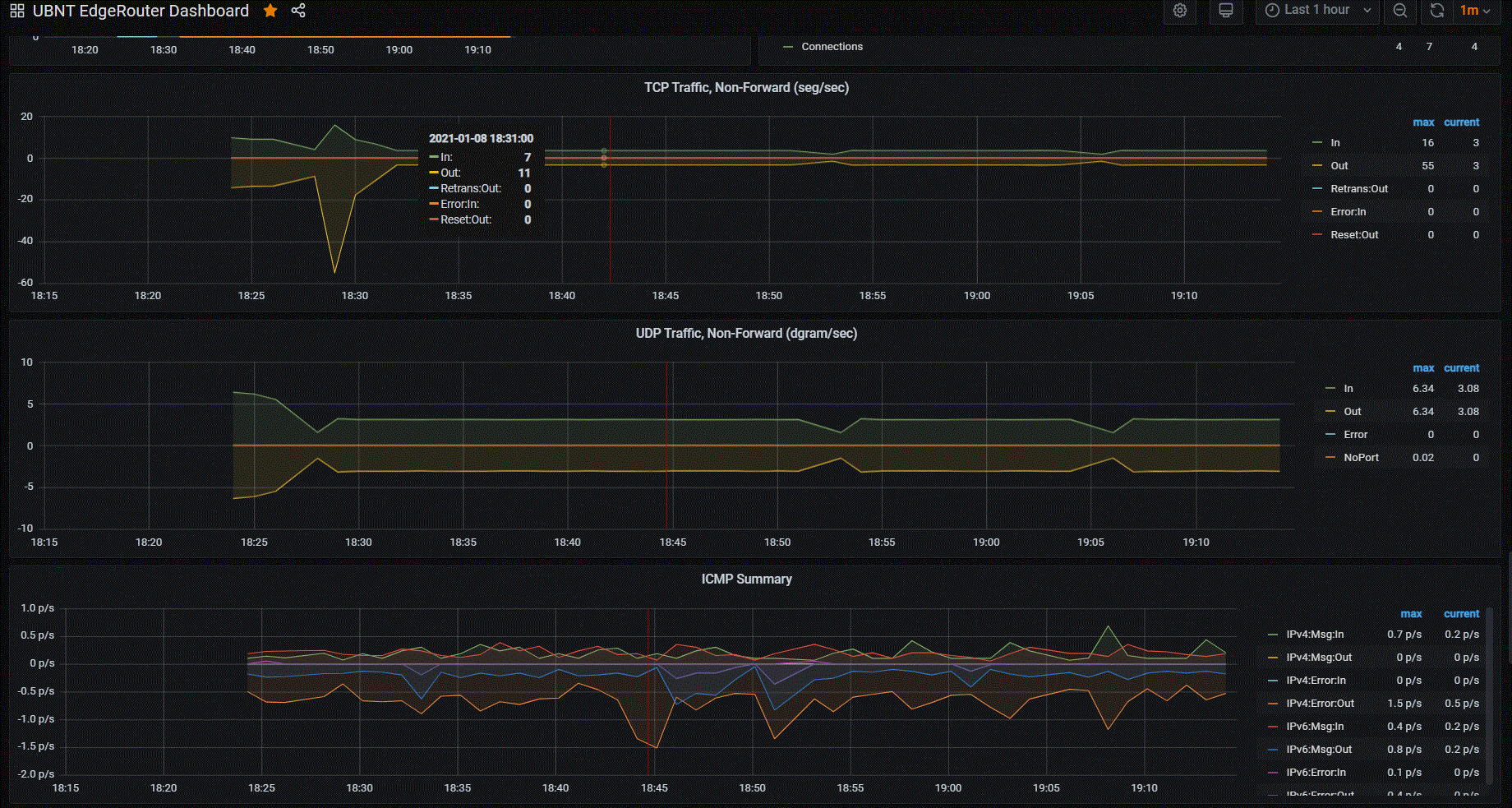
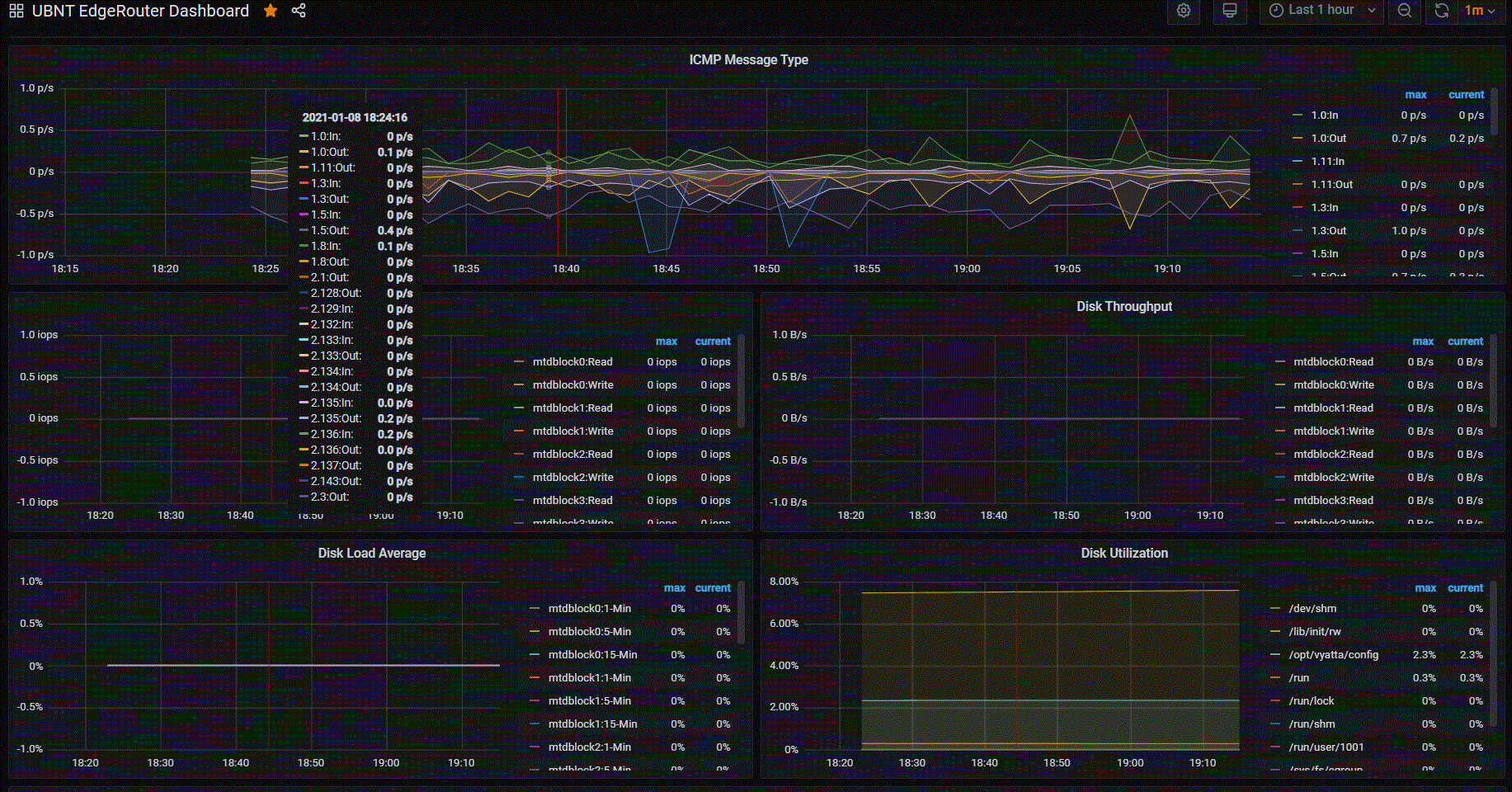
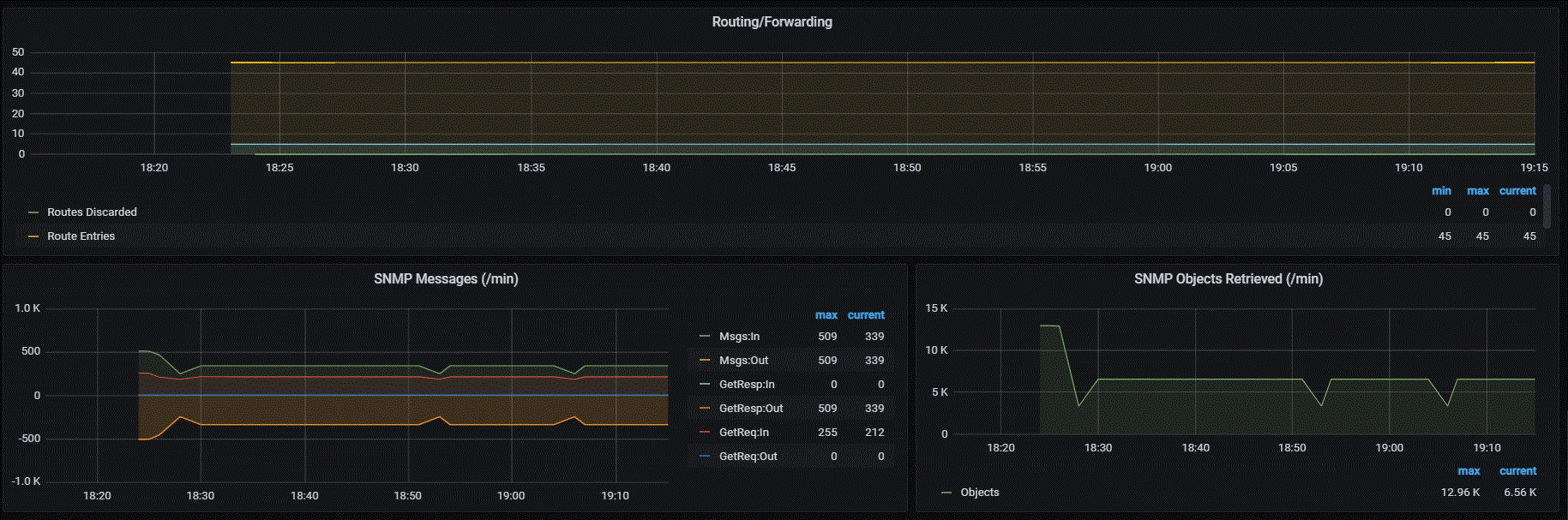
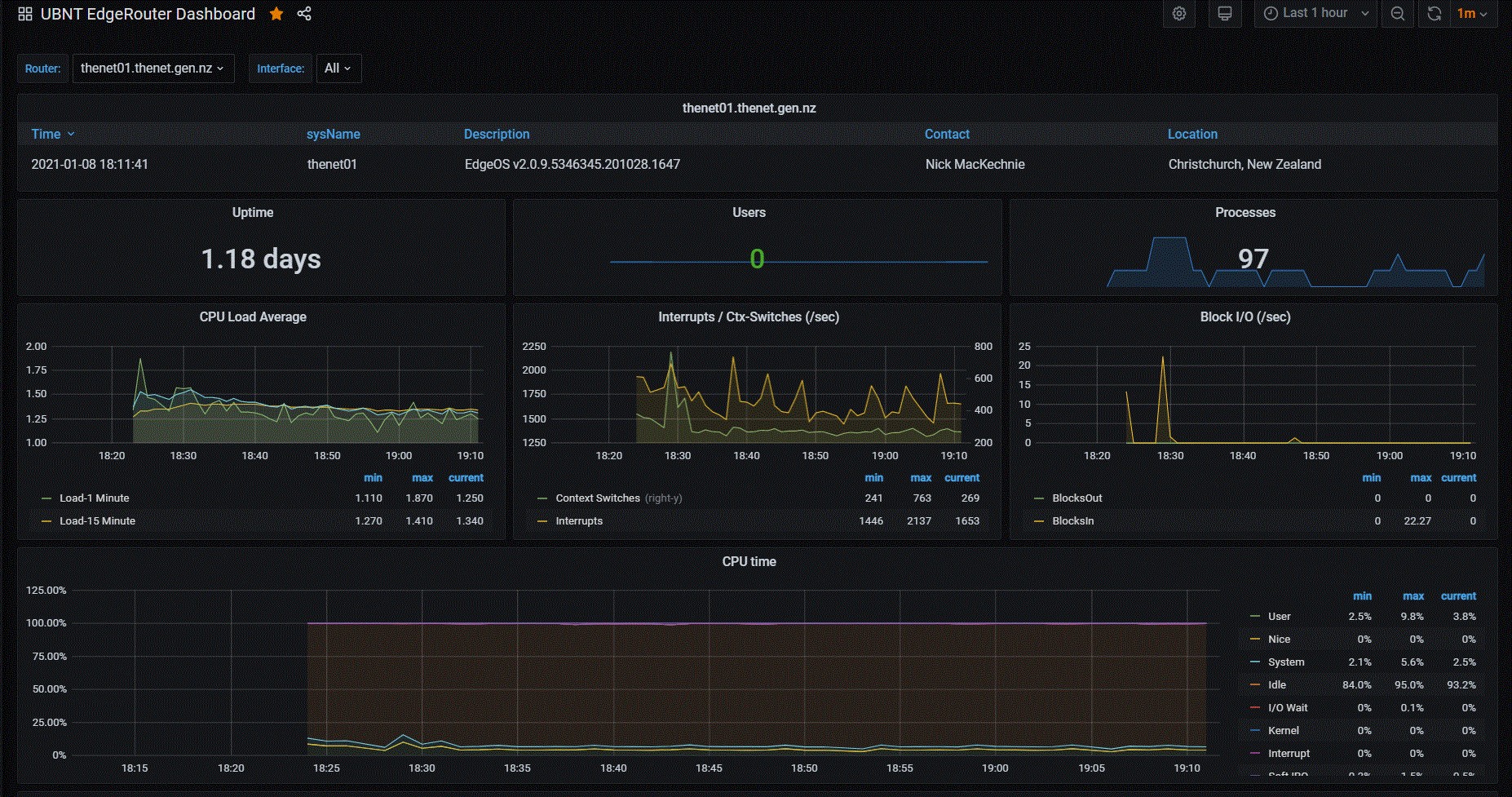
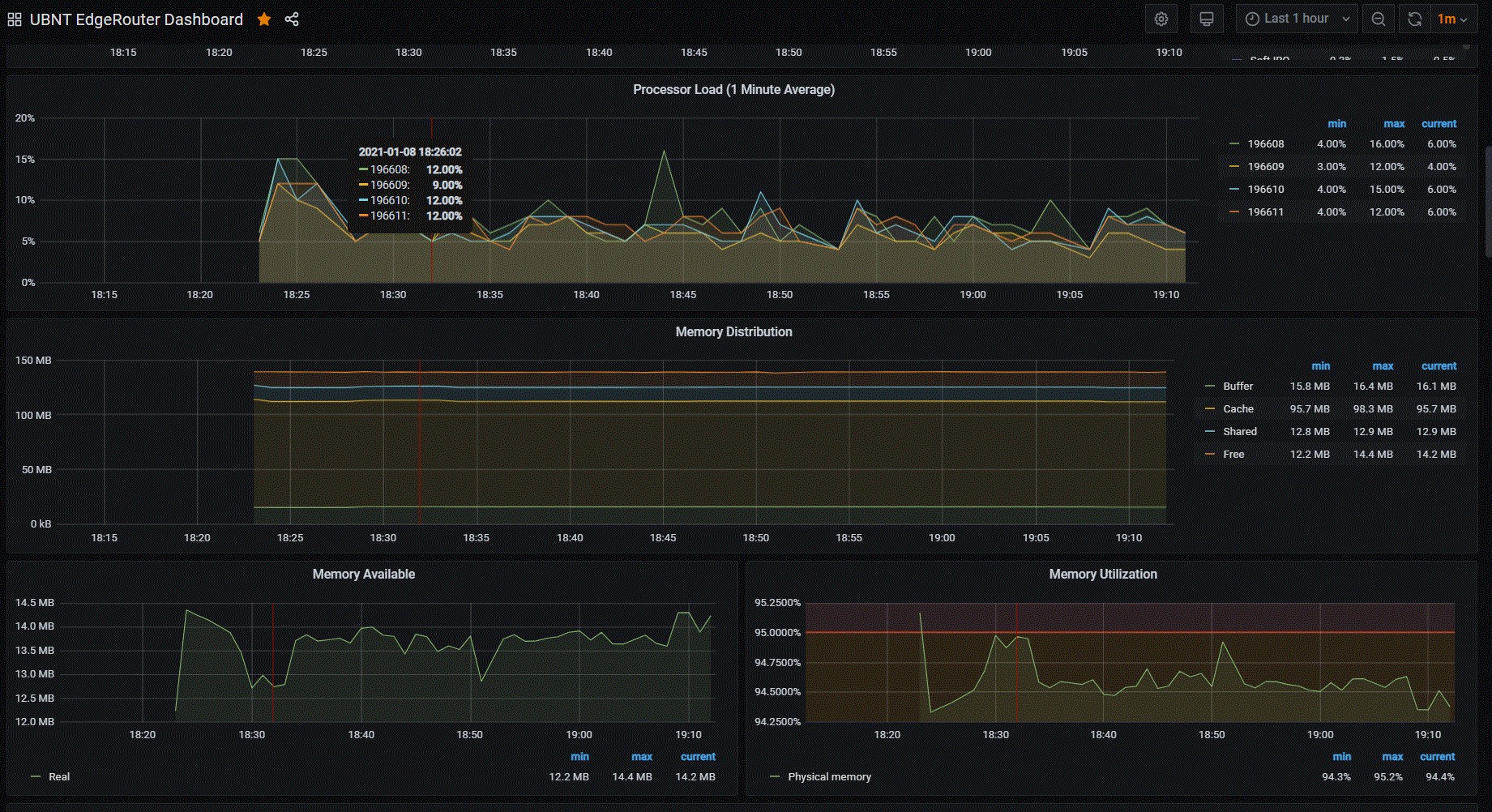
To take things a little further - Having a device that also has SNMP is awesome, if you have some time, there's a great Grafana Dashboard (https://grafana.com/grafana/dashboards/1756) that provides a bunch more insight at a glance.


View this topic in a long page with up to 500 replies per page Create new topic
 1 | 2
Jiriteach
1139 posts

Uber Geek
+1 received by user: 373

ID Verified
Trusted
Lifetime subscriber

  #2632577 8-Jan-2021 19:50
Send private message

Nice! I recently switched from my FB to an EdgeRouter 4 for exactly the same reason.
Was relatively simple to setup and I have core configs now making it easier to just restore. Also have IPSec VPN terminating onto the ER4. I did try OpenVPN but performance is limited.

How are you finding the gig speeds on the ERX? I assume you have HW offloading enabled else your speeds wouldn’t be very high.

I notice from your screenshot that the MTU for your PPPoe connection is 1500. Should be 1492

I’m using Paessler PRTG to graph all of my stats from the ER4.
Awesome devices.


-- opinions expressed by me are solely my own. ie - personal


OmniouS
434 posts

Ultimate Geek
+1 received by user: 46

Trusted
Lifetime subscriber

  #2632598 8-Jan-2021 21:30
Send private message

Jiriteach: Nice! I recently switched from my FB to an EdgeRouter 4 for exactly the same reason.
Was relatively simple to setup and I have core configs now making it easier to just restore. Also have IPSec VPN terminating onto the ER4. I did try OpenVPN but performance is limited.

How are you finding the gig speeds on the ERX? I assume you have HW offloading enabled else your speeds wouldn’t be very high.

I notice from your screenshot that the MTU for your PPPoe connection is 1500. Should be 1492

I’m using Paessler PRTG to graph all of my stats from the ER4.
Awesome devices.


2degrees supports mini jumbo frames which enables the use of the 1500 MTU. The parent interface MTUs are set to 1508 to allow for this.


michaelmurfy
meow
13580 posts

Uber Geek
+1 received by user: 10910

Moderator
ID Verified
Trusted
Lifetime subscriber

  #2632602 8-Jan-2021 21:40
Send private message

I really need to get around to setting up Grafana and some network monitoring. Have got way too much on my job list currently.

But looks good!

@Jiriteach I configure Routers like this on 2degrees due to the support of baby jumbo frames. Means you don’t need to enable clamping etc.


Michael Murphy | https://murfy.nz
Referral Links: Quic Broadband (use R122101E7CV7Q for free setup)

Are you happy with what you get from Geekzone? Please consider supporting us by subscribing.
Opinions are my own and not the views of my employer.


Jiriteach
1139 posts

Uber Geek
+1 received by user: 373

ID Verified
Trusted
Lifetime subscriber

  #2632604 8-Jan-2021 21:43
Send private message

Ah! Good to know. 


Thanks @OmniouS and @michaelmurfy


-- opinions expressed by me are solely my own. ie - personal


networkn
Networkn
32864 posts

Uber Geek
+1 received by user: 15454

ID Verified
Trusted
Lifetime subscriber

  #2632618 8-Jan-2021 22:33
Send private message

So a $99 device that does all that and will route Gbit? Seems almost too good to be true :)


NickMack

977 posts

Ultimate Geek
+1 received by user: 831

Trusted
In memoriam
Lifetime subscriber

  #2632624 8-Jan-2021 22:57
Send private message

networkn:


So a $99 device that does all that and will route Gbit? Seems almost too good to be true :)


Correct... :-)


Shop now for Dyson appliances (affiliate link).
Linux
12182 posts

Uber Geek
+1 received by user: 8476

Trusted
Lifetime subscriber

  #2632627 8-Jan-2021 23:39
Send private message

networkn:


So a $99 device that does all that and will route Gbit? Seems almost too good to be true :)


Was thinking the same thing!


NickMack

977 posts

Ultimate Geek
+1 received by user: 831

Trusted
In memoriam
Lifetime subscriber

  #2632641 9-Jan-2021 06:42
Send private message

Linux:

networkn:


So a $99 device that does all that and will route Gbit? Seems almost too good to be true :)


Was thinking the same thing!


:-)

Hiya @Linux,

If you are currently using your Fritz for wifi/2d home phone (personally I use Unifi for wifi) you can simply setup the Fritz in ip client mode and continue to use it for those services. (For home phone you will need to allow port 5060 tcp/udp to the Fritz or ata for voip to work).

Nick


Jiriteach
1139 posts

Uber Geek
+1 received by user: 373

ID Verified
Trusted
Lifetime subscriber

  #2632642 9-Jan-2021 06:47
Send private message

Just a quick question on the MTU/MSS for 2degrees - 

@OmniouS @michaelmurfy @NickMack

Didn't realise that MTU should be 1500. I've had mine at 1492.
So the recommended for a 2degrees 1gig connection is - 


Set the MTU to 1508 on the main Ethernet interface going to your ONT
Set the MTU to 1500 on the PPPoE interface
Set the MTU to 1500 on every other interface


Disable MSS clamping? There was a default value set but had no interface set. Should this be disabled?


My speeds are 910+ so no noticable difference.


Thanks


-- opinions expressed by me are solely my own. ie - personal


Goosey
3016 posts

Uber Geek
+1 received by user: 871

Subscriber

  #2632647 9-Jan-2021 07:27
Send private message

Interesting and motivating ! 


anyone know what I need to update the VF ultrahub for use soley for telephone?


Is the same port mentioned above need to be given access on the ER?


Linux
12182 posts

Uber Geek
+1 received by user: 8476

Trusted
Lifetime subscriber

  #2632687 9-Jan-2021 10:43
Send private message

@NickMack What is a home phone? I have the FB 7590

HP


Shop now for HP laptops and other devices (affiliate link).
NickMack

977 posts

Ultimate Geek
+1 received by user: 831

Trusted
In memoriam
Lifetime subscriber

  #2632689 9-Jan-2021 10:49
Send private message

Linux: @NickMack What is a home phone? I have the FB 7590


Ha, and same.


hio77
'That VDSL Cat'
13036 posts

Uber Geek
+1 received by user: 3896

ID Verified
Trusted
Lizard Networks
Subscriber

  #2632881 9-Jan-2021 17:43
Send private message

Those things sure run quite heavy on the memory and cpu for routing bugger all though!


#include <std_disclaimer>


Any comments made are personal opinion and do not reflect directly on the position my current or past employers may have. 


NickMack

977 posts

Ultimate Geek
+1 received by user: 831

Trusted
In memoriam
Lifetime subscriber

  #2632902 9-Jan-2021 18:51
Send private message

hio77:

Those things sure run quite heavy on the memory and cpu for routing bugger all though!


So far my impressions are nothing but glowing....


michaelmurfy
meow
13580 posts

Uber Geek
+1 received by user: 10910

Moderator
ID Verified
Trusted
Lifetime subscriber

  #2632904 9-Jan-2021 19:13
Send private message

Got to remember also the Edgerouter X is TINY and yet can do all this. It is also a rather low spec device. The Edgerouter 4 is far more capable again but also 3x the cost.

This is why I’ve always liked the Ubiquiti router platform. It works well for the price.


Michael Murphy | https://murfy.nz
Referral Links: Quic Broadband (use R122101E7CV7Q for free setup)

Are you happy with what you get from Geekzone? Please consider supporting us by subscribing.
Opinions are my own and not the views of my employer.


 1 | 2
View this topic in a long page with up to 500 replies per page Create new topic


Geekzone Live »

Try automatic live updates from Geekzone directly in your browser, without refreshing the page, with Geekzone Live now.


Are you subscribed to our RSS feed? You can download the latest headlines and summaries from our stories directly to your computer or smartphone by using a feed reader.