Geekzone: technology news, blogs, forums
Guest
Welcome Guest.
You haven't logged in yet. If you don't have an account you can register now.


Montybhai

4 posts

Wannabe Geek


#295769 21-Apr-2022 23:02
Send private message

Hello all,


I have been provided with a static IPv6 address from 2 degrees .I have been looking at these forums and i have no idea how to add the static IPV6 address that i have been provided by 2 degrees on my UDM pro, if some one can please help me i would really appreciate it, currently i have (see below image). 


I did check the 2 degrees section with the sticky but it has no tutorial for the UDM pro. 
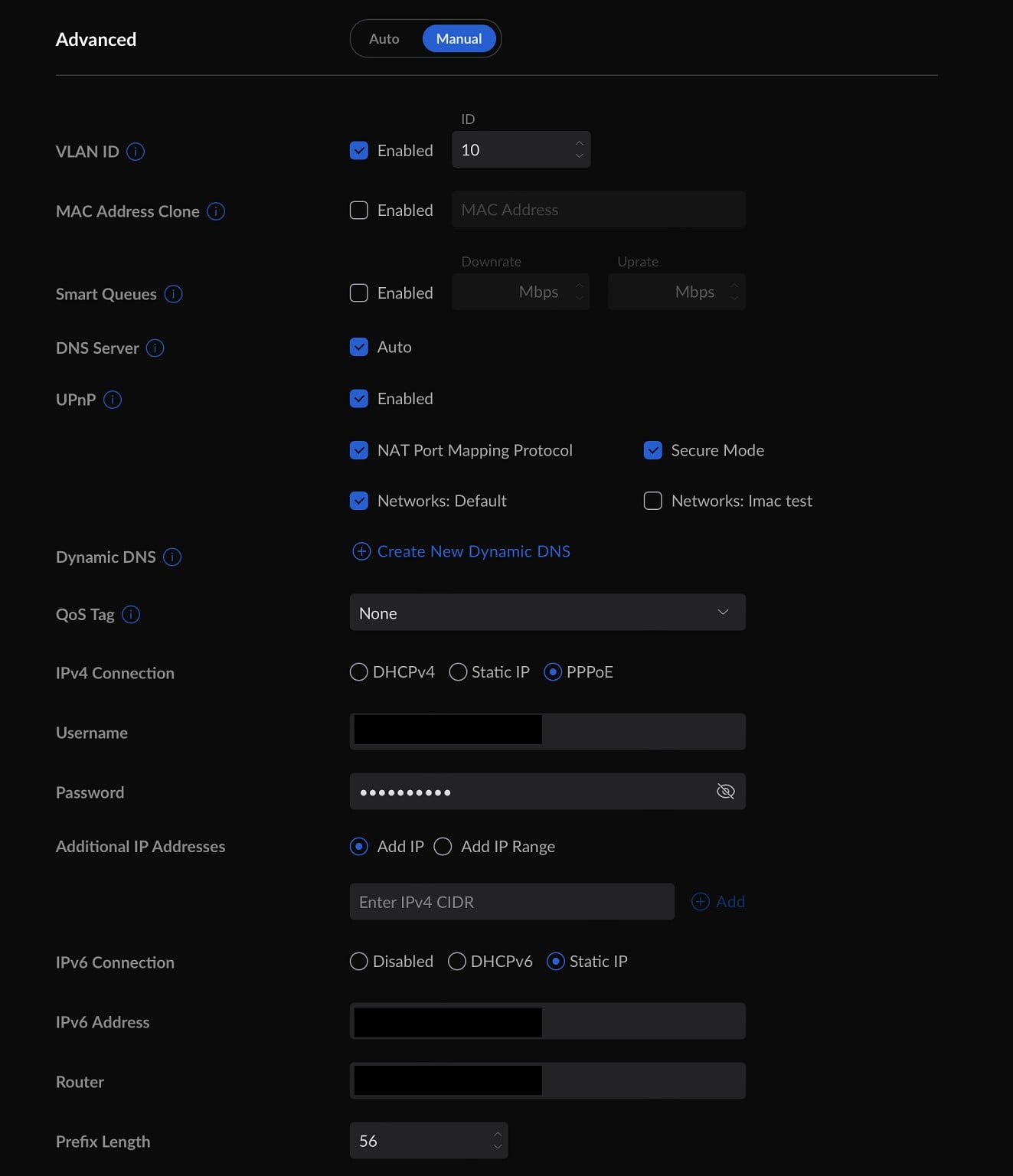


Do need to change the IPv4 settings to DHCPv4? 


For the IPv6 do i select Static IP?


What do i need to enter in the IPv6 address field? ( i entered the address provided to me by 2 degrees)


What do i need to enter in the Router field?


What is the Prefix length that i might need to enter ?


Thank you to any on that can help!



Create new topic
michaelmurfy
meow
13579 posts

Uber Geek
+1 received by user: 10910

Moderator
ID Verified
Trusted
Lifetime subscriber

  #2905148 21-Apr-2022 23:45
Send private message

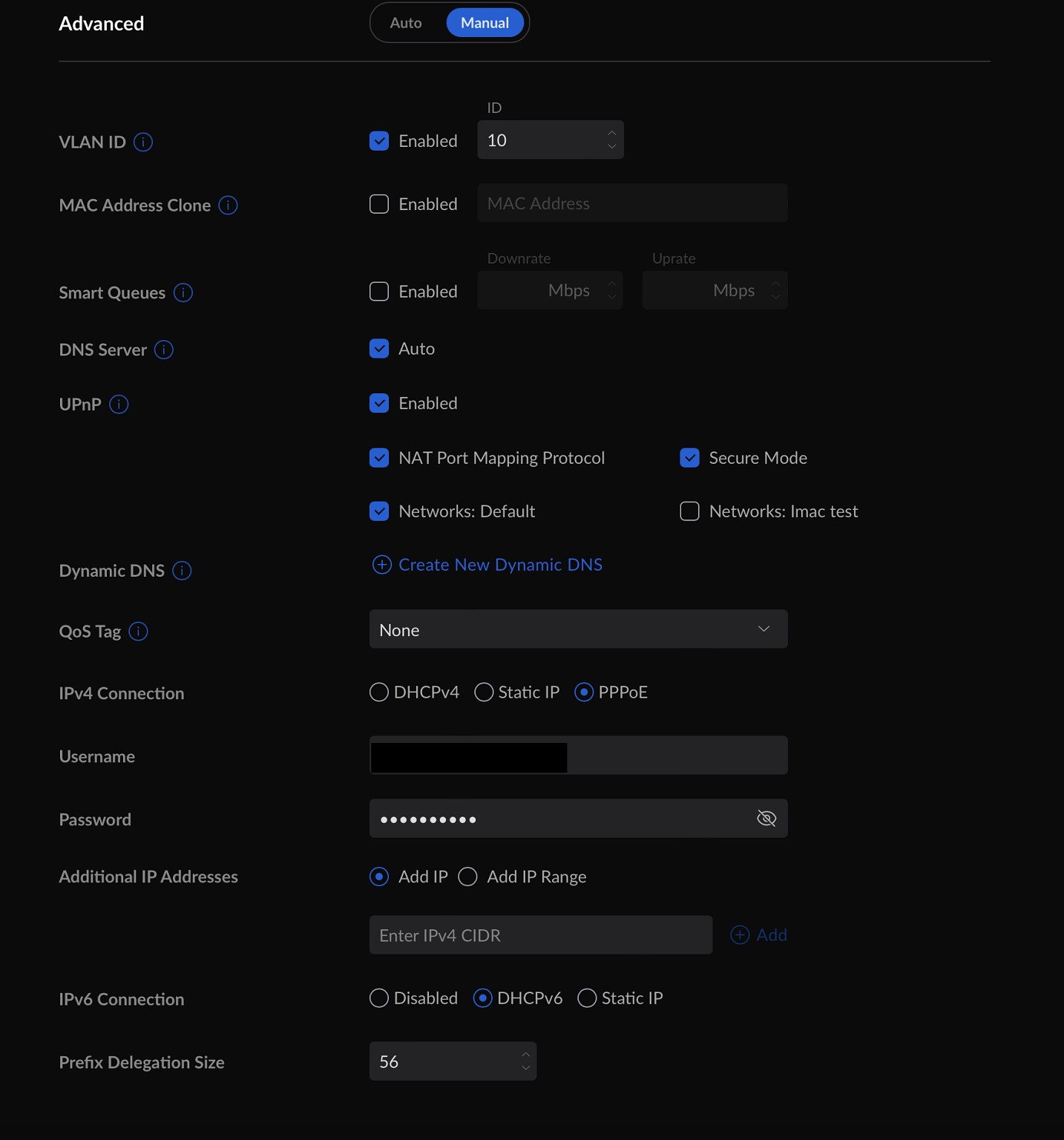
Do not select Static anywhere on your WAN settings - your ISP allocates all of this.


For your WAN interface:


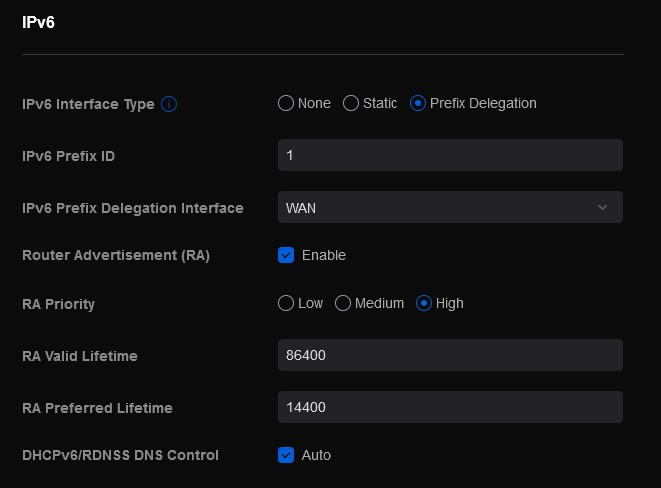
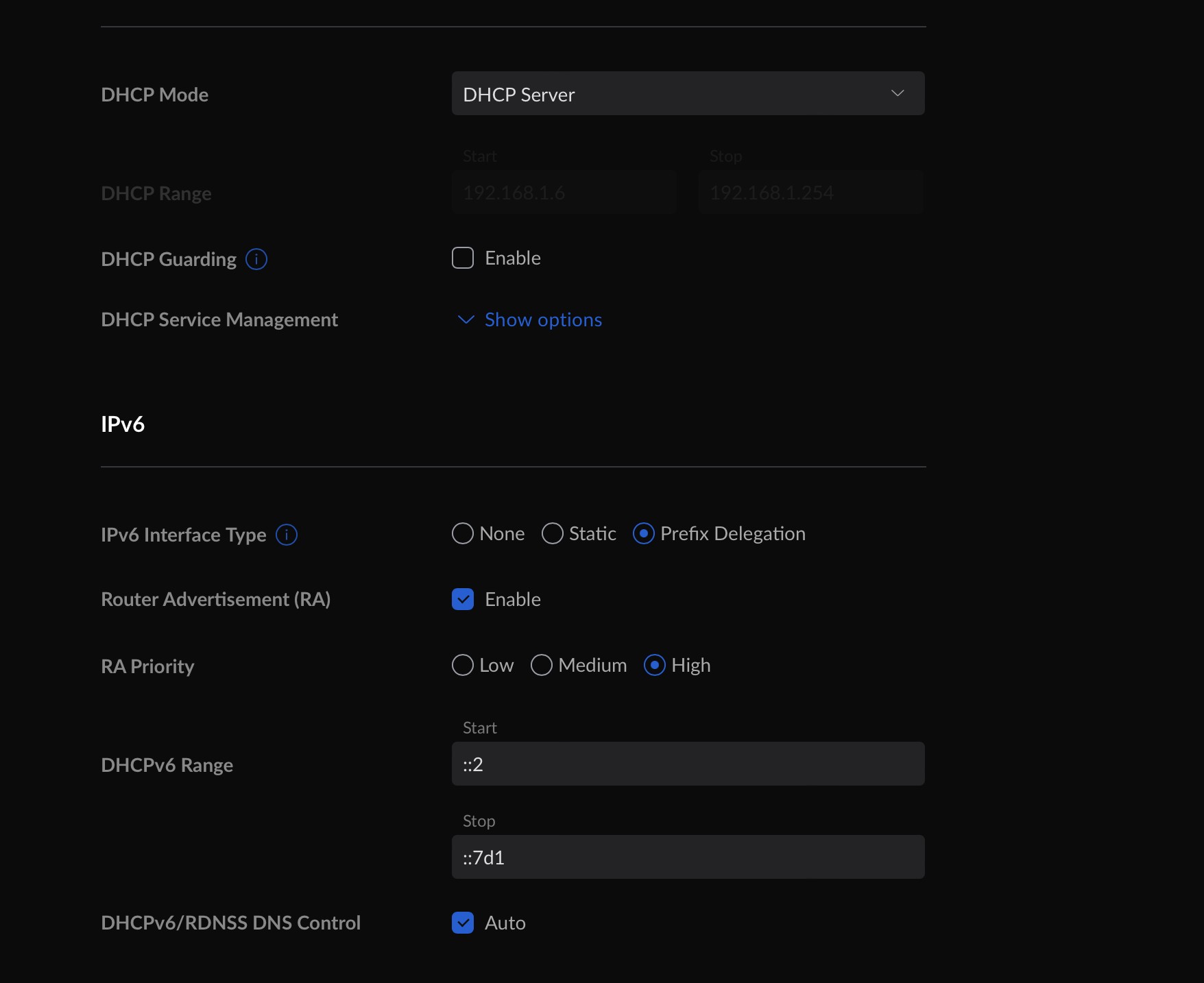
For your LAN interface:


Change Prefix ID for every network you may have (LAN, Guest etc).


Michael Murphy | https://murfy.nz
Referral Links: Quic Broadband (use R122101E7CV7Q for free setup)

Are you happy with what you get from Geekzone? Please consider supporting us by subscribing.
Opinions are my own and not the views of my employer.


Montybhai

4 posts

Wannabe Geek


  #2905150 22-Apr-2022 00:01
Send private message

Thank you so much for your quick response my settings look a bit different?


I don't seem to have the settings you do?


michaelmurfy
meow
13579 posts

Uber Geek
+1 received by user: 10910

Moderator
ID Verified
Trusted
Lifetime subscriber

  #2905417 22-Apr-2022 15:10
Send private message

But you're posting from IPv6 so you're fine. My screenshots were from a UniFi controller, yours are from a UDM.


Michael Murphy | https://murfy.nz
Referral Links: Quic Broadband (use R122101E7CV7Q for free setup)

Are you happy with what you get from Geekzone? Please consider supporting us by subscribing.
Opinions are my own and not the views of my employer.


Montybhai

4 posts

Wannabe Geek


  #2905548 22-Apr-2022 23:21
Send private message

Thank you so much really appreciate it, just wondering when doing the speed test I used to have 1 m/s ping with Vodafone but now with 2 degrees I get 10-12 m/s ping and Disney plus is really slow, any reasons as to why?


michaelmurfy
meow
13579 posts

Uber Geek
+1 received by user: 10910

Moderator
ID Verified
Trusted
Lifetime subscriber

  #2905549 22-Apr-2022 23:58
Send private message

10ms is absolutely nothing... There is nothing wrong here and also do a quick search on here and you'll see it is to a particular server so the server you were "pinging" through to on Vodafone must have been physically close to you where now it is either physically or virtually further away. Again, there is nothing wrong here and 10ms is nothing.


As for Disney+ it is working well for me... If you have any problems on the first instance you need to test via the 2degrees Fritz!Box router to confirm it isn't an issue with your own setup then contact 2degrees once you've confirmed it isn't an issue on your end.


Michael Murphy | https://murfy.nz
Referral Links: Quic Broadband (use R122101E7CV7Q for free setup)

Are you happy with what you get from Geekzone? Please consider supporting us by subscribing.
Opinions are my own and not the views of my employer.


Montybhai

4 posts

Wannabe Geek


  #2905550 23-Apr-2022 00:03
Send private message

Thank you, you guys are awesome


Create new topic


Geekzone Live »

Try automatic live updates from Geekzone directly in your browser, without refreshing the page, with Geekzone Live now.


Are you subscribed to our RSS feed? You can download the latest headlines and summaries from our stories directly to your computer or smartphone by using a feed reader.