Geekzone: technology news, blogs, forums
Guest
Welcome Guest.
You haven't logged in yet. If you don't have an account you can register now.


stick

357 posts

Ultimate Geek
+1 received by user: 113


#298711 9-Jul-2022 14:53
Send private message

Hey people


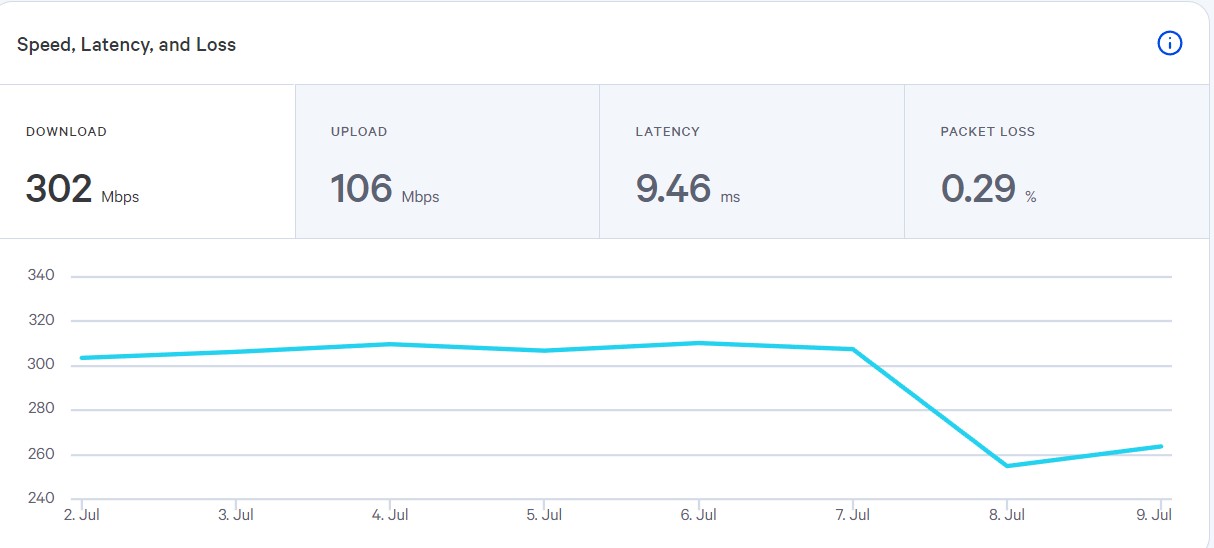
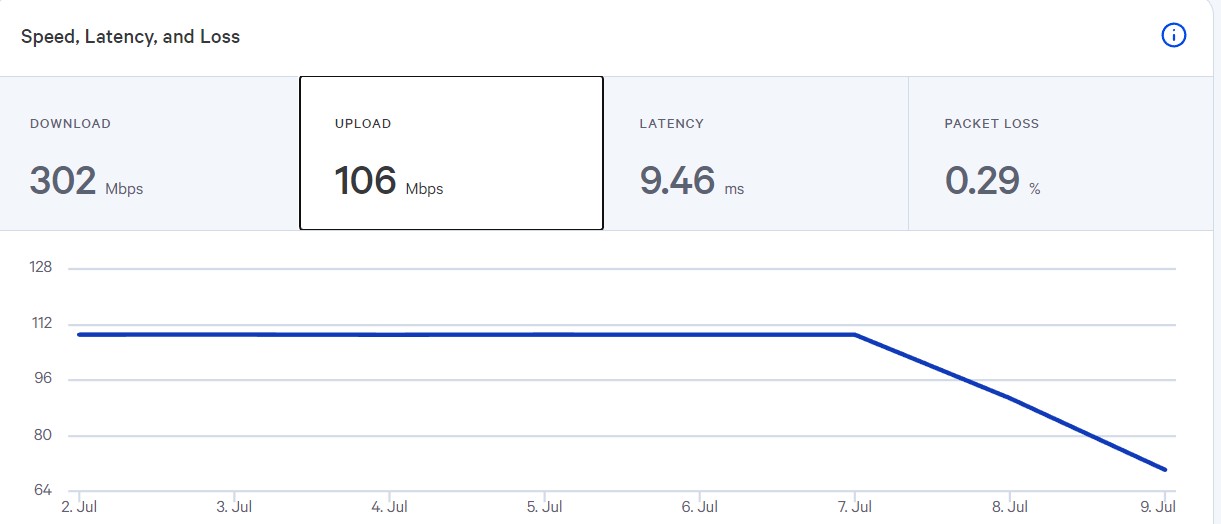
I'm on Orcon 300/100 with 1 Nest wifi router. Setup is ONT > Nest wifi > Whitebox. Normally the speeds shown on the whitebox are 309/109 (which is good) but after a few days, those speeds drop to 260/60-90. If I reset the Nest, the speeds jump back up.


So I decided to only have the whitebox on for 12 hours a day. The speeds stayed high for about 2 weeks and then now they've gone down again (I think I just forgot to turn off the whitebox lol)


Connecting a laptop directly to the ONT gives full speeds while connecting directly to the Nest gives 260/60-90. If I reset the Nest now the speeds will most likely fix themselves. What can I do? Is the Nest just not powerful enough to handle 3kb/s going through the system 24/7? (lol)


Download:


Upload:


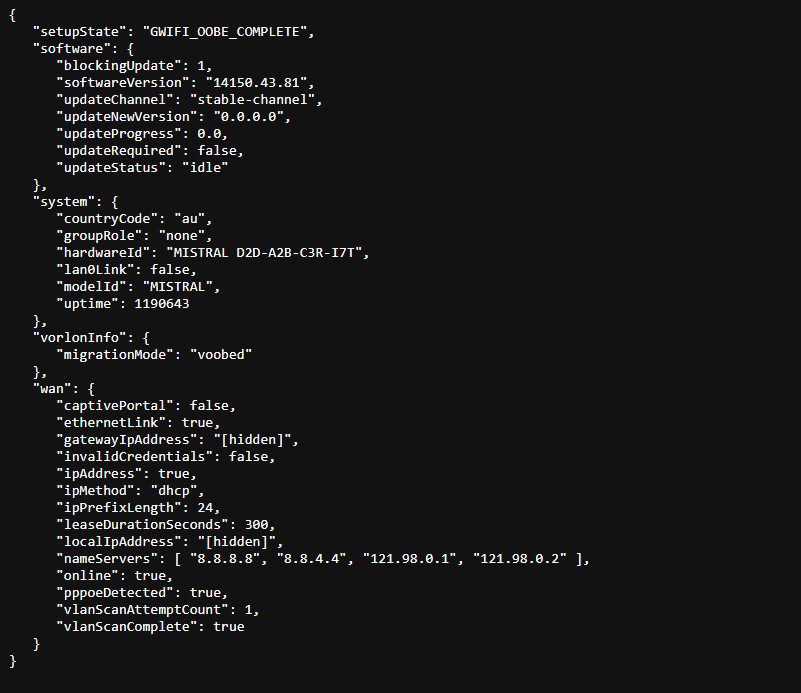
Also what does 'blockingUpdate' mean? It wasn't there a few days ago.


Sorry if I didn't add enough info.



Create new topic
mezla1058
26 posts

Geek
+1 received by user: 4


  #2943377 18-Jul-2022 11:19
Send private message

Known issue. Just throw away the SamKnows box. It is completely useless.


This is a topic I posted about it 2 years ago: https://www.geekzone.co.nz/forums.asp?forumId=49&topicId=273230


stick

357 posts

Ultimate Geek
+1 received by user: 113


  #2943544 18-Jul-2022 18:42
Send private message

I'm in touch with SamKnows now, will see how it goes.

OldGeek
989 posts

Ultimate Geek
+1 received by user: 409

ID Verified
Lifetime subscriber

  #2952518 9-Aug-2022 15:51
Send private message

mezla1058:


Known issue. Just throw away the SamKnows box. It is completely useless.


This is a topic I posted about it 2 years ago: https://www.geekzone.co.nz/forums.asp?forumId=49&topicId=273230


The SamKnows Whitebox is quite useful as is illustrated in that link.  I have never had an issue with stability though I have had issues with functionality.  Since that thread was last updated I have moved address twice, and ISP twice.


The only advice I would offer is never to use the Whitebox LAN ports - just connect a CAT5E (minimum) ethernet cable to the WAN port with the other end on a LAN port of a switch or router.


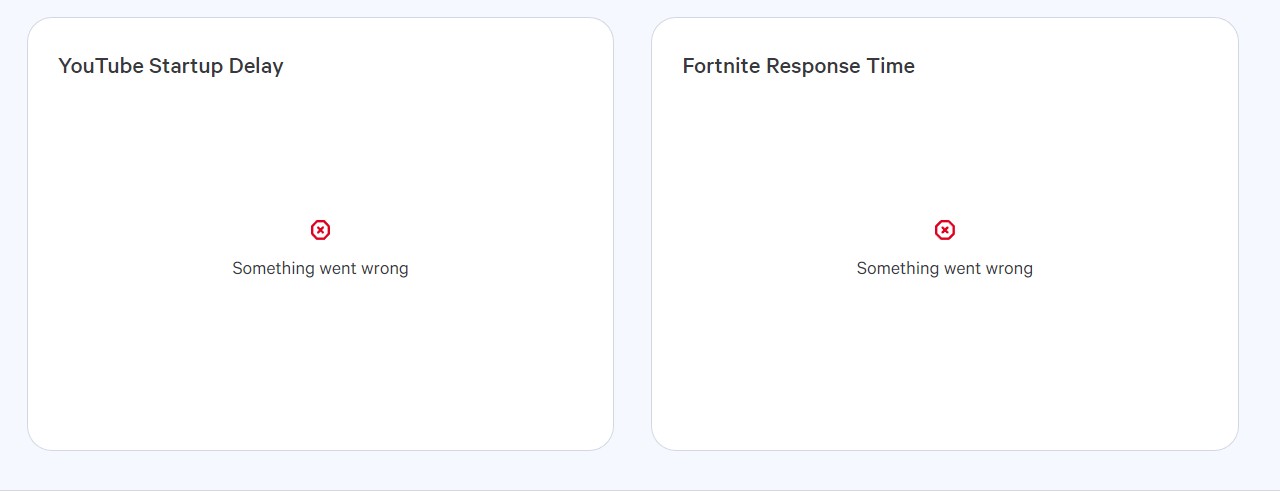
Currently I have an issue with SamKnows support over the functionality of their Dashboard panels measuring Fortnite and Valorant performance (permanently reporting 'something went wrong').  Support can be slow but generally they do respond.


In the SamKnows dashboard the panel reporting disconnections is illuminating, as is the speed measures.  All good given I am not paying for this.


-- 

OldGeek.


Quic referal code: https://account.quic.nz/refer/581402 and use this code for free setup: R581402E48MJA


stick

357 posts

Ultimate Geek
+1 received by user: 113


  #2952575 9-Aug-2022 16:18
Send private message

OldGeek:


The only advice I would offer is never to use the Whitebox LAN ports - just connect a CAT5E (minimum) ethernet cable to the WAN port with the other end on a LAN port of a switch or router.


Why? Are you able to explain this a bit more? Are you just saying not to use the Whitebox's LAN ports and just to use the routers ports for other devices?


If so, that's not possible for me as the Nest only has 1 LAN port :(


I don't need the LAN ports much anyway, it's just a TV which can also be used wirelessly.


OldGeek:


Currently I have an issue with SamKnows support over the functionality of their Dashboard panels measuring Fortnite and Valorant performance (permanently reporting 'something went wrong').


Yeah is happening to me too.


gehenna
8667 posts

Uber Geek
+1 received by user: 3883

Moderator
Trusted
Lifetime subscriber

  #2952625 9-Aug-2022 16:41
Send private message

I would avoid using that box as a switch and just get a cheap switch for your other devices. Then the box just becomes one of the devices connected to that switch.

stick

357 posts

Ultimate Geek
+1 received by user: 113


  #2952638 9-Aug-2022 16:53
Send private message

Is this speed issue happening to any of you guys?


@OldGeek, what router are you using?


Shop on-line at New World now for your groceries (affiliate link).
OldGeek
989 posts

Ultimate Geek
+1 received by user: 409

ID Verified
Lifetime subscriber

  #2952642 9-Aug-2022 17:14
Send private message

St1ick:


@OldGeek, what router are you using?


The standard Kaon AR2140 from Sky.


-- 

OldGeek.


Quic referal code: https://account.quic.nz/refer/581402 and use this code for free setup: R581402E48MJA


Create new topic


Geekzone Live »

Try automatic live updates from Geekzone directly in your browser, without refreshing the page, with Geekzone Live now.


Are you subscribed to our RSS feed? You can download the latest headlines and summaries from our stories directly to your computer or smartphone by using a feed reader.