Geekzone: technology news, blogs, forums
Guest
Welcome Guest.
You haven't logged in yet. If you don't have an account you can register now.


sbd

sbd

6 posts

Wannabe Geek
+1 received by user: 4


#310499 25-Oct-2023 12:46
Send private message

Hi Team, 


I just moved my Fibre Broadband connection over from One NZ to 2Degrees this morning. I'm using the TP-Link Deco X20's previously by Vodafone (Superwifi).


All went smoothly with the cutover except I can't seem to get IPv6 working. 


I have mirrored the exact settings I found on this post here: https://www.geekzone.co.nz/forums.asp?forumid=81&topicid=296031&page_no=1#2914525 , however I'm not getting assigned an IPv6 address. 


I've tried fiddling with the settings to no avail. Does anyone have any ideas how to get IPv6 going on a TP-Link Deco X20 on 2Degrees?


Filter this topic showing only the reply marked as answer Create new topic
Spyware
3818 posts

Uber Geek
+1 received by user: 1366

Lifetime subscriber

  #3152050 25-Oct-2023 12:57
Send private message

IPv6 connection type should be DHCP (as stated in thread you read).


Spark Max Fibre using Mikrotik CCR1009-8G-1S-1S+, CRS125-24G-1S, Unifi UAP, U6-Pro, UAP-AC-M-Pro, Apple TV 4K (2022), Apple TV 4K (2017), iPad Air 1st gen, iPad Air 4th gen, iPhone 13, SkyNZ3151 (the white box). If it doesn't move then it's data cabled.


sbd

sbd

6 posts

Wannabe Geek
+1 received by user: 4


  #3152054 25-Oct-2023 13:08
Send private message

Hey, thanks for the reply @spyware 


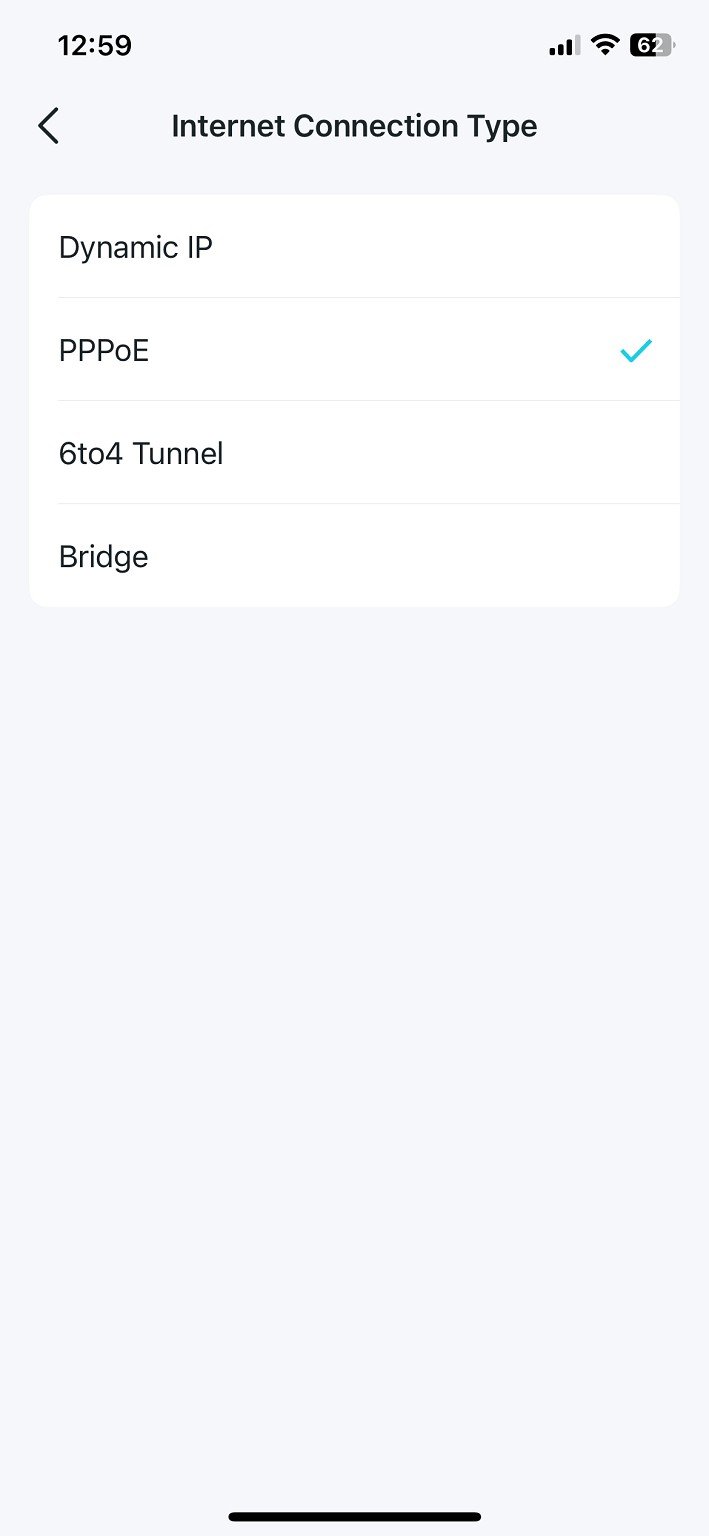
Under IPv6 Internet Connections Types, there is no DHCP option: 


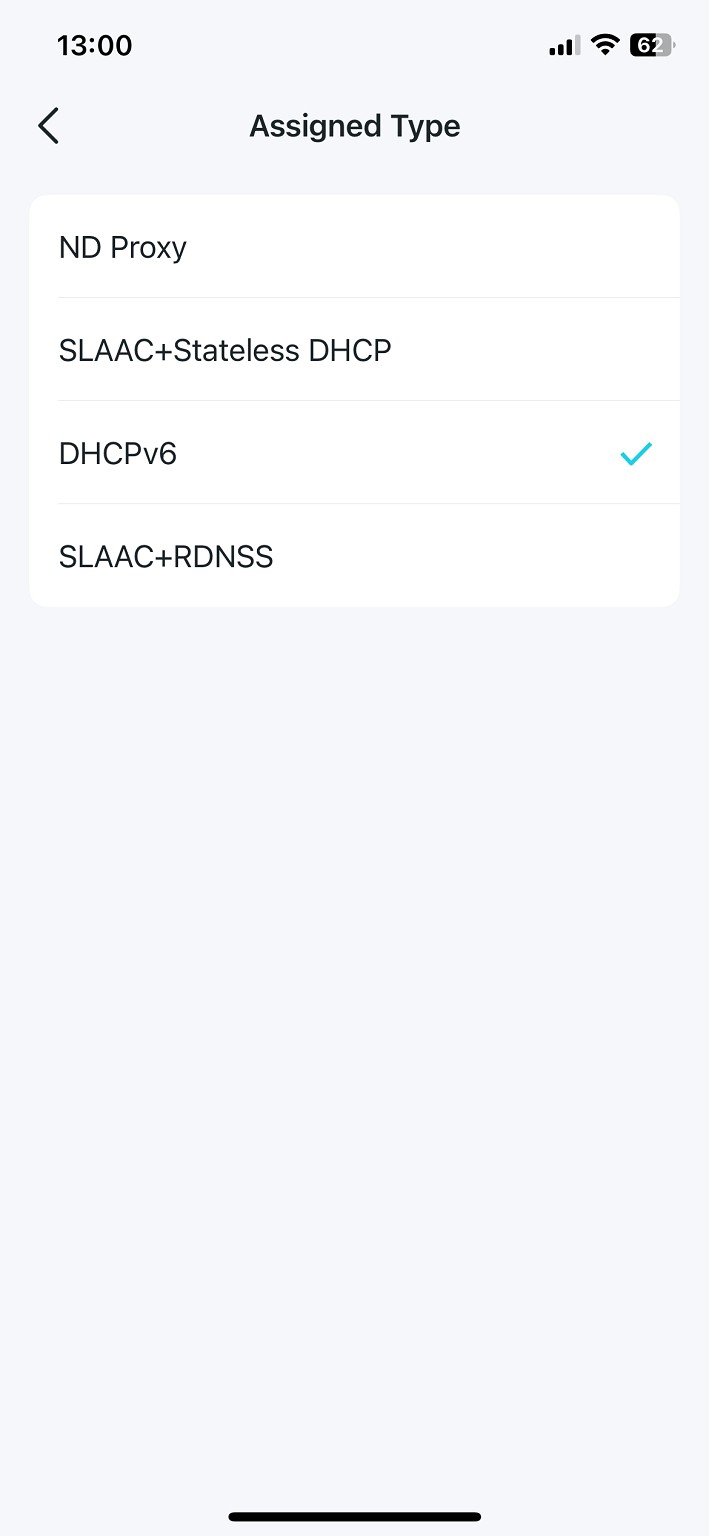
When I select Assigned Type under PPPoE connection type, I can select DHCPv6, however I am still not getting a v6 address assigned with DHCPv6 


Spyware
3818 posts

Uber Geek
+1 received by user: 1366

Lifetime subscriber

  #3152056 25-Oct-2023 13:10
Send private message

DHCP = Dynamic Host Configuration Protocol so have another guess.


Spark Max Fibre using Mikrotik CCR1009-8G-1S-1S+, CRS125-24G-1S, Unifi UAP, U6-Pro, UAP-AC-M-Pro, Apple TV 4K (2022), Apple TV 4K (2017), iPad Air 1st gen, iPad Air 4th gen, iPhone 13, SkyNZ3151 (the white box). If it doesn't move then it's data cabled.


sbd

sbd

6 posts

Wannabe Geek
+1 received by user: 4


  #3152062 25-Oct-2023 13:33
Send private message

Ok thanks. I've attempted other options, but I am not getting a v6 address assigned with any of the configurations below: 

Internet Connection Type: Dynamic IP. Get IPv6 Address: Stateless. Assigned Type: DHCPv6


Internet Connection Type: Dynamic IP. Get IPv6 Address: Stateless. Assigned Type: SLAAC+RDNSS


Internet Connection Type: Dynamic IP. Get IPv6 Address: Stateless. Assigned Type: SLAAC+ Stateless DHCP


Internet Connection Type: Dynamic IP. Get IPv6 Address: Stateful. Assigned Type: SLAAC+ Stateless DHCP


Internet Connection Type: Dynamic IP. Get IPv6 Address: Stateful. Assigned Type: DHCPv6


Internet Connection Type: Dynamic IP. Get IPv6 Address: Stateful. Assigned Type: SLAAC+ Stateless DHCP


Internet Connection Type: PPPoE. Get IPv6 Address: Stateless. Assigned Type: DHCPv6


Internet Connection Type: PPPoE. Get IPv6 Address: Stateless. Assigned Type: SLAAC+RDNSS


Internet Connection Type: PPPoE. Get IPv6 Address: Stateless. Assigned Type: SLAAC+ Stateless DHCP


Cxf

Cxf
72 posts

Master Geek
+1 received by user: 52

2degrees

  #3152063 25-Oct-2023 13:34
Send private message

Deco x60 user here, noticed the same with my IPV6 DHCP.

Just enabled IPV6 prefix delegation and set "get ipv6 address" from auto to stateful and I now have an ipv6 framed IP/framed route.


See if that helps?


Cheers,


sbd

sbd

6 posts

Wannabe Geek
+1 received by user: 4


  #3152067 25-Oct-2023 13:45
Send private message

Sadly, no luck with that @cxf


Move to New Zealand's best fibre broadband service (affiliate link). Free setup code: R587125ERQ6VE. Note that to use Quic Broadband you must be comfortable with configuring your own router.
bigalow
568 posts

Ultimate Geek
+1 received by user: 112


  #3152074 25-Oct-2023 14:20
Send private message

it took me a while to find out nothing about it in the manual etc 


in the app under more > advanced >  iptv/vlan > mode > change it to New Zealand UFB


then go back to more > internet connection and turn on ipv6


sbd

sbd

6 posts

Wannabe Geek
+1 received by user: 4


  #3152077 25-Oct-2023 14:30
Send private message

@bigalow Thank you. I followed this. Had to toggle IPv6 between Stateless/Stateful and now I have a V6 address assigned!


sbd

sbd

6 posts

Wannabe Geek
+1 received by user: 4


  #3152080 25-Oct-2023 14:35
Send private message

Thanks all for your input and help. 


For the forum's reference, what I had to to do get it working: 


1) Set the Configuration as below: 


Internet Connection Type: Dynamic IP
Get IPv6 Address: Stateful
Prefix Delegation: ticked on (green knob)
DNS Address: Auto
Assigned Type: DHCPv6


2) In the Deco App, More > advanced >  iptv/vlan > mode > change it to New Zealand UFB


3) Back to Internet Connection Settings for IPv6: Toggle Stateful to Stateless


4) Back to Internet Connection Settings for IPv6: Toggle Stateless back to Stateful


Again, thanks all for the input to get me up and runnning :) 


Cheers, Sebastian.


Filter this topic showing only the reply marked as answer Create new topic


Geekzone Live »

Try automatic live updates from Geekzone directly in your browser, without refreshing the page, with Geekzone Live now.


Are you subscribed to our RSS feed? You can download the latest headlines and summaries from our stories directly to your computer or smartphone by using a feed reader.