Geekzone: technology news, blogs, forums
Guest
Welcome Guest.
You haven't logged in yet. If you don't have an account you can register now.


macaulja

7 posts

Wannabe Geek


#311310 5-Jan-2024 08:18
Send private message

Kia Ora!

I have recently made the move to 2degrees fibre (from Quic fibre pppoe) and connection happened super quick, same day even. I’ve seen some great performance from the network but seem to have a conundrum.

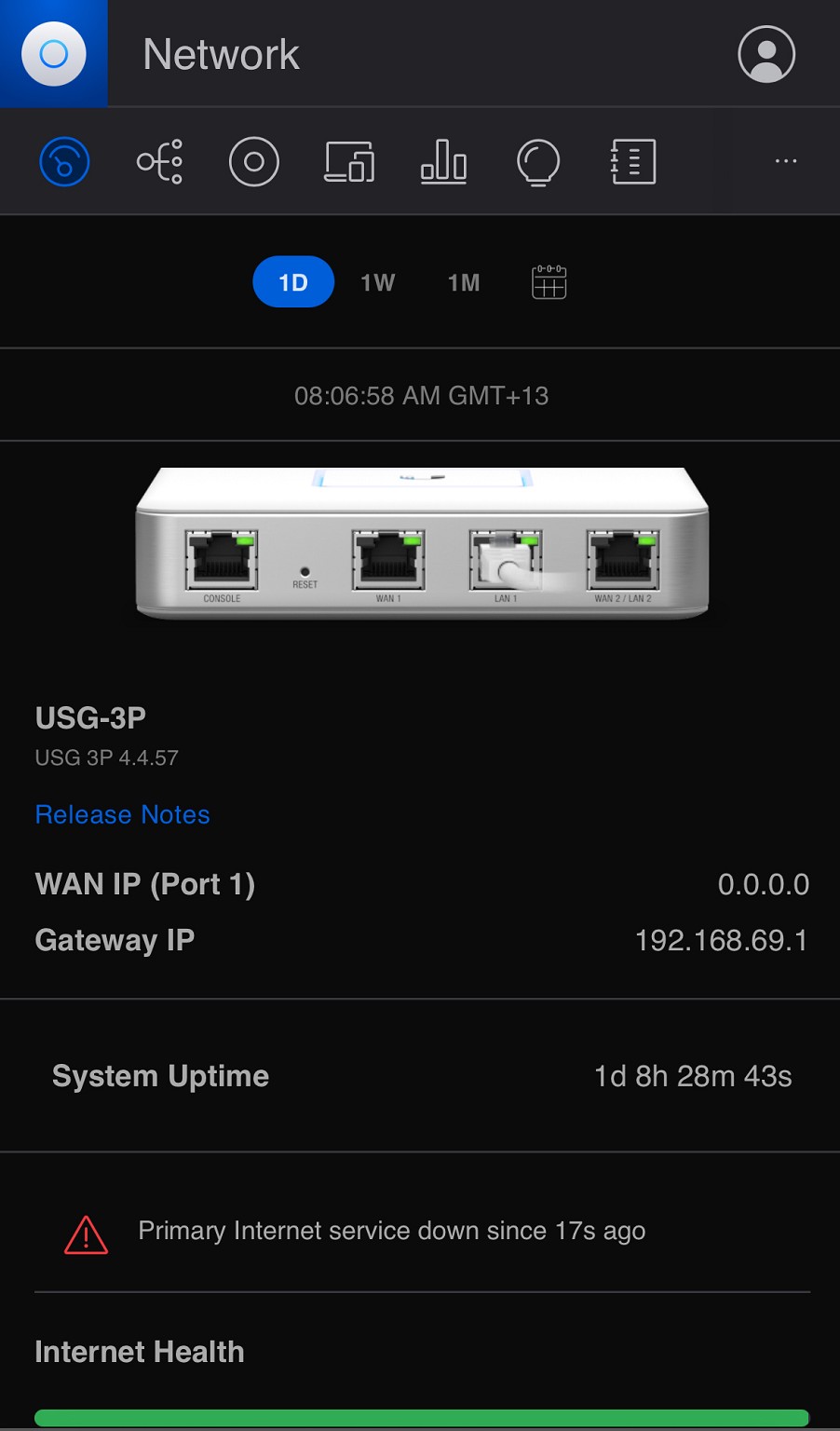
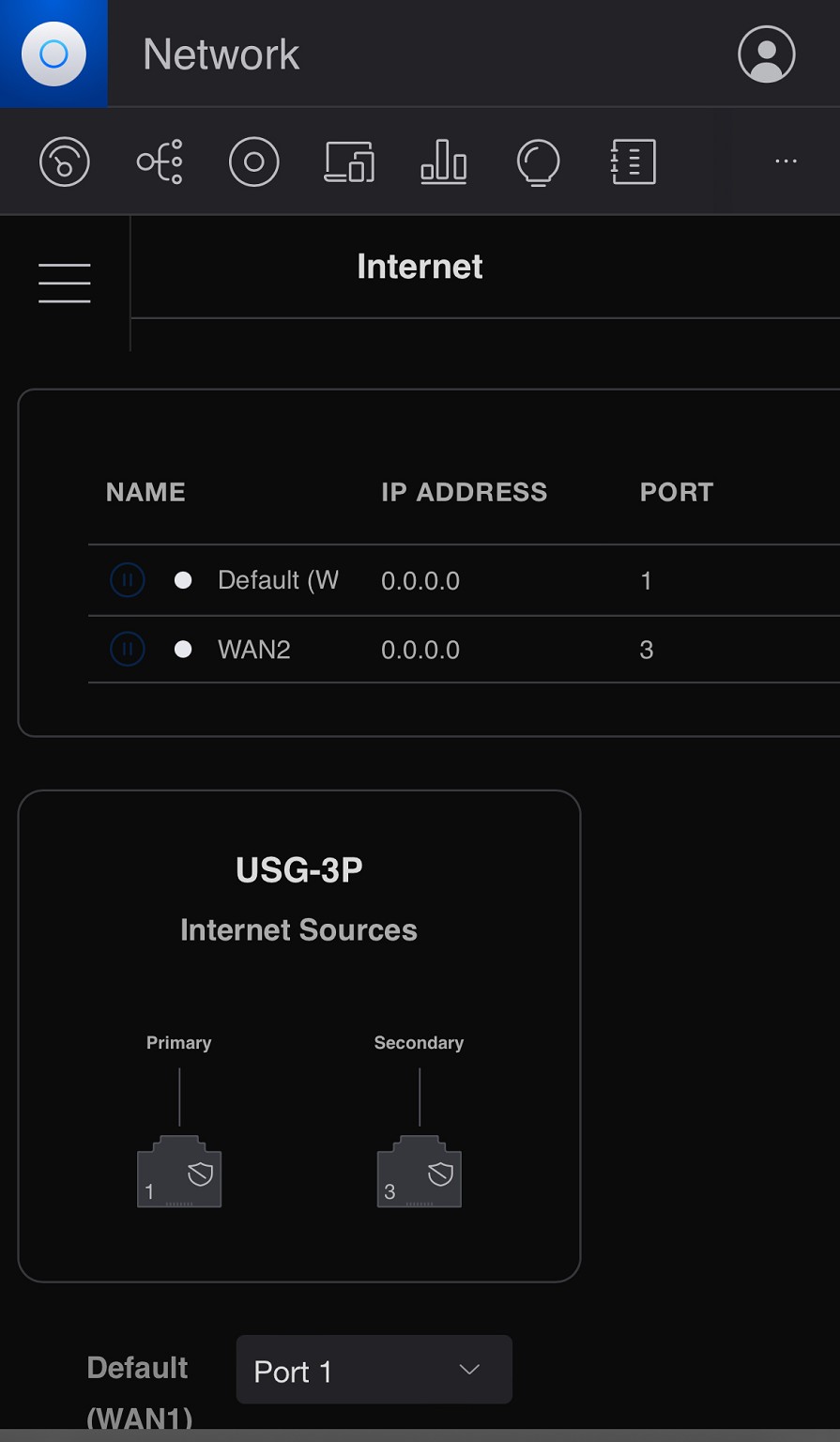
As mentioned, moving day caught me off guard and my network switched over before I realised leaving me with the option to log in to my router via web browser (USG) and update the settings from pppoe to dhcp. All worked well and internet is flowing but I have noticed that my WAN config in Unifi controller is displaying “Not Active” and my ping monitor on the dashboard is no longer there. I see that the WAN IP on the router is 0.0.0.0.

I’ve googled and googled and am at a dead end so far. I am a bit of a novice in networking but always interested to learn something new. Any help would be greatly appreciated.


Jamie

Create new topic
fearandloathing
537 posts

Ultimate Geek
+1 received by user: 206

ID Verified
Lifetime subscriber

  #3177928 5-Jan-2024 10:32
Send private message

Make sure the connection is set to DHCP and vlan 10 for the WAN, you need to configure https://unifi.ui.com/ not the mobile app.


macaulja

7 posts

Wannabe Geek


  #3177931 5-Jan-2024 11:34
Send private message

Hey, thanks!

I originally configured on the web and all settings are as per 2degrees. I have internet connectivity- that’s not the issue.

Cheers!

fearandloathing
537 posts

Ultimate Geek
+1 received by user: 206

ID Verified
Lifetime subscriber

  #3177935 5-Jan-2024 12:00
Send private message

Try a new cable then, if that doesn’t work forget and re-provision the usg. Also make sure all UniFi applications and firmware are up to date.


macaulja

7 posts

Wannabe Geek


  #3178194 5-Jan-2024 22:13
Send private message

Thanks, I’ll give those 2 solutions a go

macaulja

7 posts

Wannabe Geek


  #3178334 6-Jan-2024 12:36
Send private message

fearandloathing: Try a new cable then, if that doesn’t work forget and re-provision the usg. Also make sure all UniFi applications and firmware are up to date.


Update: neither changing the cable or removing the USG and re provisioning did the trick. It’s so weird..

Create new topic


Geekzone Live »

Try automatic live updates from Geekzone directly in your browser, without refreshing the page, with Geekzone Live now.


Are you subscribed to our RSS feed? You can download the latest headlines and summaries from our stories directly to your computer or smartphone by using a feed reader.