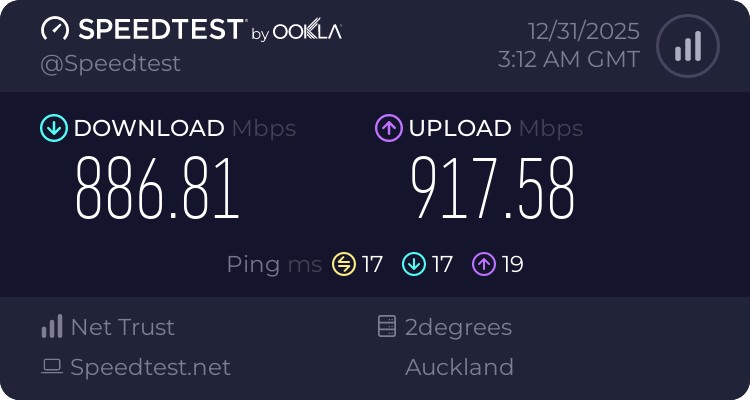
As per the title, my 2 Degrees Fibre connection is capped at 100Mbit/s. Previously on this connection with the same hardware I was getting around 920.
There was an unscheduled power cut, after which the internet speed became slow. There was a scheduled power cut 2 days after this, but the speeds never returned.
The following is a copy of an email I sent to 2 degrees support, while dealing with this issue. They replied telling me the issue was resolved and that I should try with ethernet, not wifi.
I have tried the following:
3 different cables (all cat 6) between computer and router.
3 different cables between fibre box and router. All cat 6.
In the router configuration page, all ports are marked as 1GBps
Used the inbuilt NAS function on router to setup a temporary NAS and was able to achieve a consistent near 1GBPS Download speed from it. From the router to *any* device on the network is a consistent 1Gbps. To me this seems to be the only thing I need to do. It verifies that the entire network is running at 1GBps, but I did a lot more:
Speed tests done to speedtest.net, fast.com. Minutes, hours or seconds apart, same results every time.
To verify that the local network was running at 1GBPS I Setup a local speed test server on my pc, got 867mbps on wifi 7 from an iPhone 17 Pro, got 1000mbps from another computer on the network using Ethernet.(See also NAS test done above)
Upload speed is 100, download speed is 100.
I have tried on every browser imaginable. Windows, Linux, MacOS, iOS, iPadOS, even the PS5 inbuilt speed test all return an identical 100download and 100 upload to the internet. They all manage 1000mbps when on the local network. I have tried brand new fresh profiles of safari, chrome and Firefox on all those as well.
I am not sure how else to prove that the internet speed is 100/200, while the internal network is 1000/1000.
Most recently this morning, I dug an Orbi RBR350 out of storage and replaced the FritzBox7590 that was supplied by 2d and replaced the router with that. This router was used at my old house a year ago and provided gigabit speeds with no issue at all. Still stuck at 100 here.
I also connected my M1 Macbook and iPhone 17 Pro to the wifi network on this Orbi router, did a speedtest (via local speedtest server) between the two to test the wifi connection speed, and got 500mbps which indicates that the connection is strong and not capped at 100mbps. Then when doing a internet speedtest from these devices, I got a steady 94(100 minus some Orbi overhead) The reasoning behind this is that there are no other devices on this wifi network, the Orbi was freshly factory reset and only had the two devices on it.
I am out of ideas here. 2Degrees support has been entirely useless, I just get a bunch of Tier-1 helpdesk support people (who I am really respectful and kind to) telling me to restart my devices, to try on ethernet, and that my device might be a bit old and so is getting slow Wifi (iPhone 17 Pro, TP-Link Omada EAP772 connected to router via gigabit POE switch). Whenever I tell them that I have done all that, they just mark the job as resolved and send me some boilerplate email about "If you do not have an ethernet cable, we can send one to you" etc.
I have verIfied my home network in every possible way, Ethernet/Ethernet, Ethernet/Wifi, Wifi/Ethernet, Wifi/Wifi and in all cases, I am getting well over 100mbits, usually 1000, but sometimes a bit less when its two wifi devices.
I have test 2 different routers, I can only assume at this point that it is some sort of provisioning issue, but I have no idea how to get them to fix it. Any and all help is appreciated.





 Trusted

 Administrator
 ID Verified
 Geekzone