Geekzone: technology news, blogs, forums
Guest
Welcome Guest.
You haven't logged in yet. If you don't have an account you can register now.


View this topic in a long page with up to 500 replies per page Create new topic
1 | 2 | 3 | 4 | 5 | 6 | 7 | 8 | 9 | 10

FPR

FPR
176 posts

Master Geek
+1 received by user: 25


  #249259 21-Aug-2009 05:39
Send private message

freitasm:
RustyViewer: And of course, you should be able to play chase or play what you've already recorded while other channels are being recorded.


You can watch a channel while recording another one. You can record two channels, in which case you can only watch those two channels being recorded (logical since both tuners will be in use).

You can watch a DVD or Bluray disc, but no access to USB or SD card while recording.


Hmmm,
Well I was thinking about buying one of these, but If you can only watch what you are recording or a prerecord program / DVD/ Blueray I not so sure now.

So you cant watch another channel on the same mux at the same time? Can you confirm this please.

When recording with my single turner Vantage HD6000T PVR, I can watch another channel on the same mux
eg if I'm recording TV3 I can watch  TV3, C4 or TV3+1  or I can watch a prerecorded program at the same time.

Also since it has a usb port, can you plug a harddrive in & record to it?

Cheers


freitasm
BDFL - Memuneh
80656 posts

Uber Geek
+1 received by user: 41060

Administrator
ID Verified
Trusted
Geekzone
Lifetime subscriber

  #249272 21-Aug-2009 07:32
Send private message

FPR:
freitasm:
RustyViewer: And of course, you should be able to play chase or play what you've already recorded while other channels are being recorded.


You can watch a channel while recording another one. You can record two channels, in which case you can only watch those two channels being recorded (logical since both tuners will be in use).

You can watch a DVD or Bluray disc, but no access to USB or SD card while recording.


Hmmm,
Well I was thinking about buying one of these, but If you can only watch what you are recording or a prerecord program / DVD/ Blueray I not so sure now.

So you cant watch another channel on the same mux at the same time? Can you confirm this please.

Also since it has a usb port, can you plug a harddrive in & record to it?

Cheers


There are two tuners. You can record one show and watch any other Freeview channel from any other mux.

If you are recording two shows at the same time then both tuners will be in use and you can only watch those two shows.

You can watch DVD and BluRay while recording.

You cannot access the USB while recording.

You can copy to and from the USB drive. I haven't tried recording directly to the USB drive because there's a 500GB HDD on the unit itself so it's much easier to just set and forget. I will try later to see if there's any option to record directly on the USB (somehow I doubt it because there's a 500GB HDD, ability to burt Bluray or copy to USB already).


Referral links: Quic Broadband (free setup code: R587125ERQ6VE) | Samsung | AliExpress | Wise | Sharesies 


Support Geekzone by subscribing (browse ads-free), or making a one-off or recurring donation through PressPatron.


old3eyes
9158 posts

Uber Geek
+1 received by user: 1364

Subscriber

  #249292 21-Aug-2009 08:33
Send private message

Can you copy HD recorded content to BD media??


Regards,

Old3eyes


freitasm
BDFL - Memuneh
80656 posts

Uber Geek
+1 received by user: 41060

Administrator
ID Verified
Trusted
Geekzone
Lifetime subscriber

  #250332 25-Aug-2009 12:18
Send private message

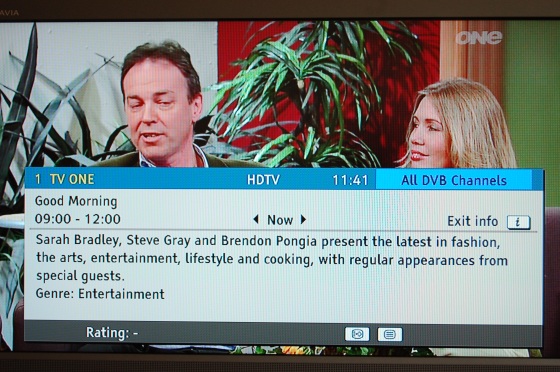
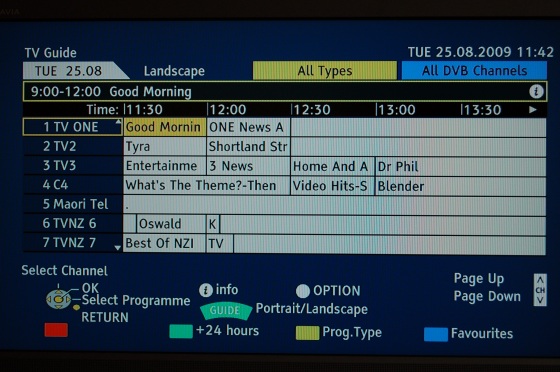
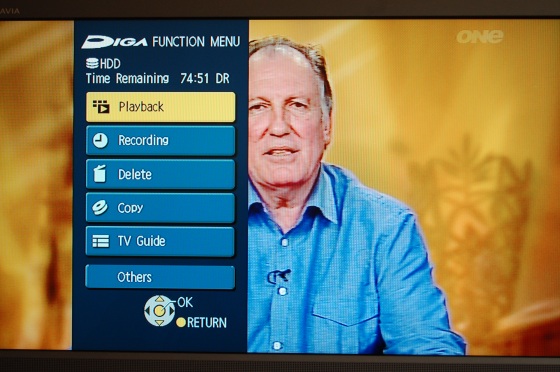
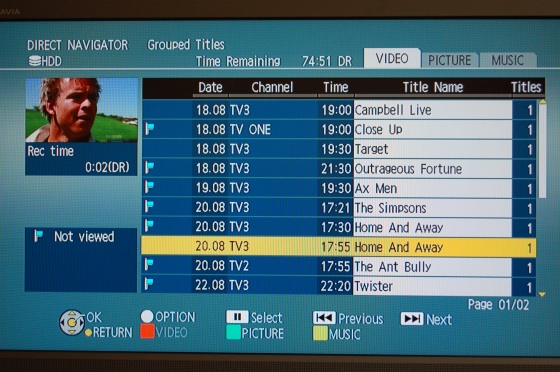
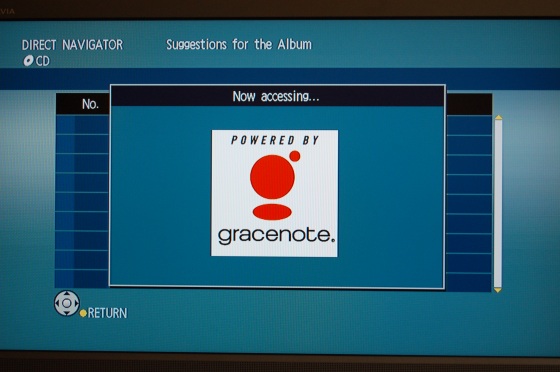
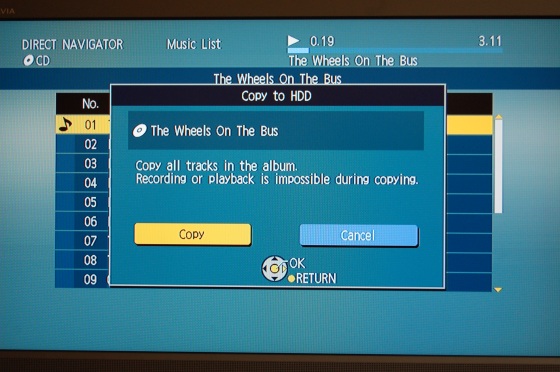
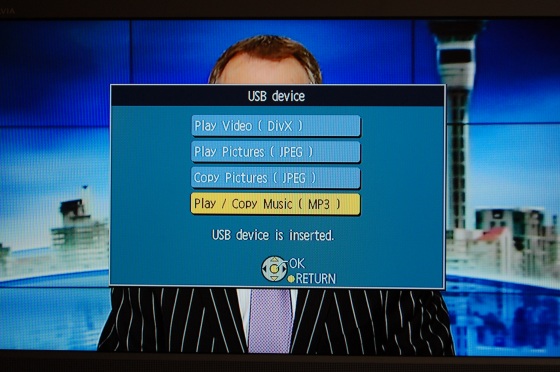
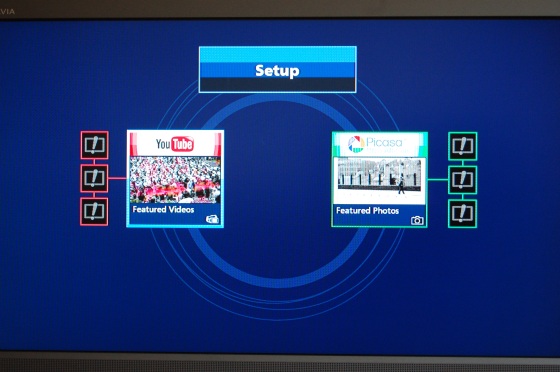
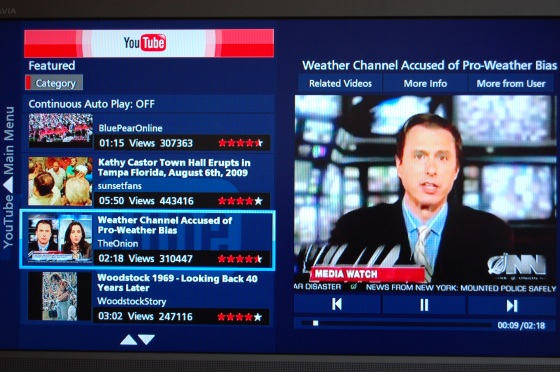
These are some of the screenshots I just captured for the upcoming review:


Referral links: Quic Broadband (free setup code: R587125ERQ6VE) | Samsung | AliExpress | Wise | Sharesies 


Support Geekzone by subscribing (browse ads-free), or making a one-off or recurring donation through PressPatron.


RustyViewer
298 posts

Ultimate Geek
+1 received by user: 33


  #250349 25-Aug-2009 13:42
Send private message

Another question - Can you edit files and/or programming entries while recording? Can you extend the recording time of a program which is currently recording if, for instance, it is running longer than expected?

mentalinc
3384 posts

Uber Geek
+1 received by user: 1023

Trusted

  #250368 25-Aug-2009 14:44
Send private message

RustyViewer: Can you extend the recording time of a program which is currently recording if, for instance, it is running longer than expected?


Hopefully this will work automagically based on the EPG data assuming it is updated in realtime


CPU: AMD 5900x | RAM: GSKILL Trident Z Neo RGB F4-3600C16D-32GTZNC-32-GB | MB:  Asus X570-E | GFX: EVGA FTW3 Ultra RTX 3080Ti| Monitor: LG 27GL850-B 2560x1440


Quic: https://account.quic.nz/refer/473833 R473833EQKIBX 


Shop now for Lenovo laptops and other devices (affiliate link).
ventolin
110 posts

Master Geek
+1 received by user: 4


  #250390 25-Aug-2009 15:24
Send private message

the EPG isn't updated in real time

Jaxson
8172 posts

Uber Geek
+1 received by user: 1332

Trusted

  #250405 25-Aug-2009 16:07
Send private message

You might be ok though if you use the epg time slot to book the recording as it might go off the EIT now/next data which should extend if it does run on. Really this doesn't seem to happen too much these days.

As an aside, I've noticed on the PS3 PlayTV EPG that on some (mainly non TVNZ) epg listings, even though the data isn't there to fill in the show name/info etc, the time slots are actually devided up for many days ahead. You can use this to select an item on Tuesday at 8.30 for instance, even though there's no info on what that show currently is. The TVNZ listings don't do this, they just show no data, but the other channels show the show devisions with only dots for the info. This makes it quicker in some cases to select a show via the EPG, even though there's no EIT data on the HD service.

RustyViewer
298 posts

Ultimate Geek
+1 received by user: 33


  #250435 25-Aug-2009 17:13
Send private message

Two big advantages with this machine over the TiVo and possibly others on the market:

1) You can skip the ads
2) You can edit files - this would include removing ads altogether
3) Directly transferable media device for library storage - DVD or BluRay

old3eyes
9158 posts

Uber Geek
+1 received by user: 1364

Subscriber

  #250503 25-Aug-2009 21:01
Send private message

RustyViewer: Two big advantages with this machine over the TiVo and possibly others on the market:

1) You can skip the ads
2) You can edit files - this would include removing ads altogether
3) Directly transferable media device for library storage - DVD or BluRay


Item 3) Hidef recored content??


Regards,

Old3eyes


RustyViewer
298 posts

Ultimate Geek
+1 received by user: 33


  #251231 28-Aug-2009 10:47
Send private message

old3eyes:
RustyViewer: Two big advantages with this machine over the TiVo and possibly others on the market:

1) You can skip the ads
2) You can edit files - this would include removing ads altogether
3) Directly transferable media device for library storage - DVD or BluRay


Item 3) Hidef recored content??


As far as I know. What would be the point of a BluRay burner otherwise?

Now, I still got questions I hope someone can answer.

When recording from a Freeview box into a standard recorder, you have to set the picture size beforehand - panscan, 4:3 or 6:9. This is a nuisance since different programs have different dimensions. So...

1) In the panasonic, can you set the size for playback AFTER recording? This would be particularly useful if, for instance, you recorded two shows back to back with different sizes.
2) Can the picture size be changed on the fly - a button on the remote - or do you have to go through a setup screen to change it, (which would make things fiddly)?
3) When copying to SD on a DVD, do you specify the size you want it copied as?


Shop now on Samsung phones, tablets, TVs and more (affiliate link).
sbiddle
30853 posts

Uber Geek
+1 received by user: 9996

Retired Mod
Trusted
Biddle Corp
Lifetime subscriber

  #251233 28-Aug-2009 10:56
Send private message

RustyViewer:
old3eyes:
RustyViewer: Two big advantages with this machine over the TiVo and possibly others on the market:

1) You can skip the ads
2) You can edit files - this would include removing ads altogether
3) Directly transferable media device for library storage - DVD or BluRay


Item 3) Hidef recored content??


As far as I know. What would be the point of a BluRay burner otherwise?

Now, I still got questions I hope someone can answer.

When recording from a Freeview box into a standard recorder, you have to set the picture size beforehand - panscan, 4:3 or 6:9. This is a nuisance since different programs have different dimensions. So...

1) In the panasonic, can you set the size for playback AFTER recording? This would be particularly useful if, for instance, you recorded two shows back to back with different sizes.
2) Can the picture size be changed on the fly - a button on the remote - or do you have to go through a setup screen to change it, (which would make things fiddly)?
3) When copying to SD on a DVD, do you specify the size you want it copied as?


I'm not quite sure what you mean about the show aspect ratios and why they need to be changed.

All Freeview broadcasts are fulltime 16:9 with any 4:3 content being broadcast within a 16:9 frame.

If you have a 16:9 TV then this should be set to 16:9 all the time. If you have a 4:3 TV you should have this set to letterbox (preferred option) or 4:3 centercut if you don't mind missing 1/4 of the picture off the sides.

Why would you want to change the aspect ratio for different shows?

RustyViewer
298 posts

Ultimate Geek
+1 received by user: 33


  #251235 28-Aug-2009 11:00
Send private message

I have a 4:3 TV and older shows now have a black box all the way round, making the picture smaller than it should be. Hence for those I would use panscan.

old3eyes
9158 posts

Uber Geek
+1 received by user: 1364

Subscriber

  #251236 28-Aug-2009 11:01
Send private message

RustyViewer:
old3eyes:
RustyViewer: Two big advantages with this machine over the TiVo and possibly others on the market:

1) You can skip the ads
2) You can edit files - this would include removing ads altogether
3) Directly transferable media device for library storage - DVD or BluRay


Item 3) Hidef recored content??


As far as I know. What would be the point of a BluRay burner otherwise?


True.  The reason I asked this was that with Sky and Freeview certified STBs thec ontent providers seem paranoid about allowing you to watch HD content over analog that they specify HDMI only so I suspect the same reasoning would prevail  with copying recored HD to Blu-ray but would only allow copying only to DVD format..


Regards,

Old3eyes


TinyTim
1058 posts

Uber Geek
+1 received by user: 167

Trusted

  #251237 28-Aug-2009 11:02
Send private message

RustyViewer:
1) In the panasonic, can you set the size for playback AFTER recording? This would be particularly useful if, for instance, you recorded two shows back to back with different sizes.


Presumably it records the raw data stream so you would HAVE to set it during playback. What sbiddle siad notwithstanding.


1 | 2 | 3 | 4 | 5 | 6 | 7 | 8 | 9 | 10
View this topic in a long page with up to 500 replies per page Create new topic


Geekzone Live »

Try automatic live updates from Geekzone directly in your browser, without refreshing the page, with Geekzone Live now.


Are you subscribed to our RSS feed? You can download the latest headlines and summaries from our stories directly to your computer or smartphone by using a feed reader.