Geekzone: technology news, blogs, forums
Guest
Welcome Guest.
You haven't logged in yet. If you don't have an account you can register now.


Wakrak

1748 posts

Uber Geek
+1 received by user: 1126

ID Verified
Lifetime subscriber

#289886 6-Oct-2021 09:25
Send private message

Hello all. 


Recently moved from Hamilton City to the country side (though still within the Hamilton City Boundary).


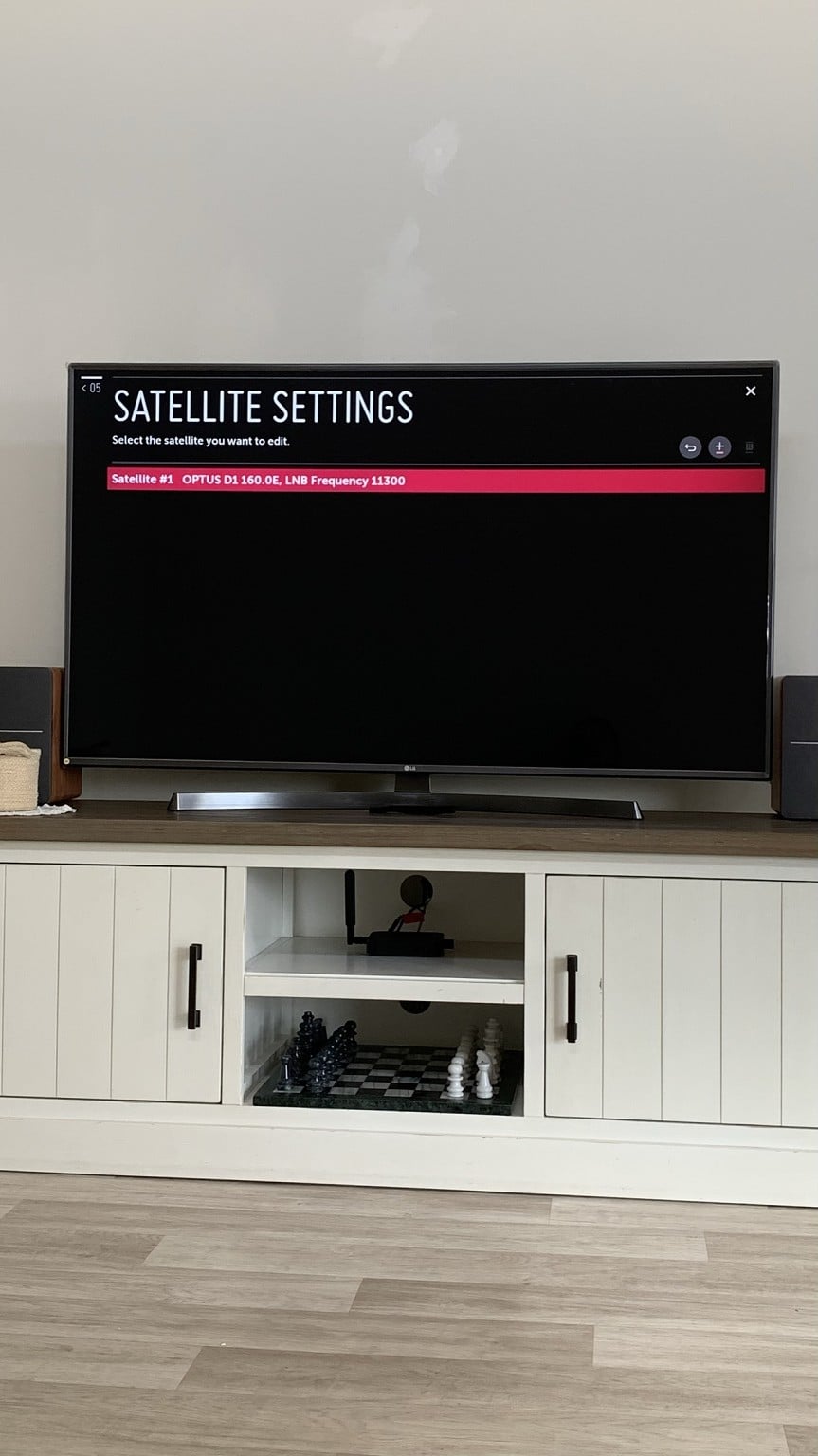
TV - LG 55UK6700PVD
Connection - TV wall socket = TV Satellite


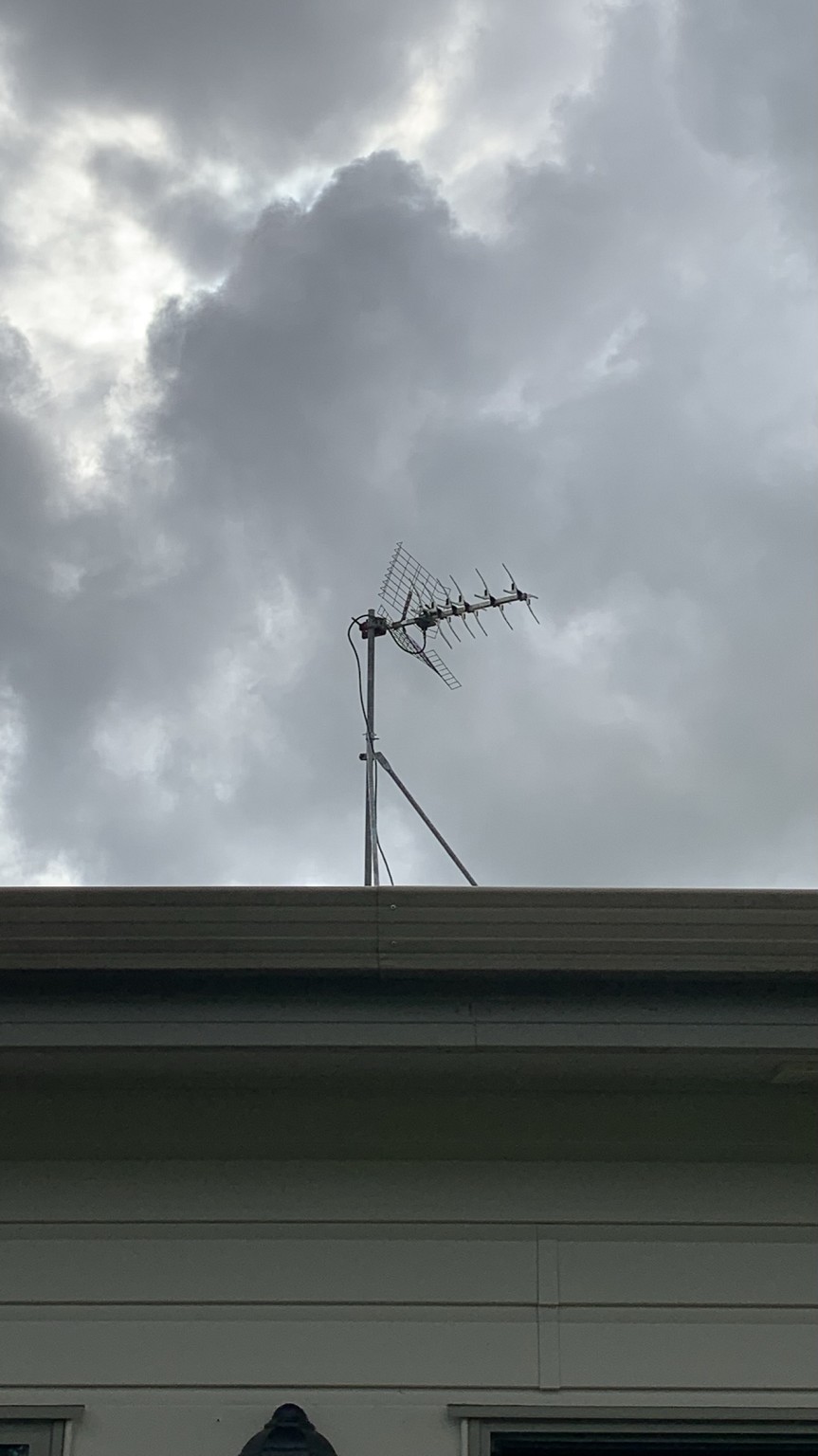
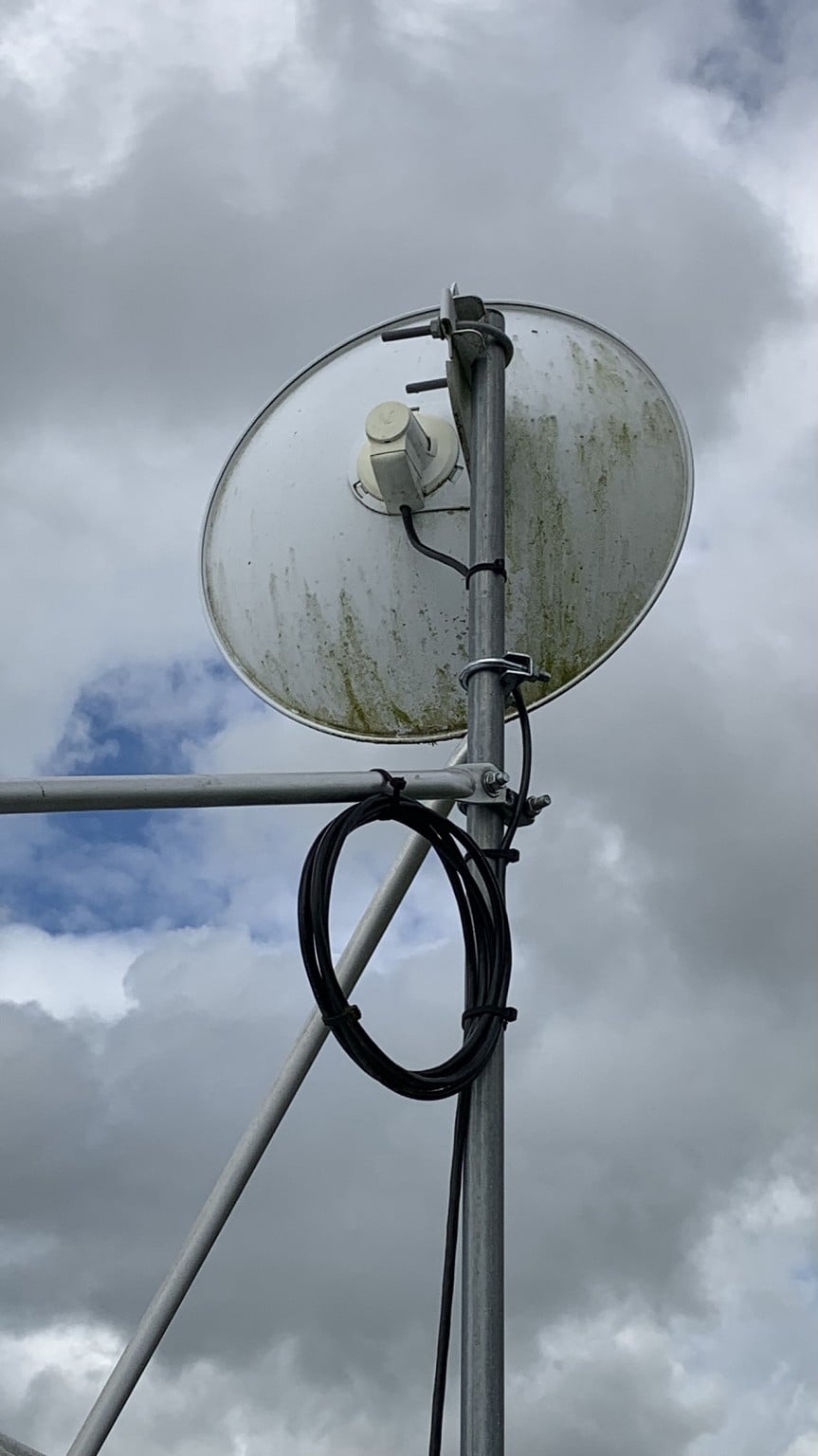
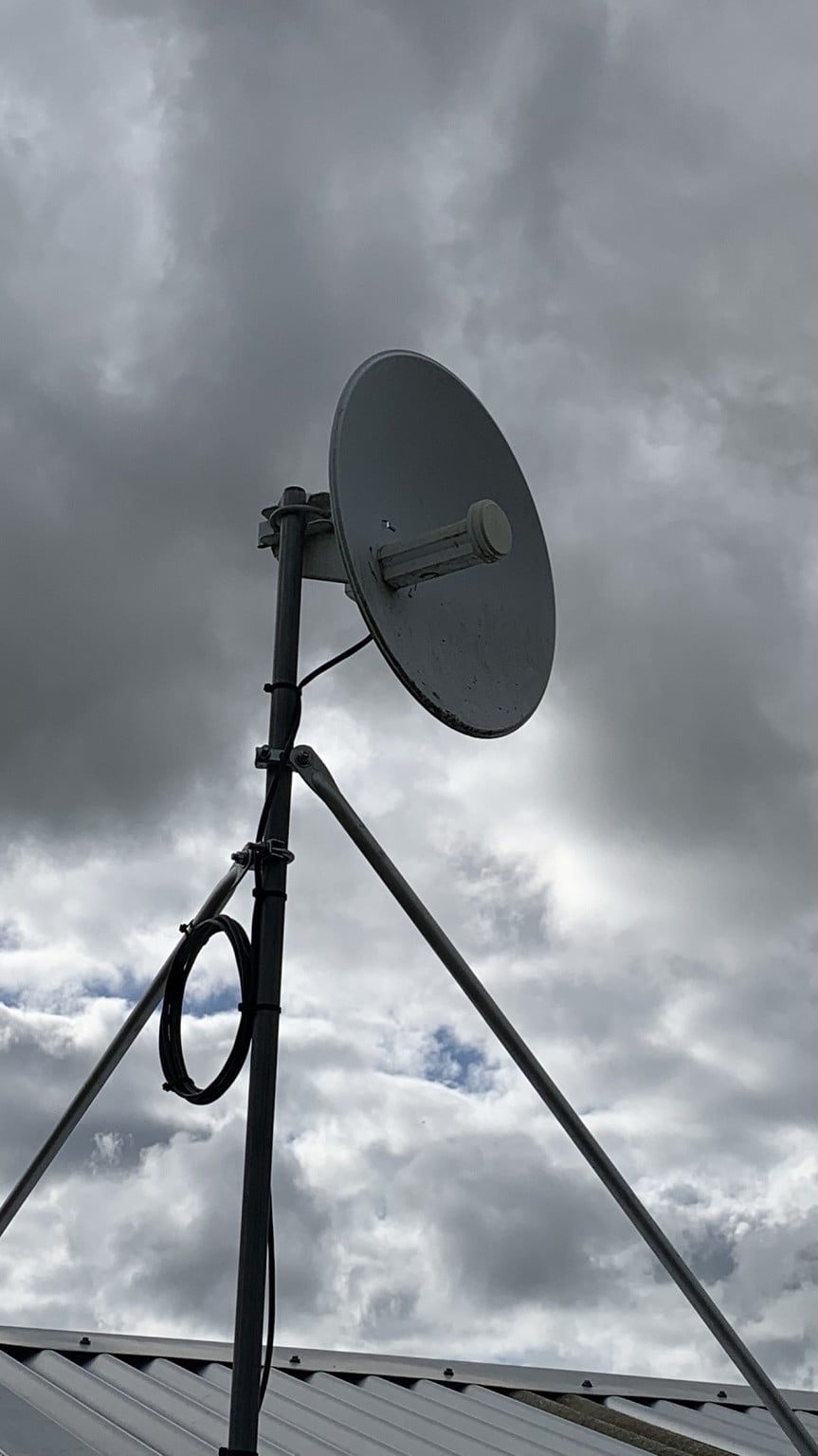
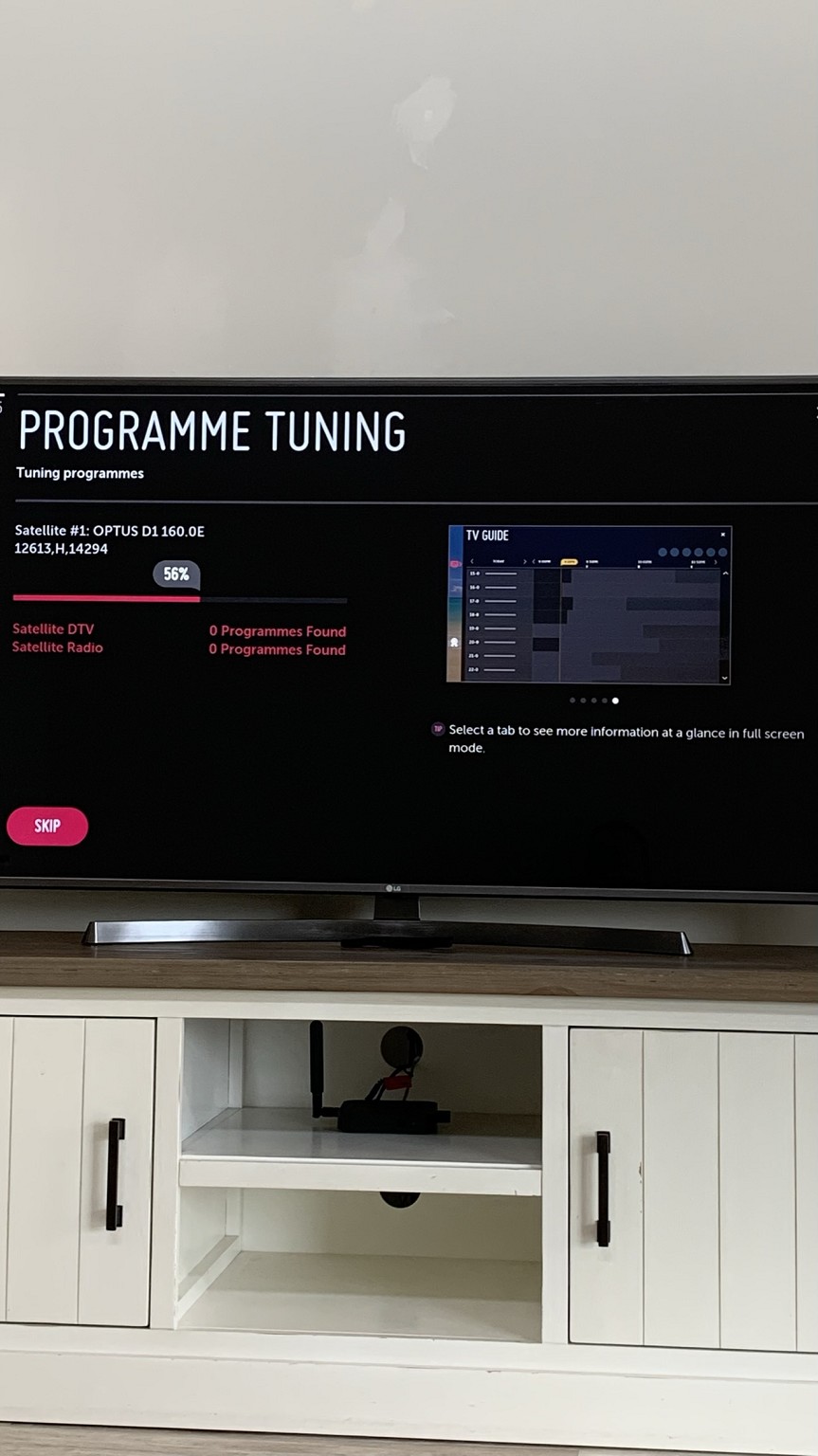
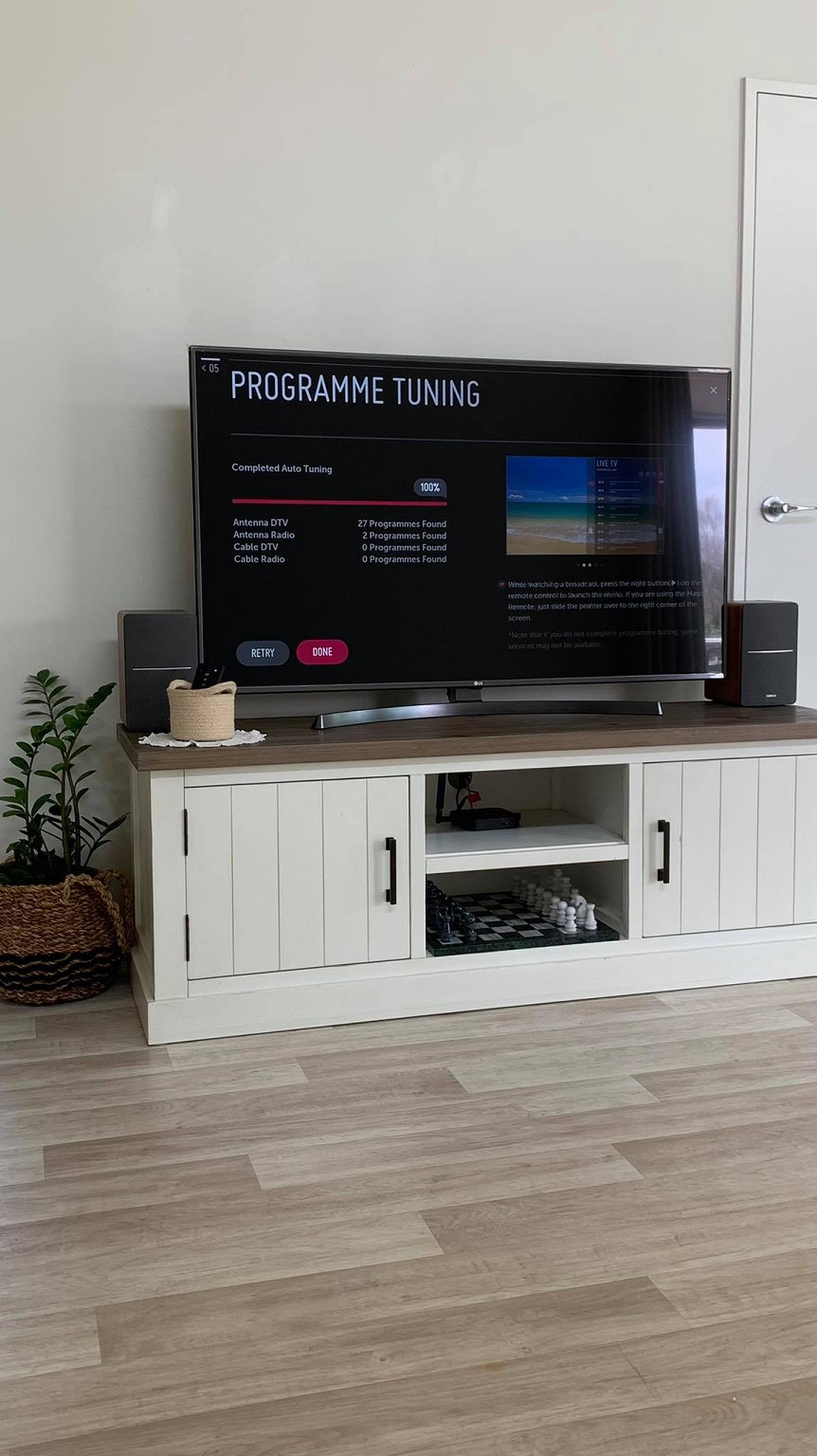
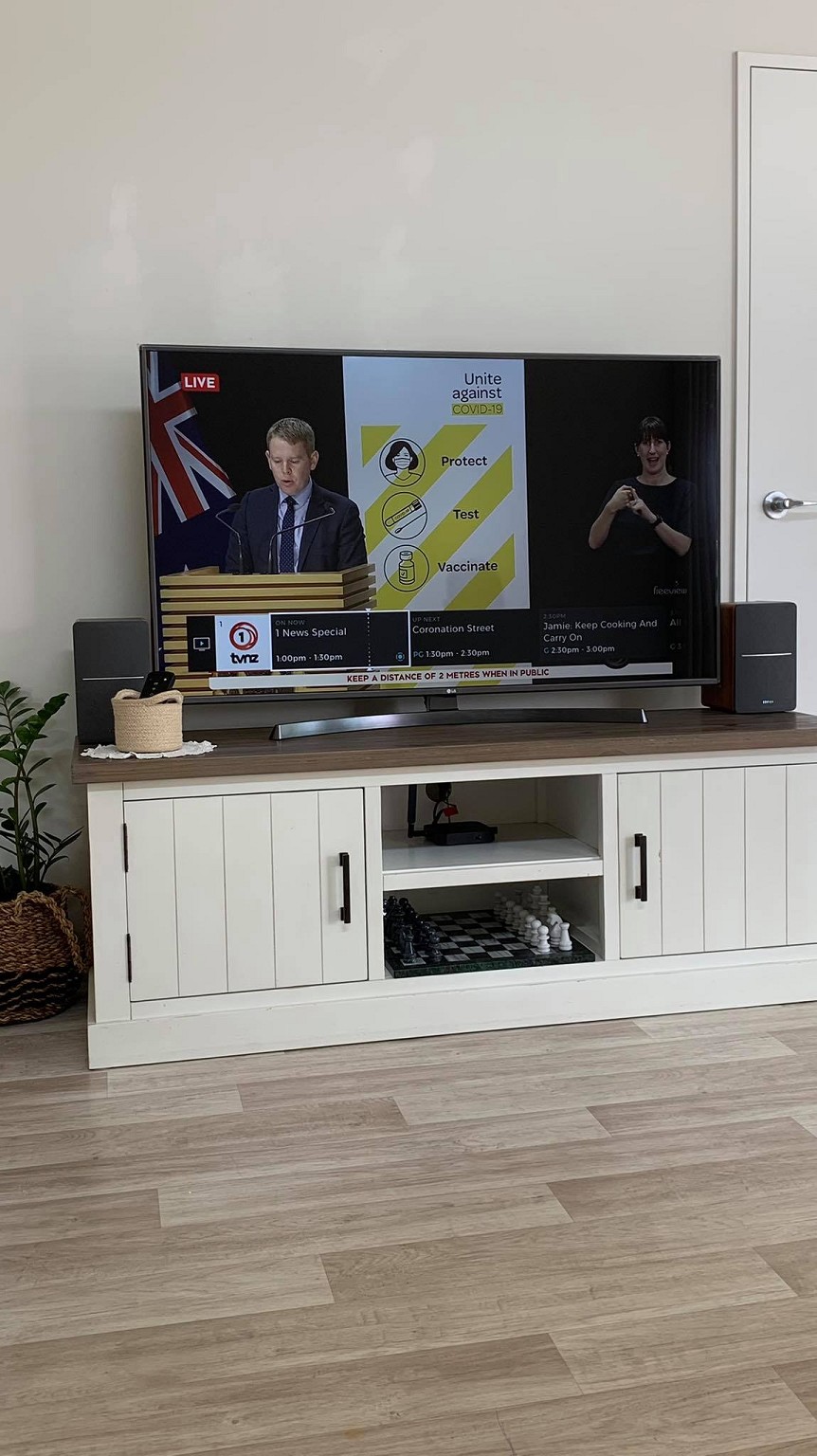
At the previous residence, we got freeview TV easily. No dramas at all with automatic tuning. New residence, no luck whatsoever. I've never seen this dish before which I'm guessing is the root of the issue. 
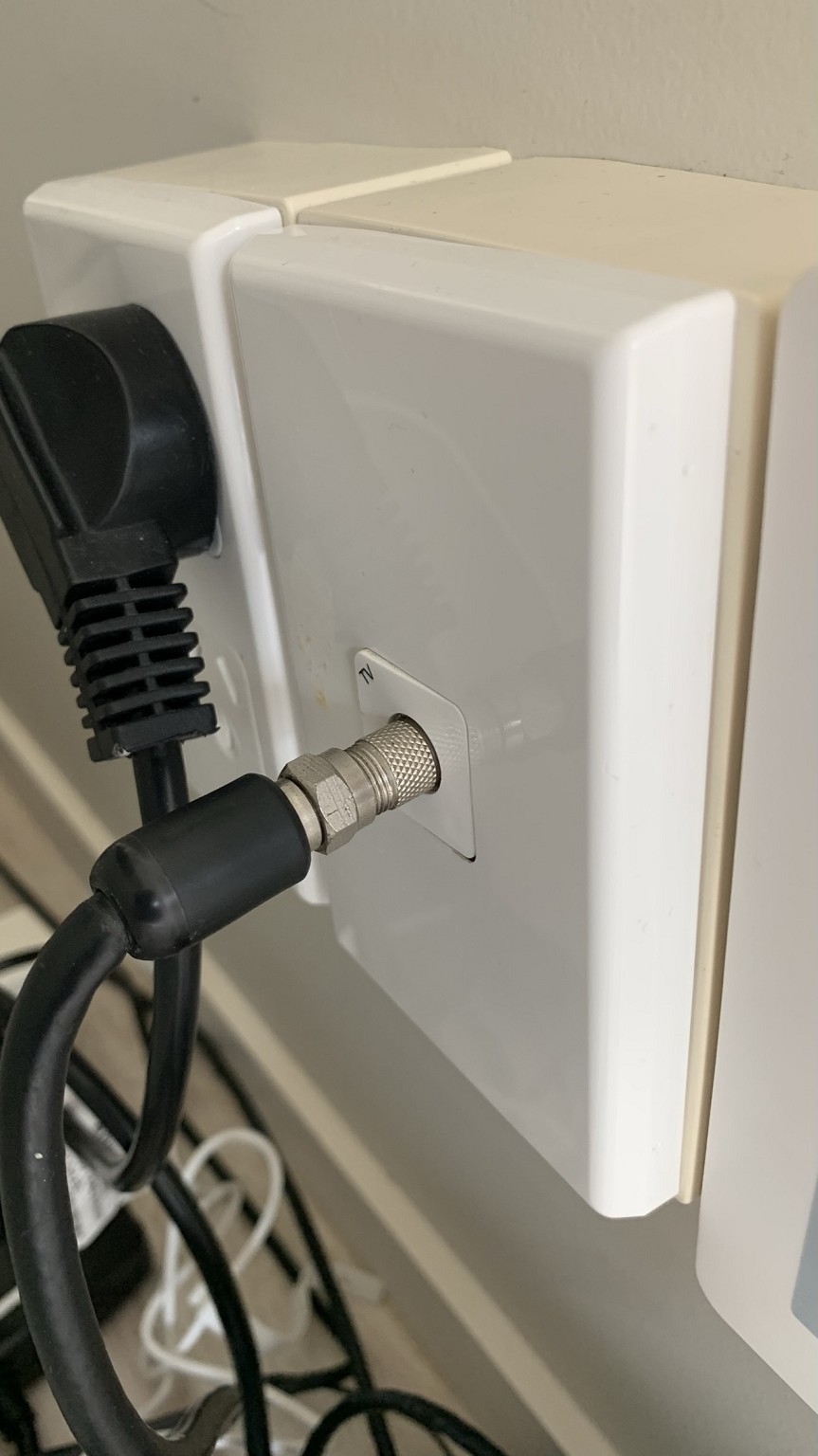


Any suggestions? 


Filter this topic showing only the reply marked as answer View this topic in a long page with up to 500 replies per page Create new topic
 1 | 2
Oblivian
7345 posts

Uber Geek
+1 received by user: 2117

ID Verified

  #2790404 6-Oct-2021 09:38
Send private message

First image, is UHF antenna - not satellite.


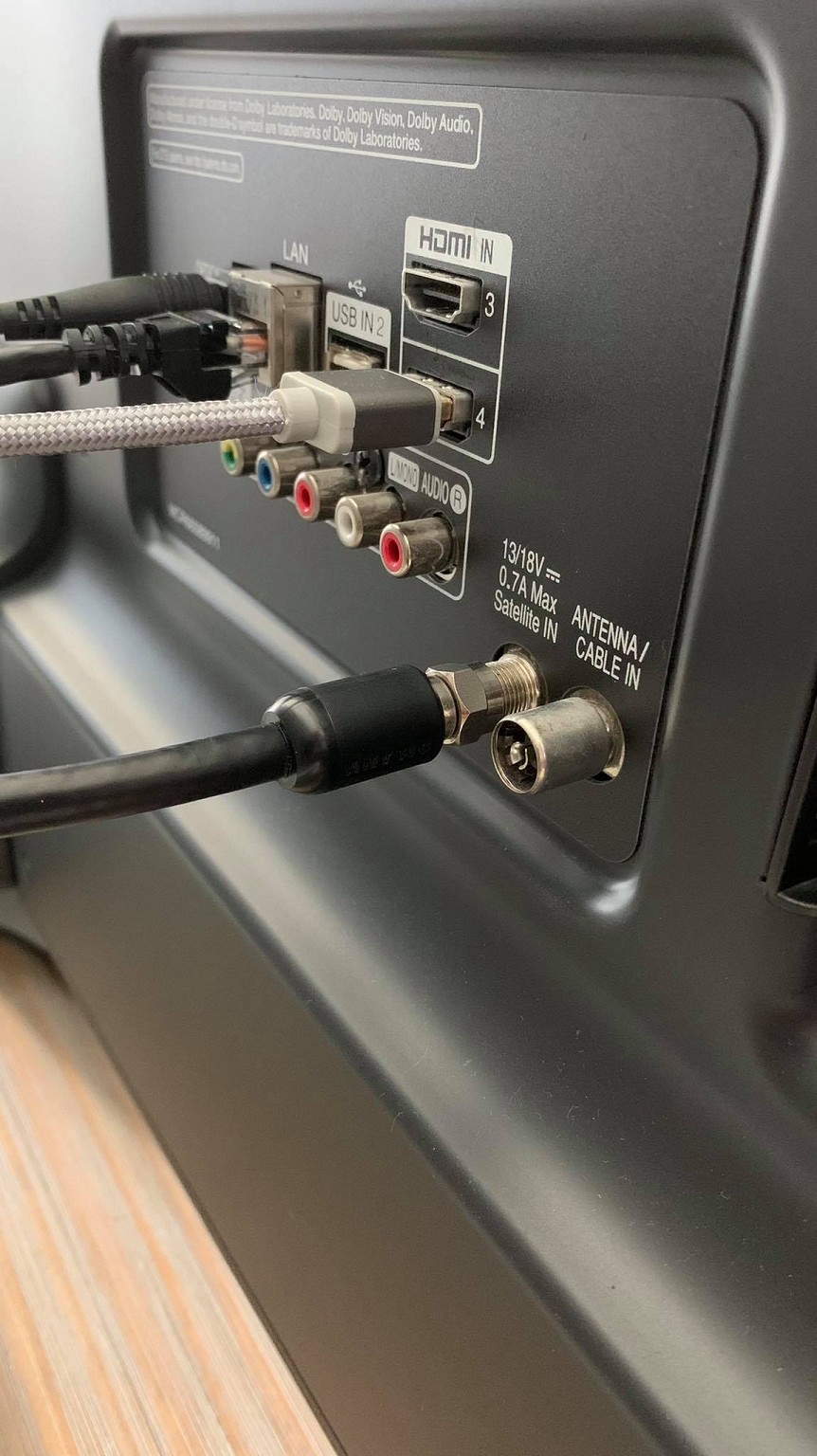
Make sure it is in the antenna in, not satellite in, and do a search using 'terrestrial UHF' or 'antenna' if it exists. It'll be far superior than the satellite signal anyway.


2nd, is rural broadband point to point antenna.


They will have been setup with internet from a tower on a hill somewhere.


wellygary
8810 posts

Uber Geek
+1 received by user: 5287


  #2790405 6-Oct-2021 09:38
Send private message

That's not a satellite TV dish, its wireless internet....  


as seen here  https://www.lightwire.co.nz/rural-solutions/


Nate001
677 posts

Ultimate Geek
+1 received by user: 465


  #2790409 6-Oct-2021 09:47
Send private message

First pic is UHF antenna. Does your TV have freeview built in?


Wakrak

1748 posts

Uber Geek
+1 received by user: 1126

ID Verified
Lifetime subscriber

  #2790414 6-Oct-2021 09:59
Send private message

Oblivian:


First image, is UHF antenna - not satellite.


Make sure it is in the antenna in, not satellite in, and do a search using 'terrestrial UHF' or 'antenna' if it exists. It'll be far superior than the satellite signal anyway.


2nd, is rural broadband point to point antenna.


They will have been setup with internet from a tower on a hill somewhere.


Cheers for the response. Think I'll need another cable then as I don't have one that fits the antenna slot on the back of my tv.


Wakrak

1748 posts

Uber Geek
+1 received by user: 1126

ID Verified
Lifetime subscriber

  #2790415 6-Oct-2021 10:01
Send private message

Nate001:


First pic is UHF antenna. Does your TV have freeview built in?


It does. Following Oblivian's advice, guessing I just need a TV - Aerial cable? 


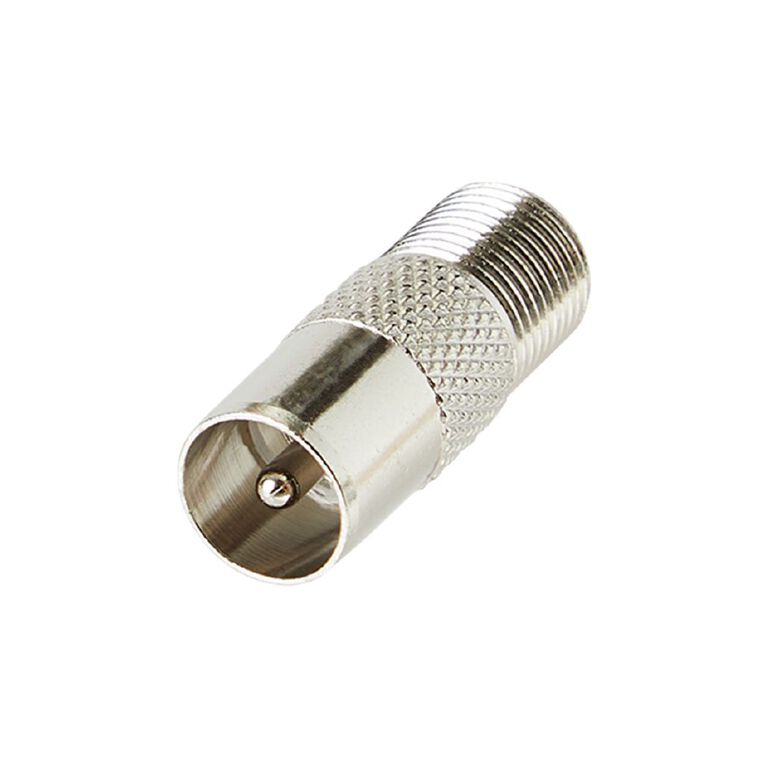
or possibly something like this?
https://www.noelleeming.co.nz/shop/televisions/accessories/cables-adaptors/endeavour-bst143328-right-angle-coax-plug-to-f-socket-9-5mm/prod165629.html


Lias
5655 posts

Uber Geek
+1 received by user: 3978

ID Verified
Trusted
Lifetime subscriber

  #2790416 6-Oct-2021 10:06
Send private message

Can't quite see to be certain, but it looks like you just need one of these: https://www.jaycar.co.nz/f-socket-to-pal-plug/p/PA3653


I'm a geek, a gamer, a dad, a Quic user, and an IT Professional. I have a full rack home lab, size 15 feet, an epic beard and Asperger's. I'm a bit of a Cypherpunk, who believes information wants to be free and the Net interprets censorship as damage and routes around it. If you use my Quic signup you can also use the code R570394EKGIZ8 for free setup. Opinions are my own and not the views of my employer.


Support Geekzone with one-off or recurring donations Donate via PressPatron.
wellygary
8810 posts

Uber Geek
+1 received by user: 5287


  #2790418 6-Oct-2021 10:10
Send private message

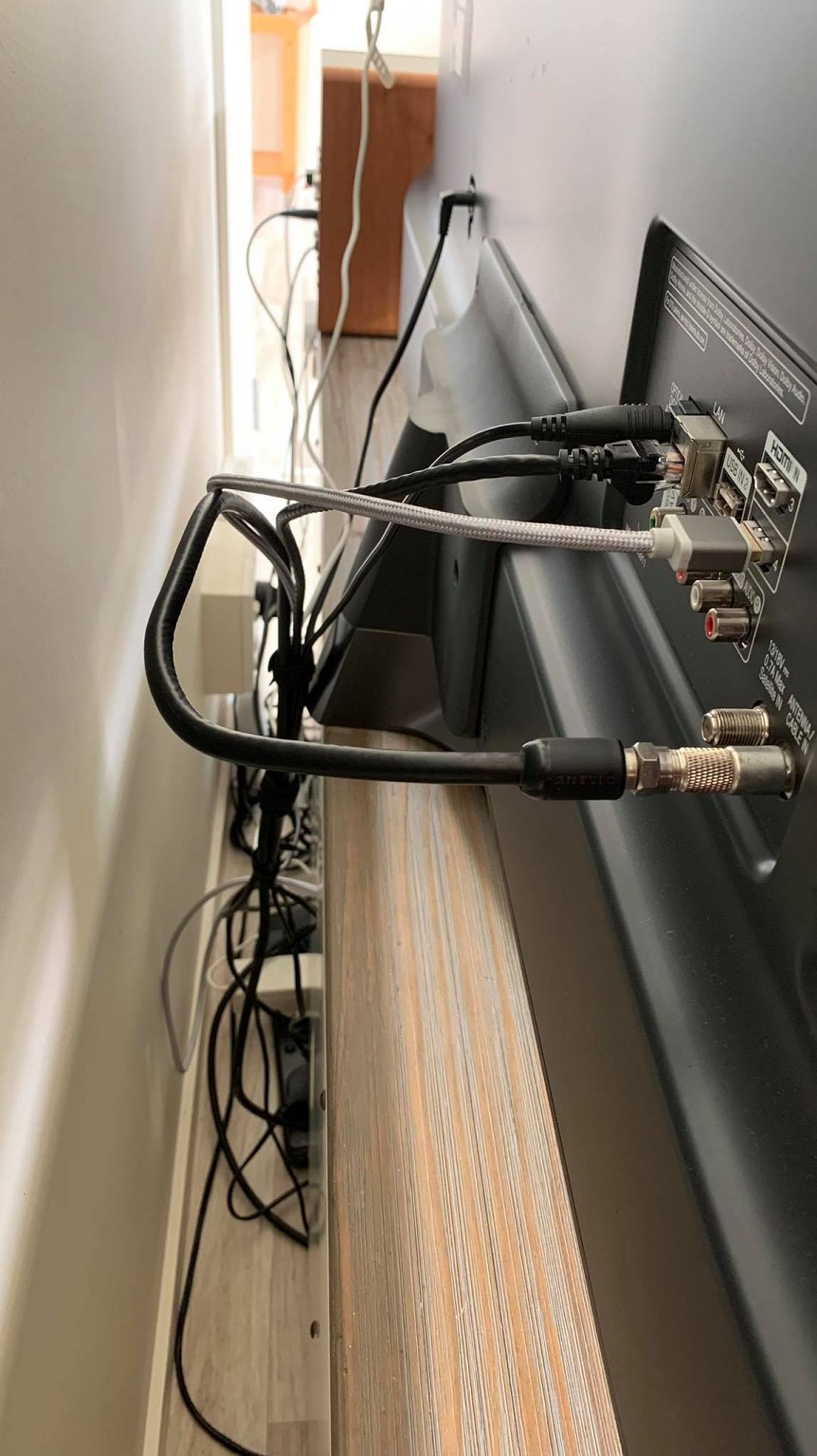
One of these will do the trick , but it actually looks like you might have two already,  one on  each end of the "satellite" lead,


Just unscrew the one at the TV end and plug the end of the cord into back of the TV...


https://www.thewarehouse.co.nz/p/tech.inc-coaxial-plug-to-f-socket-adapter/R2400011.html?gclsrc=aw.ds&ds_rl=1268368&ds_rl=1268368&gclid=EAIaIQobChMI8qTf05a08wIVK4NLBR3E7wPqEAkYBiABEgJR8vD_BwE&gclsrc=aw.ds


Wakrak

1748 posts

Uber Geek
+1 received by user: 1126

ID Verified
Lifetime subscriber

  #2790421 6-Oct-2021 10:19
Send private message

wellygary:


One of these will do the trick , but it actually looks like you might have two already,  one on  each end of the "satellite" lead,


Just unscrew the one at the TV end and plug the end of the cord into back of the TV...


https://www.thewarehouse.co.nz/p/tech.inc-coaxial-plug-to-f-socket-adapter/R2400011.html?gclsrc=aw.ds&ds_rl=1268368&ds_rl=1268368&gclid=EAIaIQobChMI8qTf05a08wIVK4NLBR3E7wPqEAkYBiABEgJR8vD_BwE&gclsrc=aw.ds


Cheers for the response. I just ordered a similar part from Jaycar since it's a stones throw away from the old house. Will update when I get the parts. 


There was an attachement on the wall socket end but not the TV end unfortunately. 


Nate001
677 posts

Ultimate Geek
+1 received by user: 465


  #2790436 6-Oct-2021 11:07
Send private message

If you've been previously using the Satellite input, you're going to notice a huge difference on UHF as that is HD.


kiwiharry
1064 posts

Uber Geek
+1 received by user: 476

ID Verified
Subscriber

  #2790437 6-Oct-2021 11:10
Send private message

Are you sure that black cable going into the connector on the TV doesn't come apart? Looks like a belling lee cable with a F-type adapter.


If you can't laugh at yourself then you probably shouldn't laugh at others.


RunningMan
9184 posts

Uber Geek
+1 received by user: 4834


  #2790442 6-Oct-2021 11:28
Send private message

The cable you have is F - F with an F - Belling Lee (PAL) adapter on the wall end.


Either get another similar adapter for the other end, or just get a Belling Lee (PAL) - Belling Lee (PAL) cable the right length. Then connect that cable to the Antenna in rather than Satellite in on the back of the TV.


This one's 10m - don't know what length you need https://www.pbtech.co.nz/product/CABDNX0359/Dynamix-CA-RF-MM10-10M-RF-Coaxial-Male-to-Male-TV


Support Geekzone with one-off or recurring donations Donate via PressPatron.
RunningMan
9184 posts

Uber Geek
+1 received by user: 4834


  #2790443 6-Oct-2021 11:29
Send private message

kiwiharry:


Are you sure that black cable going into the connector on the TV doesn't come apart? Looks like a belling lee cable with a F-type adapter.


It won't come apart - it's F-F with an F-PAL adapter screwed on the wall end.


Nate001
677 posts

Ultimate Geek
+1 received by user: 465


  #2790446 6-Oct-2021 11:36
Send private message

Looks like its just the play in the coupling to let it screw? I think only solution is adapter OP ordered, or new cable. 


kiwiharry
1064 posts

Uber Geek
+1 received by user: 476

ID Verified
Subscriber

  #2790447 6-Oct-2021 11:40
Send private message

Nate001:


Looks like its just the play in the coupling to let it screw? I think only solution is adapter OP ordered, or new cable. 


Yeah, sorry thought it could have also been an adapter, but looking closer at the pics can see it is a F-F cable.


If you can't laugh at yourself then you probably shouldn't laugh at others.


Wakrak

1748 posts

Uber Geek
+1 received by user: 1126

ID Verified
Lifetime subscriber

  #2790556 6-Oct-2021 13:24
Send private message

She's up and running now. Thank you all for your help. 


 1 | 2
Filter this topic showing only the reply marked as answer View this topic in a long page with up to 500 replies per page Create new topic


Geekzone Live »

Try automatic live updates from Geekzone directly in your browser, without refreshing the page, with Geekzone Live now.


Are you subscribed to our RSS feed? You can download the latest headlines and summaries from our stories directly to your computer or smartphone by using a feed reader.