Geekzone: technology news, blogs, forums
Guest
Welcome Guest.
You haven't logged in yet. If you don't have an account you can register now.


View this topic in a long page with up to 500 replies per page Create new topic
1 | ... | 8 | 9 | 10 | 11 | 12 | 13 | 14 | 15 | 16 | 17 | 18 | ... | 24
tanivula
998 posts

Ultimate Geek
+1 received by user: 158

Lifetime subscriber

  #2737230 1-Jul-2021 10:39
Send private message

Kopkiwi:


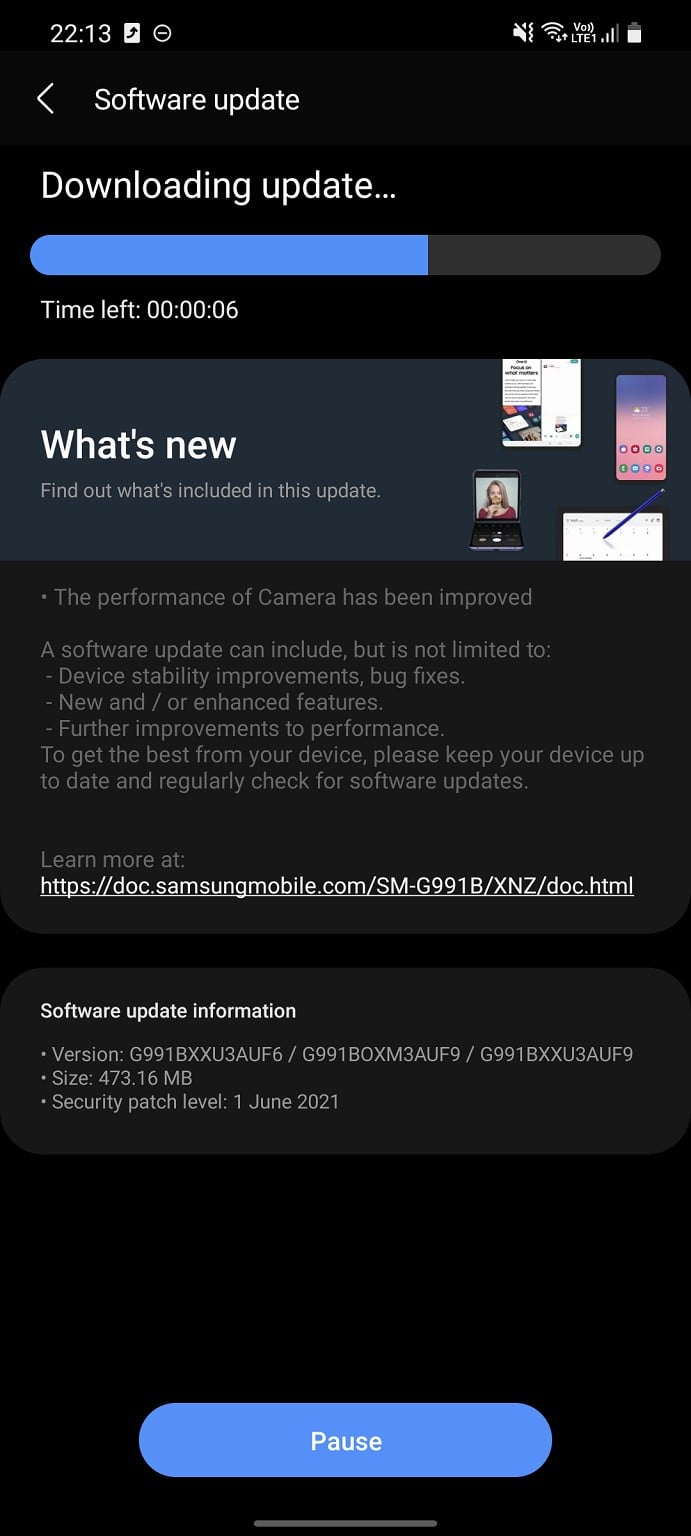
July 1st, still sitting on the May security patch. Thought Samsung promised faster updates? 


Looking at samfirmware etc they are releasing updates for the S21 with the current month's security patches. For example the BTU (UK unlocked CSC) has had updates:


  • 20/06 - June Security Patch
  • 11/05 - May Security
  • 28/03 - April Security
  • 03/03 - March Security

Unfortunately they don't seem to have the NZ CSCs. Not sure who to point finger at.  Since I believe there is only 1 NZ CSC, all 3 network operators would have to ok any changes?


Kopkiwi
2617 posts

Uber Geek
+1 received by user: 258
Inactive user


  #2740678 7-Jul-2021 16:17
Send private message

A week into July, still with 6 week old patch. Ridiculous


restecp
241 posts

Master Geek
+1 received by user: 44

ID Verified
Trusted

  #2740681 7-Jul-2021 16:21
Send private message

Kopkiwi:

A week into July, still with 6 week old patch. Ridiculous


Jump on to Samsung Members and let them know.


tanivula
998 posts

Ultimate Geek
+1 received by user: 158

Lifetime subscriber

  #2741991 9-Jul-2021 22:15
Send private message

@Kopkiwi


tanivula
998 posts

Ultimate Geek
+1 received by user: 158

Lifetime subscriber

  #2742147 10-Jul-2021 15:06
Send private message

Has anyone else noticed a few updates ago, when turning on flight mode, Bluetooth would stay enabled. Presumably for Google COVID framework to work. But the current update and the previous one doesn't do it for me anymore consistently. I caught a flight the other day and had my headphones connected and when I turned on flight mode, everything disconnected. But then on the return leg, it remained enabled.

Kopkiwi
2617 posts

Uber Geek
+1 received by user: 258
Inactive user


  #2743631 13-Jul-2021 13:16
Send private message

Geez, I thought this update was meant to fix the camera lag? I get a good 2-3 second delay now.


Shop now on Samsung phones, tablets, TVs and more (affiliate link).
tanivula
998 posts

Ultimate Geek
+1 received by user: 158

Lifetime subscriber

  #2743652 13-Jul-2021 14:00
Send private message

Kopkiwi:


Geez, I thought this update was meant to fix the camera lag? I get a good 2-3 second delay now.


When do you experience camera lag? I haven't noticed anything on my vanilla S21, launching from lockscreen or double tap power or via the 'normal' shortcut. 


Kopkiwi
2617 posts

Uber Geek
+1 received by user: 258
Inactive user


  #2743884 14-Jul-2021 08:51
Send private message

tanivula:


Kopkiwi:


Geez, I thought this update was meant to fix the camera lag? I get a good 2-3 second delay now.


When do you experience camera lag? I haven't noticed anything on my vanilla S21, launching from lockscreen or double tap power or via the 'normal' shortcut. 


All instances.


Batman
Mad Scientist
30014 posts

Uber Geek
+1 received by user: 6217

Trusted
Lifetime subscriber

  #2764875 22-Aug-2021 14:20
Send private message

got a note 20 so presumably works the same.


is it possible to the the covid scanner app to load without logging into the phone?


or rather, what is the way to setup the phone so that the covid app will load the fastest? right now it takes me a while fumbling about on my phone to bring up the app. the fingerprint scanner is hopeless. hoping i can open the app without entering any security details.


or is that a bad idea - eg people can steal your phone and know where you've been (seriously i don't care lol)


scoobydoo
207 posts

Master Geek
+1 received by user: 9


  #2764880 22-Aug-2021 14:31
Send private message

Batman:


got a note 20 so presumably works the same.


is it possible to the the covid scanner app to load without logging into the phone?


or rather, what is the way to setup the phone so that the covid app will load the fastest? right now it takes me a while fumbling about on my phone to bring up the app. the fingerprint scanner is hopeless. hoping i can open the app without entering any security details.


or is that a bad idea - eg people can steal your phone and know where you've been (seriously i don't care lol)


I have my Covid Scanner as one of the two corner apps, swipe to open from the Lock Screen. It will still ask for some type of security to open, either fingerprint, PIN or Pattern, depending on what you have set up.


You can turn the security off of course, but that turns it off for everything. I'm not aware if you can turn security off 'per app'


Batman
Mad Scientist
30014 posts

Uber Geek
+1 received by user: 6217

Trusted
Lifetime subscriber

  #2764886 22-Aug-2021 14:46
Send private message

i do that too. the stupid phone, when i don't do anything screen doesnt wake. when i press wake button the screen would have auto waked and then it shuts off the screen. then eventually i try to use the fingerprint scanner and there's a 70-30 chance it won't work. pain in the butt.


my wife's iphone - just look at it and it opens


HP


Shop now for HP laptops and other devices (affiliate link).
restecp
241 posts

Master Geek
+1 received by user: 44

ID Verified
Trusted

  #2764887 22-Aug-2021 14:49
Send private message

Batman:

i do that too. the stupid phone, when i don't do anything screen doesnt wake. when i press wake button the screen would have auto waked and then it shuts off the screen. then eventually i try to use the fingerprint scanner and there's a 70-30 chance it won't work. pain in the butt.


my wife's iphone - just look at it and it opens


So many options:

1. Reset up finger print (use hand sanitizer first)
2. Set up face unlock
3. Disable lift to wake so your phone only wakes when you push the button


scoobydoo
207 posts

Master Geek
+1 received by user: 9


#2764891 22-Aug-2021 14:57
Send private message

restecp:
Batman:


i do that too. the stupid phone, when i don't do anything screen doesnt wake. when i press wake button the screen would have auto waked and then it shuts off the screen. then eventually i try to use the fingerprint scanner and there's a 70-30 chance it won't work. pain in the butt.


my wife's iphone - just look at it and it opens


2. Set up face unlock


Just make sure it works with and without face-mask :D


heavenlywild
5091 posts

Uber Geek
+1 received by user: 901

Trusted

  #2764894 22-Aug-2021 15:21
Send private message

Hey guys, where can one purchase a 512GB Ultra version at the moment? No one locally seems to have stock.


KiwiSurfer
1725 posts

Uber Geek
+1 received by user: 994

ID Verified
Lifetime subscriber

  #2764906 22-Aug-2021 16:16
Send private message

scoobydoo:


I have my Covid Scanner as one of the two corner apps, swipe to open from the Lock Screen. It will still ask for some type of security to open, either fingerprint, PIN or Pattern, depending on what you have set up.


For those wondering how to set the above up, here are the steps for S21:


Settings App > Lock screen > Shortcuts > Left/Right shortcut > NZ COVID Tracer.


As for the fingerprint scanner, I've found the fingerprint scanner on the S21 to be very good. The one I had on my previous iPhones (up to the 8) was very 50:50 at detecting my fingerprint--it got to the point the point I found it was faster to type in my PIN than try and position my finger so it scanned correctly. Whereas the Samsung/Android one is closer to 95% successful for me. YMMV of course but I'd try resetting your fingerprint enrollment and see if that makes a difference.


1 | ... | 8 | 9 | 10 | 11 | 12 | 13 | 14 | 15 | 16 | 17 | 18 | ... | 24
View this topic in a long page with up to 500 replies per page Create new topic


Geekzone Live »

Try automatic live updates from Geekzone directly in your browser, without refreshing the page, with Geekzone Live now.


Are you subscribed to our RSS feed? You can download the latest headlines and summaries from our stories directly to your computer or smartphone by using a feed reader.