Geekzone: technology news, blogs, forums
Guest
Welcome Guest.
You haven't logged in yet. If you don't have an account you can register now.


mcbatman

2 posts

Wannabe Geek


#190702 9-Jan-2016 14:37
Send private message

Howdy folks, I'm new here so consider this my introduction and first question all rolled into one :) I look forward to being a part of your community.

I'm wanting to use an old Android phone as a security camera at my home and would like some suggestions on how best to do this.

I've tried using an app called Perch which is pretty much perfect for my needs, except that it chews through my internet cap and slows everything on the wireless network down. Therefore, I'd like to set up a similar system using the phone but have it record a loop on the phone itself. I should be able to remotely trigger the phone to stream to a remote device such as my phone or laptop if motion is detected or I manually trigger the stream.

I've looked at a bunch of apps and all the ones I could find would use a heap of data as they stream continuously to a remote server. This is what I am trying to avoid. Have also considered setting the phone to stream over it's own dedicated wireless network to a network server at my home.

Got any ideas? Is there an app for this that I'm missing? Oh, the phone is an old Samsung Galaxy s4.

TL;DNR - Suggestions for converting an Android phone to a security camera that won't hogg all my data and bandwidth.


Create new topic

gzt

gzt
18671 posts

Uber Geek
+1 received by user: 7805

Lifetime subscriber

  #1466537 9-Jan-2016 14:40
Send private message

It must be on all the time or only on when triggered manually?


mcbatman

2 posts

Wannabe Geek


  #1466546 9-Jan-2016 14:55
Send private message

Ideally I was thinking on all the time recording in a 30 minute loop on the phone itself. If motion is detected, it should send out an alert to my phone where I can trigger it to stream to the device manually.

As I mentioned above, there are apps which will allow something similar - stream continuously to a remote server, but this chews through all my data.

Brendan
716 posts

Ultimate Geek
+1 received by user: 67

Trusted

  #1467172 10-Jan-2016 19:16
Send private message

Take into account that a smartphone camera uses a lot of battery and that generates a lot of heat. I don't think most of them are designed to stay on for hours at a time... Might cause damage. They also like to lock up etc. YMMV...


McNulty
152 posts

Master Geek
+1 received by user: 23


  #1467192 10-Jan-2016 19:26
Send private message

I have used DashCam apps in the past which allow recording of loops, or time lapse photos.
Perhaps you could use 2 apps - a dashcam app for the 30 minute loop and another app for live stream.
The 2nd app might need only be a remote control app like teamviewer, if such a thing exists for Android.


If you always do what you always did, you'll always get what you always got!

michaelmurfy
meow
13579 posts

Uber Geek
+1 received by user: 10910

Moderator
ID Verified
Trusted
Lifetime subscriber

  #1467227 10-Jan-2016 20:08
Send private message

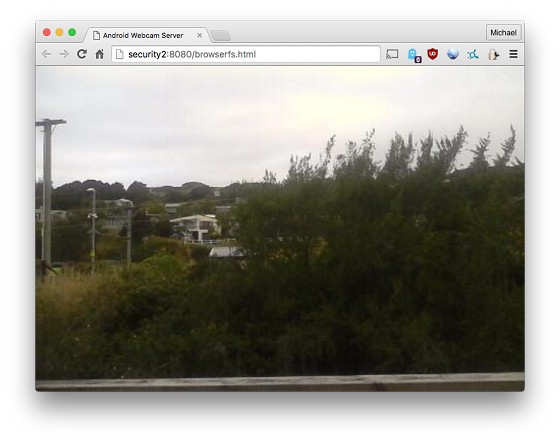
I've got a couple of cheap and cheerful $35 Vodafone android phones doing this already via an app called "IP Webcam" (Linky) - works pretty well. I have my feeds going into a Zoneminder server running on a Raspberry Pi and each camera loops a 30min feed on the SD card (and Zoneminder records too).

Works out well since each phone can run for a day or so on battery and my UPS powers things if the power goes out.


Michael Murphy | https://murfy.nz
Referral Links: Quic Broadband (use R122101E7CV7Q for free setup)

Are you happy with what you get from Geekzone? Please consider supporting us by subscribing.
Opinions are my own and not the views of my employer.


Create new topic


Geekzone Live »

Try automatic live updates from Geekzone directly in your browser, without refreshing the page, with Geekzone Live now.


Are you subscribed to our RSS feed? You can download the latest headlines and summaries from our stories directly to your computer or smartphone by using a feed reader.