Geekzone: technology news, blogs, forums
Guest
Welcome Guest.
You haven't logged in yet. If you don't have an account you can register now.


d3Xt3r

697 posts

Ultimate Geek
+1 received by user: 132

Trusted

#224104 2-Nov-2017 14:45
Send private message

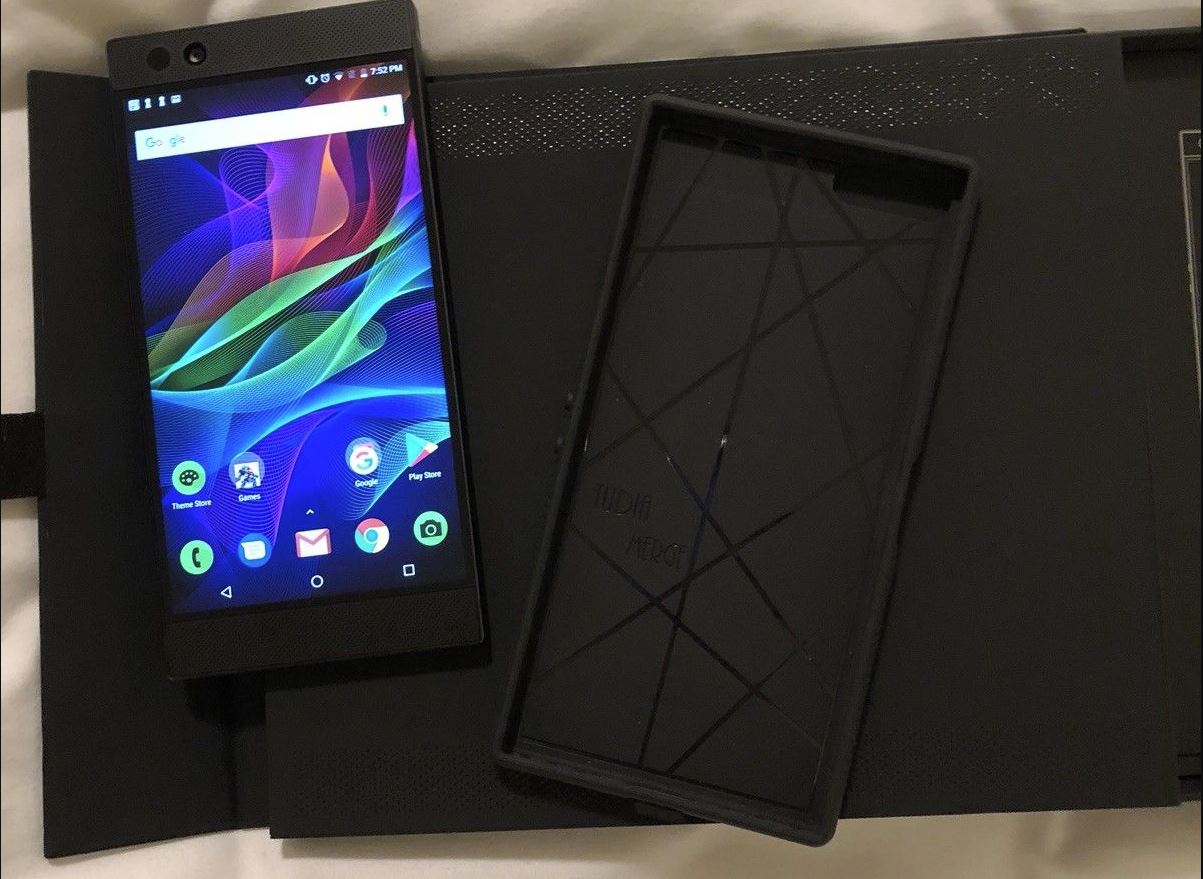
The Razer Phone has been officially launched!


Specifications:


- 5.7" QHD IPS display @ 120Hz
- Snapdragon 835
- 8GB RAM
- 64GB Storage + microSD Slot
- 4000mAH battery
- Band 28 support
- Front-facing stereo speakers
- Side-facing fingerprint sensor (on power button)
- Dual 12MP+13MP cameras with 2x optical zoom

Cons:
- No headphone jack
- No waterproofing

Links:
 - Official Press Release
 - MKBHD - First Impressions
 - Engadget - Hands On
 - Android Police - Hands On


Create new topic
mrdrifter
589 posts

Ultimate Geek
+1 received by user: 294

ID Verified
Trusted

  #1894300 2-Nov-2017 15:21
Send private message

Interesting looking phone. They're really trying to push their pedigree as a gaming brand.


One concern is the clock speed of the battery - 4000 MHz smile 


d3Xt3r

697 posts

Ultimate Geek
+1 received by user: 132

Trusted

  #1894303 2-Nov-2017 15:27
Send private message

mrdrifter:


One concern is the clock speed of the battery - 4000 MHz smile


Haha, good catch. Fixed, thanks. :)


sidefx
3775 posts

Uber Geek
+1 received by user: 1295

Trusted

  #1894309 2-Nov-2017 15:40
Send private message

Aww, it's not a flip phone (and I'm guessing in no way related to the razr... oh I see made by razer the pc peripherals company)


"I was born not knowing and have had only a little time to change that here and there."         | Octopus Energy | Sharesies
              - Richard Feynman


travlockhart
66 posts

Master Geek
+1 received by user: 7


  #1894323 2-Nov-2017 16:16
Send private message

It really resembles the Nextbit Robin, they didn't alter the design that much. Too bad they've gotten rid of the lights on the back, they could've changed that to RGB and market it as a Chroma product.


Please consider this account deleted.


1t5s1rr0n
10 posts

Wannabe Geek


  #1931758 7-Jan-2018 15:59
Send private message

I just got one shipped from the States.


Works well for me.

My only problem so far is that on Skinny Direct, I can only make and receive Calls/Text using "3G Only" option, when I switch to "LTE/3G/2G preferred" or "LTE/3G" options can't do or receive Calls/Text. However, mobile internet works just fine. on all modes ("3G Only","LTE/3G","LTE/3G/2G preferred"). Not sure with other majors (Vodafone, 2Degrees)


Razer Phone Network Frequencies


1t5s1rr0n
10 posts

Wannabe Geek


  #1931781 7-Jan-2018 17:12
Send private message

Razer Phone Network Frequencies: https://www.gsmarena.com/_razer_phone-8923.php


Click to see full size


Support Geekzone with one-off or recurring donations Donate via PressPatron.
Linux
12173 posts

Uber Geek
+1 received by user: 8469

Trusted
Lifetime subscriber

  #1931782 7-Jan-2018 17:16
Send private message
d3Xt3r

697 posts

Ultimate Geek
+1 received by user: 132

Trusted

  #1932048 8-Jan-2018 10:51
Send private message

1t5s1rr0n:


I just got one shipped from the States.


Works well for me.

My only problem so far is that on Skinny Direct, I can only make and receive Calls/Text using "3G Only" option, when I switch to "LTE/3G/2G preferred" or "LTE/3G" options can't do or receive Calls/Text. However, mobile internet works just fine. on all modes ("3G Only","LTE/3G","LTE/3G/2G preferred"). Not sure with other majors (Vodafone, 2Degrees)


Razer Phone Network Frequencies


Have you tried changing your radio band from United States? Open your dialer and dial *#*#4636#*#* -> Phone information -> Menu (three dots on top-right) -> Select Radio Band. Then chose either Australia if you have it, or Automatic. Reboot and test.


1t5s1rr0n
10 posts

Wannabe Geek


  #1935607 10-Jan-2018 14:20
Send private message

Hi d3xt3r,


I tried what you said

I got these options under Select Radio Band:


- Europe


- United States


- Japan


- Australia


- Australia 2


I tried both Australia & Australia 2 but it still doesn't work, when on "LTE/3G/2G preferred" or "LTE/3G" options.


I also have these options under Set preferred network type: in Phone Info of which I haven't touched yet and currently at: TD-SCDMA-WCDMA


- WCDMA preferred


- GSM only


- WCDMA only


- GSM auto (PRL)


- CDMA auto (PRL)


- CDMA only


- EvDo only


- Global auto (PRL)


- LTE/CDMA auto (PRL)


- LTE/UMTS auto (PRL)


- LTE/CDMA/UMTS auto (PRL)


- LTE only


- LTE/WCDMA


- TD-SCDMA only


- TD-SCDMA/WCDMA


- LTE/TD-SCDMA


- TD-SDCMA/GSM


- TD-SCDMA/UMTS


- LTE/TD-SCDMA/WCDMA


- LTE/TD-SDCMA/UMTS


- TD-SCDMA/CDMA/UMTS


- Global/TD-SCDMA


- Unknown


1t5s1rr0n
10 posts

Wannabe Geek


  #1950418 2-Feb-2018 06:51
Send private message

d3Xt3r:


1t5s1rr0n:


I just got one shipped from the States.


Works well for me.

My only problem so far is that on Skinny Direct, I can only make and receive Calls/Text using "3G Only" option, when I switch to "LTE/3G/2G preferred" or "LTE/3G" options can't do or receive Calls/Text. However, mobile internet works just fine. on all modes ("3G Only","LTE/3G","LTE/3G/2G preferred"). Not sure with other majors (Vodafone, 2Degrees)


Razer Phone Network Frequencies


Have you tried changing your radio band from United States? Open your dialer and dial *#*#4636#*#* -> Phone information -> Menu (three dots on top-right) -> Select Radio Band. Then chose either Australia if you have it, or Automatic. Reboot and test.


==Update 28/01/2018==

On "LTE/3G","LTE/3G/2G preferred" I can actually do text messages, but still no calls (even if Radio Band is set to either Australia or Australia , when you dial *#*#4636#*#*), so currently on "3G only". This only seems to affect Skinny and Skinny Direct. (I'm on Skinny Direct 3GB plan and I have a spare Skinny SIM)


On 2Degrees and Vodafone (I also have spare SIM) Calls/Text on all modes "LTE/3G","LTE/3G/2G preferred" or "3G Only" works w/o issue. I tried it with all Radio Band options as well"USA", "Japan", "Australia" & "Australia 2" and works flawlessly on both 2Degrees and Vodafone.


On 2Degrees I had to manually setup APN and MMS first though.


Create new topic


Geekzone Live »

Try automatic live updates from Geekzone directly in your browser, without refreshing the page, with Geekzone Live now.


Are you subscribed to our RSS feed? You can download the latest headlines and summaries from our stories directly to your computer or smartphone by using a feed reader.