Geekzone: technology news, blogs, forums
Guest
Welcome Guest.
You haven't logged in yet. If you don't have an account you can register now.


turb

880 posts

Ultimate Geek
+1 received by user: 135


#268125 29-Feb-2020 17:38
Send private message

Google has not been my friend..


I've just bought a Samsung S10e, Android 10, One UI v2.0.


It has a slim notch or cutout on the rhs of the screen. If I hold it down I can move it around, but it doesn't seem to do anything.


Can anyone tell me what it's for? And is it part of Android or One UI?


Interests: HTPC, Web App authoring. 


Filter this topic showing only the reply marked as answer Create new topic
kinginvercargill
126 posts

Master Geek
+1 received by user: 33

ID Verified
Lifetime subscriber

  #2429365 29-Feb-2020 17:45
Send private message

Pull from the side where the black bit is and if it'll open the edge panel on screen. There's some option somewhere to disable it If I remember rightly


Senecio
2851 posts

Uber Geek
+1 received by user: 3159

ID Verified
Lifetime subscriber

  #2429366 29-Feb-2020 17:46
Send private message

Its not a scroll bar?


turb

880 posts

Ultimate Geek
+1 received by user: 135


  #2429447 29-Feb-2020 21:21
Send private message

kinginvercargill: Pull from the side where the black bit is and if it'll open the edge panel on screen. There's some option somewhere to disable it If I remember rightly


Thanks!


i think the reason it didn't seem to do anything is that the bumper case overlaps it slightly.


Interests: HTPC, Web App authoring. 


Hiamie
355 posts

Ultimate Geek
+1 received by user: 102


  #2429475 1-Mar-2020 00:05
Send private message

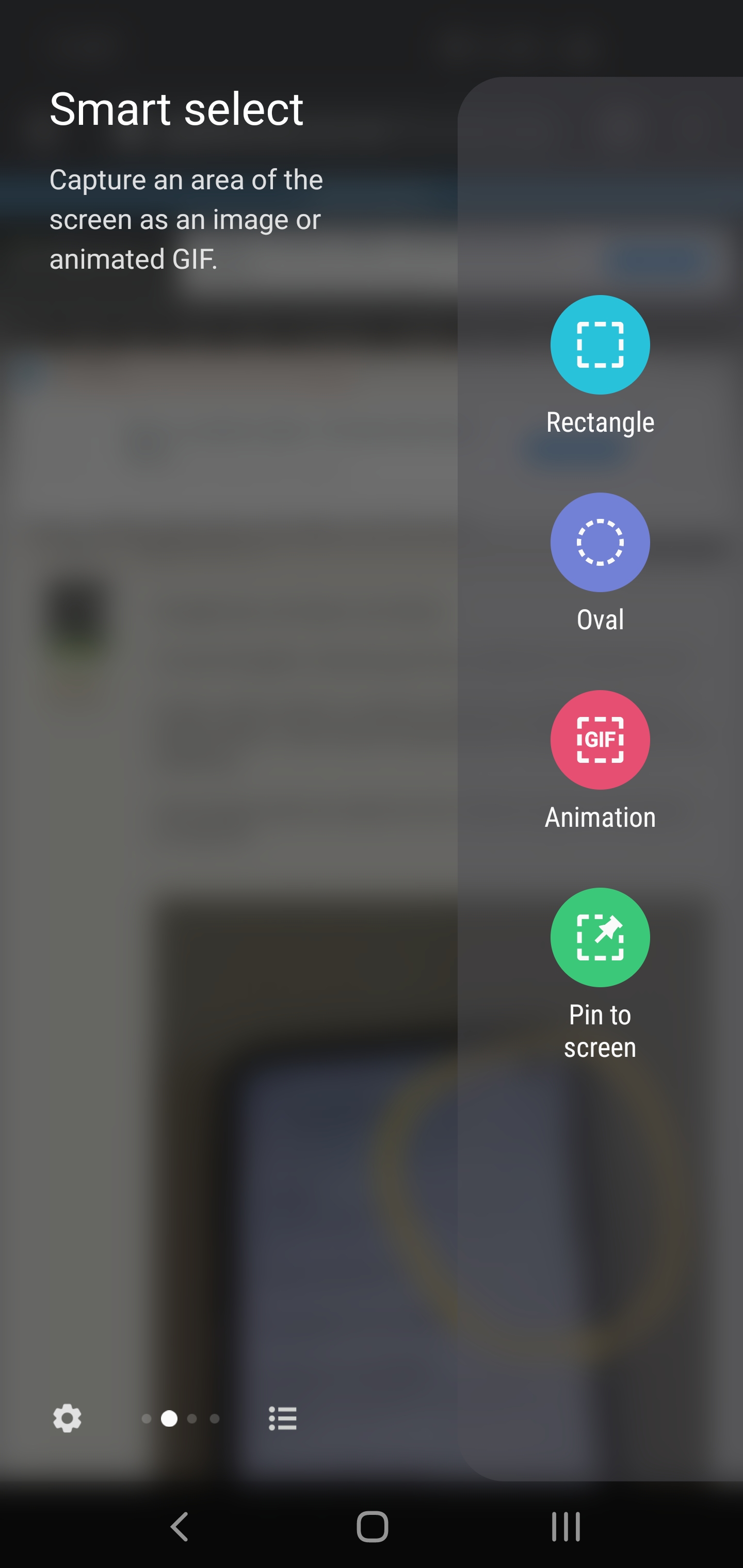
That is the edge panel.
Very useful feature for me, but if you dont want it, turn off under settngs/ display.


riztricted
65 posts

Master Geek
+1 received by user: 21


  #2429547 1-Mar-2020 11:13
Send private message

This edge screen, similar to below image. Swipe left on the notch to bring it up. You can customize it too to have quick access to apps.


Filter this topic showing only the reply marked as answer Create new topic


Geekzone Live »

Try automatic live updates from Geekzone directly in your browser, without refreshing the page, with Geekzone Live now.


Are you subscribed to our RSS feed? You can download the latest headlines and summaries from our stories directly to your computer or smartphone by using a feed reader.